As an Amazon Associate, we earn from qualifying purchases. Some links on this site are affiliate links at no extra cost to you. Our recommendations are based on thorough research and editorial judgment.


OLED Portable Monitors: Color-Accurate Editing on the Go for Creators

OLED portable monitors deliver Delta E values below 2.0, eliminating color grading surprises across platforms through true blacks, infinite contrast ratios, and 100% DCI-P3 coverage aligned with industry standards. Unlike LCD panels constrained by backlight limitations, OLED pixels produce their own light, maintaining consistent color fidelity across 178-degree viewing angles. Factory calibration typically achieves Delta E below 1.5, while quarterly recalibration with tools like X-Rite i1Display preserves accuracy during mobile use. Your specific workflow—video editing, photography, or graphic design—determines ideal monitor selection criteria.
Key Takeaways
- OLED pixels produce true blacks and infinite contrast ratios, enabling accurate color representation essential for professional creative work.
- OLED portable monitors achieve Delta E under 2.0 with 100% DCI-P3 coverage, meeting industry standards for color-critical editing.
- Factory calibration below 1.5 Delta E and 178-degree viewing angles ensure consistent color fidelity across varying positions and environments.
- Quarterly calibration using tools like X-Rite i1Display maintains color accuracy over time despite environmental challenges during mobile use.
- Choose monitors based on workflow: ASUS for versatility, ViewSonic for brand validation, UPERFECT for high-resolution detail work.
Why OLED Portable Monitors Eliminate Color Grading Surprises
You’ve spent hours color grading your footage, and it looks perfect on your monitor. Then you send it out, and suddenly it looks completely different on someone else’s screen, or worse, on the actual platform where it’ll live. That sinking feeling? It happens because your editing setup and the real world aren’t speaking the same language when it comes to color.
OLED portable monitors fix this disconnect. They’re built to match what the industry actually uses, so what you see is what you get—no nasty surprises later.
Why accuracy matters more than you think
The technical side is straightforward: these displays hit Delta E < 2, which means the color shifts are so small your eyes literally can’t detect them. You’re working with 100% DCI-P3 coverage, the same color standard that movie theaters and professional studios follow. So your work isn’t just accurate—it’s cinema-grade accurate from the jump.
What makes OLED different
The infinite contrast is where things get really good. Unlike regular LCD screens, OLED pixels create their own light, so blacks are actually black instead of that murky dark gray you see on cheaper displays. Combined with 1.07 billion colors and 10-bit color space support, you get smooth color transitions and zero banding—those ugly stripes that sometimes show up in gradients. Factory calibration below 1.5 Delta E means it’s basically perfect right out of the box.
The real payoff
Here’s the thing: when your colors are this accurate, your graded footage travels well. It looks right on streaming platforms, broadcast, projectors, phones—wherever it ends up. You’re not scrambling to fix color issues in post-production because there aren’t any to fix.
Does color accuracy sound like a luxury? It’s not. It’s insurance against doing the same work twice.
Recommended Products

The ThinkPad X1 Carbon Gen 13 with Copilot+ PC boasts a plethora of even better features than the previous generation. It has a more powerful processor, longer battery life, and is lighter than the Gen 12. Plus, it has AI-assisted features like image generation and real time translation.
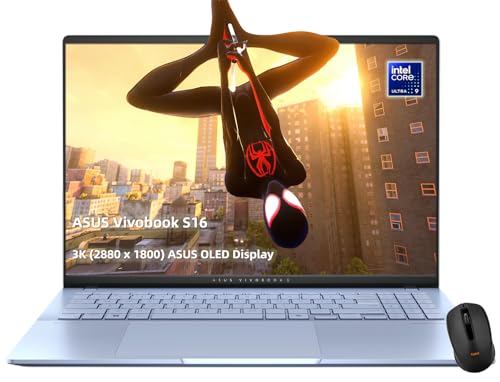
【Blazing Performance】Intel Core Ultra 9 285H Processor with integrated Intel Arc graphics delivers exceptional speed and efficiency for demanding tasks, multitasking, and creative work.
OLED vs. LCD in Portable Displays: Which Tech Wins for Color Work

OLED vs. LCD in Portable Displays: Which Tech Wins for Color Work
So you’re doing color work on a portable monitor, and you’re stuck staring at a display that doesn’t quite match what you’ll see in final production. That’s a real frustration. Let me break down why OLED actually delivers on color accuracy while LCD keeps falling short.
The core difference comes down to how these panels create light. OLED pixels make their own light, which means you get true blacks—no backlight bleeding through and messing up your colors. LCD panels always have a backlight behind them, and that’s where things start to fall apart for color-critical work. You’re fighting against that backlight every time you try to get accurate contrast.
Think about contrast for a second. OLED gives you infinite contrast ratios because pixels can turn completely off. LCD? You’re stuck with compromised contrast because that backlight never fully disappears. This matters more than you might think.
Here’s the technical side that actually impacts your work:
- OLED hits 100% DCI-P3 color coverage with Delta E values below 2 (meaning colors are nearly indistinguishable from the standard)
- You get 10-bit color space support, which unlocks 1.07 billion colors instead of the millions you’d see on standard displays
- Response times hit 1 millisecond, so no ghosting or motion blur when you’re reviewing footage
- LCD panels max out with slower response times and noticeably worse color accuracy
Why does viewing angle matter? Because you’re not always looking straight at your monitor. Tilt your head or shift position, and LCD colors shift and brightness drops—that’s a problem when you’re color-grading. OLED maintains consistent colors across a 178-degree range, so you stay confident in what you’re seeing no matter where you’re positioned.
Frankly, if you’re doing professional color work, OLED is worth the investment. You’ll actually trust what you see on screen, and that means fewer surprises when your work goes to final delivery.
What kind of color work are you doing most—video, photography, or graphic design?
Recommended Products

Premium 4K HDR OLED Display: 26.9-inch 4K (3840 x 2160) HDR OLED panel with RGB stripes and 99% DCI-P3 color gamut

New 20 Megapixel Live MOS sensor with 50 Megapixel High Resolution Shot mode

Immersive 4K QD-OLED Display: 32-inch 4K (3840 x 2160) QD-OLED gaming monitor with 240 Hz refresh rate and 0.03 ms (GTG) response time for immersive gaming
Choosing the Right OLED Monitor by Use Case: Video, Photo, and Design

Picking the right OLED monitor comes down to matching what you actually do with what the screen can actually deliver. Your editing workflow—whether you’re color-grading video, retouching photos, or designing layouts—needs different things from a display. So why does this matter? Because buying the wrong monitor wastes money and tanks your productivity.
For Video Editing
If you’re grading footage, you need a display that shows you true colors. Look for 100% DCI-P3 coverage and Delta E under 2—that’s the standard professionals rely on. A 15.6 or 16-inch screen hits the sweet spot: big enough to see detail, small enough to move around. The ASUS ZenScreen OLED MQ16AH checks these boxes and gives you that 1ms response time that keeps playback smooth.
Photo Work Demands Tighter Tolerances
Photographers can’t cut corners on accuracy. You’ll want Delta E below 1, which honestly requires factory calibration and the ability to calibrate it yourself with hardware support. Truth is, most standard monitors won’t get you there—you need something built for this job. Pantone Validated displays take the guesswork out, so you know your edits translate to print.
Graphic Designers Need Brand Accuracy****
Color consistency matters when you’re designing for clients. A Pantone Validated display ensures what you design matches what clients see across different devices and platforms. The UPERFECT Artisync 16-inch OLED delivers this, plus the 100,000:1 contrast ratio means your blacks stay black and your highlights don’t blow out.
The Technical Stuff That Actually Matters
Both the ASUS and UPERFECT models offer USB-C connectivity—meaning you can power your laptop and transfer data through one cable. That’s the kind of thing that keeps your desk from becoming a mess of wires. The 1ms response times prevent lag during edits, and the contrast ratio gives you the dynamic range you need to see what’s really happening in your footage or photos.
Honestly, the best monitor is the one that fits how you work, not what the marketing team wants you to buy. What’s your biggest frustration with your current display setup?
Recommended Products
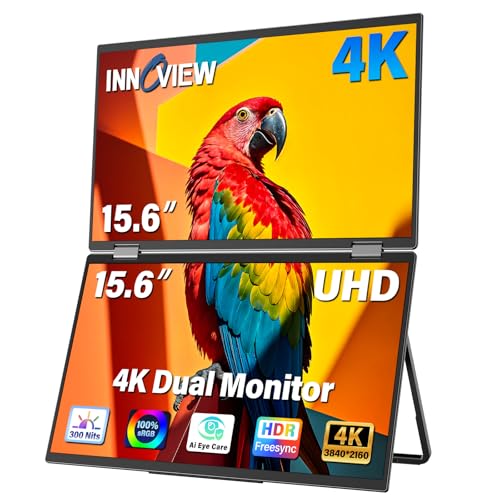
【Stunning 4K UHD Clarity with 100% sRGB Color Gamut】 Immerse yourself in breathtaking visuals on the 15.6-inch 4K UHD (3840x2160) monitor. With 100% sRGB color coverage and 1.07 billion colors, this monitor delivers incredibly accurate and vibrant colors, making it perfect for professional photo editing, graphic design, and enjoying ultra-high-definition movies exactly as the creator intended
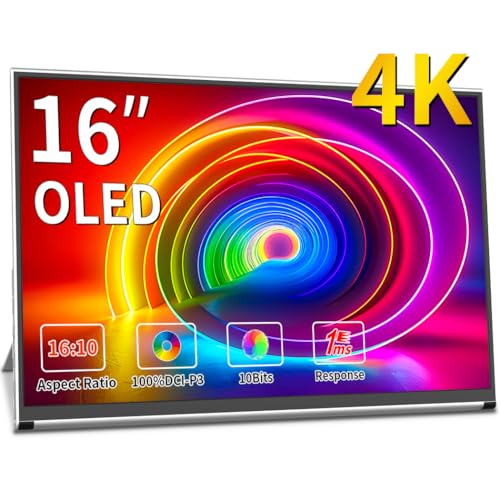
4k+ Sumsung Am-oled Panel: Magedok 16 Inch Oled 4k Portable Monitor Adopted E4 Advanced Light-emitting Material, Pixel Pitch 283 Ppi, Dci-p3 Colour Gamut 100%, Excellent Display With Delta E < 1 Colour Difference, Tüv-low Blue Eye Care Certified,this Pi X9 4k Portable Display Is Specially Designed For Those Who Like Extra Detail And More Vibrant Colors.

Stunning OLED 3K Visuals: Enjoy breathtaking image quality with OLED panel, offering 2880x1800 3K resolution and an extraordinary 100000:1 contrast ratio for deep blacks and vibrant visuals. NOTE: This is the non-touch version. Please be sure to connect the power supply to the monitor before use
Maintaining OLED Color Accuracy: Portable-Specific Challenges and Solutions

You picked out a solid portable OLED display, but here’s what most people don’t realize—that’s just the starting line. Portable OLED screens face real challenges that your stationary studio monitor never has to deal with: temperature swings, changing light in your workspace, humidity, and sketchy power delivery all chip away at your color accuracy over time. So why does this matter? Because Delta E drift sneaks up on you, and by the time you notice your colors are off, you’ve already delivered work that doesn’t match what the client expected.
The good news is that regular calibration actually works. Tools like X-Rite i1Display or Datacolor Spyder keep your Delta E values under 2.0, even when you’re bouncing between coffee shops and client offices. I’ve found that tweaking your display settings helps too—set your white point to 6,115K and keep brightness between 400-500 cd/m² to fight environmental drift.
Here’s the trick: your display probably came factory-calibrated, but portable life is messier than a studio. That means you need to recalibrate every three months to stay on top of things. Quarterly touch-ups aren’t just nice to have; they’re how you protect color fidelity across all those different working conditions.
Think of it like tuning a guitar. You don’t buy a tuned guitar and assume it stays perfect forever—you check it regularly. Same with your portable OLED.
Are you actually checking your colors before you send files out, or are you hoping for the best?
Recommended Products

PORTABLE ALL-IN-ONE DESIGN: Thin, lightweight frame houses a creative studio powered by Android 15 OS w/included creative apps plus Google Play Store access - take professional-grade digital art anywhere without extra equipment

Transmitter, Receiver, and Monitor All-in-One. Hollyland Mars M1 enhanced is a powerful and comprehensive monitor integrating a wireless video transmission solution, greatly reducing the weight of the camera. This monitor can be easily switched to TX or RX, and paired with Hollyland Mars 4K/400S Pro/300 Pro/M1 for wireless transmission,greatly improved your convenience.
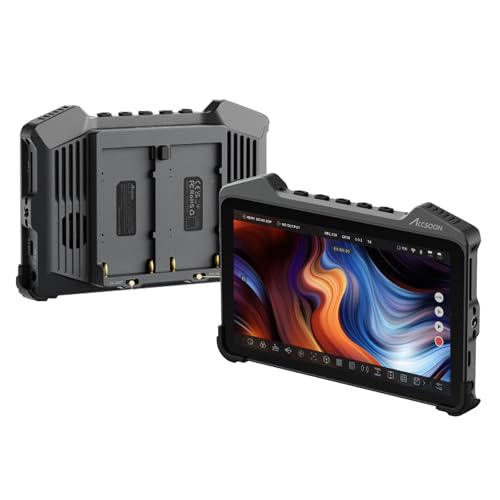
[One Step Ahead Redefining Smart Monitoring] 7" OLED Cinematic grade display equipped with full-touch interface.Precision color details crafted for professional creators.
Best OLED Portable Monitors for Professional Color Work

Looking for a portable monitor that won’t mess up your colors? You’re not alone. If you do any serious creative work—photo editing, design, video work—you know how frustrating it is when your screen lies to you.
Right now, three OLED portables are worth your attention: the ASUS ZenScreen OLED MQ16AH, ViewSonic ColorPro VP16-OLED, and UPERFECT Artisync 16-inch OLED. All three can hit those professional standards (Delta E under 2.0) that actually matter for color-critical work.
The ASUS ZenScreen OLED MQ16AH brings 100% DCI-P3 coverage, which means you’re getting the color range that Hollywood uses. The contrast is seriously good, and it handles everything from photo retouching to motion graphics without breaking a sweat.
ViewSonic’s ColorPro VP16-OLED comes with Pantone Validation built in. So, why does this matter? Because when a client asks if their brand colors are exact, you can actually prove it. That peace of mind is worth something.
The UPERFECT Artisync takes a different approach. It pairs a 2.5K resolution with a Delta E below 1.5—basically pixel-perfect color accuracy. If you’re doing detailed photo work and want to catch every tiny flaw, this one’s your pick.
Here’s the trick: all three support hardware calibration with tools like the X-Rite i1Display. What that means for you is consistency. Your colors stay accurate whether you’re editing at noon or midnight, whether humidity shifts or your room gets warmer.
Truth is, the monitor you choose depends on what you actually do. A graphic designer might love that Pantone validation. A photo retoucher might prefer that extra resolution. Think about your workflow first—then pick the one that fits.
Recommended Products

20x High Definition Optical Zoom Lens

24 MP APS-C CMOS sensor and Focus Sensitivity Range :EV 0 to EV 20 (at ISO 100 equivalent with F28 lens attached)
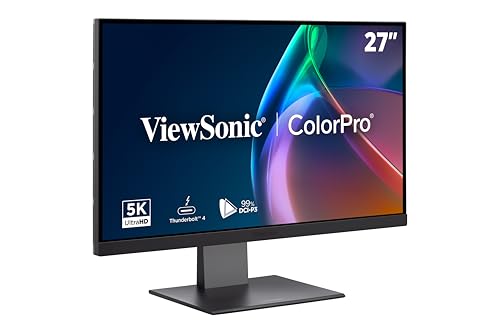
PREMIUM MONITOR: 27 Inch 5K (5120x2880p) IPS Mac-ready monitor with 75Hz refresh rate
Frequently Asked Questions
Do OLED Portable Monitors Suffer From Burn-In During Extended Professional Use?
I’d say modern OLED portable monitors have minimized burn-in risk greatly. You’ll find proximity sensors enable automatic power-saving modes, and following manufacturer usage recommendations—like varying content and avoiding static images—provides effective burn-in prevention during extended professional work.
How Does USB-C Power Delivery Affect Color Accuracy and Monitor Performance?
I’ve found that USB-C power delivery doesn’t directly impact your monitor’s color accuracy or performance. Instead, it’s purely a connectivity advantage—I’m talking about powering your display and transferring data through a single cable, which simplifies your creative setup considerably.
Can Proximity Sensors in OLED Monitors Impact Color Calibration or Display Settings?
I’d say proximity sensors don’t directly impact your color calibration itself. Rather, they optimize power consumption through automatic adjustments, which protects your display’s longevity. You’ll maintain consistent color accuracy when sensor accuracy triggers smart power-saving modes, preventing burn-in issues.
What’s the Lifespan Difference Between OLED and LCD Portable Monitors for Creators?
I’ll level with you—OLED longevity typically trails LCD durability by several years. While OLEDs offer superior color accuracy for your creative work, they’re generally rated for 30,000 hours versus LCD’s 50,000+ hours. However, modern proximity sensors help extend OLED lifespan considerably.
Are 16:10 Aspect Ratio Portable Monitors Better Than 16:9 for Color Work?
I’d say 16:10 gives you a genuine advantage for color work. You’ll gain extra vertical screen real estate, which streamlines your editing workflow efficiency and lets you see more palettes and tools simultaneously. That aspect ratio advantage really matters when you’re grading or designing on the go.