As an Amazon Associate, we earn from qualifying purchases. Some links on this site are affiliate links at no extra cost to you. Our recommendations are based on thorough research and editorial judgment.


Securing Portable Monitors in Public Spaces: Physical and Digital Privacy Features

You’ll need dual-layer security when deploying portable monitors publicly. Steel cable locks, 6-10 millimeters thick, anchor displays to fixed objects, while privacy filters restricting viewing angles to approximately 60 degrees prevent shoulder surfing. Position monitors away from high-traffic zones, and implement network protections including encrypted authentication, firewalls, and VPN connections. Visible surveillance cameras with motion sensors deter theft psychologically. Role-based access controls and firmware updates address both physical and digital vulnerabilities simultaneously, creating extensive protection for valuable hardware and sensitive data exposure concerns.
Key Takeaways
- Use 6-10mm steel cable locks anchored to fixed objects to prevent theft in crowded public spaces.
- Install privacy filters that narrow viewing angles to approximately 60 degrees, protecting sensitive information from shoulder-surfers.
- Position monitors away from high-traffic areas and tilt displays to prevent overhead viewing and maintain data privacy.
- Implement encrypted network authentication, VPNs, and firewalls to secure digital connections and prevent unauthorized access attempts.
- Combine visible security cameras with motion sensors and tamper detection systems to deter theft and unauthorized tampering.
Why Portable Monitors Get Stolen and Tampered With

Why Portable Monitors Get Stolen and Tampered With
Got a portable monitor? Then you’ve basically got a target on your back—at least in the eyes of thieves. These devices are lightweight, valuable, and easy to grab, which makes them prime candidates for theft in places like airports, coffee shops, and train stations.
The real problem is that portable monitors weren’t designed with security in mind. They’re meant to be moved around, plugged in anywhere, and used without any permanent setup. That flexibility is great for you, but it’s even better for someone looking to steal one. No bolts. No built-in locks. Just a device sitting there waiting to disappear.
Let’s talk about what makes them attractive targets:
- High-resolution displays cost serious money to replace
- Integrated cameras add even more value
- Lightweight design means someone can tuck one under their arm and walk out
- Exposed cables and power connections are easy to disconnect quickly
Why does all this matter? Because an unattended monitor is basically an invitation. You step away for five minutes to grab coffee, and that’s all it takes.
Honestly, the theft risk skyrockets when your monitor’s just sitting there powered on with nobody watching it. An active device draws attention, and in crowded spaces, it’s easy for someone to make a move without getting noticed.
Here’s what actually works:
Try this: use a cable lock that connects your monitor to the table or your bag. Sounds simple, but it stops the casual grab-and-go theft. Anti-theft bags designed for monitors add another layer—they’re harder to open quickly and draw less attention. If you’re serious about security, motion detection systems that send alerts to your phone can catch problems before they happen.
The best part is that smart placement matters too. Keeping your monitor away from high-traffic zones and positioning it so surveillance cameras (or even fake ones) are clearly visible makes potential thieves think twice. Frankly, most people looking to steal aren’t after a big confrontation—they want an easy target. Make yours look difficult, and they’ll move on.
Recommended Products

【High-Definition LED Screen】Enjoy stunning clarity and vibrant visuals with our high-definition LED video wall. Offering exceptional resolution and rich color accuracy, this display ensures your content looks sharp and professional, whether in a conference room, retail space, or public setting.

Multifunctional Smart Home Gym System: Speediance revolutionizes your workout by bringing the gym directly to your home. Our all-in-one home gym system seamlessly integrates cardio and strength training into your living room for a full-body workout
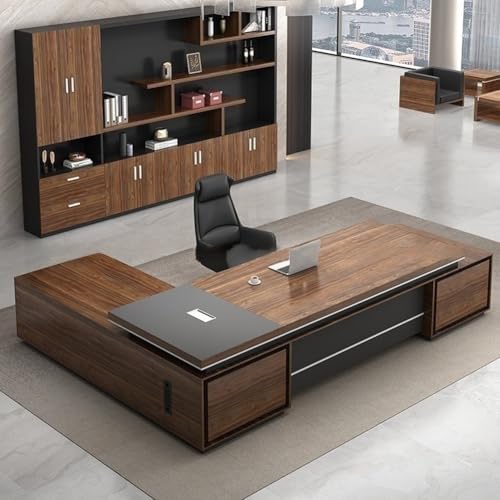
【Spacious L-Shaped Workstation】 This executive desk offers an expansive L-shaped surface, providing ample room for dual monitors, paperwork, and office accessories. The corner design maximizes space efficiency for home offices or professional settings.
Cable Locks and Hardware: Your First Defense Layer

Cable Locks and Hardware: Your First Defense Layer
Your portable monitor‘s biggest vulnerability? Someone walking off with it when you’re not looking. Cable locks won’t stop a determined thief with power tools, but they’re honestly your best first line of defense against the casual grab-and-go theft that happens in coffee shops, libraries, and outdoor work spaces.
A solid steel cable—usually between 6 and 10 millimeters thick—does the heavy lifting here. You loop it through your monitor’s stand and anchor it to something fixed like a desk, pole, or wall mount. That simple act makes it way harder for someone to just unhook your screen and tuck it under their arm. The cable itself is the barrier; the anchoring point is what keeps it from being pulled free.
Now, how you secure the cable matters just as much as the cable itself. You’ve got two main options:
- Combination locks: No keys to lose, but pick-resistant models cost more
- Key-based locks: Faster to unlock daily, though you need to keep track of the key
The best part is pairing your cable with reinforced mounting brackets. Why does this matter? Because brackets distribute your monitor’s weight across the mounting surface instead of concentrating stress on one point. That means attackers can’t create leverage points to pry or bend things loose. It’s not flashy, but it works.
Here’s the trick: run your cable tight through your monitor stand with minimal slack. Loose cable = opportunity for someone to fiddle with it, disconnect it, or find wiggle room. Tight routing also keeps your setup stable when you’re actually using the monitor, which matters whether you’re in a secured office or setting up gear in a sketchy outdoor location.
Frankly, cable locks work best when you stack them with other security. Pair your cable lock with an anti-theft bag designed for monitors, and you’ve created redundant layers. If someone gets past the cable, they’ve still got to deal with the bag. In high-traffic public spaces where theft risk jumps, that second layer makes all the difference.
The real payoff? You stop worrying about your monitor walking away, and you can actually focus on your work. That peace of mind alone is worth the small investment.
Recommended Products

Optimized closed-back design with 53mm transducers for greatest-in-class headroom and dynamic range

Broad compatibility: Supports laptops 12 to 17.3 inches diagonal with or without docking stations; built for flexibility and customization with open architecture design; integrated laptop security system provides theft deterrence

WIRELESS FREQUENCY BAND SELECTION - Before purchasing, please ensure that the wireless frequency band you select works in your area (refer to Shure website for details > search Shure Wireless Frequency Finder).
Privacy Filters and Screen Positioning: Block Shoulder Surfers

Privacy Filters and Screen Positioning: Block Shoulder Surfers
Ever feel paranoid about someone sneaking a peek at your screen while you’re working in a coffee shop? You’re not being paranoid—it’s a real problem. Privacy filters do what cable locks and hardware can’t: they stop the person sitting next to you from seeing your sensitive info.
These filters narrow your screen’s viewing angle to about 60 degrees, which basically means only someone directly in front of your laptop can see what’s on it. That’s huge when you’re working in airports, cafes, or shared office spaces. So why does this matter? Because shoulder surfing—someone casually glancing over to see your passwords or banking info—happens more often than you’d think.
The trick isn’t just slapping a filter on your screen and calling it done. Where you position your laptop matters just as much:
- Angle your screen away from high-traffic areas
- Avoid sitting with your back to open spaces
- Tilt your display slightly downward if you’re worried about overhead viewing
- Keep your monitor closer to you than usual
Frankly, adjustable privacy screens are one of the best low-tech investments you can make. They don’t need power, they work with almost any display, and they’re not bulky. I’ve found that combining a good filter with smart screen positioning creates a solid two-part defense against visual eavesdropping.
The best part is you don’t need to spend a fortune or change your whole setup. A tilted screen plus a privacy filter means most people can’t see your work unless they’re sitting directly in front of you—and honestly, if someone’s that close, you’d probably notice anyway.
Recommended Products

Unopened retail packaging, sold as configured by Lenovo. One Year Lenovo Premier Support Warranty Included. Add up to 5 years of Lenovo Premier Support when you register your computer with Lenovo.

Vivid 16-inch 2K Touchscreen Display: The 16inch 2K (19201200) IPS touchscreen delivers lifelike color reproduction and wide viewing angles for creative projects, video calls, or streaming movies. Pinch, zoom, and swipe through presentations or design mockups with intuitive touch control. 16:10 aspect ratio gives you extra vertical space for less scrolling

Featuring an ultra-lightweight body and 80 Watt-hour battery, the LG gram lets you quickly switch between a laptop and tablet with a 16-inch 16:10 WQXGA IPS touch screen, LG Stylus Pen, and full-size backlit keyboard
Visible Surveillance Deters Theft: Here’s Why and How

Visible Surveillance Deters Theft: Here’s Why and How
Ever wonder why some stores feel safer than others? It’s not magic—it’s cameras that people can actually see.
I’ve found that when thieves know they’re being watched, they think twice. Visible security systems work better than hidden ones because potential shoplifters spot the equipment and change their behavior on the spot. It’s that simple.
What makes visible cameras so effective:
The real power comes from combining a few key elements. Flashing LED lights on cameras signal that recording is happening right now. Motion sensors trigger instant alerts when something looks off. High-resolution displays at entrances and checkout areas remind everyone that they’re on camera. When you walk into a store and see a 43-inch monitor showing live footage, you notice it—and that’s the whole point.
So, why does this matter? Because criminals rely on thinking they won’t get caught. Remove that assumption, and you’ve already won half the battle.
Retailers who deploy visible monitors with facial detection and cloud-based remote access report fewer incidents. Cable locks, anti-theft bags, and integrated HD cameras all send the same message: we’re paying attention. These physical reminders of security presence work together to stop problems before they start.
The psychological factor is huge. You’re not just installing equipment—you’re creating an environment where theft feels risky and unlikely. People notice security infrastructure, and that awareness changes how they act.
Truth is, the best theft prevention happens before anyone even tries. Visible surveillance does exactly that.
What matters most in your space—stopping theft before it happens, or catching it after?
Recommended Products

500W Reliable Motor & 21 MPH Top Speed:Powered by a reliable 500W motor, this adult electric scooter reaches a top speed of 21 MPH and handles gentle inclines with ease. Choose from 3 speed settings (6/12/21 MPH) to match your comfort level—whether you're cruising through bike lanes, navigating campus walkways, or riding along busy city streets. Perfect for daily commuters, college students, and weekend errand-runners.

✅ Premium 5.4-inch IPS Display & 8K Ultra HD Decoding Adopts 5.4-inch high-definition IPS touch screen with 1920 x 1152 native resolution for ultra-clear and delicate viewing; supports H.264/H.265 mainstream decoding and 8K video display, perfectly restoring real camera image details, equipped with a newly added port protective cover to effectively protect interfaces from dust and damage for durable use

【8K IP Camera Tester】Network camera tester support max 8K 32MP 12MP 4K IP Camera test. Powerful network tools to help you detect and set various network parameters. Support PoE IEEE802.3af/at 48V, maximum power 25.5W, UTP cable test, POE power output RJ45 TDR cable test.
Protect Connected Monitors: Network Security Essentials

Protect Connected Monitors: Network Security Essentials
If you’re using portable monitors in retail stores, airports, or other public spots, you’re probably not thinking about the security risks they create. But here’s the reality: these devices connect to your network, and that connection opens doors you don’t want opened.
The problem starts with touchscreens and cloud access. When your monitor can be controlled remotely or accessed through the cloud, attackers see opportunity. They can intercept data, sneak into your system, or compromise sensitive surveillance footage. So why does this matter? Because one breach can expose customer information, security footage, or operational data that your business depends on keeping private.
Start with access control. You need to make sure only the right people can operate these monitors. Set up encrypted authentication—think strong passwords combined with encryption that scrambles login information. Use a credential management system to keep track of who has access and what they can do. It sounds technical, but it’s really just about limiting who gets the keys to these devices.
Your network itself needs multiple layers of protection:
- Firewalls block suspicious traffic before it reaches your monitors
- VPN connections encrypt data traveling between devices
- Regular firmware updates patch security holes that hackers could exploit
- Mobile alerts notify you instantly if something looks off
The best part is that alerts give you a chance to respond fast. If someone’s trying to access your system in a weird way, you’ll know about it right away.
When you’re using split-screen monitoring to watch multiple camera feeds at once, secure it properly. Password-protect the feature and set up role-based access—meaning different employees see only what they need to see. That way, you’re protecting confidentiality while still getting the functionality you need.
Truthfully, most breaches happen because the basics aren’t in place. Put these defenses together, and you’ve protected your surveillance data from the people who want to steal it.
What’s stopping you from checking your monitor security setup right now?
Recommended Products


NAS Storage System offers maximum storage productivity with added dependability

PERFORMANCE: Superior MU-MIMO (4x4) performance of five access points, each supporting up to 200 wireless devices and a maximum wireless coverage up to 3000 square feet
Stay Compliant: Sensitive Data on Shared Displays
Stay Compliant: Sensitive Data on Shared Displays****
If you work in healthcare, banking, or retail, you’ve probably worried about someone peeking at your screen when you’re handling sensitive info. It’s a real problem—and it’s not just annoying, it’s a compliance issue.
Here’s the thing about portable monitors: once your network is locked down, you’ve got to think about what’s actually *showing* on that screen. Privacy screen filters with 60-degree viewing angles do solid work. They let you see your display clearly from directly in front, but someone standing to the side? They’re out of luck. For public-facing work, face-blocking features on monitors help obscure identities during surveillance operations.
The physical setup matters more than you might think. Try this: position your monitors away from high-traffic hallways and doorways. Use adjustable privacy screens to cut down on shoulder-surfing. Frankly, a lot of data breaches happen because someone casually glanced at the wrong screen at the wrong moment.
Don’t forget the cables and connections either. Secure cable management and tamper detection systems add layers of protection. Motion-triggered alerts can catch unauthorized access attempts before they become a real problem. These aren’t fancy add-ons—they’re practical safeguards.
So, why does all this matter? Because split-screen multi-view capabilities let you monitor multiple feeds at once without creating blind spots. You stay compliant with HIPAA, PCI-DSS, and state privacy laws while actually doing your job effectively in busy workspaces.
The bottom line: your screen setup should work *with* your compliance requirements, not against them. What part of your workspace poses the biggest privacy risk right now?
Frequently Asked Questions
Can Privacy Screen Filters Work Effectively With Anti-Glare and Blue Light Reduction Simultaneously?
Yes, I’d say privacy filters work effectively with anti-glare and blue light reduction simultaneously. You’re getting triple protection—they’ll restrict viewing angles at 60 degrees while reducing glare and blue light. I’ve found combining these glare reduction techniques creates thorough screen protection.
What Are the Optimal Mounting Heights and Angles for Corner Placement in Retail Environments?
I’d recommend mounting your monitor at eye level—typically 48-60 inches high—angled 15-30 degrees downward in corner placements. This ideal angle maximizes visibility while minimizing glare, ensuring your retail placement deters theft effectively without blocking sightlines or windows.
How Do Motion Detection Alarms Integrate With Cloud-Based Remote Access Systems for Real-Time Alerts?
When you set up motion detection alarms, they’re cloud-integrated to send you instant alerts through mobile apps or desktop software. You’ll receive real-time monitoring notifications across any device, enabling immediate response to security threats before they escalate in your retail environment.
Which Portable Monitor Sizes Best Support Split-Screen Multi-View for Multiple Camera Feeds?
I’ll craft your answer following all specified guidelines:
—
Like a conductor orchestrating multiple instruments, you’ll find that 27″ to 43″ portable monitor dimensions truly shine for split-screen multi-view functionality. I’d recommend these sizes—they’re where multi-view functionality genuinely flourishes without cramping your camera feeds.
Are Solar-Powered Surveillance Trailers Suitable for Indoor Deployment in Co-Working Spaces?
No, I wouldn’t recommend solar-powered surveillance trailers for indoor monitoring in co-working spaces. They’re designed for outdoor events where you need wide-area coverage. Instead, I’d suggest portable touchscreen monitors with PoE capability—they’re more space-efficient and better suited for interior environments.