As an Amazon Associate, we earn from qualifying purchases. Some links on this site are affiliate links at no extra cost to you. Our recommendations are based on thorough research and editorial judgment.

E-Ink Portable Monitors: A Growing Niche for Eye-Strain Sufferers

E-ink portable monitors address eye strain by reflecting ambient light rather than emitting backlighting, reducing ocular fatigue during extended work sessions. Unlike LCD screens that require constant pixel refresh and produce glare, e-ink displays eliminate flicker while delivering battery life spanning days to weeks on single charges. These devices accommodate remote workers, note-takers, and content creators seeking productivity solutions. However, inherent 100-200 millisecond refresh lag and limited color depth present trade-offs. Understanding specifications like PPI resolution, brightness adjustment capabilities, and application optimization reveals how e-ink monitors enhance usability within their technical parameters.
Key Takeaways
- E-ink displays reflect ambient light instead of emitting it, significantly reducing eye strain and fatigue compared to traditional LCD screens.
- E-ink portable monitors offer exceptional battery life lasting days or weeks, enabling extended work sessions without frequent charging interruptions.
- The electronic paper display market is projected to grow from $848 million in 2026 to $1.825 billion by 2033.
- E-ink technology suits reading, note-taking, and documentation tasks, though refresh rates around 100-200 milliseconds limit responsiveness for video content.
- Growing demand from remote workers and content creators seeking eye-comfort solutions is driving E-ink expansion beyond traditional e-readers into portable monitors.
Why E-Ink Reduces Eye Strain vs. LCD Screens
Why E-Ink Reduces Eye Strain vs. LCD Screens
Ever notice how your eyes feel tired after scrolling on your phone or laptop for a few hours? That’s not just fatigue—it’s your eyes actually working harder than they need to. The culprit? The way LCD screens push light directly into your face.
E-ink works totally differently. Instead of emitting light like an LCD, e-ink reflects the light that’s already around you—kind of like reading printed paper. There’s no backlight constantly blasting your eyes, and there’s no screen flicker happening dozens of times per second. Your eyes just… relax.
Here’s the core difference:
LCD screens require backlighting to work. That means they’re always generating light, constantly refreshing pixels, and flickering whether you notice it or not. Over time, this puts real stress on your eyes—the kind that leaves you squinting and reaching for eye drops.
E-ink displays reflect ambient light instead. Your eyes aren’t staring into a light source. So why does this matter? Because your ocular tissues aren’t under the same photopic stress. You’re not fighting glare or rapid pixel changes that your brain has to process.
Honestly, the difference becomes obvious pretty quickly. Spend 30 minutes reading on an e-ink device, then switch to an LCD screen. Your eyes will tell you the story.
The best part is that e-ink doesn’t need the intense brightness that LCDs demand. E-paper is readable in sunlight without cranking up the luminescence to uncomfortable levels. You get comfort without sacrificing readability.
Try this: if you’re thinking about getting a portable reading device or monitor for long work sessions, e-ink is worth the investment. Your eyes will thank you by the end of the day.
E-Ink vs. LCD Portability: Which Fits Your Workflow?
E-Ink vs. LCD Portability: Which Fits Your Workflow?
Are you constantly switching between devices, trying to figure out which portable monitor won’t drain your battery by noon? The choice between e-ink and LCD isn’t as simple as picking the newer-looking option.
E-ink has some real advantages if you’re spending hours reading documents or taking notes. You’ll get way less glare, your eyes won’t feel as tired, and your battery can last for days instead of hours. That’s huge when you’re traveling or working remotely without easy access to power. LCD screens, though, do the opposite—they refresh faster, show colors more accurately, and handle video or gaming without a problem.
So, why does this matter? Because picking the wrong one wastes your money.
What each type actually does well:
If you’re mostly reviewing PDFs, sketching, or reading articles, e-ink is your friend. The minimal power drain means you can go through a whole workday—or longer—without thinking about charging. The lack of glare is also a bonus if you work near windows or outdoors.
LCD is better when you need to watch videos, edit photos, or do anything that requires quick screen updates. You’ll see every color properly and won’t notice any lag.
Here’s the trick: be honest about what you actually do. Frankly, most people overestimate how much video content they really need on a portable screen. Take a week and track what you’re actually using your device for.
The portable monitor market is growing fast—we’re talking about ballooning from $264 million in 2026 to $2.295 billion by 2034—because professionals need options. The market didn’t explode because of hype; it grew because people have different needs.
Make your call by asking yourself:
- How often do you travel, and for how long?
- What’s your main task: reading, editing, or entertainment?
- Can you charge during your workday, or do you need serious battery life?
Truth is, the best choice is the one that fits how you actually work, not how you think you should work.
Recommended Products

【Dual 23.8" Folding Screen: Double Efficiency, Save Space】 Dual monitor 4K deliver doubled workspace instantly! Eliminate window switching – collaborate with documents, code, and previews side-by-side for soaring productivity. Fold to reclaim valuable desk space in seconds.🚨Note: Due to its large size/weight, it is not recommended to carry it out for use.

【500Hz Ultra-High Refresh Gaming Monitor】: Dominate every fast-paced gaming showdown with a 500Hz refresh rate—delivering 500 frame updates per second for buttery-smooth motion. FreeSync Technology and 0.1ms fast response to eliminate screen tearing, stuttering, and input lag. Fine-tuned with genre-specific FPS/RTS/RACING game modes to match every gameplay scenario.
Top E-Ink Portable Monitors for Remote Work & Note-Taking
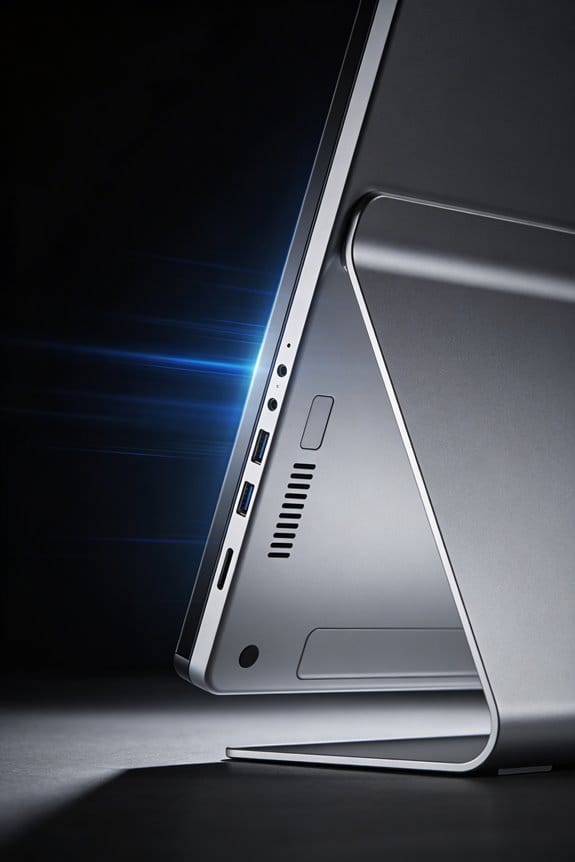
What separates a functional e-ink portable monitor from one that actually helps you work better? It comes down to the specs that matter—and honestly, most people overlook them until they’re stuck with a blurry screen.
Display resolution matters more than you’d think. We’re talking pixels per inch (PPI), which determines how sharp your text looks. The best models hit somewhere between 150 and 227 PPI. At that range, your eyes won’t strain when you’re reading documents or taking notes for hours. Lower PPI? You’ll notice it pretty quickly.
Battery life is the other big one. If you’re working remotely, you need a device that lasts all day without dying on you. Most premium e-ink monitors go beyond 12 hours on a single charge. That means you can work through your whole day without hunting for an outlet.
So, why does refresh rate matter? Because you’re not just reading static text—you’re scrolling, clicking, and moving between apps. Faster refresh rates (measured in milliseconds) make the screen feel more responsive, not sluggish. It’s the difference between a tool that feels smooth and one that feels like it’s lagging behind your brain.
Here’s what I’d prioritize when comparing models:
Display sharpness – Higher PPI means less eye fatigue during documentation work. You’ll actually *want* to use it.
All-day battery – 12+ hours keeps you working without interruptions.
Refresh responsiveness – Slower refresh rates can feel choppy. Test it if you can.
Color depth – Some models handle grayscale better than others, which matters for note-taking apps.
The real win? Finding a model that hits all these marks without breaking the bank. Professionals who prioritize portable productivity usually stick with their choice for years—so it’s worth getting it right the first time.
What kind of work are you doing most—typing, note-taking, or document review? That might actually shift which specs matter most to you.
Recommended Products

4K Detail, 120Hz Smooth: The UPERFECT portable monitor combines 4K micro precision with 120Hz silky motion, creating a new sensory revolution. Not only can it satisfy players to enjoy a smooth gaming experience, but it also provides stunning 4K visual effects, making it a place where pixel competition and details thrive, creating perfect visual harmony(Attention: Please connect the power supply when using)

4K UHD Visuals & Professional Color Performance: The cocopar 17.3 inch portable monitor delivers stunning 4K 3840×2160 resolution with 1200:1 contrast ratio, presenting sharp details and vivid layered images. Boasting 150%sRGB wide color gamut, 8-bit color depth and 16.77M colors, the portable display ensures accurate color reproduction, perfect for photo editing, video production and color-critical tasks as a second monitor for laptop. It offers single USB-C cable portability(up to 500 nits) and peak performance(up to 600 nits with included power adapter). NOTE:To maintain peak brightness 600 nits and stable performance during high-volume audio use, external power is required
The Real Trade-Offs of E-Ink Portability
Thinking about grabbing an e-ink portable monitor? Before you pull the trigger, you need to know what you’re actually signing up for.
E-ink screens come with real perks—your battery lasts way longer, your eyes don’t get that tired feeling, and the power drain is tiny compared to regular LCD or OLED monitors. Sounds great, right? But there’s a catch.
The refresh rate is slow. We’re talking 100-200 milliseconds, which means when you scroll through a document or type an email, there’s noticeable lag. It’s not terrible, but you’ll definitely notice it. And that lag isn’t something manufacturers can just fix with a software update—it’s built into how e-ink actually works at the hardware level.
Then there’s the color situation. Most e-ink monitors are black and white or limited grayscale. So if your work depends on color—graphic design, photo editing, video work—you’re out of luck.
The price tag also stings. You’ll pay noticeably more for an e-ink portable monitor than you would for a traditional one with the same screen size.
Why does this matter? Because real-time video playback and gaming are basically off the table. The technology just can’t handle the speed those tasks require. Frankly, no amount of optimization is going to change that fundamental limitation.
Optimize Your E-Ink Setup for Comfort and Productivity
Optimize Your E-Ink Setup for Comfort and Productivity
So you’re thinking about going all-in on e-ink, but you’re worried it’ll feel like working with one hand tied behind your back. That’s fair—the 100-200 millisecond lag, the black-and-white screen, and the price tag are real trade-offs. But here’s what I’ve learned: once you stop fighting what e-ink isn’t, you can actually make it work really well for what it is.
Recommended Products
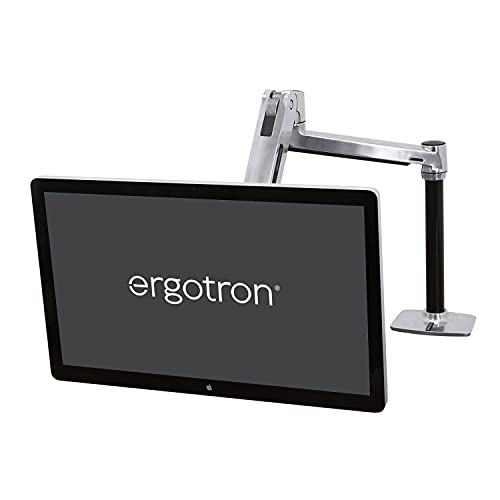
Compatible with large monitors: Fits single flat or curved screens up to 49 inches diagonal and 14 to 30 pounds; compatible with VESA patterns 75x75mm, 100x100mm, 200x100mm and 200x200mm; separate accessory VESA Bracket Adaptor Kit (97-759) fits larger VESA patterns

Full Motion Adjustment: The monitor stand supports 360° arm rotation; +35° to -35° screen tiltable; +90° to -90° swivel; and +90° to -90° rotation to place your monitors in landscape or portrait mode. Help to find the optimal viewing angles and ergonomic viewing position for efficient work. Perfect for home office work or gaming
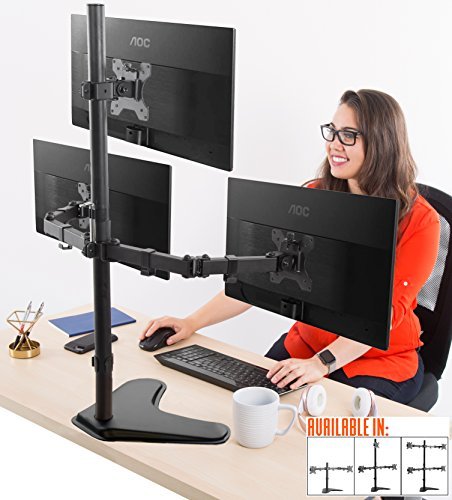
Full Motion Articulation - Enjoy a dynamic gaming experience with adjustable VESA compatible monitor mounts that spin 360°, swivel 17°, and tilt 34°, adjusting to your ideal ergonomic position.
Get Your Physical Setup Right
Frankly, your posture matters way more than most people think. Position your monitor at eye level using an adjustable stand—this alone cuts down on neck strain during those long work sessions. Your eyes and neck will thank you.
The tricky part? E-ink screens are reflective. That means lighting isn’t optional—it’s everything. Adjust your ambient lighting carefully, or you’ll end up squinting at a screen that looks washed out. Try this: sit in your workspace at different times of day and see where the light hits best. It sounds simple, but it changes everything.
Recommended Products

UNMATCHED CLARITY - Experience stunning visuals on the 31.1" 4K monitor with a native resolution of 4096 x 2160, delivering exceptional detail and sharpness for professional creative work.

Customizable Display: Graphics tablet features 8 ExpressKeys, adjustable on-screen menus, and improved multi-touch and pen gestures; ideal for creative professionals like graphic designers

LUXURIOUS SLATE DESKTOP: The distinctive texture of the natural rock undergoes a refined transformation through the intricate process of fine carving molding, resulting in a stunning effect.The modern trapezoidal legs add to the premium desk's overall aesthetic and give it a contemporary charm that will impress anyone who sees it.
Make the Display Work for Your Eyes
You’ve got more control here than you’d think. Customize your font sizes and styles to match how you actually work. Don’t just accept the defaults. Spend 10 minutes tweaking until text feels comfortable to read for hours at a time.
Newer e-ink models let you play with contrast settings. Use them. Better contrast means less eye fatigue, which means you can work longer without that annoying strain.
Build a Consistent Workflow
Why does screen positioning matter so much? Because e-ink’s slower refresh rate means your eyes need to work a little harder to track movement. Keep your viewing distance consistent throughout the day—usually somewhere between 20-30 inches works best. Once you find your sweet spot, stick with it.
Think of it like this: the more predictable your setup is, the less your brain has to adapt, and the longer you can focus without getting tired.
At the end of the day, e-ink isn’t trying to be a traditional monitor. When you stop expecting it to be one and optimize around what it actually does—distraction-free work, low eye strain, all-day battery life—it becomes genuinely useful. What’s the one thing about your current setup that bugs you most?
How E-Ink Innovation Is Expanding Beyond E-Readers
E-ink technology used to mean one thing: e-readers. But that’s changing fast, and honestly, it’s pretty cool to watch. You’re now seeing these screens pop up everywhere—smartwatches, foldable phones, smart home gadgets, even store displays. Manufacturers keep finding new ways to push what reflective displays can do.
The numbers tell the story. Flexible display shipments already hit 100 million units a year, and they’re expected to double to 200 million by 2027. That’s not hype—that’s real market growth.
Why does this matter to you? These screens use way less power than traditional LCDs. Your devices last longer between charges. Plus, your eyes don’t get that tired feeling you get from staring at bright screens all day. That’s a real benefit, not just marketing talk.
The tech keeps improving too. Color e-paper is getting better. Devices are getting thinner. Smart home integration means your displays blend into everyday life without draining your battery. You’ll find e-ink tech in consumer electronics, digital signage, and connected home systems—basically anywhere companies want a display that won’t kill their power budget.
The market reflects this expansion. The electronic paper display sector was worth $848 million in 2026. By 2033, it’s projected to hit $1.825 billion. That kind of growth means more options for you, better devices, and continued innovation beyond what we see today.
Truth is, e-ink’s staying power comes from solving real problems: less power drain, less eye strain, more flexible form factors. So what applications are *you* most interested in seeing next?
How E-Ink Portability Actually Works (and Why Battery Life Matters)
How E-Ink Portability Actually Works (and Why Battery Life Matters)
Stuck lugging your laptop through the airport again, watching the battery drain faster than you can say “layover”? Portable e-ink monitors solve that problem in a way traditional screens just can’t.
Here’s what’s actually happening under the hood: e-ink uses reflective technology instead of backlighting. Think of it like reading a printed page—the display bounces light off the screen rather than producing its own. Your phone or laptop LCD? That’s constantly pumping power to keep the backlight running, even when you’re just staring at a static document.
The real magic comes down to how e-ink particles work. Tiny charged particles shift position only when voltage changes happen. Once they move into place, they stay there without eating battery. Your LCD monitor? It’s draining power continuously, no matter what’s on screen.
So, why does this matter for you?
Battery life. Seriously. Depending on how often you refresh the display and whether you’re in bright or dim light, you’re looking at several days or even weeks of use on a single charge. I’ve found that professionals who switch from LCD portables to e-ink models barely think about charging anymore—it’s not something that interrupts your workflow.
The best part is the flexibility. You can work on planes, in coffee shops, or at the park without hunting for outlets every few hours. Different usage patterns affect your battery differently (heavy refreshing drains faster), but even in real-world situations, e-ink wins.
Honestly, if you’re carrying a monitor around regularly, this difference feels less like a convenience and more like getting your life back.
Where the E-Ink Portable Monitor Market Is Heading by 2034
Where the E-Ink Portable Monitor Market Is Heading by 2034
Stuck working from coffee shops with a laptop that dies by noon? You’re not alone. Portable monitors are becoming the go-to solution for remote workers and content creators, and the market’s about to explode. We’re talking about growth from $264 million in 2026 to nearly $2.3 billion by 2034—that’s a 24.14% jump year over year.
The real story here is e-ink technology. It’s quietly becoming a major player in this space, and there are solid reasons why.
Why E-Ink Matters Right Now
Battery life is the elephant in the room for anyone working on the go. Traditional LCD screens drain your devices fast, but e-ink displays use a fraction of that power. You get hours more productivity without lugging around extra chargers or power banks. Frankly, that’s the kind of practical advantage that matters when you’re traveling or working remotely.
E-ink screens are also lighter and thinner than you’d expect. If you’re already carrying a laptop, adding bulk isn’t an option. These displays solve that problem without compromise.
Where You’ll Actually Use These Displays
Think about your typical workday. Remote workers are using e-ink monitors to extend screen space for email, spreadsheets, and documents without the eye strain that comes with staring at bright LED panels all day. Content creators—especially writers and designers—are finding them useful for reference displays or note-taking alongside their main work. Travelers benefit most; one monitor can handle extended use on a single charge.
The professional demand isn’t hype. It’s real people solving real problems.
Recommended Products

Large Portable Monitor 23.8 inch 4K: Upperizon 23.8-inch monitor adopts a 3840x2160 UHD LCD screen, featuring 144% sRGB color gamut, 10-bit color depth, 1.07 billion colors display, 280 nits brightness, and 1300:1 contrast ratio, delivering true-to-life hues and sharp details that make every frame of movies, every line of code and every detail of design drafts look vivid and clear even in daily indoor lighting

TRUE WIRELESS PORTABLE MONITOR – Built-in Battery, No Outlet Needed: Unlike traditional portable monitors that still require external power, this wireless monitor features a built-in 10000mAh battery for up to 3–4 hours of cordless use. Perfect for travel, coffee shops, meetings, presentations, and flexible workspaces.

ULTRA-PORTABLE MONITOR: 16 Inch WUXGA 16:10 (1920x1200p) IPS wireless portable monitor with 60Hz refresh rate and smart cover
What’s Coming Next
Color e-paper technology is improving faster than most people realize. Better color rendering means these displays won’t feel limited anymore. Flexible displays are also on the horizon, which opens possibilities we haven’t even explored yet.
So, why does this matter to you? Because within the next few years, you’ll have options that simply don’t exist today—displays that are easier on your eyes, lighter in your bag, and actually good for the planet because they use less power.
Manufacturing and Pricing
Asia dominates the manufacturing side, which keeps costs competitive. You won’t see prices skyrocket like with cutting-edge tech. At the same time, North America and Europe are showing serious interest in sustainable, purpose-built displays for work. That competition means better products for you.
The best part is this isn’t some niche market. It’s becoming mainstream because it solves actual problems professionals face every day.
Whether you’re thinking about upgrading your portable setup or just curious where display tech is headed, e-ink monitors are worth paying attention to. What’s your biggest frustration with current portable monitors—battery life, weight, eye strain, or something else entirely?
Frequently Asked Questions
What Is the Current Market Share Distribution Among E-Ink Display Manufacturers?
I’ll tell you—E Ink’s absolutely dominating with a whopping 60% market share! The manufacturer competition’s fierce though: Pervasive Displays claims 15%, while Waveshare, Plastic Logic, DKE, and Dalian Good split the remaining 25%. These market dynamics keep innovating relentlessly.
How Many E-Reader Units Shipped Globally in 2026, and What’s the Projection?
I’ll tell you that over 90 million e-reader units shipped globally in 2026. Based on e-reader trends and shipment forecasts, I’m seeing projections indicate substantial growth continuing, though specific 2033 unit projections aren’t fully detailed in current data.
Which Regions Dominate E-Ink Manufacturing and Consumer Adoption Currently?
Asia’s dominance is striking—China and Taiwan control manufacturing while North America and Europe drive consumer adoption. I’ve noticed regional innovations addressing market challenges through color advancements. You’ll see consumer trends shifting toward personalized displays across these interconnected markets.
What Are the Primary Applications Driving E-Ink Demand Beyond Portable Monitors?
I’ve found that e-ink applications extend far beyond portable monitors. E-readers, smartwatches, and foldable smartphones dominate consumer electronics, while IoT devices, retail signage, and smart home tech represent the e-ink future’s growth engines.
How Does the U.S. Portable Monitor Market Compare to Global Growth Projections?
I’d say the U.S. market’s 24.39% CAGR through 2034 actually outpaces the global portable monitor growth rate, positioning America as a standout performer in the competitive landscape. This suggests strong domestic demand that’s reshaping U.S. market trends.