As an Amazon Associate, we earn from qualifying purchases. Some links on this site are affiliate links at no extra cost to you. Our recommendations are based on thorough research and editorial judgment.


The “Text Neck” Epidemic and How Vertical Monitor Configurations Help

Text neck affects 29% to 68% of young adults through sustained forward head tilt from downward screen gazing, creating cumulative cervical spine strain that reduces productivity by 40% and ranks as the fourth leading disability cause worldwide. Vertical monitor configurations position screens at eye level, between 20 to 26 inches from eyes, directly counteracting postural degradation while reducing neck muscle tension. This ergonomic intervention, combined with 20-minute break intervals, notably alleviates discomfort and restores spinal alignment. Understanding ideal monitor positioning and workspace adjustments reveals extensive prevention strategies.
Key Takeaways
- Text neck affects 29-68% of young adults, causing neck pain and reduced productivity through prolonged downward device gazing.
- Forward head positioning from screen use strains neck muscles cumulatively, impacting posture and potentially causing long-term disability.
- Vertical monitor configurations position screens at eye level, eliminating forward head tilt and significantly improving cervical spine alignment.
- Proper monitor setup requires eye-level positioning, 20-26 inch viewing distance, and adjustable stands to reduce neck strain effectively.
- Simple ergonomic adjustments combined with regular breaks every 20 minutes and physical activity substantially alleviate text neck symptoms.
What Is Text Neck: Why Young Adults Face a Posture Crisis
What Is Text Neck: Why Young Adults Face a Posture Crisis
Ever notice how your neck starts to ache after scrolling through your phone for an hour? You’re not alone—and it’s actually a real problem doctors are tracking now.
Text neck is what happens when you spend hours looking down at your phone, tablet, or laptop. Your head tilts forward, your neck curves in ways it’s not meant to, and over time, that takes a toll. The statistics are pretty eye-opening. Between 29% and 68% of young adults—depending on what group you look at—are dealing with this. College students aged 17-24 show rates around 29%, but medical students hit 68%. And it’s hitting women harder than men, which researchers have actually documented (p<0.0001).
So, why does this matter beyond just feeling sore?
The mechanics are straightforward: when you bend your neck forward to look at a screen, you’re putting constant stress on your cervical spine—that’s the bones, muscles, and nerves in your neck. Your spine wasn’t designed to hold that position for hours on end. It’s like holding a heavy weight with your arms outstretched for half the day. Eventually, something’s gotta give.
The risk factors pile up fast:
- Multi-device usage (using four or more devices daily) significantly ups your chances of text neck developing
- Sitting too much—more than three hours a day without moving—makes it worse
- Low physical activity compounds the problem
- Extended periods of downward gazing at screens
The real kicker? About 68% of people with text neck experience at least mild functional impairment. Neck pain itself ranks as the fourth leading disability cause worldwide. We’re not just talking about discomfort here. People report sleep disruption, reduced productivity at work or school, and progressive disability that worsens if ignored.
Frankly, the solution doesn’t require fancy equipment or expensive treatments. Start by noticing your posture right now. Are your shoulders hunched? Is your head jutting forward? Small adjustments—raising your phone to eye level, taking breaks every 20 minutes, moving around—can make a real difference. Your future self will thank you for paying attention now.
What would it take for you to adjust your device habits this week?
How Smartphone Addiction Warps Your Spine: The Mechanism Behind Text Neck

How Smartphone Addiction Warps Your Spine: The Mechanism Behind Text Neck
Ever noticed how your neck feels stiff after scrolling for hours? That’s not just discomfort—it’s your spine actually changing shape.
When you’re hunched over your phone, your cervical spine (that’s your neck) goes through real, measurable shifts. Your head tilts forward, and your neck has to work overtime to support it. The longer this goes on, the worse it gets. Research shows that 63.1% of smartphone users are actually addicted, with average addiction scores hitting 35.29±9.8. Here’s the thing that matters: these addiction scores line up directly with how disabled people’s necks become.
So, why does this matter? Because your body’s not designed for this. When you stare down constantly, your vertebrae shift position. Your range of motion shrinks. Your posture angles change in ways that add up over time.
The actual damage comes from sustained tension. Your upper trapezius and neck extensor muscles stay tight and strained for hours. This creates cumulative injuries—think of it like stress fractures that build up slowly instead of one big break. If you’re using multiple devices throughout the day, you’re multiplying the problem. People with four or more devices experience significantly worse postural decline.
Try this: notice how many hours you’re actually on screens daily. It matters more than you’d think.
The consequences are concrete. Productivity drops by 39.2%. Sleep quality tanks. Your functional abilities decline as your addiction severity increases. Honestly, it’s a domino effect—bad posture leads to worse posture, which leads to more pain and less ability to do the things you want to do.
The good news? These changes can be reversed with intentional adjustments. Are you willing to shift how you hold your phone?
The Full Damage of Text Neck: Physical Pain, Disability, and Long-Term Health

Ever notice how your neck starts hurting halfway through your workday? You’re not alone—and it’s worse than you might think.
The postural shifts that happen when you’re hunched over—vertebral changes, muscular strain—don’t just cause temporary stiffness. They stack up. Research shows that 49.5% of people dealing with neck pain experience mild disability, while 16.1% have moderate impairment. That’s not a small number. Your spine is literally changing shape over time.
Here’s what the data tells us: neck pain ranks fourth among leading causes of disability, with over 30% of college-aged students reporting issues. If you work from home, you’re in an even tougher spot—64.7% of remote workers report neck or back pain. So, why does this matter? Because that pain you’re ignoring today becomes a real problem tomorrow.
The physical consequences show up in ways you’ll actually feel:
- Reduced range of motion (turning your head becomes harder)
- Loss of postural endurance (you get tired just sitting up straight)
- Cumulative structural damage (your vertebrae shift permanently)
Frankly, prolonged forward head positioning does real damage. Your body doesn’t bounce back the way it used to. That temporary discomfort transforms into long-term functional limitations that affect your work output, your exercise routine, your quality of life—basically everything.
The best part is you can still change this. Start paying attention to where your head sits right now. Small adjustments today prevent major problems later.
Text Neck Destroys Productivity: Why Neck Pain Costs You More Than Comfort

That pain in your neck might actually be costing you more money than you realize. When you’re dealing with constant neck soreness, it’s not just uncomfortable—it actually tanks your ability to get work done.
About 4 in 10 people say their neck pain makes them less productive at work. Think about what that means: slower work, more mistakes, and needing to stop and rest every few minutes just to function. Your brain can’t focus as well when your neck’s screaming at you.
If you work from home, you’re probably in an even tougher spot. Around 65% of remote workers report dealing with both neck and back pain at the same time. The culprit? Most of us are hunched over our phones and laptops, letting our heads drift forward without even realizing it.
So, why does posture matter so much here? Your neck and spine aren’t designed to support the weight of your head when it’s jutting forward. Every inch your head moves forward puts more strain on those muscles and vertebrae. Over time, that strain adds up—and suddenly you’re losing hours of work every week.
The bigger picture is this: neck pain doesn’t just affect you personally. It affects your paycheck, your deadlines, and your overall performance. Employers lose billions every year because of this stuff.
The good news? You can actually do something about it. Start paying attention to how you’re sitting. Keep your screen at eye level. Take breaks to stretch. Small changes now save you a lot of pain—and lost income—later.
What does your typical workday look like right now? Are you noticing any neck tension?
Why Vertical Monitors Reverse Text Neck: The Ergonomic Solution That Works

Why Vertical Monitors Reverse Text Neck: The Ergonomic Solution That Works
Been dealing with that constant neck pain from staring at your screen? You’re not alone. The problem isn’t laziness—it’s that your monitor is probably sitting too low, forcing your head into that uncomfortable forward lean that doctors call text neck.
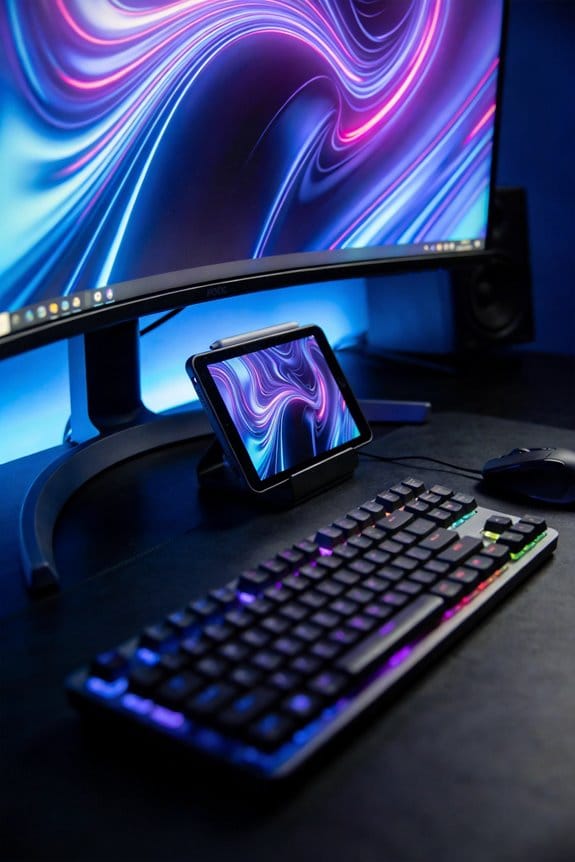
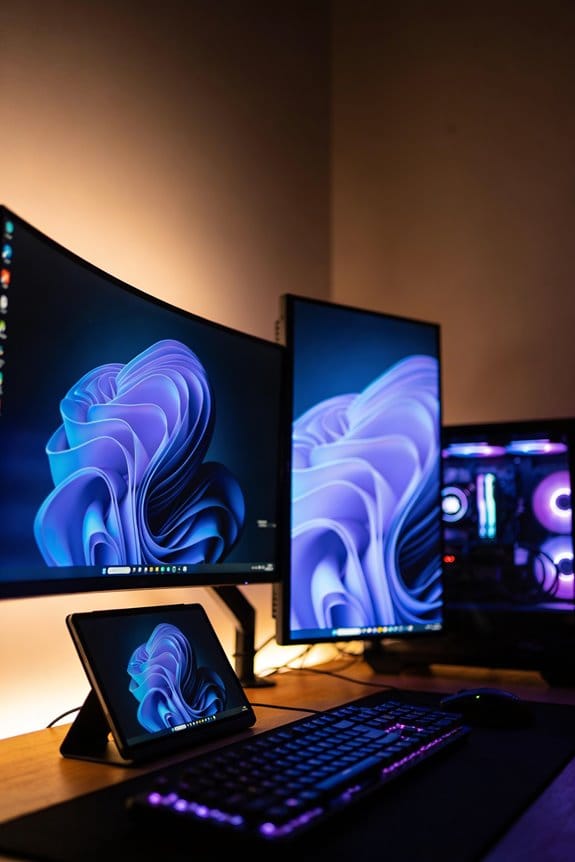
Switching your monitor to vertical orientation sounds simple, but it actually tackles the real issue: your cervical spine isn’t aligned properly when you’re looking down all day. When you position your screen at eye level vertically, you’re not fighting against gravity anymore. Your neck stays neutral instead of constantly bending forward.
So, why does this matter? Over time, that forward head posture adds up. Studies show that people who maintain neutral cervical alignment during screen time experience less neck pain and fewer disabilities. It’s not magic—it’s just basic physics working in your favor instead of against you.
Here’s what actually changes when you go vertical:
- Your eyes naturally gaze straight ahead instead of downward
- Your neck muscles don’t have to work overtime to support your head
- Your overall range of motion improves over weeks
- Postural angles correct themselves without forced stretching
Honestly, the best part is that your workspace stops being the problem and starts being part of the solution. You’re not fighting your setup anymore—you’re working with it.
Try this for a week and notice the difference. Most people feel relief pretty quickly once their spine isn’t fighting gravity all day.
Does your neck feel better when you’re not at your desk? That’s your answer right there. Fix the positioning, and you’re halfway to fixing the pain.
Recommended Products
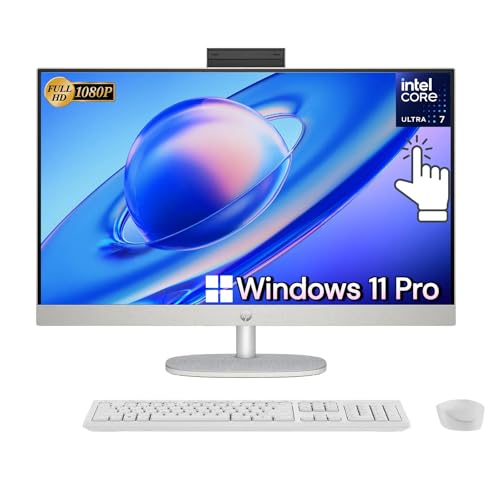
🪐𝙋𝙤𝙬𝙚𝙧𝙛𝙪𝙡 𝙋𝙚𝙧𝙛𝙤𝙧𝙢𝙖𝙣𝙘𝙚 - The HP 27" Full HD Touch-Screen All-in-One with adjustable height is equipped with the latest Intel Core Ultra 7 processor, delivering powerful and responsive performance to boost your productivity. Experience lightning-fast speed while seamlessly editing, sharing, and enjoying fantastic entertainment

LUXURIOUS SLATE DESKTOP: The distinctive texture of the natural rock undergoes a refined transformation through the intricate process of fine carving molding, resulting in a stunning effect.The modern trapezoidal legs add to the premium desk's overall aesthetic and give it a contemporary charm that will impress anyone who sees it.

[Exquisite light luxury]:Experience the luxurious beauty of the EUREKA Electric Standing Executive Office Desk. With a Snowflake White Rock Slab top made of hard rock, this desk is elegant and luxurious,adding elegance to your office space,making it the perfect addition to any executive's office.The modern trapezoidal legs add to the premium desk's overall aesthetic and give it a contemporary charm that will impress anyone who sees it.
Setting Up Your Vertical Monitor: Step-by-Step Prevention Starting Today
Setting Up Your Vertical Monitor: Step-by-Step Prevention Starting Today
Ever notice how your neck hurts after a long day at your desk? Turns out, where you place your monitor makes a huge difference. Setting up a vertical monitor the right way isn’t complicated, but getting it wrong means you’ll miss out on the real benefits—like actually feeling better at the end of the day.
Recommended Products

WQHD+ (3840x1600) Curved (2300R) - The 38 inch 21:9 UltraWide WQHD+ (3840 x 1600) curved monitor is great for work. The widescreen allows you to see everything you're working on, with multiple windows open, all on one screen.

1100W of class D power

Sleek look suitable for multiple environments
Getting the Height Right
Your eyes should hit the screen at roughly eye level when you’re sitting normally. The top of your monitor should sit at or just slightly below where you naturally look straight ahead. This keeps your neck from tilting forward, which is honestly the biggest culprit behind that creepy “text neck” feeling.
Try this: Sit up straight in your chair and look ahead without moving your eyes. That’s where your screen should be.
Recommended Products

Dual-Screen Console

Club-Quality Design for Home Use – Built with the same durable components found in premium gym equipment, engineered for quiet, comfortable, in-home performance.
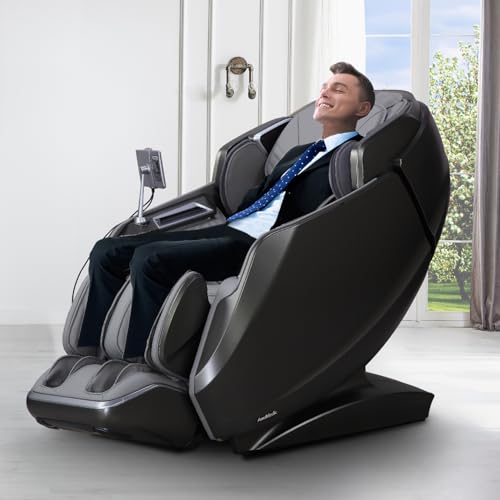
WILL THIS ACTUALLY HEAL MY CHRONIC BACK PAIN? ABSOLUTELY: Revolutionary heated back rollers deliver continuous therapeutic warmth WHILE massaging (not just stationary heat), combined with true 4D technology that mimics human therapist hands – finally get the deep, healing relief your muscles desperately need.
Distance Matters More Than You’d Think
Here’s the trick—your monitor should live about 20 to 26 inches from your eyes. That’s roughly an arm’s length away. Why does this matter? Because if it’s too close, you’ll lean in. Too far, and you’ll strain to read. Either way, your neck pays the price.
Recommended Products
LCD Color Display
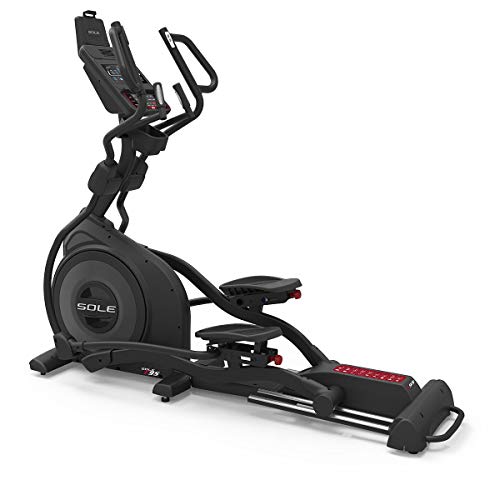
Awarded "Best Elliptical" even when classified in the above $2000 price category. "At $1999, the E95 is a tremendous value."

3G Cardio, an Arizona-based company with a combined 50 years of experience in the fitness industry, provides commercial-level quality and premium value. We offer an unmatched lifetime frame warranty, 7-year parts, and 1-year in-home labor (scroll down for commercial warranty), and you are only a phone call away from 5-star customer service 9-5 weekdays PST.
Angle and Glare
Tilt your screen slightly to kill reflections and glare without forcing your head into an awkward position. The goal is keeping your head square to the monitor, not tilted up or down. Frankly, this small adjustment stops a lot of unnecessary strain.
Recommended Products

UNMATCHED CLARITY - Experience stunning visuals on the 31.1" 4K monitor with a native resolution of 4096 x 2160, delivering exceptional detail and sharpness for professional creative work.

PIXEL SHARPENER — A 27-inch 5K Retina XDR display takes brightness, color, and responsiveness to the next level.* Combined with an advanced camera, three-mic array, six-speaker sound, and powerful Thunderbolt 5 capabilities, it’s the ultimate display for pros.
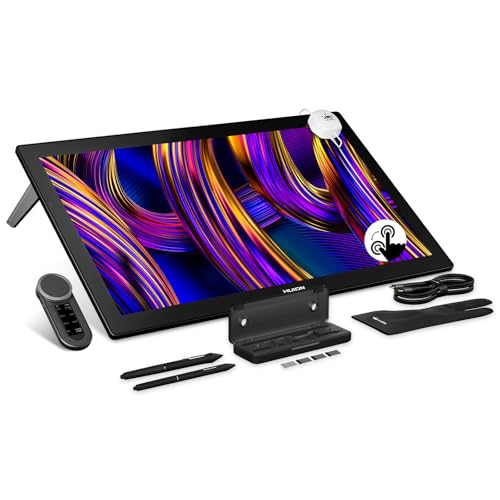
HUION's First 27-Inch 4K & 144Hz Display: The Kamvas Pro 27 (144Hz) art tablet combines a 4K UHD (3840x2160) screen with a 144Hz high refresh rate, ensuring exceptionally smooth and clear visuals that deliver the precision and immersion required for dynamic creative workflows. With a 140% increase in line display speed, every pen stroke is captured instantly and displayed without any lag
Lock It Down
You’ll need either an adjustable stand or a mounting bracket that lets you change the height when you need to. Don’t just prop something under your monitor—get a real solution that’s stable and easy to adjust.
The payoff? Better posture, less neck pain, and a spine that doesn’t feel like it’s aging twice as fast. What’s holding you back from making this change today?
Frequently Asked Questions
Which Demographic Groups Face the Highest Risk of Developing Text Neck Syndrome?
I’d tell you that females face the highest risk, particularly young adults and teenagers who use multiple digital devices daily. Curiously, the elderly experience less text neck syndrome, likely because they’re less smartphone-dependent than younger generations.
How Do Right-Handedness and Overweight Status Contribute to Text Neck Development?
I’ll illuminate how handedness impacts your neck strain—right-handed folks frequently flex forward while texting. Additionally, obesity connection complicates postural control, heightening text neck risk. Both factors fundamentally force your body’s biomechanics toward problematic positioning patterns.
What Neck Disability Score Indicates the Need for Immediate Medical Intervention?
I’d say you’ll need immediate medical intervention when your neck pain scores reach the severe category—typically 2.6% of cases. If you’re experiencing significant disability beyond mild discomfort, that’s when you should consult a healthcare professional right away.
Can Text Neck Progression Be Reversed if Caught at Severe Disability Stages?
I’ll be straight with you—at severe stages, reversing text neck’s tough, but not impossible. You’ll need dedicated rehabilitation techniques and consistent posture correction. I’ve seen patients recover through physical therapy, though it’s an uphill battle requiring serious commitment to lifestyle changes.
How Does Multi-Device Usage Specifically Increase Text Neck Risk Compared to Single-Device?
I’ll show you how multi-device usage compounds your text neck risk. When you’re juggling four or more devices, you’re constantly shifting between different screen angles and heights, which reinforces poor posture habits. This multi-device impact prevents your neck from ever achieving proper alignment, accelerating strain.