As an Amazon Associate, we earn from qualifying purchases. Some links on this site are affiliate links at no extra cost to you. Our recommendations are based on thorough research and editorial judgment.


540Hz and Beyond: Is There a Biological Limit to Human Refresh Rate Perception?

No fixed biological ceiling exists; humans detect flicker beyond 500 Hz when viewing high-contrast edges, challenging the traditional 50-90 Hz threshold established through oversimplified lighting studies. Your brain processes visual information approximately 13 milliseconds behind actual detection, enabling perception around 75 frames per second under standard conditions. However, individual photoreceptor variation, age, and visual health create significant differences in flicker sensitivity. Real-world viewing conditions—including ambient light and screen distance—substantially alter perception thresholds from laboratory measurements. Understanding these variables clarifies why your specific sensitivity differs considerably from theoretical limits.
Key Takeaways
- Sharp, high-contrast edges enable flicker detection at frequencies exceeding 500 Hz, suggesting perception limits extend beyond traditional thresholds.
- Individual variations in photoreceptor composition affect flicker sensitivity differently across people, making a universal biological limit difficult to establish.
- The brain processes visual information approximately 13 milliseconds behind detection, aligning with perception capability around 75 frames per second baseline.
- Lab conditions yield higher flicker detection rates than real-world viewing, as ambient light and screen distance significantly impact actual perception thresholds.
- Practical human perception limits depend on activity type and individual factors rather than a single definitive biological ceiling frequency.
The 90 Hz Myth: What Refresh Rate Perception Research Actually Shows
The 90 Hz Myth: What Refresh Rate Perception Research Actually Shows
Ever notice how everyone swears their phone feels smoother at 90 Hz, but you can’t quite put your finger on why? That’s because the old rules about how fast screens need to refresh don’t tell the whole story.
Back in the day, scientists ran tests on simple, uniform lights to figure out when screens stop flickering. They’d measure something called the Critical Flicker Fusion Rate, and it landed somewhere in the 50-90 Hz range. That number became gospel. It shaped monitor standards, phone specs, and basically everything we’ve built for decades. Nobody really questioned it.
But here’s the thing—those old experiments were only testing part of the picture. They used plain, flat lighting, not the sharp edges and detailed images you actually look at. So why does this matter? Because your eyes respond differently to complex stuff on screen compared to a uniform glow.
The latest research shows something pretty different:
- Your brain can detect flicker way better when there’s a sharp edge involved
- Complex visual information—like text or photos—exposes flicker that uniform lights hide
- The old threshold numbers weren’t wrong, but they were incomplete
Frankly, it’s like testing how well a car handles on a parking lot and assuming it’ll work the same way on a mountain road. The conditions matter more than anyone realized.
So what does this mean for you? If you’re shopping for a monitor or phone, don’t just chase the highest Hz number. Your actual perception depends on what you’re doing—scrolling text, gaming, or watching video all feel different at the same refresh rate.
The takeaway: Refresh rates matter, but they’re more nuanced than the simple 90 Hz rule ever suggested. What would actually make your screen feel smoother—better resolution, faster response time, or just higher refresh?
Recommended Products

Massive 163-inch Display with 1920 x 1080 Resolution

32-inch 4K (3840 x 2160) QD-OLED gaming monitor with 240Hz refresh rate and 0.03ms response time (GTG) for immersive gaming

5K UHD 5120 x 2880 Resolution with 16:9 Aspect Ratio - 500nits Brightness
How High-Contrast Edges Enable 500 Hz Perception

How High-Contrast Edges Enable 500 Hz Perception
Ever notice how your older monitor feels different from a newer one, even when they claim similar refresh rates? That’s because the old 50-90 Hz threshold doesn’t tell the whole story about what you can actually see.
Your eyes are pickier than we thought. When displays show sharp, high-contrast edges—think black text on a bright white background—your visual system kicks into overdrive. Research shows you can perceive flicker at frequencies exceeding 500 Hz in these situations, something classical studies completely missed.
Here’s what’s happening: It’s not just about uniform brightness. Sharp spatial boundaries activate different neural pathways in your brain than smooth, gradual light changes do. Your saccadic movements (those quick eye jumps you make constantly) detect these rapid modulated light patterns at extraordinarily high frequencies.
So, why does this matter? Because it means your eyes are way more sophisticated than refresh rate specs suggest. You’re detecting temporal changes far beyond what television standards account for.
Try this: Look at crisp text on your screen, then at a solid color. Notice the difference in how smooth or fluid things feel? That’s your visual system responding to edge contrast in real time.
The best part is knowing your eyes aren’t broken—they’re just built to handle complexity that older technology couldn’t measure. Next time you’re shopping for a display, remember that refresh rate alone doesn’t guarantee a smooth experience. Those sharp edges matter more than you’d think.
What displays have you noticed feel smoother than their specs suggest?
Recommended Products

27" Display (16:9 Aspect Ratio)
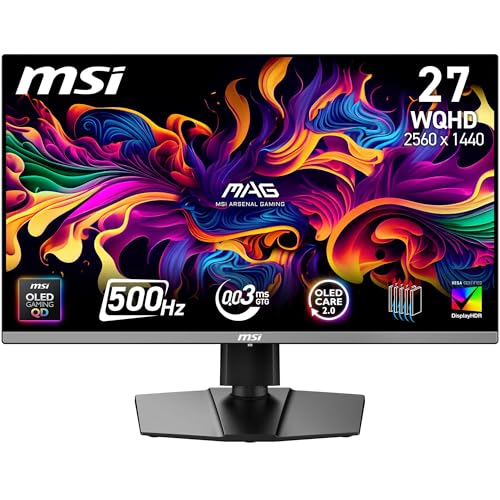
QUANTUM DOT OLED - The MSI MAG 272QP QD-OLED X50 gaming display combines 10-bit Quantum Dot color conversion with self-emitting OLED pixels for unmatched blacks and exceptional response time.

STUNNING QD-OLED VISUALS – 3rd Gen QD-OLED delivers ultra-vivid quantum dot colors, perfect blacks, and extreme contrast for lifelike, immersive game worlds
Your Brain’s 13-Millisecond Edge Over Display Hardware

Your Brain’s 13-Millisecond Edge Over Display Hardware
Ever wonder why some gamers swear they can see a difference between a 60Hz and 144Hz monitor, while others think they’re crazy? There’s actually some real science backing up that feeling.
Your brain’s doing something pretty wild right now: it’s processing what you’re seeing about 13 milliseconds after your eyes actually detect it. That sounds slow, but it’s roughly equivalent to 75 frames per second in computer terms. The catch? Your brain doesn’t care what your monitor’s refresh rate says it can do.
This matters because your monitor’s refresh rate and your brain’s processing speed are two completely different things. They’re not even measuring the same stuff. Your display might refresh 144 times a second, but that doesn’t automatically mean your brain perceives 144 distinct images. How long an image actually sticks around in your visual system—what we call image persistence—does depend partly on your monitor’s hardware. But the real question is about your brain: how fast can it actually *think* about what it’s seeing?
Truth is, we’ve been underestimating our brains for years. Old estimates said your brain needed about 100 milliseconds to process visual info. That’s not accurate anymore. Research shows your brain’s actually faster than that, which sets a hard biological limit on how quickly you can perceive changes. It’s faster than old TV standards could ever deliver, though it’s still not anywhere near those wild 500 Hz scenarios you see in perfect lab conditions.
So here’s the real takeaway: buying the highest refresh rate monitor won’t magically make you see better than your brain can process. But understanding how your brain actually works? That helps you make smarter choices about the tech you use.
Does knowing your brain’s real speed change how you think about your gear?
Lab Results vs. Real-World Viewing: The Gap Explained

Lab Results vs. Real-World Viewing: The Gap Explained
Ever notice how a monitor looks crisp and smooth in the store but feels different when you get it home? That’s because those 500 Hz perception studies you read about? They happen in perfect lab conditions—optimal lighting, high-contrast edges, everything locked in place. Real life doesn’t work that way.
In an actual room, you’re dealing with messy variables: sunlight shifting throughout the day, your monitor’s contrast fighting against that light, you sitting at different distances depending on how you’re positioned, and your brain juggling multiple things at once. All of that changes whether you actually see flickering on your screen.
The lab setup basically removes all the noise. Researchers control the lighting perfectly, use the sharpest possible images, and keep your head still so they can measure exactly what you perceive. That’s how they get to 500 Hz detection rates. But when you’re gaming late at night, watching a movie, or working at your desk, you’re not in that controlled environment—not even close.
So why does this matter? Because the gap between what studies claim and what you’ll actually experience is real and significant. Your perception threshold drops when real-world factors kick in. Ambient light interferes. Contrast gets softer. Your attention splits between the screen and what’s happening around you. These aren’t small effects—they fundamentally shift what your eyes can and can’t detect.
The takeaway: don’t assume lab numbers translate directly to your setup at home. What researchers can measure in controlled conditions and what you’ll notice during everyday use are two different things. Think about your actual viewing situation—the lighting in your room, how far you typically sit, what else is competing for your attention—and use that to set your expectations, not the theoretical maximum.
Why Your Flicker Sensitivity Differs From Others

Why Your Flicker Sensitivity Differs From Others
Ever notice how your friend can watch a 60Hz monitor all day without complaints while you’re squinting after an hour? That’s not just preference—your eyes are literally wired differently than theirs.
The reality is that your photoreceptor makeup (those rod and cone cells in your retinas) varies from person to person. You might have a higher concentration of rods, which excel in low light but don’t catch fast motion as easily. Someone else might have more cones clustered in their central vision, making them hyper-aware of flicker. This biological lottery means identical refresh rates hit different people in completely different ways.
So why does this matter? Because it explains why your coworker’s $500 gaming monitor feels like overkill to you, while your partner swears it’s the best investment they’ve made. Your capacity to perceive motion and detect temporal artifacts—those tiny visual hiccups on screen—depends on your specific photoreceptor composition.
Here’s the practical side:
- Some people genuinely benefit from 144Hz or higher frame rates
- Others notice zero difference beyond 60Hz
- A few folks are sensitive enough to spot flicker at refresh rates most people consider smooth
Frankly, this is why tech companies can’t just pick one “perfect” refresh rate for everyone. Your personal threshold for detecting jank on screen is yours alone. Someone with different eyes will experience the same display totally differently.
The takeaway? Stop comparing your monitor needs to someone else’s. Test refresh rates yourself and trust what *your* eyes tell you, not what the spec sheet promises or what works for your friend.
The Practical Refresh Rate Ceiling for Your Needs
So you’re shopping for a new monitor and getting hit with specs like 144 Hz, 240 Hz, 360 Hz—and you’re wondering if any of that actually matters for what you do. Truth is, most people buy way more refresh rate than they need.
Let’s start with the basics. Not everyone sees flicker the same way. Some folks are super sensitive to it, others barely notice. That’s why chasing the highest number on the spec sheet doesn’t always make sense. Your actual needs depend on what you’re doing on that screen every day.
What you actually use matters more than the numbers
Watching movies or scrolling through emails? Sixty hertz is genuinely fine. Honestly, most films are shot at 24 frames per second anyway, so you’re not getting much from anything higher. Web browsing, email, documents—same deal. Your eyes aren’t tracking fast motion, so the refresh rate doesn’t make much difference.
Now, if you game competitively—especially in fast-paced shooters or fighting games—that’s where higher refresh rates earn their keep. A 144 Hz or 240 Hz monitor means smoother motion during those quick camera turns and fast gameplay. You’ll actually see the difference, and it can help your performance. The smoother action is real, not imaginary.
Professional work sits somewhere in the middle. Designers, video editors, and photo retouchers sometimes benefit from higher refresh rates because they’re staring at detailed stuff for hours. Reducing eye strain matters in those situations.
So why does this matter? Because you could spend an extra $200 on a 240 Hz display when a 60 Hz or 75 Hz monitor would make you just as happy. Or you could go the other direction and feel frustrated with lag in your favorite game.
Try this approach: think about your main activity on the screen. Is it gaming, work, or just general use? Your answer there should drive your choice, not some arbitrary “maximum spec” that sounds impressive in a store.
The best part is, once you nail down what you actually need, shopping gets way easier—and cheaper.
Recommended Products

Is long-lasting with reduced screen burning to ensure maximum efficiency


Nearly Invisible 0.44Mm Bezel
Frequently Asked Questions
Can Saccadic Eye Movements During Normal Viewing Reliably Detect Flicker Above 500 Hz?
I’d say it’s unlikely you’ll reliably detect flicker above 500 Hz during normal viewing. While saccadic eye movements enhance flicker sensitivity under controlled lab conditions, your everyday visual perception and flicker sensitivity don’t typically achieve such high-frequency detection in real-world environments.
Do Rod and Cone Ratios Vary Predictably Across Different Populations or Demographics?
I’ll tell you that rod and cone ratios don’t follow predictable demographic patterns—they’re primarily driven by genetic variations rather than demographic influences. You’ll find considerable individual differences exist within populations, making personal perception far more variable than group-based predictions suggest.
What Specific Display Technologies Currently Implement Refresh Rates Exceeding 500 Hz Commercially?
I’d love to tell you about mainstream 500+ Hz displays, but here’s the thing: they don’t really exist commercially yet. High refresh monitors top out around 240 Hz for gaming displays, while professional screens and consumer electronics haven’t cracked that barrier—though we’re getting close.
How Do Ambient Lighting Conditions Quantitatively Affect Individual Flicker Detection Thresholds?
I can’t give you exact quantitative data, but I’ll explain what matters: ambient brightness effects substantially shift your flicker sensitivity variations. Brighter environments raise detection thresholds, while dim lighting lowers them—meaning you’re more likely noticing flicker when it’s darker around you.
Does Neural Processing Speed at 13 Milliseconds Represent a Hard Biological Ceiling?
No, it’s not a hard ceiling. I’d argue the 13-millisecond neural latency isn’t your perceptual limit—it’s just our current measurement baseline. Your brain’s actual processing flexibility suggests we haven’t found where your visual system truly maxes out yet.