As an Amazon Associate, we earn from qualifying purchases. Some links on this site are affiliate links at no extra cost to you. Our recommendations are based on thorough research and editorial judgment.

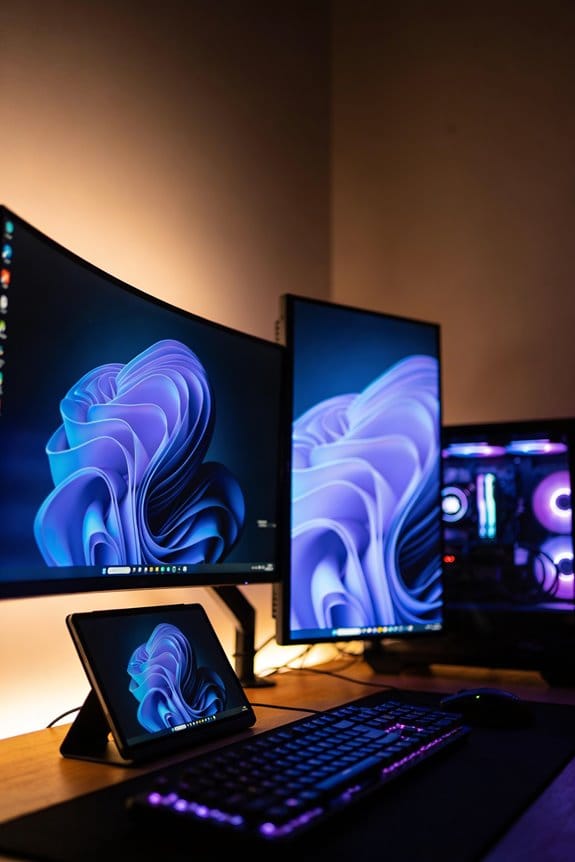
Smart Monitors With Built-In OS (Tizen/webOS): Are They Just Small TVS?

Smart monitors with Tizen or webOS aren’t simply small televisions; they’re engineered for productivity with higher pixel density, faster refresh rates (60-144Hz), and reduced input lag, prioritizing responsive cursor control over entertainment features. While TVs emphasize richer contrast and HDR capabilities starting at 43 inches, monitors typically range from 24-32 inches and excel in work environments. Each operating system—Tizen, webOS, Google TV—offers distinct app ecosystems and smart home integrations that fundamentally differentiate their functionality and use cases, making the choice dependent on your specific requirements.
Key Takeaways
- Monitors prioritize responsive performance and low input lag; TVs emphasize rich contrast, HDR, and immersive audio experiences for entertainment.
- Smart monitors with Tizen/webOS offer app ecosystems and smart home integration, but maintain monitor-specific features like higher refresh rates.
- Monitors typically range 24–32 inches with high pixel density; TVs start at 43 inches, serving different viewing distances and use cases.
- Monitor speakers are smaller and less powerful than TV speakers, making them better suited for work than cinematic entertainment.
- Choice depends on priorities: fast, responsive interfaces for work-from-home needs versus large-screen entertainment and sound quality for casual viewing.
How Smart Monitors Differ From TVs Beyond Size?
Thinking about grabbing a monitor or a TV for your desk setup? They might look similar on the surface, but they’re actually built for completely different jobs.
Both smart monitors and smart TVs run operating systems like Tizen, webOS, and Google TV, so they’ve got a lot of the same smart features under the hood. But here’s where they diverge: a monitor is engineered to help you work, while a TV is built for you to kick back and watch movies or shows.
What makes a monitor different for work
Monitors crank up the pixel density and refresh rates (you’re looking at anywhere from 60Hz to 144Hz), which means sharper text and faster response times when you’re clicking around documents or spreadsheets. You also get less input lag, so your cursor feels snappy. They’re typically smaller—think 24 to 32 inches—and brighter overall, which helps when your workspace gets natural light pouring in. If you’ve spent hours squinting at text on a regular screen, you know the difference this makes.
What TVs bring to the table
TVs take the opposite approach. They favor bigger screens (usually 43 inches and up), richer contrast, and HDR capabilities that make movies and streaming content look stunning. The refresh rates are lower because content consumption doesn’t need that speed. The colors are tuned specifically for watching entertainment, not for the precision you need when you’re working.
What Apps Can You Get on a Smart Monitor?

Thinking about picking up a smart monitor but worried about what apps you’ll actually be able to use? Yeah, that’s a real concern—the wrong operating system means you’re stuck with limited streaming options and fewer ways to customize your setup.
The truth is, your app options come down to which OS your monitor runs. There are three main players: Tizen, webOS, and Google TV. Each one has its own app store, and they’re pretty different from each other.
Google TV gives you the most options. You get access to the full Google Play Store, which means mainstream apps like Netflix and YouTube, but also smaller streaming services and games. If you like having choices, this is your best bet. Honestly, the selection is hard to beat.
Tizen and webOS both cover the big names—Netflix, Prime Video, YouTube, Disney+—so don’t stress if you just want the standard streaming apps. The catch? Tizen’s ecosystem is pretty closed off. Installing third-party apps or sideloading stuff is way harder than it should be.
webOS sits in the middle ground. You get better app availability than Tizen, more streaming options, and it’s easier to work with overall. So why does this matter? Because if you’re planning to use your monitor for more than just the usual suspects, webOS gives you more breathing room.
The bottom line: figure out what apps matter to you first, then pick your monitor’s operating system around that. What’s your must-have app—is it a specific streaming service, or are you looking for smart home controls too?
Do Smart Monitors Perform as Well as TVs?

So you’re trying to figure out whether to grab a smart monitor or a TV for your setup? Honestly, they’re closer in performance than you might think, but the differences matter depending on what you actually do with them.
When it comes to picture quality, you’re getting similar stuff either way. Both offer comparable refresh rates and resolution options that look sharp for streaming shows, browsing, or casual use. But here’s where things split: monitors are built for gaming speed, while TVs prioritize sound and connection options. Why does this matter? Because your priorities should drive your choice.
Gaming is where monitors shine. They’re engineered specifically to cut input lag and keep response times tight. TVs? They’re allocating that processing power elsewhere—mainly toward audio systems and extra connectivity features. If you’re serious about gaming, a monitor will feel noticeably snappier.
The smart features work basically the same across both. Tizen and webOS use the same underlying software, so you’re not gaining or losing much in terms of apps, streaming, or usability.
Try this: Think about audio. Bigger TV speakers genuinely outperform monitor speakers because there’s simply more room for quality drivers and sound distribution. In my experience, this is one of the biggest real-world differences people actually notice day-to-day. Smaller spaces? A monitor’s audio is fine. Movie nights in a living room? A TV wins.
Bottom line—monitors excel at speed and response times, TVs excel at overall sound quality and connectivity. Which one fits your life better?
Which Smart Monitor Brand Controls Your Smart Home Better?

So you’re trying to figure out which smart monitor won’t leave you frustrated when nothing talks to anything else. That’s smart thinking, because your choice of brand actually matters when you’re building out a connected home.
Samsung’s Tizen platform is built around SmartThings, which is honestly their biggest advantage here. If you’ve already got Samsung devices scattered around your house, Tizen handles automation way better than the competition. You can chain actions together—like having your lights dim when your TV turns on—without jumping between apps. Bixby voice commands work smoothly too, so if you’re already saying “Hey Bixby” to your phone, the monitor fits right in.
LG’s webOS takes a different approach with ThinQ AI. It’ll search the web and control your smart home devices, but the automation options feel a bit limited compared to what Samsung offers. Don’t get me wrong—it works fine if you’re keeping things simple. But if you want to build something more complex? You might hit a wall.
Then there’s Google TV, which honestly punches above its weight here. The Google Assistant integration is solid, and it connects to more devices than either Tizen or webOS because Google’s ecosystem is so sprawling. Why does this matter? Because Google plays well with pretty much everything—Samsung devices included, in many cases.
Try this: list out what devices you already own. Do you have mostly Samsung gear? Go Tizen. Mostly Google products like Nest and Chromecast? Google TV makes more sense. Starting from scratch or mixing brands? Google TV’s broader compatibility gives you more flexibility down the road.
The real question is whether you want a cohesive ecosystem or maximum flexibility. Pick the monitor brand that matches what you’ve already got, and you’ll save yourself headaches later.
Recommended Products

Ultra High Definition 4K (3840x2160)FOUR TIMES the resolution of 1080P! 32 Channel 6K 12MP NVR with (32) H.265+ 4K (8MP) @20FPS Weatherproof 2.8mm Wide Angle Microphone Audio & Video PoE IP Bullet Cameras
UL1973 | UL9540A | CEC LISTED - Completed comprehensive testing by Intertek and has officially earned two key North American safety certifications.And has met the standards set by the California Energy Commission.The outstanding performance in design, electrical safety, and thermal runaway management,providing users with greater quality assurance.

【Wide Use Scene】:MWE-JIYANG indoor floor standing digital signage for MWE advertising publish, retail store, shopping mall, display of dishes, welcome display, self-service business, exhibition hall, wayfinding, airport, subway, elevator, restaurant & hotel Supplies and More Scene.
When Smart Monitors Win: Use Cases That Matter

When Smart Monitors Win: Use Cases That Matter
So you’re trying to figure out which smart monitor actually fits your life—not what some tech spec sheet says you should want. The truth is, built-in operating systems do beat traditional displays in specific situations, but which one wins depends entirely on what you’re already using at home.
Recommended Products

BRIGHTNESS BOOSTER MAX: The LG OLED evo shines even brighter than before. Brightness Booster Max technology magnifies each individual pixel for luminous quality that shines with every detail.
[High Capacity Solar Battery]: SUNGOLDPOWER UL1973 and UL9540A 48V 314Ah LiFePO4 lithium battery with over 8,000 deep cycles. Parallel up to 16 pcs ,maximum capacity of 16.07kWh.Ideal for solar systems, off-grid living, and whole-home backup power with reliable long-lasting performance.
[High Capacity Solar Battery]: SUNGOLDPOWER UL1973 and UL9540A 48V 314Ah LiFePO4 lithium battery with over 8,000 deep cycles. Parallel up to 16 pcs ,maximum capacity of 16.07kWh.Ideal for solar systems, off-grid living, and whole-home backup power with reliable long-lasting performance.
Remote Collaboration
If you’re juggling video calls while controlling your smart lights and adjusting your thermostat, webOS makes this surprisingly smooth. Its interface responds quickly, and the integrated smart home controls mean you’re not constantly switching between apps. You can jump from a Zoom meeting to managing your devices without that lag that drives you crazy on regular monitors.
Recommended Products

Seamless Flexibility for Work and Play - Experience powerful flexibility with the LG Smart Monitor Swing. Featuring a rolling stand and 360-degree adjustability, the 32” 4K touchscreen monitor reimagines how you work, watch, and play with stunning clarity and smooth touchscreen control.
Seamless Flexibility for Work and Play - Experience powerful flexibility with the LG Smart Monitor Swing. Featuring a rolling stand and 360-degree adjustability, the 31.5” 4K touchscreen monitor reimagines how you work, watch, and play with stunning clarity and smooth touchscreen control.

Vivid Visuals at Wide Viewing Angles - Experience exceptional picture quality with the 32" QHD (2560x1440) display, with IPS technology for vivid and vibrant visuals - even at wider viewing angles.
Gaming and Performance
Tizen shines if you’re into gaming or just want your apps to launch without that annoying delay. Samsung’s hardware integration means faster speeds and stable frame rates—the kind of thing you’ll notice immediately when you’re trying to enjoy something. Honestly, if you’re already deep in the Samsung ecosystem with your phone, TV, and other gadgets, Tizen feels less like you’re learning something new.
Recommended Products

QD-MINI LED: TCL's QD-Mini LED combines the merits of QLED and OLED technologies, transforming the traditional backlight into lighting that is close to pixel-level precision.

NQ4 AI Gen3 Processor: Powered by 128 neural networks to deliver AI-enhanced picture and optimized sound, resulting in an exceptional 4K experience for streaming, gaming, live sports and more | Glare Free: Watch everything you love without distracting reflections so you can get lost in your content —even with sun streaming through your windows or that one lamp you keep on while watching the latest thriller

OUR MOST ADVANCED 4K AI PROCESSOR: Powered by 128 neural networks to deliver AI-enhanced picture and optimized sound, resulting in an exceptional 4K experience for streaming, gaming, live sports and more.*
Productivity and Content Creation
Want quick access to Netflix, YouTube, or your editing software? Both platforms handle this well thanks to their clean navigation. Here’s the thing though: webOS tends to have a gentler learning curve if you’re juggling multiple tools and workflows.
Now, which one should actually matter to you? Google TV wins if you need tons of third-party apps for work. Tizen becomes the obvious choice when SmartThings automation is what you really need to tie everything together in your home.
The real question: what devices are you already using, and do you want your monitor to work *with* them or separate from them?
Recommended Products

20 Points Touch Screen Monitor: use multiple fingers to zoom in & out of images, come with a stylus for make notes and notes on images or documents no driver required, also can work with glove and within 5ms response time

【Epic QD - OLED Monitor】 A new generation of gaming monitor is emerging, this new 27 Inch 4K UHD 3840 x 2160p 240hz monitor adopts QD - OLED panel and deliver 99% DCI-P3 color gamut, 1,500,000:1 contrast ratio, 1.07B(10 bit) colors, more detailed quality picture and a lifelike gaming experience.

【24.5" Large Touchscreen】UPERFECT portable monitor with sensitive ten-point touch control function, making finger sliding, zooming and dragging as smooth as flowing water. Compatible with multiple systems, no mouse or keyboard is required. Just touch and control, making the interaction more intuitive and free. 24.5 inch large screen offers more broader vision, making work efficient and entertainment enjoyable.
Smart Monitor Ecosystems: Samsung SmartThings vs. LG ThinQ
Smart Monitor Ecosystems: Samsung SmartThings vs. LG ThinQ
So you’re standing in the electronics aisle trying to figure out which smart monitor won’t turn into a paperweight in six months? That choice matters more than you’d think. Your smart monitor can either sit there doing one job, or it can become the brain of your entire home—and that depends entirely on which ecosystem you pick.
Samsung’s SmartThings and LG’s ThinQ AI sound similar on the surface, but they’re actually built pretty differently. SmartThings is built for serious automation. It lets you create complex routines, connect tons of devices, and control everything through Bixby voice commands. You’re not just getting a monitor; you’re getting a coordination center. ThinQ AI does smart home stuff too, but honestly, it’s more limited in what it can actually do. It handles voice search and basic smart home connections, but don’t expect the same level of automation depth.
Here’s where your existing devices come into play:
If you’ve already got Samsung stuff around your house—TVs, appliances, phones—SmartThings feels natural. The Tizen operating system that Samsung uses is optimized to work with Samsung hardware specifically. Everything talks to each other smoothly. LG’s webOS approach is broader in some ways; it works with LG signage and appliances, but it doesn’t have quite the same tightness.
Why does this matter? Because buying a smart monitor that doesn’t play well with what you already own is frustrating. You’ll end up downloading five different apps instead of controlling everything from one place.
The real question comes down to what you actually want from your smart home. Are you the type who loves setting up automation routines—having your lights turn on when you get home, your coffee maker start brewing before your alarm, that kind of thing? SmartThings is your answer. You want something straightforward that just works with your other LG devices without extra complexity? ThinQ AI gets the job done.
Think about your home’s future, not just today. What other devices are you likely to buy in the next few years? That answer should probably guide your decision more than anything else.
Which Should You Choose: TV or Smart Monitor With Built-In OS?
Which Should You Choose: TV or Smart Monitor With Built-In OS?
Trying to figure out whether you need a TV or a smart monitor? It’s a more important decision than you might think, because these two devices really do different jobs.
Smart monitors are built for your desk. They’re smaller, faster, and they work great if you’re doing work or playing games where split-second response times matter. They connect easily to your computer and other gadgets. Think of them as the productivity option—they’re designed to help you focus on tasks that need precision.
Now flip that around. TVs are made for your living room. You’re getting a bigger screen, better speakers, and tons of streaming apps ready to go. They’re built for kicking back and watching with family or friends.
So, why does this matter? Because buying the wrong one means you’ll end up frustrated. Let’s break down what actually matters for your situation.
Pick a smart monitor if:
- You work from home or game seriously
- You need fast performance for computing tasks
- Your desk space is limited
- You want tight integration with your PC or laptop
Pick a TV if:
- You watch a lot of movies and shows
- You want to watch with other people regularly
- You need solid audio built in
- You care about apps like Netflix, Disney+, or your smart home system (Samsung SmartThings or LG ThinQ)
Here’s the trick: most people don’t actually need both. Think about how you spend your free time. Are you streaming content in your main living area, or are you mostly working and playing games at a desk? That answer pretty much settles it.
Honestly, the best move is spending 15 minutes thinking about your actual daily routine. Does a smaller, faster screen fit your life, or do you need that big-screen entertainment experience? The answer to that one question will point you in the right direction.
Frequently Asked Questions
How Often Do Tizen and webOS Receive Security Updates Compared to Google TV?
I’ll give you the truth straight: Tizen and webOS don’t quite match Google TV’s update frequency. While I’d say both platforms offer timely security measures, Google TV’s update frequency edges ahead. However, all three maintain robust security patches—you’re protected either way.
Can You Install Third-Party Apps on Tizen Smart Monitors Like You Can on webOS?
No, I can’t install third-party apps on Tizen smart monitors like I can on webOS. Tizen’s closed ecosystem restricts third-party installations, limiting Tizen app capabilities compared to webOS’s more open approach, though webOS still has certain app limitations.
Do Smart Monitors With Built-In OS Support Voice Commands Without Additional Smart Home Hubs?
Yes, I’ll tell you that both platforms support voice commands natively. Tizen gives you Samsung’s Bixby, while webOS includes LG’s ThinQ AI. From my perspective, these voice assistants comparison shows you won’t need separate hubs for smart monitors functionality.
Which Platform Offers Better Performance on Budget and Mid-Range Smart Monitor Models?
I’d recommend webOS for budget models since both platforms deliver smooth performance, but webOS edges ahead with better responsiveness on mid-range devices. However, your performance comparison really depends on specific budget considerations and whether you prioritize Samsung’s ecosystem integration or LG’s user-friendly interface.
Are webOS Smart Monitors Compatible With Samsung Smartthings or Only LG Thinq Devices?
Can you really expect LG compatibility with Samsung’s ecosystem? Here’s the truth: webOS smart monitors won’t integrate with SmartThings—they’re locked into LG ThinQ. You’ll need LG devices for seamless smart home control, not Samsung’s platform.