As an Amazon Associate, we earn from qualifying purchases. Some links on this site are affiliate links at no extra cost to you. Our recommendations are based on thorough research and editorial judgment.

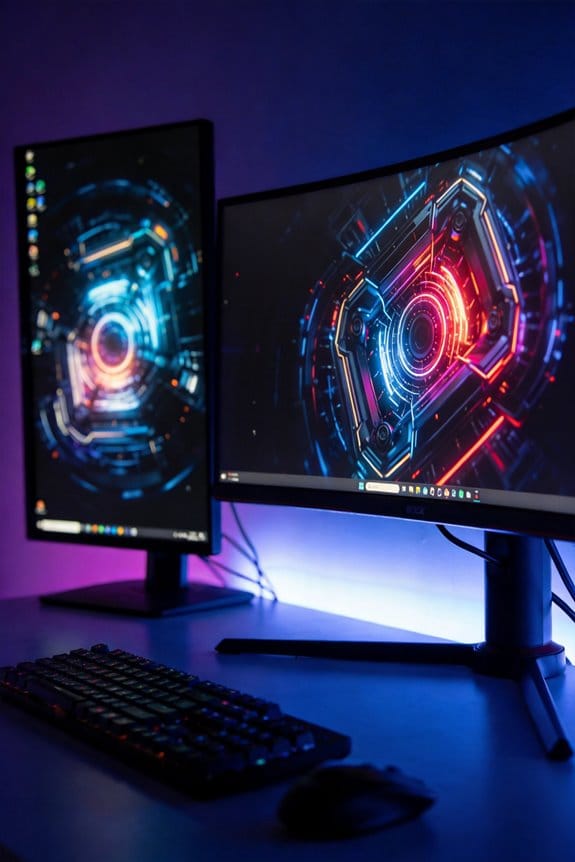
The Ideal Viewing Distance for 4K 32-inch Monitors and Myopia Prevention

For 32-inch 4K monitors with 138 PPI pixel density, I recommend maintaining 28-42 inches (70-105 cm) viewing distance to eliminate pixel visibility and reduce accommodation fatigue that drives myopic progression. This distance aligns display specifications with your eye’s optical capabilities, preventing the excessive strain from sitting too close. Professional work suits 80-100 cm, while gaming and cinema benefit from approximately one meter positioning. Proper distance, combined with ergonomic setup and the 20-20-20 rule, creates thorough eye protection; however, workspace-specific optimization requires understanding how individual activities interact with these foundational parameters.
Key Takeaways
- Maintain a viewing distance of 28-42 inches (70-105 cm) from your 32-inch 4K monitor to prevent pixel visibility and reduce eye strain.
- Position your monitor at eye level to minimize neck strain and support proper ergonomic alignment during extended screen work sessions.
- Apply the 20-20-20 rule: look away every 20 minutes at something 20 feet away for 20 seconds to reset eye muscles.
- Eliminate glare from windows and balance room lighting with screen brightness to reduce excessive pupil adjustment and eye fatigue.
- Adjust monitor brightness to match ambient light and increase blink rates to combat dry eyes and support long-term myopia prevention.
Why Viewing Distance Beats Monitor Size for Eye Health
Why Viewing Distance Beats Monitor Size for Eye Health
Ever notice how a bigger screen doesn’t automatically mean less eye strain? That’s because what really matters isn’t sitting in front of a massive display—it’s how far away you’re sitting from it.
I used to think upgrading to a larger monitor would solve my eye fatigue. Turns out, I was wrong. OSHA actually recommends keeping your screen 20-40 inches away, and that distance does way more for your eyes than size ever could. When you sit at the right distance, your eyes don’t have to work as hard to focus, and your neck stays in a better position too.
Here’s the thing about eye strain: it comes from your eyes constantly adjusting focus and your neck craning forward. Both problems get worse if you’re too close to the screen, regardless of how big it is. You could have a 50-inch monitor, but if your face is practically touching it, you’re asking for trouble.
Try this: position yourself about 28-42 inches from a 32-inch display. That sweet spot isn’t random—it’s where text stays sharp without making your eyes work overtime. When the distance is right, the pixels and your eyesight work together instead of against each other.
So, why does this matter? Because fixing your viewing distance costs you nothing, while buying a new monitor costs hundreds. You don’t need the latest or largest screen to protect your vision long-term.
Honestly, the setup that’ll actually help your eyes isn’t a bigger monitor sitting in the same spot. It’s you and your current screen, positioned correctly. Before you start shopping, try adjusting your distance and see how much better you feel after a full workday. Your eyes will thank you for it.
Your Viewing Distance: 28-42 Inches for 32-Inch 4K Displays

The 28-42 Inch Viewing Distance for 32-Inch 4K Monitors: What Actually Works
Stuck sitting too close to your monitor? Or maybe you’re leaning back so far you’re squinting at the screen? Finding the right distance between you and your 32-inch 4K display makes a real difference in how you feel at the end of the workday.
The sweet spot lands somewhere between 28 and 42 inches from your screen—that’s roughly 70 to 105 centimeters if you’re working in metric. At this distance, your eyes get the best of both worlds: the pixels disappear (thanks to that 138 PPI density), so everything looks sharp and crisp without the eye strain that comes from staring at a blurry image.
Why does this distance matter so much? It’s not just about sharpness. When you sit in this range, your eyes don’t have to work as hard to focus. You’re hitting that perfect spot where accommodation fatigue—that exhausting condition where your eyes get tired from constant refocusing—basically doesn’t happen. Your neck and shoulders stay happier too because you’re not craning forward or twisting around to see what’s on screen.
Your field of vision also covers about 30-45 degrees of the display at this distance. Translation: you can see most of what’s happening without moving your eyes all over the place. Less eye movement means less strain, and less strain means you can actually work for eight hours without feeling wiped out.
Frankly, I’ve watched people completely change how they feel about their workstations just by adjusting their chair or monitor arm to hit this range. IT departments running professional setups have measured real improvements in fatigue levels when they follow this guideline. It’s not magic—it’s just good ergonomics backed up by actual evidence.
Recommended Products

Intel Core Ultra 7 with TURBO BOOST to 5.60GHz (EXTREME-power processor);
Experience four times more detail than Full HD with 3840x2160 Ultra HD 4K resolution.

SUPERIOR 4K SCREEN: This floor standing digital signage display has 4K UHD(Ultra High-Definition) resolution screen and 350nits brightness, which offers extraordinary clarity and color variation. The 178°Ultra-wide viewing angle cover a wide range of angles, ensures excellent viewing experience. And 2 powerful 8Ω 5W speakers allows it to play stereo sound.
Pixel Density and Viewing Distance: The Eye Strain Connection

Pixel Density and Viewing Distance: The Eye Strain Connection
Ever notice how your eyes start burning after a couple hours at your desk, even though you swear you’re sitting in the right spot? The culprit might be smaller than you think—literally. Your eyes are picking up individual pixels on your monitor, and when you’re too close or too far away, that’s when trouble starts.
Here’s what’s actually happening: A 32-inch 4K monitor has a pixel density of 138 PPI, which sounds technical, but it really just means how tightly packed those tiny dots are. When you sit between 28 to 42 inches away, everything clicks. The 3840×2160 pixel setup keeps text sharp and images crisp without your eyes having to work overtime.
The distance problem. If you park yourself closer than recommended, your eyes can actually see the individual pixels—and your brain doesn’t like that. Instead of a smooth image, you’re staring at a grid. Your eyes strain trying to make sense of it, and by the end of your workday, you’re exhausted. Sound familiar?
Move back further, and something interesting happens: those pixels become invisible to your eyes. Honestly, this is where comfort lives. Your eyes relax because they’re not fighting to process discrete units anymore. The image reads as one continuous picture, the way it’s supposed to.
So, why does this matter? Because eye fatigue isn’t just uncomfortable—it affects your productivity and your health. When you stick to that 28-42 inch sweet spot, you’re not just following a suggestion. You’re actually reducing the demands on your eyes’ focusing system and protecting yourself from headaches and vision strain.
Try this: Measure the distance from your eyes to your monitor right now. If you’re off, even small adjustments can make a real difference. The best part is you don’t need to buy anything new—just sit differently.
What’s your current setup like? A small change in positioning might be all you need to feel the difference by tomorrow.
Recommended Products

Studio quality grading & resolution: The ALOGIC Pro Touch CLARITY 27” UHD 4K Monitor is a business grade monitor that brings your digital media to life, it provides an immersing viewing experience making every detail more enhanced & enriched.

WORLD'S 1ST DUAL UHD MONITOR: 57" DUHD resolution brings you a display as wide as 2 UHD monitors with incredibly detailed, pin-sharp images and a wide field of view; See more of the action and play with conviction, knowing you won't miss a thing

31.5" SS IPS 3840 x 2160 4K Display Gaming Monitor.Brightness 350 cd/m2 (TYP).Contrast Ratio : 1000:1, Voltage : AC 100V~240V /50~60Hz.
Protecting Your Eyes: Viewing Distance + Ergonomic Desk Setup
Protecting Your Eyes: Viewing Distance + Ergonomic Desk Setup
Tired of your eyes feeling fried by day’s end? You’re probably focusing on one thing—screen distance—when the real problem is your whole setup working against you.
Here’s the truth: proper viewing distance alone won’t cut it. Your monitor position, chair height, desk depth, and posture all play huge roles in whether your eyes feel comfortable or exhausted by 5 p.m. They’re connected.
Recommended Products


Customizable Display: Graphics tablet features 8 ExpressKeys, adjustable on-screen menus, and improved multi-touch and pen gestures; ideal for creative professionals like graphic designers

LUXURIOUS SLATE DESKTOP: The distinctive texture of the natural rock undergoes a refined transformation through the intricate process of fine carving molding, resulting in a stunning effect.The modern trapezoidal legs add to the premium desk's overall aesthetic and give it a contemporary charm that will impress anyone who sees it.
Getting the Basics Right
Screen height matters more than most people realize. When your monitor sits at eye level, your neck stays neutral instead of cranking forward or tilting back. I’ve noticed that simple adjustment alone drops neck tension significantly. Keep your screen about 20-40 inches away—close enough to see clearly, far enough that your eyes don’t have to work overtime to focus.
So why does distance matter that much? Your eyes are constantly adjusting focus when you’re too close. That convergence fatigue sneaks up on you, especially by afternoon.
Making Your Desk Work for Your Eyes
Window placement is something people overlook constantly. If your monitor faces a window, you’re fighting glare and reflections all day. Try positioning your desk perpendicular to windows instead—it’s a small shift that cuts down on that washed-out screen feeling.
Lighting shouldn’t fight your monitor. When your room’s too dark and your screen’s bright, your pupils are constantly adjusting. Dim the lights a bit or adjust your screen brightness to match your surroundings more closely.
Recommended Products

DELL USA AUTHORIZED - Includes Full DELL USA WARRANTY | Dell UltraSharp U3824DW 38" 3840x1600 60Hz 21:9 5ms IPS Curved Monitor
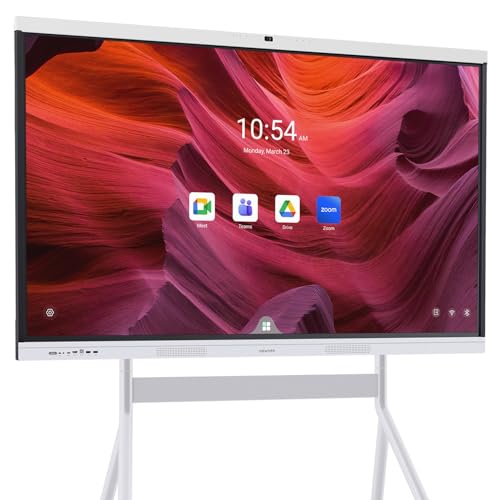
【True All-in-One Smart Board for Modern Workspaces】NewBoard P Series integrates display, 4K camera, microphone array, speakers and Android 14 system into a single streamlined device, eliminating the need for external PCs, webcams or conference equipment. Designed for conference rooms, classrooms and hybrid collaboration spaces, it delivers seamless video meetings, wireless casting, interactive whiteboarding and enterprise app access in one professional solution.

6K IPS Panel with 99% DCI-P3:500-Nit Brightness,delivers deeper blacks, brighter highlights, and balanced visuals for immersive gaming, HDR content, and professional editing. The advanced IPS panel enhances dark scenes while maintaining 99% sRGB and DCI-P3 color accuracy (ΔE<2), ensuring lifelike details and vibrant colors.
The One Break That Actually Works
The 20-20-20 rule is simple and actually works: every 20 minutes, look at something 20 feet away for 20 seconds. Your eyes reset their focusing muscles. Honestly, this habit alone makes a real difference over time.
Getting your workspace right takes a little effort, but once you dial it in, eye strain becomes something you barely notice anymore. What’s your biggest eye comfort struggle right now—distance, glare, or something else?
Work, Gaming, or Cinema: Which Distance Works Best?
Work, Gaming, or Cinema: Which Distance Works Best?
Ever noticed how you lean closer to your monitor when you’re trying to read small text, but back away when you’re getting lost in a game? That’s not random—it’s your eyes telling you something important. The distance between you and your 4K monitor really matters, and it changes depending on what you’re actually doing.
Professional Work Needs More Space
If you’re doing design work, photo editing, or any job that involves reading text and spotting details, you’ll want to sit about 80-100 centimeters (roughly 30-40 inches) away from your screen. Why does this matter? At this distance, your eyes don’t have to work as hard to focus on fine details, and you’re less likely to get that headache that comes from staring too long. Extended work sessions become way more comfortable when you’re not fighting eye strain.
Gaming’s Sweet Spot
Gaming’s a bit different. You’re not usually reading tiny text or analyzing pixel-level details—you’re reacting and enjoying the action. Sitting about one meter (39 inches) away tends to feel just right for most people, especially if you’re using a controller on your couch. Keyboard-and-mouse setups? Those can work a bit closer since you’re already hunched over your desk anyway.
Movies and Streaming Content
Here’s the trick with cinema content: you want your screen to fill up roughly 40 degrees of your vision. That usually works out to somewhere between 28-42 inches away.
This range lets you actually feel immersed in what you’re watching without having to move your eyes constantly or feel like you’re sitting too close. It’s the Goldilocks zone for entertainment.
Finding Your Own Sweet Spot
Honestly, the best distance for your setup depends on what you actually spend most of your time doing. Are you grinding through work emails and design files? Professional distance. Splitting your time between gaming and streaming? Find a middle ground that doesn’t require you to adjust constantly. Your comfort matters more than any rule, so don’t be afraid to experiment and find what feels right for you.
Does Your Workspace Fit 32-Inch? When to Choose 27-Inch Instead?
Does Your Workspace Fit 32-Inch? When to Choose 27-Inch Instead?
Staring at a monitor that’s too far away or too close is actually exhausting—way more than you’d think. The real question isn’t just which size looks cooler on your desk; it’s whether it’ll actually work with your space without leaving you with neck pain by 3 p.m.
Here’s what matters: measure your desk depth first, then figure out how far you normally sit from your screen. That viewing distance is everything. A 27-inch 4K monitor gives you sharp text and images at around 163 pixels per inch, and you’ll want to sit about 60 to 80 centimeters away (that’s roughly 2 to 2.5 feet). Most standard desks handle this just fine without you feeling cramped.
The 32-inch? That needs 28 to 42 inches of distance between you and the screen. So if your desk is tight to begin with, you might not have room.
Budget usually leans toward 27-inch. If you’re watching your wallet, the smaller model costs less and still delivers sharp visuals. That said, if you’ve got the space and you work long hours—think video editing, coding, or design work—the 32-inch pulls you into the content more naturally. Why does this matter? Because when you’re comfortable, you work better and faster.
Honestly, the best approach is to test both if you can. Borrow a friend’s monitor or visit a store and sit at a desk setup similar to yours. Your eyes and your back will tell you what’s right.
Recommended Products

32-inch 4K (3840 x 2160) QD-OLED gaming monitor with 240Hz refresh rate and 0.03ms response time (GTG) for immersive gaming

20.8MP FX-Format CMOS Sensor

LuxPixel AGLR 31.5" 6K HDR (6016 x 3384) display with 178° wide angle IPS panel and 98% DCI-P3 and 100% sRGB wide color gamut, always have maximum color accuracy
Beyond the Monitor: Eye-Care Habits That Last
Spending all day staring at a 4K screen? Your eyes are probably working overtime, and you might not even realize it. The high pixel density and brightness can really wear you out over time, but the good news is that a few simple habits can make a huge difference.
Let’s start with your monitor itself. Brightness matters way more than you’d think. Try this: adjust your screen brightness to match the light in your room. If your monitor is blazing while your office is dim, your eyes have to constantly readjust. That contrast is exhausting.
Then there’s the 20-20-20 rule. Every twenty minutes, look at something twenty feet away for twenty seconds. Sounds simple, right? That’s because it is—and it actually works. When you stare at a screen, your eyes get locked into one focus distance, which exhausts the muscles that adjust your lens. Giving them a break prevents that fatigue from building up.
Here’s something most people don’t think about: you’re probably blinking way less than you should. During screen work, our blink rate drops significantly, and that dries out your eyes fast. So, why does this matter? Because dry eyes lead to discomfort and strain. Frankly, just making yourself blink a few times every few seconds keeps your corneas hydrated and happy.
Don’t forget about your room lighting either. Consistent, even light throughout your workspace prevents your eyes from working too hard. Dark corners and sudden bright spots force your eyes to constantly adjust, which adds up to real fatigue by the end of the day.
The best part is that none of this costs money or takes much effort. Keep your monitor 70 to 105 centimeters away from your face, use these practices together, and you’ll notice less strain and more comfort. Your future self will thank you for taking care of your eyes now.
Frequently Asked Questions
Can Viewing Distance Alone Prevent Myopia Development in Children and Teenagers?
No, I can’t say viewing distance alone prevents myopia in children and teenagers. You’ll need to combine proper distances with healthy visual habits and regular screen breaks. Ideal spacing helps, but it’s just one part of an all-encompassing eye-care strategy.
How Does Blue Light Exposure at Optimal Viewing Distances Affect Long-Term Eye Health?
I’m basically telling you that blue light effects at ideal distances won’t destroy your eyes, but I’d recommend following the 20-20-20 rule—every 20 minutes, look away for 20 seconds. This practice genuinely protects your eye health better than distance alone can.
What Prescription Lens Adjustments Are Needed for Extended 32-Inch Monitor Viewing Sessions?
I’d recommend consulting your optometrist about computer-specific lens prescriptions for extended viewing sessions. They’ll adjust your lens prescription for the monitor’s distance, potentially reducing eye strain during prolonged 32-inch screen use.
Does Monitor Refresh Rate Impact Eye Strain at Recommended Viewing Distances?
I’ll cut to the chase: refresh rate does matter for eye strain. While the knowledge provided emphasizes viewing distance standards, I’ve found that higher refresh rates—60Hz or above—reduce flicker and fatigue. Combined with proper 28-42 inch spacing, you’ll notice considerably less strain during extended sessions.
How Frequently Should Viewing Distance Be Adjusted as Monitor Technology Improves?
I’d recommend you reassess your viewing distance every few years as monitor advancements evolve. Updated distance recommendations emerge with higher pixel densities and improved display technologies, so you’ll want to adjust accordingly to maintain maximum comfort and visual clarity.