As an Amazon Associate, we earn from qualifying purchases. Some links on this site are affiliate links at no extra cost to you. Our recommendations are based on thorough research and editorial judgment.

The Psychology of Screen Glare and Its Impact on Cortisol and Work Stress

Screen glare initiates a physiological stress cascade: visual discomfort signals trigger cortisol elevation, your primary stress hormone, while simultaneously blue light suppresses melatonin production through intrinsically photosensitive retinal ganglion cells. This disruption destabilizes your 24-hour cortisol-melatonin cycle, impairing focus, reaction time, and sleep quality. Elevated evening cortisol prevents natural decline, correlating with 20% increased psychiatric symptoms. The visual cortex experiences heightened activity under glare conditions, reducing peripheral vision and cognitive performance. Understanding these mechanisms reveals why strategic workspace modifications substantially impact both immediate work stress and long-term neurological regulation.
Key Takeaways
- Screen glare increases visual effort, triggering cortisol production and activating the body’s stress response system.
- Blue light from screens disrupts melatonin production, disrupting sleep cycles and prolonging elevated cortisol levels into evening hours.
- Eye strain from reduced blink rates during screen use intensifies stress signals, compounding workplace stress and discomfort.
- Glare impairs cognitive performance by increasing visual cortex activity, slowing reaction times, and reducing workplace focus and productivity.
- Implementing glare solutions like blue light filters and proper monitor positioning reduces stress hormones and improves work performance and sleep quality.
How Screen Glare Triggers Your Stress Response
How Screen Glare Triggers Your Stress Response
Ever notice how your eyes feel exhausted after a long day at your computer, even though you weren’t doing anything physically demanding? That tired feeling isn’t just in your head—it’s your body’s stress response kicking into overdrive from screen glare.
Your eyes work harder when there’s glare on your screen. This intense visual effort activates your brain’s visual cortex, which creates discomfort signals that ripple through your frontal lobe. Why does this matter? Because your brain treats that persistent discomfort as a threat, which means your body starts pumping out cortisol—your primary stress hormone.
The problem gets worse when you factor in blue light from your screen. This light messes with your melatonin production, the hormone that helps you wind down at night. So you’re stuck in this weird state where you feel both wired and exhausted at the same time, and your sleep schedule takes a hit.
Try this: pay attention to how often you blink during work. Most people blink fully about 5% of the time on normal days, but that number drops to 15% when there’s screen glare. Fewer blinks mean your eyes dry out faster, which adds even more stress to your already-strained visual system.
The stress cascade doesn’t stop there. Your body’s heightened alertness makes you react slower to other tasks, and honestly, it keeps your nervous system in a constant state of tension throughout your workday.
Truth is, fixing screen glare isn’t complicated. Adjust your monitor angle, reduce overhead lighting, or use a glare filter. Small changes make a real difference in how your body responds to hours of screen time.
What small adjustment could you make to your workspace today that might help your eyes—and your stress levels—tomorrow?
Recommended Products

DELL USA AUTHORIZED - Includes Full DELL USA WARRANTY | Dell UltraSharp U3824DW 38" 3840x1600 60Hz 21:9 5ms IPS Curved Monitor
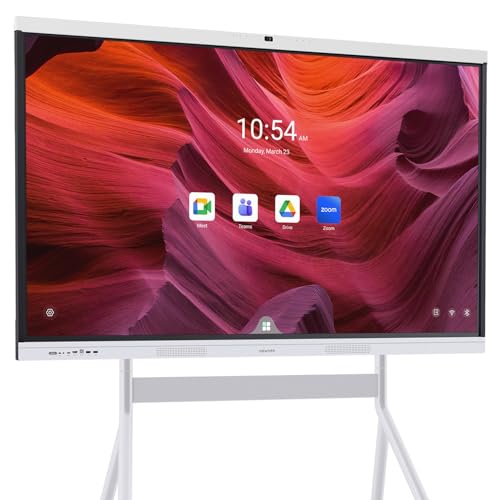
【True All-in-One Smart Board for Modern Workspaces】NewBoard P Series integrates display, 4K camera, microphone array, speakers and Android 14 system into a single streamlined device, eliminating the need for external PCs, webcams or conference equipment. Designed for conference rooms, classrooms and hybrid collaboration spaces, it delivers seamless video meetings, wireless casting, interactive whiteboarding and enterprise app access in one professional solution.

6K IPS Panel with 99% DCI-P3:500-Nit Brightness,delivers deeper blacks, brighter highlights, and balanced visuals for immersive gaming, HDR content, and professional editing. The advanced IPS panel enhances dark scenes while maintaining 99% sRGB and DCI-P3 color accuracy (ΔE<2), ensuring lifelike details and vibrant colors.
What Screen Strain Actually Feels Like: Signs You’re Overexposed
What Screen Strain Actually Feels Like: Signs You’re Overexposed
You’re probably not going to notice screen strain until it’s already messing with your work. That’s the annoying part—your eyes don’t send up red flags early on. Instead, the problem sneaks up through physical changes that happen so gradually you might not connect them to all those hours staring at your screen.
One of the first things that happens? You blink less. A lot less. Normally you’re blinking around 15 times a minute, but when you’re focused on a screen, that number can drop to just 3 or 4. This incomplete blinking pattern is one of the clearest early signals your eyes are working too hard.
As things progress, you’ll start noticing:
- Frontal headaches that feel like pressure behind your eyes
- Blurred vision, especially when you look away from the screen
- That weird sensation where your eyes just feel exhausted
- Trouble focusing on things that aren’t on a screen
Honestly, it goes deeper than just your eyes feeling tired. Your whole nervous system gets pulled into this. Your concentration starts slipping, your reaction times slow down, and even your peripheral vision takes a hit. It’s not just about ocular fatigue—it’s cumulative stress spreading through your body.
So why does this matter? Because these symptoms don’t just disappear on their own. Ignoring them means you’re asking your body to keep pushing harder and harder.
The real wake-up call is recognizing that all these signs are connected. They’re not separate problems—they’re your body telling you that something needs to change. The good news? Once you understand what’s happening, you can actually do something about it.
The Cortisol-Melatonin Disruption Cycle Explained
The Cortisol-Melatonin Disruption Cycle Explained
Ever notice how you’re wide awake at midnight but exhausted by 3 p.m.? That’s not just bad luck—it’s your hormones working against each other, and your phone is probably the culprit.
Your body runs on a 24-hour schedule controlled by two hormones that should work like a seesaw: cortisol wakes you up and keeps you alert, while melatonin tells your brain it’s time to crash. The problem is that blue light from screens—specifically wavelengths between 460-480 nanometers—tricks your brain into thinking it’s still daytime. This light hits special cells in your eyes called intrinsically photosensitive retinal ganglion cells, and they respond by shutting down melatonin production.
So what happens next? Your cortisol stays elevated when it should be dropping in the evening. You feel wired when you should feel tired. That’s the disruption cycle in action, and it doesn’t stop there.
Artificial light at night does more than mess with melatonin:
- It throws off your body temperature regulation
- It shifts your circadian rhythm timing (your internal clock)
- It triggers your stress response system to work overtime
Why does this matter? Because night after night of this cycle builds up. You wake up groggy, your brain feels foggy, your mood tanks, and you’re more fatigued than ever. It compounds.
Honestly, the worst part is that most people don’t realize their evening screen habits are creating this mess. You’re not broken—you’re just working against your own biology. The good news? Once you understand the cycle, you can break it.
How Glare Kills Your Focus at Work
Screen glare isn’t just annoying—it’s actually messing with your brain in ways you probably don’t realize. When you’re staring at a bright screen, your visual cortex is working overtime, especially if you’re sensitive to light. Brain scans show this increased activity, and it doesn’t come without a cost: your peripheral vision takes a hit, and your eyes get tired faster.
So, why does this matter? Because the fatigue builds up. You’ll notice it in slower reaction times, that nagging eye strain, and how long you end up staring at one spot before you can focus on something else. Your brain’s actually working harder to push through the distraction. Research using EEG has caught this in action—the parts of your brain responsible for focus and attention light up differently when glare is present, and your working memory takes a real dip.
Here’s the thing that most people miss: your screen background color matters more than you’d think. Black backgrounds amplify reflective glare, which means your eyes have to work even harder and stay fixed on your screen longer. It sounds small, but it’s not.
The real problem is that these stressors pile up throughout your day. It’s not about blue light exposure—this is pure optical stress that compounds as the hours go on. By the time you’re wrapping up work, your ability to concentrate has taken a genuine hit from the accumulated strain on your visual system.
Try adjusting your screen brightness to match your surroundings, and honestly, switching to a lighter background can make a noticeable difference. Small changes add up.
Recommended Products

WEATHERPROOF 65-INCH TELEVISION - SunBrite Signature Series for partial-sun and high ambient light applications such as patio, deck, yard. ALSO A GREAT SOLUTION FOR INDOOR SPACES WHERE GLARE IS AN ISSUE.

Unopened retail packaging, sold as configured by Lenovo. One Year Lenovo Premier Support Warranty Included. Add up to 5 years of Lenovo Premier Support when you register your computer with Lenovo.

【IP65 All-Weather Protection & Wide Temperature Adaptation】Featuring professional IP65 waterproof and dustproof rating, this 55-inch outdoor TV works stably from 14°F (-10℃) to 122°F (50℃), resisting rain, snow, dust, sunlight exposure and humid weather. Perfect for backyard, patio, garden, balcony, rooftop, poolside, hot tub area, villa courtyard and all outdoor residential spaces.
Quick Wins: Software, Filters, and Monitor Fixes
Quick Wins: Software, Filters, and Monitor Fixes
Ever notice how your eyes feel wiped out by the end of the day, even if you’re just staring at a screen? That’s optical stress piling up hour after hour. Frankly, the good news is you don’t need to overhaul your entire setup to feel better. A few targeted changes—blue light filtering software, physical screen filters, and some smart monitor tweaks—can make a real difference.
Let’s start with software solutions. Blue light reduction apps lower the amount of short-wavelength light your screen pumps out, which means your brain isn’t getting tricked into thinking it’s still daytime when it’s actually evening. This helps your melatonin levels stay normal and keeps you from feeling wired before bed. You’ll probably notice you’re more alert during the day too, once your sleep rhythm gets back on track.
Then there’s the physical stuff. Anti-glare screens and matte overlays sound simple, but they actually reduce reflections bouncing off your monitor. When glare isn’t constantly bouncing around, your eyes don’t have to work as hard to focus while you’re reading. You’ll find yourself blinking more naturally instead of staring with dry, uncomfortable eyes.
Monitor adjustments are where a lot of people miss an easy win:
- Brightness settings matched to the lighting in your room (not cranked to max)
- Contrast turned up enough to read comfortably without squinting
- Screen positioned at arm’s length and slightly below eye level
Why does this matter? Because when your monitor is set up right, your visual cortex isn’t constantly fighting glare and strain. The research backs this up too—studies show that filtering screen light actually helps your working memory, while getting your brightness dialed in reduces incomplete blinking and brings your cognitive performance back to normal. You’ll likely get fewer strain headaches as a bonus.
The best part is these fixes stack. Use them together, and you’re hitting the problem from multiple angles instead of just picking one solution and hoping it works.
Ready to give your eyes a break? Start with whichever fix feels easiest for your setup.
Recommended Products

49” DFHD (3840 x 1080) 1800R curved super ultra-wide monitor with 144Hz and FreeSync 2 HDR for immersive, smooth gaming with DisplayPort and HDMI connectivity

【49" Curved Ultrawide Gaming Monitor】Viewedge 49 inch 5K (5120x1440p) professional monitor up to 240hz an VA panel with contrast ratio of Millions : 1, and 1 ms responsive time. The 32:9 aspect ratio and 1500R curvature create an immersive panoramic view, perfect for gaming, streaming, and multitasking.

ASUS Eye care technology with TUV certified Flicker free and Blue Light Filter for less Eye fatigue; Ergonomically-designed stand with Tilt,Swivel,Pivot,Height adjustment plus wall-mount capability for comfortable viewing position
Workspace Changes That Cut Discomfort Glare
Workspace Changes That Cut Discomfort Glare
You’ve probably noticed how some days your eyes feel tired by noon, even though you slept fine. That’s often glare—and it’s not just coming from your screen.
Software filters help, sure. But they’re only half the battle. The real culprits are in your actual workspace: windows, overhead lights, and reflective surfaces bouncing light straight into your eyes. So, why does this matter? Because uncontrolled glare messes with your focus and leaves your eyes exhausted.
Start with your monitor’s location. Position it perpendicular to windows if you can. This simple move cuts down on daylight glare way more than you’d expect. Your monitor should sit at arm’s length away, and here’s the trick: adjust your screen brightness and color temperature to match the light around you. When your screen matches your environment, your eyes don’t have to work as hard.
The surface of your monitor counts, too. Matte screens beat glossy ones every time—less reflection means less strain. In my experience, switching from a glossy to a matte display is one of those changes you feel immediately.
Lighting placement matters more than most people realize. Move those overhead lights away from direct positioning above your desk. Frankly, it’s a small adjustment that reduces incomplete blinking (it can drop from around 15% when you’re squinting at glare). Your eyes blink more naturally when they’re not fighting light.
Don’t forget about breaks. Every twenty minutes, look away from your screen. This gives your eye muscles a chance to reset and stops that prolonged staring fatigue. It sounds simple because it is.
What does your workspace look like right now—are you sitting with a window behind your monitor, or are you positioned to avoid that glare?
Recommended Products

OUR MOST ADVANCED 4K AI PROCESSOR: Powered by 128 neural networks to deliver AI-enhanced picture and optimized sound, resulting in an exceptional 4K experience for streaming, gaming, live sports and more.*

ACCESS 2500+ WORKS OF ART: Access the best TV art collection through Samsung Art Store with 2500+ pieces from world-famous museums and artists like The Met, MoMA, Basquiat, Salvador Dali, and more *Fees apply to subscription service.
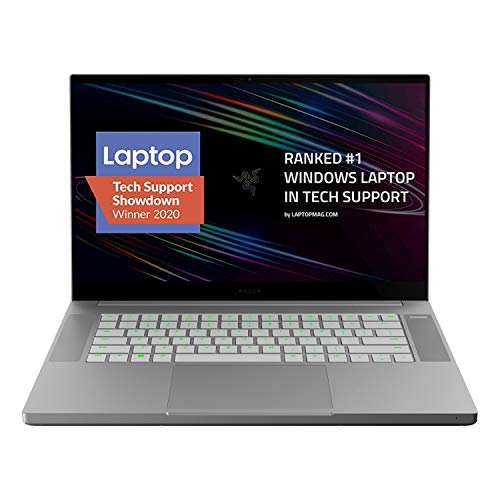
More power: The 10th Gen Intel Core i7-10750H processor provides the ultimate level of performance with up to 5.0 GHz max turbo and 6 cores.
Daily Screen Habits That Protect Your Cortisol Rhythm
Daily Screen Habits That Protect Your Cortisol Rhythm
Ever notice how you’re wide awake at midnight after scrolling through your phone, then exhausted the next morning? That’s not just coincidence—it’s your body’s internal clock getting thrown off by the light coming from your screen.
Your cortisol and melatonin levels are supposed to follow a natural rhythm throughout the day. But here’s the problem: blue light from your devices (the kind around 460-480 nm) messes with special cells in your eyes called ipRGCs. These cells control when your body thinks it’s time to wake up or wind down. When you’re staring at screens at night, you’re basically telling your brain it’s still daytime.
The research backs this up. Studies show that nighttime screen use is linked to a 20% spike in psychiatric symptoms like anxiety and depression. That’s a real number, not hype.
So what actually works? Try limiting screens after the sun goes down. It sounds simple, but this one change reduces the amount of melatonin your body suppresses, which means better sleep. You could also take a 20-30 minute break from screens every half hour or so. Over time, that adds up to less blue light exposure overall.
If you can’t ditch screens entirely (most of us can’t), blue light filters on your devices do help. Research shows they’re actually effective at keeping you alert while protecting your sleep cycle.
Here’s the trick: get bright light exposure in the morning and keep things dark at night. This strengthens your body’s natural cortisol-melatonin balance and counteracts all the damage artificial light does to your sleep and mood.
Budget-Friendly Glare Solutions vs. Premium Options
Budget-Friendly Glare Solutions vs. Premium Options
So you’re staring at screens all day and wondering why you can’t sleep at night? Glare might be your culprit. It messes with your body’s natural rhythm and tanks your daytime focus—but the good news is you don’t need to drop serious cash to fix it.
Budget options like blue light filtering software and basic screen protectors actually work. They cut down on the short-wavelength light that keeps you wired, and the science backs it up: people using these tools show real improvements in alertness (P<0.05) and sleep quality. You’re not just feeling better—your body’s actually responding.
Now, here’s the thing about premium filters. They come with fancier coatings and anti-reflective tech that reduces the glare discomfort some people are really sensitive to. If you spend eight hours a day in front of a screen, the extra investment might be worth it for the clearer, less irritating view. You’ll notice fewer reflections bouncing back at you, especially on matte monitors.
Frankly, both options suppress melatonin suppression effectively. That’s the hormone that tells your brain it’s time to sleep, so this matters. The real difference? Premium filters handle reflective glare better and let you sit further from your screen without losing image quality.
What’s your actual problem—is it the nighttime wakefulness, or the daytime eyestrain? Your answer might point you toward which solution makes the most sense for your setup.
Recommended Products

Best Blue-Light and Damage protection. Strongest with best Blue-Light optical grade filters

【Dimension Measurement】QOYZINE 32in 16:9 computer privacy filter actual size(Both regular and curved screens are suitable):Width:27 7/8" (708 mm/27.87in), Height: 15 11/16" (398 mm/15.67in), Diagonal: 32" (812.8 mm) .[Please measure only the monitor's LCD screen, excluding the bezel.Do not measure the diagonal,measure the width and height of the LCD screen instead.]

REDUCES EYE STRAIN: Our blue light blocking screen protector filters out up to 61% of blue light and up to 99% of UV light to help minimize eye fatigue.
Frequently Asked Questions
Does Blue Light Filtering Software Actually Work, or Is It Just Marketing Hype?
Blue light filtering software isn’t pure marketing hype—it’s literally a game-changer for screen protection. I’ve found it genuinely improves visual comfort and reduces strain, though some marketing claims overstate results. The evidence shows real benefits for sleep quality and alertness, making it worth trying.
Can Screen Glare Permanently Damage My Eyesight or Visual Cortex?
I’ll tell you directly: permanent damage is unlikely with normal use, but chronic glare causes real problems. You’re better off investing in screen protection and glare reduction strategies now—they’ll prevent eye strain, protect your visual cortex from overstimulation, and keep your eyes healthier long-term.
How Long Does It Take to Restore Normal Cortisol Levels After Reducing Screen Time?
Picture your body unwinding like a loosened knot. You’ll notice cortisol recovery beginning within days of taking screen breaks, though full normalization typically takes 1-2 weeks of consistent reduced exposure. I’d recommend gradual adjustments for lasting results.
Are Certain Age Groups More Vulnerable to Glare’s Psychological and Neurological Effects?
Yes, I’ve found that adolescents and preschoolers show greater age vulnerability to glare’s neurological effects. Teens experience heightened suicide risk factors from excessive screen time, while young children show reduced white matter integrity in language areas from prolonged exposure.
What’s the Difference Between Glare Sensitivity and Computer Vision Syndrome Symptoms?
I’ve found that glare sensitivity’s like a smoke detector—it fires up immediately when light hits wrong, triggering visual discomfort in your eyes. Computer Vision Syndrome, though, develops gradually: blurred vision and tired eyes creep up after prolonged screen exposure, not instant reactions.