As an Amazon Associate, we earn from qualifying purchases. Some links on this site are affiliate links at no extra cost to you. Our recommendations are based on thorough research and editorial judgment.


Digital Nomads and Dual Screens: Coffee Shop Ergonomics in 2026

I’ve found that coffee shop dual-screen setups require careful attention to monitor positioning, keyboard placement, and table height assessment. Standard cafe tables, typically 24-30 inches tall, position laptops substantially below eye level, necessitating portable risers ($30-100), external keyboards, and adjustable monitor arms to achieve the recommended 90-degree elbow angle and eye-level screen alignment. Implementing the 20-20-20 rule and tracking discomfort areas enables systematic adjustments that progressively eliminate cumulative strain across the cervical spine, shoulders, and wrists. Understanding these specific ergonomic parameters reveals optimization strategies previously overlooked.
Key Takeaways
- Dual monitor setups in cafes require proper eye-level positioning and 20-26 inches viewing distance to minimize neck and eye strain.
- Portable risers ($30-100) and monitor arms enable flexible screen adjustment for nomads working across different cafe furniture heights and layouts.
- Complete ergonomic nomad equipment costs $200-500, including keyboard, riser, and monitor for optimal wrist and shoulder alignment at cafe tables.
- Implement the 20-20-20 rule and position shifts every twenty minutes to reduce cumulative strain from prolonged dual-screen cafe work sessions.
- Track discomfort in specific areas and adjust one setup element at a time to identify effective ergonomic solutions for individual needs.
Why Cafe Posture Ruins Your Neck (And Back, And Wrists)
Why Cafe Posture Ruins Your Neck (And Back, And Wrists)
Ever notice how your neck starts hurting after just two hours at a coffee shop? That’s not random—it’s your body telling you something’s seriously off with how you’re positioned.
When you’re working from a cafe with just your laptop, you’re basically setting yourself up for trouble. The seating doesn’t support neutral posture, so you’re constantly making bad compromises. You tilt your neck down to see the screen, hunch your shoulders forward, and bend your wrists at weird angles just to type. It’s like your body’s trying to solve a puzzle that has no good answer.
Here’s what’s actually happening:
- Your neck bends downward because the laptop screen sits way below eye level
- Your wrists angle upward to reach the keyboard on a surface that’s either too high or too low
- Your elbows can’t sit at that healthy ninety-degree angle because you have zero control over the furniture
- All that strain compounds hour after hour
Frankly, this isn’t just uncomfortable—it adds up. By the end of your workday, your neck, shoulders, and wrists are all cranky because they’ve been working against each other the whole time. So why does this matter? Because that daily cafe work habit can turn into chronic pain that sticks around even when you’re not working.
Try this: Before you settle into that cute corner table next time, think about whether you can actually work there without contorting yourself. If the answer is no, you probably shouldn’t stay long. Your future self will thank you.
Recommended Products

【VERSATILE SOCIAL HUB】Designed for office breakrooms, cafes, casual restaurants, reception areas, and staff lounges, this bar table with stools creates a coordinated bar-style seating area for staff, guests, and customers. The bar height table supports up to 220 lbs, and each stool supports up to 350 lbs for practical daily use.

Height Flexibility - This Stand Steady round table adjusts from 28" to 42.5", making it a perfect sit-to-stand desk for your living room or bedroom.
The Core Principles of Nomad-Friendly Ergonomics

So you’re working from a café and your back’s already killing you by lunch? Yeah, that’s the furniture talking. Once you understand what’s actually going wrong biomechanically, you can fix it—even if you’re bouncing between different locations every week.
Let’s start with the basics. Your feet need to sit flat on the ground or a footrest. Sounds simple, but most café chairs leave your feet dangling, which messes with your circulation and throws your spine out of alignment. It’s one of those small things that compounds over hours.
Your elbows should hit a ninety-degree angle when your arms rest on the desk. Why does this matter? Because when they’re too high or too low, your shoulders end up doing extra work they’re not supposed to do, and that’s where the strain sneaks in. Try this: adjust your chair height or use a cushion until that angle feels natural.
Screen placement is huge for your neck. Position the top third of your monitor at eye level, roughly an arm’s length away from your face. This keeps you from hunching forward or tilting your head back—two habits that’ll wreck your neck over time.
Honestly, there’s one trick that makes a real difference: the 20-20-20 rule. Every twenty minutes, look at something twenty feet away for twenty seconds. It’s that easy, and it cuts down on eye fatigue significantly.
When you’re hopping between cafés with different table heights, bring adjustable components—a laptop stand, a cushion, a small riser. The best part is, even cheap options work. Switch between sitting and standing every hour or two if you can, or just shift your position frequently. This distributes the load on your body instead of letting one posture wear you out.
What’s your current setup actually forcing you to do?
Recommended Products

[ All-in-One Smart Podium] This smart digital podium combines a 23.6-inch touchscreen display, OPS computer, Two wired gooseneck microphone, and motorized height adjustment into one integrated unit, making it the perfect solution for modern conferences, lectures, and public speaking events. Designed for professional use, it delivers seamless functionality for engaging and dynamic presentations.


2-deck Serato DJ controller with motorized, vinyl-like jog wheels and customizable LCD screens
Portable Gear Under $500: Laptop Riser, Monitor, Keyboard

Ever work from a coffee shop and realize your neck’s killing you by noon? That’s what happens when you’re hunched over a laptop screen for hours. The good news? You don’t need to spend a fortune to fix it. A solid nomad setup—laptop riser, external monitor, and keyboard—runs you somewhere between $200 and $500, depending on what you pick.
Portable monitors are everywhere these days, ranging from 13 inches up to 27 inches. Honestly, the 24-inch sweet spot is where most people land. You get enough screen real estate to actually see what you’re doing, but it’s still light enough to throw in a bag. Expect to spend $150-300 on a decent one.
Then there’s the laptop riser itself. These things aren’t fancy—they’re just stands that lift your screen to eye level. For $30-100, you get your monitor at the right height and open up desk space below for your keyboard, mouse, or coffee cup. Truth is, this single change does more for your posture than you’d think.
The keyboard matters more than people realize. A split or mechanical keyboard ($50-150) takes pressure off your wrists when you’re typing all day. Your future self will thank you for not ignoring this part.
So, why does this setup actually work? Because when everything’s positioned right—screen at eye level, keyboard at elbow height, proper wrist support—your body doesn’t rebel after eight hours of work. You’re not fighting gravity or contorting yourself to see the screen. That means fewer headaches, less back pain, and you can actually focus on your work instead of being distracted by discomfort. The portability piece matters too. You can take this entire setup with you and set up anywhere that has a desk, whether it’s a hostel in Bali or a coworking space in your hometown.
What would help your work situation the most right now—better posture support, a bigger screen, or just having the option to work from different places without sacrificing comfort?
Recommended Products

ELECTRIC Standing desk converter computer workstation bundle - includes R EDRB-46 Electric Desk Riser, R MA2 Pneumatic Premium Dual Monitor Arm and a conveniently placed 10.5" wide tablet or phone slot, for even more convenience and functionality

SIT OR STAND: the Opløft desk riser is a revelation in sit-stand desk design. Portable, yet beautifully slim and light, without compromising on quality or stability.
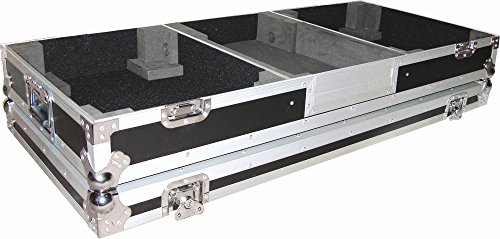
Battle Mode Console
How to Assemble Your Setup at Any Cafe Table

Stuck working from a wobbly cafe table that’s either too high or too low? Yeah, you’re not alone. The thing is, most coffee shops weren’t designed with remote workers in mind, so you’ve got to be strategic about how you set up.
Before you pull out your laptop, spend a minute actually looking at the table. Check its height—most cafe tables sit around 24-30 inches, which is usually taller than a standard desk. That matters because it changes everything about your posture.
Getting Your Screen Right
Your laptop riser is your friend here. I’d grab one that adjusts to about 4-6 inches and position it so the top of your screen hits roughly eye level. Why does this matter? When your screen’s too low, you end up hunching forward, and that neck pain hits different after a few hours. Raise it up, and you’ll naturally sit straighter.
Keep your external keyboard and mouse at elbow height—think 90-degree angles at your elbows. This setup keeps your wrists neutral and prevents that weird arm strain. The monitor itself should sit about 20-26 inches from your eyes. Close enough to see clearly, far enough that you’re not squinting.
The Stability Check****
Honestly, wobbly tables drive me crazy. Before you settle in, press down gently on different spots to see if it rocks. If it does, try adjusting your feet or sliding a napkin under a leg. A few seconds now saves you from spilling coffee later.
Don’t forget lumbar support either. A small cushion or even a rolled-up sweater behind your lower back makes a real difference during a long work session.
Setup takes maybe two minutes when you know what you’re doing. Ready to actually be comfortable at your next cafe work session?
Recommended Products

Extra-large worksurface: 37.5 x 23-inch worksurface comfortably supports two monitors or a monitor and laptop; easily accommodate a standard keyboard and mouse on the 27 x 11-inch keyboard tray; supporting 10 to 40 pounds, this desk effortlessly holds all the essentials
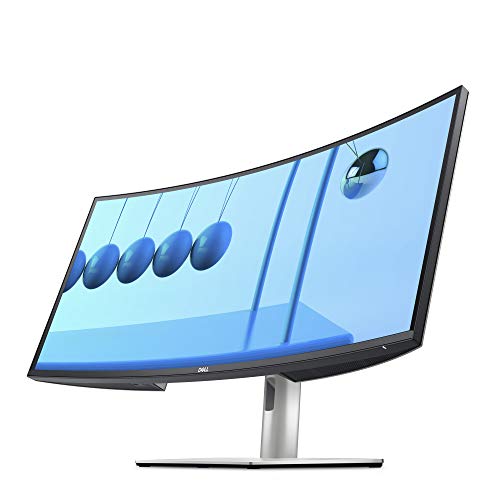
34.14-inch UltraSharp Curved Monitor (3440 x 1440 at 60Hz)

Extra-large worksurface: 32 x 27-inch worksurface comfortably supports two monitors or a monitor and laptop; easily accommodate a standard keyboard and mouse on the 28 x 8-inch keyboard tray; supporting 10 to 40 pounds, this desk effortlessly holds all the essentials
Daily Habits That Prevent Cumulative Strain

You’ve got the ergonomic setup down, but here’s what people miss: your body breaks down from small, repetitive movements throughout the day, not from a single bad posture choice. The equipment only gets you halfway there.
Try this: every 20 minutes, look at something 20 feet away for 20 seconds. It sounds simple, but your eyes are working harder than you realize when you’re staring at a screen. This quick reset helps with eye strain and clears the mental fog that builds up during the day.
Switching between sitting and standing every 1-2 hours makes a real difference. Your muscles aren’t designed to hold the same position all day. Use a height-adjustable desk if you can, or even a riser under your monitor and keyboard. The point is to move your body into different positions so different muscle groups get a break.
Here’s the trick: add in some basic movement throughout your day.
- Slow neck rolls (5-10 per direction)
- Shoulder shrugs held for a few seconds
- Wrist circles in both directions
These take 30 seconds and honestly prevent the nagging pain that sneaks up on you after months of the same movements.
So, why does monitor placement actually matter? Because your body naturally follows your eyes. Position your external monitor at arm’s length with the top third aligned with your eye level. Pair that with an external keyboard that keeps your elbows at 90 degrees. This combination cuts down on the strain patterns that compound over time.
The goal isn’t perfection—it’s consistency. Small habits done every single day beat occasional ergonomic fixes. What’s one movement break you could realistically add to your routine tomorrow?
Troubleshooting: When Your Cafe Workspace Still Hurts
Troubleshooting: When Your Cafe Workspace Still Hurts
You’ve done everything right. Screen at eye level, keyboard at 90 degrees, monitor at arm’s length—and you’re still uncomfortable. So what’s going on?
Truth is, cafe setups have hidden variables that generic ergonomic advice doesn’t account for. Your table might be 28 inches tall, or it might be 32. That chair you’re sitting in probably wasn’t designed for eight-hour workdays. The real fix requires some detective work on your end.
Start by measuring your actual table height. Most cafe tables vary wildly—and that couple of inches makes a huge difference in where your keyboard needs to sit. If your setup feels off, the table’s probably the culprit.
Tools that actually help:
Try height-adjustable risers ($30-100) if your table surface is inconsistent. They’re not fancy, but they solve real problems. A lumbar support cushion is worth it too, especially if you’re stuck in a chair with a nonexistent backrest. Why does back support matter so much? Because poor posture compounds throughout the day, and by hour four, you’re in pain.
Monitor arms give you precise control in both directions—vertical and horizontal. This beats stacking books under your monitor any day. Don’t overlook foot support either. Footrests or even a small floor cushion improve circulation on longer work sessions.
Honestly, sometimes the cafe itself is the problem. Track your discomfort for a few days—where exactly does it hurt? Is it your neck, lower back, wrists, or feet? That tells you whether you need a setup tweak, more frequent breaks, or just a different work location altogether.
What would happen if you tried one change at a time instead of overhauling everything at once?
Recommended Products
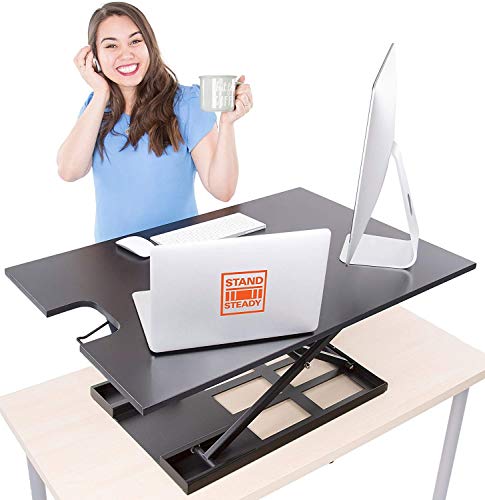
Effortless Sit/Stand Conversion - The X-Elite Pro XL offers a seamless transition from sitting to standing with its 36” adjustable height desktop, featuring a premium pneumatic-assisted lift for smooth operation.

Large stand up desk converter - 45" wide by 22.6" deep desktop workstation riser holds up to two 32" monitors plus other work materials and the 28.7" by 9.6" retractable tray will hold a keyboard and mouse, or even a laptop if needed.

Heavy-duty rolling laptop floor stand weighs about 29 lb. The base rolls easily on casters but is not meant to be lifted often. Please confirm you can manage the weight before purchase.
Frequently Asked Questions
Which Cafes Offer the Best Internet Reliability and Ergonomic Seating for Remote Workers?
I’d recommend seeking cafes that explicitly advertise high internet speed and adjustable seating. Look for venues marketing themselves to remote workers—they’ll typically offer reliable WiFi and ergonomic chairs. Check online reviews for seating comfort ratings before visiting.
How Do I Justify the Cost of Portable Ergonomic Gear to My Monthly Budget?
You’ll justify portable gear by calculating healthcare savings from prevented injuries. Budget-friendly options like risers ($30-100) and cushions cost less than treating chronic pain. I’d prioritize essentials monthly, spreading purchases across quarters for manageable cash flow.
Can I Use a Single External Monitor Instead of Dual Screens While Traveling?
Absolutely, you can use a single external monitor while traveling. I’d recommend it for better travel flexibility—it’s lighter and more compact than dual screens. You’ll still get the single monitor benefits of improved ergonomics and productivity without the extra bulk.
What’s the Best Way to Transport Fragile Equipment Like Monitors Between Cafe Locations?
I’d say transporting monitors is like carrying eggs—you’ve got to be intentional. I use padded cases and wrap mine in bubble wrap for monitor protection. For travel solutions, I pack it in my main bag’s center, surrounded by soft items like clothes for cushioning between cafes.
How Often Should I Switch Cafes to Maintain Mental Health and Avoid Isolation?
You should rotate cafes weekly to protect your mental health. Cafe rotation combats isolation by exposing you to new environments and people. Since nomads need regular social interaction in shared spaces, I’d recommend visiting at least 2-3 different cafes weekly for ideal wellbeing.