As an Amazon Associate, we earn from qualifying purchases. Some links on this site are affiliate links at no extra cost to you. Our recommendations are based on thorough research and editorial judgment.

PWM (Pulse-Width Modulation) Flickering: The Hidden Cause of Monitor Headaches

PWM, or pulse-width modulation, controls monitor brightness by rapidly cycling backlights on and off rather than reducing power gradually. Frequencies below 3000 Hz cause eye strain, headaches, and visual discomfort because pupils constantly contract and dilate in response to flickering. Lower brightness settings intensify flicker perception, worsening symptoms for migraine sufferers and photosensitive individuals. DC dimming and high-frequency PWM above 3000 Hz eliminate these issues. Understanding your monitor’s specific frequency and dimming technology reveals why your headaches occur and what solutions exist.
Key Takeaways
- PWM rapidly cycles backlight on/off to control brightness; frequencies below 60 Hz cause noticeable flickering and eye strain leading to headaches.
- Eye muscles constantly contract and dilate during PWM flickering, accumulating fatigue that triggers persistent headaches, nausea, and visual discomfort over time.
- PWM frequencies above 3000 Hz become imperceptible to the human eye, significantly reducing eye strain and headache symptoms associated with flicker.
- Migraine sufferers and photosensitive individuals experience severe symptoms from PWM flicker due to nervous system sensitivity to rapid light-dark cycling patterns.
- DC dimming technology and high-frequency PWM above 3000 Hz eliminate flicker; check monitor specs and test at low brightness levels to verify.
What Is PWM? Why Your Monitor Uses It for Brightness Control
Ever notice how your monitor flickers when you turn the brightness down, and suddenly your eyes start to hurt? That’s PWM at work—and honestly, it’s something worth understanding if you spend a lot of time staring at screens.
PWM stands for Pulse-Width Modulation, and it’s basically the go-to brightness control method for most LCD and LED monitors today. Instead of gradually reducing power to the backlight (which would be simpler, right?), manufacturers rapidly flip the backlight on and off. By changing how long the light stays on versus off, they control how bright your screen appears without sacrificing the peak brightness. The result? Better color accuracy and less power drain compared to older dimming methods.
So, why does this matter? Because when PWM frequencies drop below roughly 60 Hz—which is the point where most people stop noticing flicker—your eyes can actually pick up that flickering. That’s where the eye strain comes in. You’re not imagining it; your monitor literally is turning on and off rapidly, and your brain is registching it even if you can’t consciously see it.
OLED screens do this too. The tech works differently under the hood, but they also use PWM dimming to control brightness. The important part to know: if you’re getting headaches or eye fatigue at lower brightness levels, PWM could be the culprit.
Here’s the trick: Look for monitors with higher PWM frequencies (usually 240 Hz or above) or ones specifically labeled as “flicker-free.” Your eyes will thank you. Does your current monitor leave you exhausted by the end of the day? It might be time to pay attention to this spec.
Why PWM Makes Your Eyes Hurt (And Your Head Throb)

Ever notice how your eyes feel totally wrecked after staring at your monitor for a few hours? You’re not imagining it. Your screen’s backlight is actually flickering on and off—and even though you can’t see it happening, your eyes are definitely feeling the effects.
Here’s what’s going on: when your monitor cycles its backlight below what’s called the “flicker fusion threshold” (around 60 Hz for most people), your pupils are constantly contracting and dilating without you even realizing it. Your ciliary muscles—the ones that help your eyes focus—are working overtime to adjust to all those brightness changes. This constant muscle tension is what creates that exhausted, achy feeling.
The science backs this up. Studies in the Journal of Optometry found that frequencies between 100-400 Hz actually trigger measurable physical responses in your eyes, like delayed adaptation and blurred vision. And honestly? Lower brightness settings make it worse. The longer the backlight stays off during each cycle, the more your pupils have to overwork themselves.
So why does this matter to you? Because this isn’t just regular screen fatigue from staring too long. PWM—that’s pulse-width modulation, the fancy term for this flickering—creates a specific kind of strain that builds up over time.
Prolonged exposure can lead to:
- Persistent headaches
- Nausea
- Overall visual discomfort
- Worse symptoms for anyone with photosensitivity or neurological conditions
The cumulative effect is real. Your body’s working harder than it should just to look at your screen, and that exhaustion adds up throughout the day.
If you’ve been dealing with mystery headaches or eye pain while working at your desk, PWM might be the culprit. It’s worth investigating whether your monitor uses this technology—and if it does, you might want to explore alternatives that don’t flicker at all.
The 3000Hz Threshold: Why Frequency Determines Eye Safety

The 3000Hz Threshold: Why Frequency Determines Eye Safety
Ever notice how your eyes feel tired after a long day at your desk, even though you weren’t doing anything particularly demanding? The culprit might be sitting right in front of you—your monitor’s flicker rate.
Not all PWM (pulse-width modulation) frequencies hit your eyes the same way. Below 3000Hz, research shows real problems. Above it? Your eyes can’t even detect the flicker anymore, which means no strain, no headaches, no cumulative damage over time.
The sweet spot for eye strain actually sits in the 100-400Hz range. That’s where things get rough—your pupils are constantly dilating and contracting in rapid cycles, which exhausts the muscles controlling them. So why does this matter? Because that’s where most budget and mid-range monitors live. Your eyes work overtime without you even realizing it.
Here’s the good news: frequencies above 3000Hz operate beyond what your visual system can pick up. When your eyes can’t detect the flicker, those physiological responses that trigger fatigue and headaches simply don’t happen. It’s that straightforward.
When you’re shopping for a new display, look for two things:
- DC dimming technology (no flicker at any brightness level)
- PWM implementations that hit 3000Hz or higher across all brightness settings
The best part is that more manufacturers are catching on, so you’ve got real options now. Don’t settle for a monitor that forces your eyes to work harder than they need to. Your future self will appreciate the difference, especially on those marathon work-from-home days.
PWM Gets Worse at Low Brightness: Here’s Why

Ever notice how your eyes feel more strained when you dim your monitor down low? That’s not just in your head—there’s actual science behind it.
PWM dimming works by turning your backlight on and off really fast. When you crank up the brightness, that light stays on for longer stretches. But dial it down, and something annoying happens: those off-periods get longer and longer. Your eyes pick up on this flickering, especially in the darker moments between the light pulses. The dimmer you go, the more pronounced those dark intervals become.
Why does this matter? Well, your eyes are basically working overtime to process all that flashing. If you’re someone who’s already sensitive to light or prone to headaches, low brightness settings can make things worse. Your eye muscles get tired faster because they’re constantly adjusting to the on-off rhythm.
Here’s the trick manufacturers use to fight this: they boost the PWM frequency at lower brightness levels. Think of it like this—if the light’s flashing too slowly and it bothers you, speed up the flashing to make it harder for your brain to notice. It’s a workaround, but it helps.
Frankly, if you’re working at reduced brightness for hours on end, you’re putting extra stress on your visual system. The longer those off-cycles stretch, the more your eyes have to compensate. Research backs this up: eye strain symptoms genuinely get worse when you’re running your screen dimmer.
Why PWM Affects Migraine Sufferers and Photosensitive People Harder

Why PWM Affects Migraine Sufferers and Photosensitive People Harder
Ever notice how certain monitors make your head pound while others don’t? If you deal with migraines or photosensitive epilepsy, PWM flicker might be the culprit—and it hits you way harder than it does most people.
Your brain processes light differently than the average person. When a display uses PWM (pulse-width modulation), it’s rapidly switching the backlight on and off. Most folks don’t perceive this flicker at all. But your nervous system? It reacts intensely to those quick light-dark cycles, triggering photosensitivity symptoms and migraine attacks that others around you probably don’t even notice.
Here’s what’s actually happening at the physical level. During each PWM “off” cycle, your eyes experience periods of darkness. This forces your pupils to contract and dilate repeatedly—a process that exhausts your eye muscles over time. The problem gets worse at lower brightness settings, where these duty cycles stretch out even longer. So, why does this matter? Because that compounding stress builds up throughout your workday.
The science backs this up. Research shows that frequencies between 100-400Hz directly correlate with migraine onset in people who are sensitive. That’s the range a lot of standard monitors operate in.
If you’re struggling with flicker-induced migraines, you’ve got two real solutions:
- Look for displays above 3000Hz. At this frequency, flicker becomes imperceptible to even sensitive nervous systems.
- Switch to DC dimming technology. This approach eliminates PWM oscillation entirely, removing the problem at its source.
Honestly, once you make this switch, the difference is noticeable. You get through the day without that familiar pressure building behind your eyes.
Which option sounds more doable for your setup?
How to Test Your Monitor for Harmful PWM Flicker
Once you know what your monitor’s flicker looks like, you can actually test whether it’s running at safe frequencies. Truth is, you don’t need fancy equipment to get started—just a phone and some patience.
The slow-motion video trick****
Grab your phone and film your monitor at the highest frame rate your camera supports. What you’ll see in slow motion is pretty wild: PWM patterns that your eyes can’t normally catch become totally visible. Striping or flickering patterns show up clearly on video, especially at lower brightness levels.
Testing at different brightness levels
Try this: set your brightness to 100% and see if the flicker disappears. Many manufacturers actually turn off PWM entirely at maximum brightness, so this is worth checking. Then drop it down to 50% or lower and film again. The difference between settings tells you a lot about how your monitor handles brightness control.
Does your monitor flicker at settings you actually use?
Getting the exact numbers
If you want precision, check what the manufacturer says. Look for flicker frequency data in the spec sheet—manufacturers that care about this stuff will publish it. You can also dig into professional reviews from places like RTINGS, which measure flicker frequencies with actual instruments and tell you the exact numbers. What matters is whether that frequency sits above 3000Hz, which is the safety threshold most experts agree on.
Honestly, the phone method works fine for most people. But if you’re sensitive to flicker or just want the real data, hunting down those specs gives you peace of mind.
Recommended Products
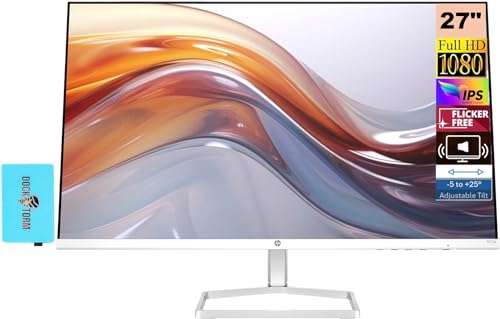
[Features]: 27-inch FHD IPS (1920x1080), 2x HDMI 1.4, 1x VGA, No VESA Mount Support, -5 to +25 degrees Adjustable Tilt, Flicker Free, Anti-glare, Brightness 300 nits.
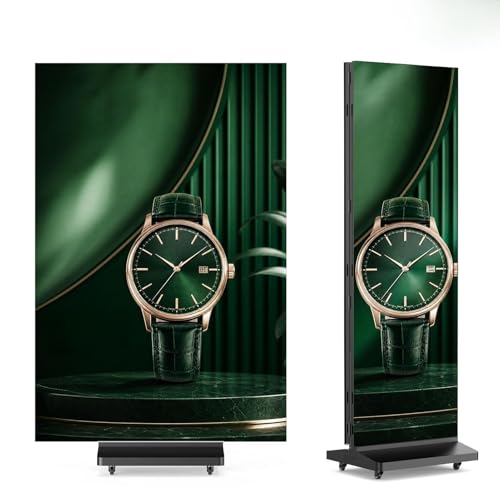
【P1.53 High Resolution LED Screen】The MWE-QIXZOCV 90" Tri-Fold LED Poster Screen features a P1.53 ultra-fine pixel pitch. This LED Display delivers sharp, vivid images for any event. Whether used as LED Digital Signage or a dynamic LED Video Wall, the high refresh rate ensures flicker-free playback. Every detail pops, making your ads unforgettable. Elevate your visual impact with this premium LED Screen.

【High Technology】YIXZSWD LED digital signage features a cutting-edge 80" × 26" screen with precise P1.86MM pixel pitch and 344 × 1032 LED resolution. This high-resolution display delivers sharp text, vivid video and saturated colors, making the LED poster perfect for eye-catching advertising in retail shops, trade shows, wedding venues and corporate events.
PWM Alternatives: DC Dimming and High-Frequency Options
So you’ve figured out your monitor’s flicker frequency—maybe it’s way lower than you’d like. That’s when it’s worth knowing about the alternatives manufacturers are using to actually stop the flickering problem at its source.
DC dimming works differently than PWM. Instead of turning the backlight on and off really fast, it just reduces the voltage going to the backlight. The frequency stays constant, but the brightness drops. No flickering, no eye strain from those rapid cycles. It’s straightforward and honestly pretty effective.
Then there’s the high-frequency route. Here’s the trick: if you push PWM above 3000Hz, your eyes literally can’t see the flicker anymore. Your pupils don’t react to something that’s happening faster than your physiology can detect. No pupil contraction cycles means less eye strain and fewer headaches.
Why does this matter? Because the cheaper displays you’ll find stuck with low-frequency PWM across all brightness levels—and that’s where your discomfort actually comes from. Mid-range and premium monitors increasingly use one of these two methods instead.
What you should look for:
- DC dimming technology (check the specs)
- PWM frequencies listed above 3000Hz
- Consistency across all brightness settings
The best part is you don’t have to accept flickering as normal. Plenty of monitors out there use these approaches, and once you switch to one, you’ll notice the difference immediately—fewer headaches, less tired eyes, and actually enjoying your screen time again.
Are you currently dealing with eye strain from your monitor, or are you trying to avoid it before it becomes a problem?
The Best PWM-Free Monitors: Gaming, Office, and Budget Options
Tired of your eyes hurting after a long day at your monitor? You’re not alone. The culprit is often something called flicker—invisible to most people, but your eyes feel it. The good news? Manufacturers have finally figured out how to stop it.
Gaming Monitors That Actually Work
ASUS and BenQ have made serious moves here. They’re using DC dimming across their whole brightness range, which means no flicker artifacts sneaking in to mess with your vision. I’ve seen the specs on these, and they’re solid. If you game for hours, this matters more than you might think.
What About Your Office Setup?
Here’s the thing: professional work demands different specs. Office monitors with IPS panels are hitting PWM frequencies above 3000Hz now. That might sound technical, but the practical benefit is simple—your eyes don’t strain after eight hours of staring at spreadsheets or design software. So why does this matter? Because eye fatigue compounds. It gets worse the longer you ignore it.
Budget Options That Don’t Suck
Honestly, you don’t need to drop serious cash to get a flicker-free display. LG and Dell both offer budget models with either DC dimming or PWM frequencies over 2500Hz. You’re getting real eye protection without breaking the bank.
Here’s the trick: look for the specs before you buy. Check the manufacturer’s data sheet for either “DC dimming” or the PWM frequency number. The best part is you can comparison shop right from home.
The Bottom Line
Pick a category that fits your needs and budget. Then verify the flicker specs. Your eyes will thank you for it—trust me on that one.
Recommended Products

⭐Vibrant 15.6" Full HD Touchscreen Display----This HP touch screen laptop features a 15.6 inch Full HD touchscreen, delivering crisp, vivid visuals and intuitive touch control,The responsive touch interface enhances productivity, while the integrated flicker-free technology significantly reduces eye strain during extended workdays or marathon study sessions.

THE RIGHT FIT FOR EVERY FLOW - Immerse yourself in whatever you are doing with an ultra-slim three-sided micro-edge FHD touchscreen and up to a 90% screen-to-body ratio for enhanced viewing

Ultra-Wide Curved Display for Immersive Viewing - Experience panoramic visuals on a 49 inch 1500R curved screen with 3840x1080 resolution. The 32:9 aspect ratio eliminates bezel distractions, perfect for multitasking, gaming, or streaming. VA panel technology delivers 3000:1 contrast and 250cd/m² brightness, enhancing HDR10 content for vibrant colors and sharp details.
5 Immediate Ways to Reduce PWM Eye Strain (Without Buying a New Monitor)
Not every monitor owner can immediately replace their display, yet PWM flicker remains a present health concern that creates measurable eye strain, pupil contractions, and headache symptoms through its rapid backlight cycling. The good news? You don’t need to buy new equipment to feel better.
Crank up your brightness. Honestly, this is the simplest fix. When you increase brightness above 50%, you’re actually reducing how long the backlight cycles off. Less off-time means less noticeable flicker. So why does this matter? Your eyes stop reacting as strongly to the flickering, which means fewer pupil contractions and less strain overall.
Screen filters designed to reduce flicker intensity provide additional protection by diffusing light output. They’re not expensive, and they work alongside the brightness adjustment to give you extra relief.
Give your eyes actual breaks. This one’s easy to forget, but it makes a real difference. Try the 20-20-20 method—every twenty minutes, look at something far away for twenty seconds. That’s it. Your eyes have been working hard to focus on a close screen, so this simple reset helps them relax and recover.
Truth is, these fixes work because they reduce the physical stress on your visual system. They won’t completely eliminate PWM flicker—that’s a hardware thing—but they’ll noticeably ease your symptoms. The best part is you can start today with what you’ve already got.
What’s holding you back from trying at least one of these?
Recommended Products

24.5-inch Full HD (1920 x 1080) Fast IPS gaming monitor with 360Hz refresh rate designed for professional esports gamers.Aspect ratio:16:9.Specific uses for product - Gaming

34-inch UWQHD (3440 x 1440) HDR curved gaming monitor with ultrafast 180Hz (overclocking) refresh rate designed for professional gamers and immersive gameplay

Dual Leica Lenses, Pro-Grade Imaging System: Dual Leica lens design combines a 1" main sensor with a pro-grade telephoto lens featuring a 1/1.3" sensor and F2.0 aperture, this vlogging camera delivers exceptional detail, depth, and versatility across every shot.
Frequently Asked Questions
Can PWM Flicker Cause Permanent Eye Damage With Prolonged Exposure Over Years?
I’d say current research doesn’t confirm permanent eye damage from PWM exposure, though long-term effects on eye health remain understudied. However, chronic headache frequency and eye strain are well-documented, suggesting you’d benefit from high-frequency monitors.
Do All Smartphone and Tablet Screens Use PWM, or Only Certain Models?
Not all smartphone models and tablet technology use PWM equally. I’d say most modern devices employ it for brightness control, but some higher-end models use DC dimming instead. You’ll find varying PWM frequencies across different brands and price points.
How Does PWM Frequency Interact With Ambient Lighting in Office or Home Environments?
I’ve found that when you’re bathed in natural or artificial light, your eyes’ “light-dancing” sensitivity shifts markedly. Brighter ambient conditions mask PWM flicker, while dimmer environments heighten your PWM sensitivity effects. You’ll notice ambient light interactions greatly reduce discomfort at higher brightness levels.
Can Glasses or Screen Filters Reduce PWM Flicker Effects on Sensitive Eyes?
I’d say glasses and screen coatings offer limited relief—they won’t eliminate PWM flicker itself. Blue light filtering glasses might help slightly, but you’ll need high-frequency PWM monitors (>3000Hz) or DC dimming for real protection of your sensitive eyes.
Which Monitor Brands Consistently Maintain PWM Above 3000HZ Across All Brightness Levels?
I don’t have specific monitor brand data confirming consistent 3000Hz+ PWM across all brightness levels. You’ll want independent PWM frequency analysis from RTINGS or similar sources—they provide detailed monitor brand comparisons that reveal which manufacturers prioritize high-frequency implementation throughout brightness ranges.