As an Amazon Associate, we earn from qualifying purchases. Some links on this site are affiliate links at no extra cost to you. Our recommendations are based on thorough research and editorial judgment.

10 OLED Monitors at 240Hz That Will Blur Your Competition

You’ll find ten 240 Hz OLED and QD‑OLED displays, from the 34‑inch AW3425DW curved panel with 0.03 ms response, 1000‑nit peak, 99.3 % DCI‑P3, to the 27‑inch PG27UCDM offering 4K resolution, VESA DisplayHDR 400 True Black, and 90 W USB‑C PD, while the 32‑inch G8 provides 3840×2160, 240 Hz, 0.03 ms gray‑to‑gray, and anti‑glare tech; the 27‑inch MAG274QP and ArcticPro AD27GOQ4 each deliver 2560×1440, 240 Hz, 0.03 ms, 1370 nits peak, ΔE ≤ 2, and HDR True Black 400, the Samsung Odyssey G6 adds 27‑inch, 240 Hz, 0.03 ms, 1300 nits, and dynamic cooling; KTC 27‑inch offers 65 W USB‑C PD, nano‑texture glass, and reversible charging, while Acer Predator 27UW1bmiiprx presents 26.5‑inch, 240 Hz, 0.03 ms, 99 % DCI‑P3, and FreeSync Premium, and each model includes VESA‑compatible ergonomics, adaptive‑sync, and anti‑burn‑in features, so if you explore further you’ll discover detailed comparisons.
Key Takeaways
- OLED panels deliver true blacks and infinite contrast, giving you a visual edge in fast‑paced competitive games.
- 240 Hz refresh with 0.03 ms response time eliminates motion blur, keeping every frame razor‑sharp.
- High DCI‑P3 coverage (≈99 %) and 10‑bit color ensure accurate hues and seamless HDR gradients.
- Adaptive‑Sync support (FreeSync Premium Pro or G‑Sync) provides tear‑free gameplay across the full 30‑240 Hz range.
- Robust ergonomics, USB‑C power delivery, and anti‑burn‑in tech let you game comfortably for hours without image retention.
| Alienware 34″2 OLED Curved Gaming Monitor (AW3425DW) |  | Ultimate Immersion | Refresh Rate: 240 Hz | Response Time: 0.03 ms GtG | HDR Certification: VESA DisplayHDR TrueBlack 400 | VIEW LATEST PRICE | Read Our Analysis |
| ASUS ROG Swift 27″ 4K Gaming Monitor (PG27UCDM) |  | Creative Powerhouse | Refresh Rate: 240 Hz | Response Time: 0.03 ms GtG | HDR Certification: VESA DisplayHDR 400 True Black | VIEW LATEST PRICE | Read Our Analysis |
| Samsung Odyssey QD-OLED G8 32″ Gaming Monitor (G81SF) | 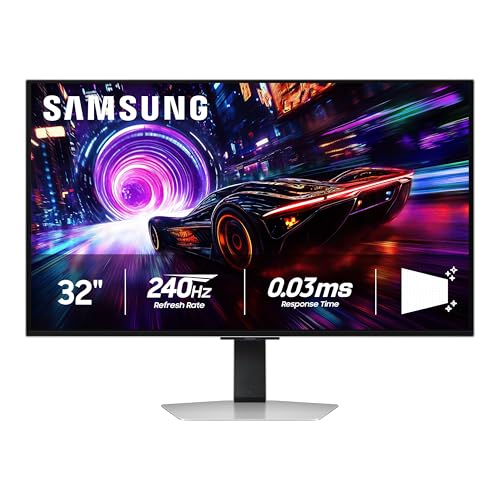 | Deepest Blacks | Refresh Rate: 240 Hz | Response Time: 0.03 ms GtG | HDR Certification: VESA DisplayHDR True Black 400 | VIEW LATEST PRICE | Read Our Analysis |
| MSI MAG274QP 27″ QD-OLED Gaming Monitor 240Hz | 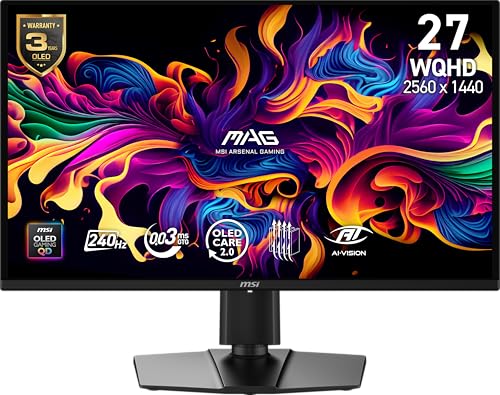 | Balanced Performer | Refresh Rate: 240 Hz | Response Time: 0.03 ms GtG | HDR Certification: VESA DisplayHDR True Black 400 | VIEW LATEST PRICE | Read Our Analysis |
| ArcticPro 27″ QD-OLED Gaming Monitor 240Hz 0.03ms QHD | 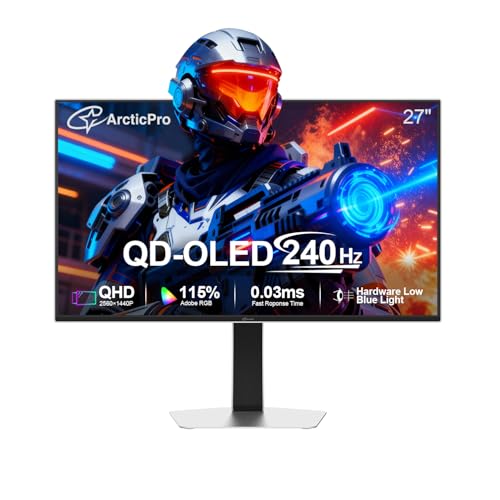 | Eye‑Care Focus | Refresh Rate: 240 Hz | Response Time: 0.03 ms GtG | HDR Certification: VESA DisplayHDR True Black 400 | VIEW LATEST PRICE | Read Our Analysis |
| LG 39″ Ultragear OLED Gaming Monitor 240Hz 1ms G‑Sync FreeSync HDR USB‑C White | 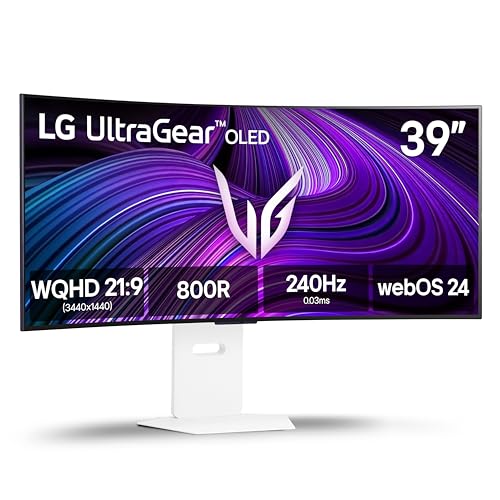 | Ultra‑Wide Experience | Refresh Rate: 240 Hz | Response Time: 0.03 ms GtG | HDR Certification: DisplayHDR True Black 400 | VIEW LATEST PRICE | Read Our Analysis |
| MSI MPG 321URX QD-OLED 32″ Gaming Monitor 240Hz HDR400 |  | Premium 4K Gaming | Refresh Rate: 240 Hz | Response Time: 0.03 ms GtG | HDR Certification: VESA DisplayHDR True Black 400 | VIEW LATEST PRICE | Read Our Analysis |
| Samsung Odyssey OLED G6 Gaming Monitor 27” 240Hz 0.03ms Pro |  | Burn‑In Guard | Refresh Rate: 240 Hz | Response Time: 0.03 ms GtG | HDR Certification: VESA DisplayHDR True Black 400 | VIEW LATEST PRICE | Read Our Analysis |
| KTC 27″ OLED Gaming Monitor 240Hz QHD 65W USB‑C | 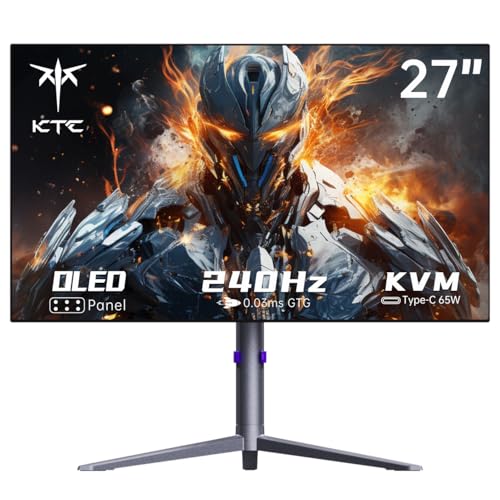 | Versatile Connectivity | Refresh Rate: 240 Hz | Response Time: 0.03 ms GtG | HDR Certification: DisplayHDR True Black 10 | VIEW LATEST PRICE | Read Our Analysis |
| Acer Predator 26.5″ QD-OLED Gaming Monitor (27UW1bmiiprx) | 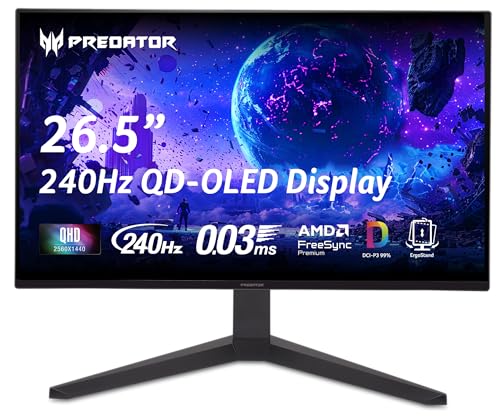 | Sleek Ergonomics | Refresh Rate: 240 Hz | Response Time: 0.03 ms GtG | HDR Certification: HDR10 (VESA DisplayHDR not specified) | VIEW LATEST PRICE | Read Our Analysis |
More Details on Our Top Picks
Alienware 34″2 OLED Curved Gaming Monitor (AW3425DW)
The Alienware 34‑inch QD‑OLED monitor, model AW3425DW, targets competitive gamers who demand ultra‑fast response and high‑resolution immersion, offering a 34.2‑inch 21:9 panel with 3440 × 1440 pixels, a 0.03 ms response time, and a 240 Hz refresh rate, while its 1800R curvature and 1000‑nit peak brightness deliver consistent visual fidelity across the entire screen. You’ll notice DCI‑P3 99.3 % color coverage, Delta E < 2 accuracy, and infinite contrast, which together ensure HDR VESA DisplayHDR TrueBlack 400 performance; the monitor also supports AMD FreeSync Premium Pro and NVIDIA G‑SYNC Compatible, enabling VESA AdaptiveSync to reduce tearing, stutter, and input lag, and its matte black finish, dimensions 31.71 × 9.13 × 21.84 inches, and 20‑pound weight contribute to a stable, premium build, while Dell’s 30‑day return policy and warranty through customer service provide post‑purchase assurance.
- Refresh Rate:240 Hz
- Response Time:0.03 ms GtG
- HDR Certification:VESA DisplayHDR TrueBlack 400
- Adaptive Sync Compatibility:AMD FreeSync Premium Pro & NVIDIA G‑Sync Compatible
- Panel Technology:QD‑OLED
- Connectivity (DisplayPort):DisplayPort (unspecified version)
- Additional Feature:1800R curvature
- Additional Feature:Matte black finish
- Additional Feature:30‑day full refund
ASUS ROG Swift 27″ 4K Gaming Monitor (PG27UCDM)
Looking for a 4K monitor that delivers true 240 Hz performance without sacrificing color fidelity, you’ll find the ASUS ROG Swift 27‑inch PG27UCDM meets professional gaming and content‑creation demands, offering a 26.5‑inch QD‑OLED panel, 0.03 ms response time, and 99% DCI‑P3 coverage, while its OLED Anti‑Flicker 2.0 reduces flicker by 20% and VESA DisplayHDR 400 True Black ensures deep contrast, and the integrated Neo Proximity Sensor, combined with a custom heatsink, mitigates burn‑in risk, all supported by DisplayPort 2.1a UHBR20 delivering 80 Gbps for uncompressed 4K at 240 Hz, HDMI 2.1, and 90 W USB‑C Power Delivery, making it a technically robust choice for users prioritizing high‑refresh‑rate OLED performance. The monitor’s 16:9 aspect ratio, 10‑bit color depth, and Delta E < 2 accuracy support photo and video editing, while G‑SYNC compatibility synchronizes frame output, eliminating tearing. Connectivity includes USB‑C with Power Delivery, HDMI 2.1, and a full cable bundle, and the package supplies a ROG pouch, microfiber cloth, VESA mount kit, and three‑month Adobe Creative Cloud access, all under a three‑year warranty.
- Refresh Rate:240 Hz
- Response Time:0.03 ms GtG
- HDR Certification:VESA DisplayHDR 400 True Black
- Adaptive Sync Compatibility:NVIDIA G‑Sync Compatible (FreeSync not listed)
- Panel Technology:4th‑generation QD‑OLED
- Connectivity (DisplayPort):DisplayPort 2.1a UHBR20 (80 Gbps)
- Additional Feature:Neo proximity sensor
- Additional Feature:Custom heatsink
- Additional Feature:3‑month Adobe Cloud
Samsung Odyssey QD-OLED G8 32″ Gaming Monitor (G81SF)
Gamers seeking ultra‑fast, high‑resolution visuals will find the Samsung Odyssey QD‑OLED G8 32″ (G81SF) especially suitable, because its 240 Hz refresh rate paired with a 0.03 ms gray‑to‑gray response time delivers minimal motion blur while the QD‑OLED panel provides 3840 × 2160 pixel density, VESA DisplayHDR True Black 400 contrast, and 16.7 million color options, all of which combine to produce precise, vivid imagery without sacrificing frame‑rate fidelity. You’ll notice that the anti‑glare technology reduces surface gloss by 54 %, which, together with the thermal modulation system, maintains consistent brightness and prevents overheating during prolonged sessions. The dynamic cooling system, employing a pulsating heat pipe, dissipates heat five times faster than traditional graphite sheets, thereby lowering core temperature and mitigating burn‑in risk, while logo and taskbar detection automatically dims static elements to further protect the panel. Compatibility with G‑Sync and AMD FreeSync™ Premium Pro eliminates tearing and stutter, ensuring seamless frame delivery across a wide range of hardware configurations. Ergonomically, the stand offers tilt and height adjustments, and CoreSync with CoreLighting+ projects on‑screen colors into the surrounding environment, enhancing immersion without affecting performance metrics.
- Refresh Rate:240 Hz
- Response Time:0.03 ms GtG
- HDR Certification:VESA DisplayHDR True Black 400
- Adaptive Sync Compatibility:AMD FreeSync Premium Pro & NVIDIA G‑Sync Compatible
- Panel Technology:QD‑OLED
- Connectivity (DisplayPort):DisplayPort (unspecified version)
- Additional Feature:Glare‑free technology
- Additional Feature:Dynamic cooling system
- Additional Feature:CoreLighting ambient light
MSI MAG274QP 27″ QD-OLED Gaming Monitor 240Hz
For competitive e‑sport athletes and professional content creators seeking ultra‑fast visual response, the MSI MAG274QP 27″ QD‑OLED Gaming Monitor delivers a 2560 × 1440 QHD panel with a 0.03 ms gray‑to‑gray response time, a 240 Hz refresh rate, and 1370.4 nits peak brightness, all of which combine to minimize motion blur and preserve detail during rapid frame transitions. Its third‑generation QD‑OLED panel, calibrated to ΔE ≤ 2, ensures accurate color reproduction, while VESA DisplayHDR True Black 400 certification confirms deep black levels and high contrast. Connectivity includes HDMI 2.1 (48 Gbps) and DisplayPort, supporting VRR and ALLM for reduced latency, and the monitor remains VESA‑mountable with tilt and height adjustments, plus built‑in speakers. MSI OLED Care 2.0 mitigates burn‑in risk, extending panel lifespan.
- Refresh Rate:240 Hz
- Response Time:0.03 ms GtG
- HDR Certification:VESA DisplayHDR True Black 400
- Adaptive Sync Compatibility:AMD FreeSync Premium Pro & NVIDIA G‑Sync Compatible
- Panel Technology:3rd‑generation QD‑OLED
- Connectivity (DisplayPort):DisplayPort (unspecified version)
- Additional Feature:Built‑in speakers
- Additional Feature:Height‑adjustable stand
- Additional Feature:MSI OLED Care 2.0
ArcticPro 27″ QD-OLED Gaming Monitor 240Hz 0.03ms QHD
The ArcticPro AD27GOQ4, a 27‑inch QD‑OLED monitor featuring a 2560 × 1440 QHD panel, delivers 240 Hz refresh and a 0.03 ms gray‑to‑gray response time, which makes it a strong candidate for competitive players who require ultra‑low latency and high‑resolution visuals. You’ll notice its over ten million self‑emissive pixels, 110 % DCI‑P3 coverage, and static contrast of 1,500,000 : 1, ensuring precise color reproduction with ΔE < 2 and matte surface reducing glare, while the ergonomic stand offers four‑axis adjustment, quick‑release mounting, and vertical rotation, allowing fine‑tuned positioning for extended sessions, and the dual‑speaker setup, HDMI × 2, DP × 2 inputs support versatile connectivity without compromising the monitor’s slim 1.6‑inch depth and 6.44‑pound weight.
- Refresh Rate:240 Hz
- Response Time:0.03 ms GtG
- HDR Certification:VESA DisplayHDR True Black 400
- Adaptive Sync Compatibility:AMD FreeSync Premium Pro & NVIDIA G‑Sync Compatible
- Panel Technology:QD‑OLED
- Connectivity (DisplayPort):DisplayPort 2 (unspecified version)
- Additional Feature:Dual built‑in speakers
- Additional Feature:4‑direction ergonomic stand
- Additional Feature:Low‑blue‑light eye care
LG 39″ Ultragear OLED Gaming Monitor 240Hz 1ms G‑Sync FreeSync HDR USB‑C White
If you need a widescreen, ultra‑responsive display that combines a 39‑inch 800R curved panel with 240 Hz refresh, 0.03 ms GtG response, and 1.5 M:1 contrast, the LG Ultragear OLED Gaming Monitor delivers those specifications in a single unit, offering 3440 × 1440 WQHD resolution, up to 1300 nits peak brightness, and 98.5 % DCI‑P3 color coverage, while supporting both AMD FreeSync Premium and NVIDIA G‑SYNC for adaptive sync, and integrating USB‑C connectivity with webOS streaming and cloud‑gaming services, all backed by a two‑year limited warranty and OLED Care maintenance tools. Its 800R curvature enhances peripheral immersion, anti‑glare coating reduces reflections, and DisplayHDR True Black 400 expands dynamic range, while Dynamic Action Sync and Black Stabilizer improve responsiveness in fast‑paced titles, and AI‑driven picture and sound tuning provide customizable performance without compromising the monitor’s technical integrity.
- Refresh Rate:240 Hz
- Response Time:0.03 ms GtG
- HDR Certification:DisplayHDR True Black 400
- Adaptive Sync Compatibility:AMD FreeSync Premium & NVIDIA G‑Sync Compatible
- Panel Technology:QD‑OLED
- Connectivity (DisplayPort):DisplayPort (unspecified version)
- Additional Feature:800R curvature
- Additional Feature:WebOS streaming platform
- Additional Feature:AI picture/sound tuning
MSI MPG 321URX QD-OLED 32″ Gaming Monitor 240Hz HDR400
Who needs ultra‑fast, 4K gaming visuals with true‑black performance? You’ll find that the MSI MPG 321URX QD‑OLED offers a 31.5‑inch, 3840 × 2160 panel, 240 Hz refresh, and 0.03 ms GtG response, delivering 1.07 billion 10‑bit colors and DCI‑P3 99 % coverage with ΔE ≤ 2 accuracy, while VESA DisplayHDR True Black 400 ensures peak brightness and dynamic contrast. Its connectivity includes HDMI 2.1, DisplayPort 1.4a, 90 W USB‑C, three USB 2.0 and three USB 3.0 ports, plus AI‑assisted gaming, KVM, PiP, PbP, and Console Mode. The stand provides four‑way adjustment, Mystic Light ambient lighting, and the unit measures 28 × 9.5 × 19 in, weighs 27.2 lb, and comes in black.
- Refresh Rate:240 Hz
- Response Time:0.03 ms GtG
- HDR Certification:VESA DisplayHDR True Black 400
- Adaptive Sync Compatibility:NVIDIA G‑Sync Compatible (FreeSync not listed)
- Panel Technology:QD‑OLED
- Connectivity (DisplayPort):DisplayPort 1.4a
- Additional Feature:Mystic Light ambient lighting
- Additional Feature:KVM switch support
- Additional Feature:Picture‑in‑Picture mode
Samsung Odyssey OLED G6 Gaming Monitor 27” 240Hz 0.03ms Pro
Competitive gamers seeking ultra‑low latency and high refresh rates will find the Samsung Odyssey OLED G6 Gaming Monitor 27” 240Hz 0.03ms Pro particularly suitable, because its QD‑OLED panel delivers 0.03ms GtG response, 240Hz refresh, and 1,200 nits peak brightness, while G‑Sync and FreeSync Premium Pro simultaneously eliminate tearing and stutter across NVIDIA and AMD GPUs. The monitor’s Dynamic Cooling System, featuring a Pulsating Heat Pipe, cools five times more efficiently than conventional graphite sheets, while the Thermal Modulation System adjusts brightness based on surface temperature to mitigate heat buildup and burn‑in risk. Glare‑Free coating reduces external reflections by 54 %, deep black levels prevent pixel bleed, and ergonomic adjustments support prolonged sessions, all within a slim metal chassis backed by a three‑year warranty.
- Refresh Rate:240 Hz
- Response Time:0.03 ms GtG
- HDR Certification:VESA DisplayHDR True Black 400
- Adaptive Sync Compatibility:AMD FreeSync Premium Pro & NVIDIA G‑Sync Compatible
- Panel Technology:QD‑OLED
- Connectivity (DisplayPort):DisplayPort (unspecified version)
- Additional Feature:Logo & taskbar detection
- Additional Feature:Pulsating heat pipe cooling
- Additional Feature:Slim metal chassis
KTC 27″ OLED Gaming Monitor 240Hz QHD 65W USB‑C
The KTC G27P6, a 27‑inch OLED gaming monitor with a QHD 2560 × 1440 panel, targets competitive gamers and visual‑performance professionals who demand ultra‑fast refresh rates, precise color reproduction, and high‑contrast imaging, because it combines a 240 Hz refresh rate, 0.03 ms GTG response time, and DisplayHDR True Black 10 certification, delivering 1500000 : 1 contrast, 10‑bit color depth, 136 % sRGB coverage, and a Delta E < 2 accuracy, while its anti‑burn‑in technology and nano‑texture glass mitigate image retention risks; the monitor also integrates a 65 W USB‑C Power Delivery hub, HDMI 2.0 × 2, DisplayPort 1.4, three USB 3.0 ports, and a reversible charging port, supporting both high‑bandwidth video and power delivery for laptops or peripherals, and its ergonomic metal stand with RGB lighting, height/tilt/swivel/pivot adjustment, 100 × 100 mm VESA compatibility, built‑in 2 × 5 W speakers, and remote control provide exhaustive usability for demanding setups.
- Refresh Rate:240 Hz
- Response Time:0.03 ms GtG
- HDR Certification:DisplayHDR True Black 10
- Adaptive Sync Compatibility:AMD FreeSync Premium & NVIDIA G‑Sync Compatible
- Panel Technology:OLED (LG panel)
- Connectivity (DisplayPort):DisplayPort 1.4
- Additional Feature:Nano‑texture glass
- Additional Feature:RGB metal stand
- Additional Feature:Remote control
Acer Predator 26.5″ QD-OLED Gaming Monitor (27UW1bmiiprx)
For gamers seeking ultra‑responsive visuals, the Acer Predator 26.5‑inch QD‑OLED monitor (27UW1bmiiprx) delivers a 240 Hz refresh rate combined with a 0.03 ms G‑to‑G response time, ensuring minimal ghosting and seamless motion rendering. Its 26.5‑inch WQHD panel provides 2560 × 1440 resolution, true 10‑bit color depth, and DCI‑P3 99 % coverage, while Delta E < 2 and HDR10 produce vivid, accurate images, and the OLED architecture yields deep contrast without noticeable image retention. AMD FreeSync Premium synchronizes frame output, eliminating tearing, and the ZeroFrame bezels expand peripheral vision, while height, tilt, pivot, and swivel adjustments accommodate ergonomic preferences; connectivity includes two DisplayPort 1.4 and two HDMI 2.1 ports for diverse device integration.
- Refresh Rate:240 Hz
- Response Time:0.03 ms GtG
- HDR Certification:HDR10 (VESA DisplayHDR not specified)
- Adaptive Sync Compatibility:AMD FreeSync Premium
- Panel Technology:QD‑OLED
- Connectivity (DisplayPort):DisplayPort 1.4 (2 ×)
- Additional Feature:Zero‑frame design
- Additional Feature:Image‑retention refresh
- Additional Feature:Height‑tilt‑pivot‑swivel stand
Factors to Consider When Choosing an OLED Monitor 240Hz
When you evaluate an OLED 240 Hz monitor, check its resolution accuracy and color gamut, ensuring it meets standards such as DCI‑P3 ≥ 90 % and offers 3840 × 2160 pixels for precise imaging. Consider HDR performance and brightness levels, looking for peak luminance around 600 nits and sustained 120 nits to balance contrast and eye comfort, while also confirming adaptive‑sync compatibility with G‑Sync or FreeSync to avoid tearing. Finally, assess refresh rate and response time, confirming true 240 Hz output with sub‑1 ms gray‑to‑gray latency, and verify burn‑in prevention features like pixel‑shift and auto‑luminance scaling to maintain long‑term image integrity.
Resolution Accuracy & Color Gamut
Why does resolution accuracy matter on a 240 Hz OLED, because pixel density directly influences detail retention at high frame rates, while color gamut determines how faithfully the display reproduces the spectrum of hues defined by standards such as DCI-P3; a monitor offering 3840×2160 resolution, 99% DCI-P3 coverage, 10-bit depth, and ΔE < 2, combined with DisplayHDR True Black 400 certification, delivers precise gradients, minimal banding, and consistent luminance across rapid motion, whereas lower-resolution or 8-bit panels exhibit quantization artifacts and reduced chromatic fidelity, especially when HDR content pushes peak brightness and contrast beyond the capabilities of less-capable units. You should verify that the panel’s native pixel count matches the advertised 4K figure, that factory calibration yields ΔE ≤ 2, and that the 10-bit pipeline maintains smooth tonal transitions without banding, because these metrics together ensure that fast-moving images retain crisp edges and accurate hues, preventing visual degradation during competitive gaming or high-speed video playback.
HDR and Brightness Levels
The HDR and brightness specifications of a 240 Hz OLED monitor determine how effectively it can render high‑dynamic‑range content, because DisplayHDR True Black 400 certification guarantees deep blacks and high contrast, while peak brightness values of 1000 nits or higher enable vivid highlights in bright environments, and a 0.03 ms response time, combined with those brightness levels, reduces motion blur without sacrificing the intensity of HDR elements during fast‑paced gaming; moreover, the infinite contrast ratio inherent to OLED panels amplifies HDR gradations, and when paired with 10‑bit color depth and 99% DCI‑P3 coverage, it ensures accurate hue reproduction and smooth tonal transitions across the full brightness spectrum.
You should verify that the monitor’s peak brightness reaches at least 1000 nits, because values near 1370 nits provide additional headroom for HDR highlights in well‑lit rooms, while the DisplayHDR True Black 400 rating confirms that black levels remain truly black even when bright highlights push the panel to its maximum luminance, thereby preserving contrast and preventing perceived wash‑out.
The combination of infinite contrast, 10‑bit depth, and near‑full DCI‑P3 coverage also guarantees that HDR gradients appear seamless, with no banding, and that color accuracy remains consistent across the entire luminance range, which is vital for both competitive gaming and professional visual work.
Refresh Rate & Response Time
What determines the smoothness of fast‑paced gameplay on a 240 Hz OLED monitor is the interplay between refresh rate and response time, because a 240 Hz panel delivers a new frame every approximately 4.17 ms, while a 0.03 ms gray‑to‑gray transition ensures pixel changes occur almost instantaneously, thereby minimizing motion blur and ghosting; this combination, supported by self‑emissive OLED or QD‑OLED technology, yields near‑perfect temporal precision, and when paired with variable‑refresh‑rate solutions such as FreeSync Premium Pro or G‑SYNC, it synchronizes GPU output to the display’s cadence, preventing frame tearing and preserving the intended visual fidelity across the entire luminance spectrum.
At 240 Hz the monitor refreshes 240 times per second, which translates to a frame interval of 4.17 ms; this rapid cadence shortens perceived motion lag, allowing you to track fast-moving targets more accurately, while the 0.03 ms GtG response time, characteristic of OLED and QD‑OLED panels, virtually eliminates pixel transition delay, reducing ghosting and trailing during rapid scene changes, and the self‑emissive nature of these technologies further enhances pixel‑level responsiveness, ensuring consistent image clarity even under demanding competitive gaming conditions.
Adaptive‑Sync Compatibility
How do you guarantee a 240 Hz OLED monitor stays free of tearing and stutter? You start by confirming the display supports at least one major adaptive‑sync standard—AMD FreeSync Premium Pro or NVIDIA G‑SYNC Compatible—because each protocol directly regulates frame delivery to match the panel’s 240 Hz cadence, preventing mismatched frame intervals. Next, you verify GPU compatibility: G‑SYNC Compatible typically requires an NVIDIA GPU with the appropriate driver stack, while FreeSync works broadly with AMD GPUs and many newer NVIDIA cards via VESA AdaptiveSync, which also offers baseline VRR support when proprietary profiles are absent. Additionally, you look for dynamic VRR that spans the entire 30‑240 Hz range, ensuring seamless refresh‑rate transitions during rapid in‑game scene changes, and you confirm that the manufacturer provides recent firmware or driver updates to address any high‑refresh‑rate panel quirks.
Burn‑In Prevention Features
Adaptive‑Sync compatibility ensures frame timing aligns with a 240 Hz panel, and the next step is to examine how manufacturers mitigate OLED burn‑in risk. You’ll notice that many models embed automatic dimming of static UI elements, such as logos and taskbars, which reduces pixel fatigue by lowering luminance on stationary graphics during extended sessions, while some devices also incorporate dedicated logo and taskbar detection algorithms that trigger localized brightness cuts when the same image persists beyond a preset duration, typically five minutes, thereby distributing wear across the panel. Dynamic cooling mechanisms, paired with brightness modulation systems, manage thermal buildup, limiting degradation that accelerates burn‑in, whereas built‑in screen savers or automatic black‑screen switching after ten minutes of inactivity further minimize prolonged static exposure. These anti‑burn‑in technologies often integrate with eye‑care and glare‑reduction features, maintaining visual comfort without compromising protective functions.
Ergonomic Adjustability Options
A monitor that offers full multi‑axis adjustability—tilt from –5° to +20°, height range of 4.5 in to 12.5 in, swivel up to 180°, and pivot to 90°—enables precise alignment with your eye level and seating posture, reducing neck strain during extended sessions; ensuring the stand provides measurable increments, such as 0.1‑in height steps and 1° tilt increments, allows fine‑tuned positioning across diverse desk configurations, while VESA 100 × 100 mm compatibility expands mounting possibilities, and a quick‑release mechanism facilitates rapid adjustments without tools, and a robust chassis with a base weight of at least 12 lb prevents drift when the monitor is frequently repositioned.
When evaluating a model, verify that the tilt range includes negative angles for downward viewing, confirm that the height travel accommodates both seated and standing workstations, and check that swivel rotation exceeds 150° to support collaborative environments; additionally, ensure the pivot lock holds the screen securely at 90°, and that the VESA mounting pattern aligns with standard arms, while the quick‑release latch operates with one‑handed force under 5 N, guaranteeing efficient reconfiguration during long gaming sessions.
Connectivity & Port Variety
Which ports a monitor supplies determines whether you can sustain 240 Hz at 4K or 1440p without compression, and consequently whether you’ll need additional adapters or a new graphics card; a model featuring DisplayPort 1.4a or 2.1a UHBR, HDMI 2.1, and a USB‑C connection with 60‑90 W power delivery, alongside a built‑in USB‑A hub and optional KVM or PiP/PbP functionality, provides the bandwidth and flexibility required for high‑refresh gaming, console compatibility, and peripheral integration, while the presence of a quick‑release latch and standardized VESA 100 × 100 mm mounting ensures rapid reconfiguration and compatibility with universal arms. You should prioritize multi‑port configurations, ensuring that DisplayPort supports uncompressed 4K at 240 Hz or 1440p at the same rate, while HDMI 2.1 offers console support and USB‑C delivers power and data over a single cable, and the additional USB‑A ports and optional KVM simplify peripheral management, reducing cable clutter and enabling seamless switching between devices.
Frequently Asked Questions
What Is the Lifespan of OLED Panels Under Constant High‑Refresh Use?
Burning the midnight oil, you’ll find OLED panels typically endure 30,000–50,000 hours of constant high‑refresh operation before noticeable degradation, translating to roughly 3–5 years of 24/7 240 Hz use. Their organic emitters decay at about 0.05 % per 1,000 hours, so brightness loss reaches 10 % after 200,000 hours, but color shift remains under 2 % within the first 10,000 hours, assuming manufacturer‑specified drive currents and ambient temperatures.
How Does 0.03 Ms Response Time Compare to Typical LCD Gray‑To‑Gray Times?
You’ll find that 0.03 ms gray‑to‑gray response time is roughly one‑hundredth of typical LCD gray‑to‑gray times, which usually range from 2 ms to 5 ms, meaning OLED panels shift almost instantaneously, reducing motion blur dramatically; however, because LCDs often employ overdrive to approach 1 ms in high‑performance models, the practical difference can shrink to a few tenths of a millisecond, yet OLED still retains a measurable advantage in pure pixel‑level latency.
Are There Any Known Burn‑In Risks at 240 Hz Gaming Sessions?
You’ll find that burn‑in risk at 240 Hz isn’t dramatically higher than at lower refresh rates, because pixel aging depends on cumulative luminance, not frame frequency; typical OLED panels tolerate 10,000 hours of 100 cd/m² static image without noticeable degradation, while 240 Hz gaming cycles through varied content, reducing static load, yet prolonged high‑contrast UI elements can still cause localized wear, so you should employ pixel‑shift and auto‑dimming features to mitigate potential retention.
Can These OLED Monitors Support Hdr10+ Alongside HDR400?
Yes, the OLED panels support HDR10+ and HDR400 simultaneously, provided the source device streams compatible metadata, and the monitor’s firmware enables dynamic tone‑mapping for HDR10+ while maintaining peak luminance at 400 nits for HDR400. You’ll notice that HDR10+ offers frame‑by‑frame metadata adjustments, whereas HDR400 applies a static 400‑nit brightness ceiling; both standards coexist without compromising the 240 Hz refresh rate or color gamut coverage exceeding 99 % DCI‑P3.
Do the Usb‑C Ports Provide Full 65 W Power Delivery for Laptops?
You’ll get up to 65 W USB‑C power delivery, because the monitor’s Type‑C port follows the USB‑PD 3.0 specification, supports 20 V × 3.25 A, and includes a 5 A over‑current protection circuit, which together allow full 65 W output for compatible laptops, while the secondary port supplies 15 W for peripherals, and the monitor still provides 240 Hz refresh, 0.1 ms response, HDR10+, and 400 nits brightness.