As an Amazon Associate, we earn from qualifying purchases. Some links on this site are affiliate links at no extra cost to you. Our recommendations are based on thorough research and editorial judgment.


10 Best 4K IPS Monitors That’ll Transform Your Visual Experience

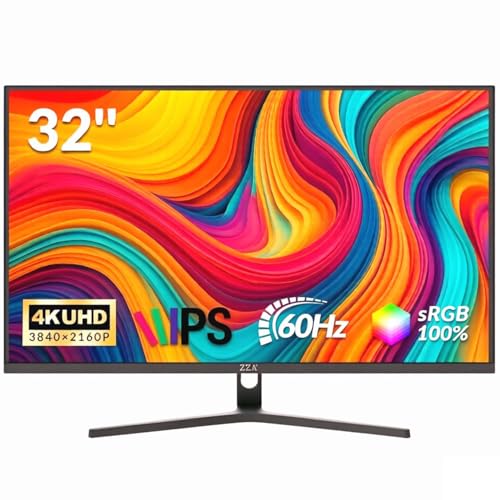
You’ll find the 32‑inch LG 32UP83AK‑W delivering 3840×2160 IPS resolution, 350 cd/m² brightness, 95 % DCI‑P3 coverage, HDR10, USB‑C PD up to 60 W, and a fully adjustable ergonomic stand; the 27‑inch LG 27UP650K‑W offers comparable 4K detail, VESA DisplayHDR 400, 5 ms response, Reader Mode, Flicker‑Safe, and height‑tilt‑pivot, while the ZZA Z32E matches 4K IPS clarity at 300 cd/m², 100 % sRGB, 1.07 B colors, Adaptive Sync, HDMI 2.1/DP 1.4, and a thin three‑sided bezel; Samsung’s ViewFinity S8 adds HDR10, TÜV‑certified eye‑care, auto‑brightness, and a swivel‑tilt‑pivot stand, and the ASUS VG27UQ1A pushes performance with 160 Hz refresh, 1 ms GtG, NVIDIA G‑SYNC compatibility, 95 % DCI‑P3, and HDMI 2.1 4K 120 Hz; the MSI MP273U provides 60 Hz, 4 ms GtG, Adaptive‑Sync, 99 % DCI‑P3, and 95 % sRGB, while Dell’s S2725QC combines 120 Hz, 0.03 ms response, 65 W USB‑C PD, HDR readiness, and ComfortView Plus, and further details await if you explore the full list.
Key Takeaways
- Prioritize monitors with 95%+ DCI‑P3 coverage and HDR10 support for vibrant, accurate colors and enhanced contrast.
- Choose models offering USB‑C Power Delivery (≥60 W) for single‑cable connectivity and desk‑friendly setups.
- Opt for ergonomic stands with height, tilt, swivel, and pivot adjustments to reduce strain during long sessions.
- Select displays featuring Flicker‑Safe and low‑blue‑light modes (Reader/Eye Saver) to protect eye health.
- Favor higher refresh rates (120 Hz+) and fast response times (<5 ms) for smooth motion in gaming and video work.




![[amazon fields='B0DHG1GTG2' value='image']](%5Bamazon%20fields='B0DHG1GTG2'%20value='image'%5D "10 Best 4K IPS Monitors That’ll Transform Your Visual Experience 8")


More Details on Our Top Picks
LG 32″ 4K UHD IPS Monitor with USB‑C PD Adjustable Stand White
The LG 32UP83AK‑W, a 31.5‑inch 4K UHD IPS monitor with a 3840 × 2160 resolution, 60 Hz refresh rate, and 350 cd/m² brightness, serves professionals requiring high‑resolution, color‑accurate displays, while its USB‑C PD delivering up to 60 W, adjustable height‑tilt‑pivot stand, and matte screen surface address ergonomic and glare‑reduction needs. You’ll notice the 95 % DCI‑P3 coverage and HDR10 support, which together render vivid color gradients and dynamic contrast, and the built‑in speaker and reader mode provide additional functionality without external accessories. Connectivity includes HDMI, DisplayPort, and a USB‑C port that consolidates video, data, and power, enabling a single‑cable setup for laptops or desktops, while the flicker‑safe and Black Stabilizer technologies reduce eye strain and improve visibility in dark gaming scenes, respectively. The monitor’s dimensions of 9.4 × 28.1 × 23.5 inches and weight of 18.26 lb ensure stability on a desk, and the 240 V input accommodates standard power supplies, completing a comprehensive feature set for both productivity and entertainment.
- Screen Size:31.5″
- Resolution:3840 × 2160 (4K UHD)
- Panel Type:IPS
- Refresh Rate:60 Hz
- Connectivity (USB‑C / HDMI / DisplayPort):USB‑C (60 W), HDMI, DisplayPort
- HDR Support:HDR10 (up to 95 % DCI‑P3)
- Additional Feature:Built‑in speaker
- Additional Feature:Reader mode
- Additional Feature:Flicker‑Safe technology
ZZA 32″ 4K IPS Monitor with Adaptive Sync & VESA Mount
ZZA’s 32‑inch 4K IPS monitor, model Z32E, presents a 3840 × 2160 resolution, 100 % sRGB coverage, and 1.07 billion colors, which together deliver precise color fidelity and ample detail for professional designers, video editors, and content creators who require accurate visual representation. You’ll notice the 300 cd/m² brightness and 3000:1 contrast ratio, which combine with 178° viewing angles to maintain consistent luminance across wide perspectives, while the 60 Hz refresh rate, paired with Adaptive Sync, reduces tearing during video playback and casual gaming without inducing input lag. Connectivity includes HDMI 2.1 and DisplayPort 1.4, ensuring high‑bandwidth signal transfer, and a 3.5 mm audio jack supports auxiliary sound; the ultra‑thin three‑sided bezel, tilt range of –15° to 15°, and VESA 75 × 75 mm mounting pattern enable space‑saving, ergonomic setups, and the 16.02 lb weight and dimensions of 28 × 7 × 19.6 inches provide stable, compact installation for diverse workstations.
- Screen Size:32″
- Resolution:3840 × 2160 (4K UHD)
- Panel Type:IPS
- Refresh Rate:60 Hz
- Connectivity (USB‑C / HDMI / DisplayPort):HDMI 2.1, DisplayPort 1.4
- HDR Support:HDR10 (implied)
- Additional Feature:Ultra‑thin three‑sided bezel
- Additional Feature:Blue‑light filter
- Additional Feature:VESA‑mount ready
LG 27″ 4K UHD IPS Monitor (UP650K-W)
If you need a 27‑inch 4K UHD IPS panel that balances high‑resolution detail with professional‑grade color accuracy, the LG 27UP650K‑W delivers a 3840 × 2160 display, 95 % DCI‑P3 coverage, and VESA DisplayHDR 400 support, all while maintaining a 60 Hz refresh rate and 5 ms response time; its matte surface reduces glare, and the ergonomic stand—offering height, tilt, and pivot adjustments—ensures prime viewing angles for extended sessions, complemented by Reader Mode and Flicker Safe technology that mitigate blue‑light exposure and eye strain, respectively.
The monitor’s Black Stabilizer improves dark‑scene visibility, while Dynamic Action Sync minimizes input lag, which benefits real‑time gaming and fast‑moving video content, and the Switch app enables screen splitting into up to six sections, allowing simultaneous multitasking across multiple applications without sacrificing image fidelity.
Connectivity includes HDMI and DisplayPort ports, supporting high‑bandwidth video transmission, and the built‑in webOS platform provides streamlined navigation between PC and streaming services, while the device’s dimensions (9.42 × 24.15 × 22.41 in) and weight (12.32 lb) accommodate standard desk setups, and the 240‑volt supply conforms to international power standards.
- Screen Size:27″
- Resolution:3840 × 2160 (4K UHD)
- Panel Type:IPS
- Refresh Rate:60 Hz
- Connectivity (USB‑C / HDMI / DisplayPort):HDMI, DisplayPort
- HDR Support:HDR400 (DisplayHDR 400)
- Additional Feature:DisplayHDR 400
- Additional Feature:Screen‑splitting app
- Additional Feature:Built‑in webOS streaming
ZZA 32″ 4K UHD IPS Monitor (3840×2160)
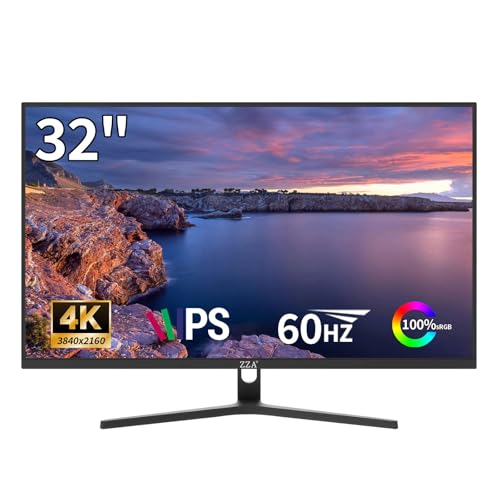
Looking for a 32‑inch 4K IPS panel that delivers professional‑grade color fidelity and ample screen real‑estate for design, video editing, or high‑resolution gaming, the ZZA 32″ 4K UHD IPS Monitor offers 3840×2160 resolution, 99 % sRGB and 95 % DCI‑P3 coverage, HDR10 readiness, and a 260 cd/m² brightness level, all while maintaining a 3000:1 contrast ratio and a 60 Hz refresh rate paired with AMD FreeSync for reduced tearing. You’ll find a 178° viewing angle, matte surface, and ultra‑thin bezel that together preserve image consistency across wide perspectives, while the 100 × 100 mm VESA mount enables flexible placement on walls or arms, and the aluminum alloy stand supports a 9.13‑lb chassis without wobble. Connectivity includes HDMI 2.0 and DisplayPort 1.4, allowing seamless integration with next‑gen PCs and consoles, and the monitor’s 16:9 aspect ratio aligns with standard media formats, ensuring that 4K detail remains sharp for movies, browsing, and professional workflows, all within a sleek white‑accented design that complements modern workspaces.
- Screen Size:32″
- Resolution:3840 × 2160 (4K UHD)
- Panel Type:IPS
- Refresh Rate:60 Hz
- Connectivity (USB‑C / HDMI / DisplayPort):HDMI 2.0, DisplayPort 1.4
- HDR Support:HDR10 readiness
- Additional Feature:HDR10 readiness
- Additional Feature:AMD FreeSync
- Additional Feature:Ultra‑low response time
LG 27US500-W 27″ 4K UHD Monitor (White)
The LG 27US500‑W, a 27‑inch 4K UHD monitor with HDR10 IPS panel, offers a 3840 × 2160 resolution, 1000:1 contrast ratio, and up to 90 % DCI‑P3 color gamut, making it suitable for professionals who require accurate color reproduction and wide viewing angles. You’ll find the borderless matte screen reduces reflections, while the adjustable tilt stand permits ergonomic positioning without sacrificing stability, and the monitor’s dimensions of 8.46 × 24.15 × 17.87 inches and weight of 12.13 lb accommodate most desks. Connectivity includes HDMI and DisplayPort, and the Onscreen Control software enables screen splitting, Reader Mode, and Flicker Safe, which together support extended sessions; the package also supplies a power adapter, HDMI cable, and quick‑start guide, and the 30‑day return policy with manufacturer warranty provides standard consumer protection.
- Screen Size:27″
- Resolution:3840 × 2160 (4K UHD)
- Panel Type:IPS
- Refresh Rate:60 Hz
- Connectivity (USB‑C / HDMI / DisplayPort):HDMI, DisplayPort
- HDR Support:HDR10
- Additional Feature:Contrast ratio 1000:1
- Additional Feature:On‑screen control
- Additional Feature:Reader mode
Samsung 27″ ViewFinity S8 4K UHD Monitor (S80D)
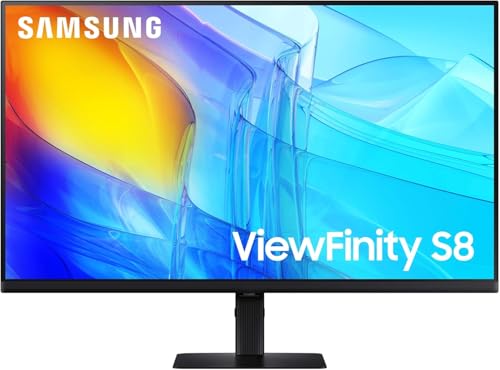
Samsung’s 27‑inch ViewFinity S8 (model LS27D806EANXGO) delivers a 3840 × 2160 resolution panel with HDR10 support, 1.07 billion‑color depth, and TÜV‑certified eye‑care features, making it a suitable option for designers and creators who require high pixel density and accurate color reproduction; its height‑adjustable stand, swivel, tilt, and 90‑degree pivot enable ergonomic positioning, while the built‑in brightness and color‑temperature auto‑optimization system maintains consistent visual performance across varied lighting conditions, and the inclusion of HDMI, DisplayPort, USB‑A, and USB‑B ports facilitates flexible connectivity for multi‑device workflows, all backed by a three‑year warranty and a weight of approximately 13.45 lb, dimensions 8.66 × 24.13 × 21.91 in. You’ll notice the HDR10 engine expands contrast, delivering deep shadows and bright highlights, while the 1.07 billion‑color palette ensures smooth gradients, which, when combined with TÜV‑certified eye‑care, reduces eye strain during prolonged sessions; the monitor’s auto‑optimization adjusts luminance and temperature in real time, preserving color fidelity under fluctuating ambient light, and the tool‑free stand permits rapid height and tilt changes, supporting diverse workflow configurations without additional hardware.
- Screen Size:27″
- Resolution:3840 × 2160 (4K UHD)
- Panel Type:IPS
- Refresh Rate:60 Hz
- Connectivity (USB‑C / HDMI / DisplayPort):HDMI, DisplayPort, USB‑A, USB‑B
- HDR Support:HDR10
- Additional Feature:TÜV‑certified Eye Care
- Additional Feature:Height‑adjustable stand
- Additional Feature:HDR10 with 1.07 B colors
Samsung 32″ UJ59 4K UHD Monitor (LU32J590UQNXZA) Black
If you need a 32‑inch monitor that delivers true 4K UHD resolution (3840 × 2160) with a VA panel, the Samsung 32″ UJ59 (LU32J590UQNXZA) offers a widescreen format that triples Full‑HD pixel density, providing ample workspace for multitasking and detailed visual work, while its one‑billion‑color capability ensures accurate color reproduction for photo and video editing. Its 8.3‑million‑pixel display supports seamless upscaling, converting SD, HD, and Full‑HD sources to near‑UHD quality, and AMD FreeSync reduces tear and stutter, while Low Input Lag Mode minimizes latency for competitive gaming. The monitor includes Picture‑by‑Picture and Picture‑in‑Picture modes, enabling dual‑device connectivity via two HDMI 2.0 ports and a DisplayPort, and its slim bezels and Y‑shaped stand provide a stable, matte‑black aesthetic suitable for desktop environments.
- Screen Size:32″
- Resolution:3840 × 2160 (4K UHD)
- Panel Type:VA (non‑IPS, but still listed)
- Refresh Rate:60 Hz
- Connectivity (USB‑C / HDMI / DisplayPort):HDMI 2.0, DisplayPort
- HDR Support:HDR (implied)
- Additional Feature:Picture‑by‑Picture (PBP)
- Additional Feature:Picture‑in‑Picture (PIP)
- Additional Feature:AMD FreeSync
ASUS TUF 27″ 4K HDR Monitor (VG27UQ1A) 160Hz 1ms G‑Sync
Sync
Looking for a 27‑inch 4K HDR display that delivers ultra‑fast response and high refresh rates, the ASUS TUF Gaming VG27UQ1A offers 160 Hz refresh, 1 ms gray‑to‑gray response, and NVIDIA G‑SYNC compatibility, while supporting HDMI 2.1 4K 120 Hz, AMD FreeSync Premium, and ELMB Sync to reduce motion blur and tearing. The matte 27‑inch panel presents 3840 × 2160 resolution with a 16:9 aspect ratio, delivering 95 % DCI‑P3 color gamut and HDR contrast, while Display Stream Compression maintains image fidelity at high bandwidth. Connectivity includes DisplayPort, HDMI 2.1, and a bundled cable set, and the package supplies a screwdriver, power cord, quick‑start guide, and a three‑year warranty, supplemented by a three‑month Adobe Creative Cloud trial.
- Screen Size:27″
- Resolution:3840 × 2160 (4K UHD)
- Panel Type:IPS
- Refresh Rate:160 Hz
- Connectivity (USB‑C / HDMI / DisplayPort):HDMI 2.1, DisplayPort
- HDR Support:HDR (HDR10)
- Additional Feature:ELMB Sync (Low Motion Blur)
- Additional Feature:NVIDIA G‑Sync Compatible
- Additional Feature:160 Hz refresh
MSI PRO MP273U 4K IPS Monitor 60Hz Adaptive Sync Black
The MSI PRO MP273U, a 27‑inch 4K UHD monitor with a 3840 × 2160 IPS panel, delivers 95 % Adobe RGB, 99 % DCI‑P3, and 139 % sRGB coverage, making it suitable for designers and content creators who require wide color gamuts and accurate rendering; its 4 ms gray‑to‑gray response time, 60 Hz refresh rate, and Adaptive‑Sync support ensure smooth motion and reduced tearing, while HDMI and DisplayPort inputs provide flexible connectivity, and the matte black finish combined with MSI Eye‑Q Check promotes eye health during extended sessions. You’ll notice the 178° viewing angle maintains color consistency across positions, the HDR Ready mode expands contrast and shadow detail, and the matte screen reduces glare, which together support prolonged professional use without sacrificing visual fidelity. The monitor’s weight of 8.71 lb and dimensions of 7.13 × 24.15 × 18.21 in allow desk placement stability, while the black chassis integrates seamlessly with typical workstation aesthetics, and the warranty options offer standard manufacturer protection.
- Screen Size:27″
- Resolution:3840 × 2160 (4K UHD)
- Panel Type:IPS
- Refresh Rate:60 Hz
- Connectivity (USB‑C / HDMI / DisplayPort):HDMI, DisplayPort
- HDR Support:HDR Ready
- Additional Feature:99% DCI‑P3 coverage
- Additional Feature:HDR Ready
- Additional Feature:MSI Eye‑Q Check
Dell 27″ Plus 4K USB-C Monitor (S2725QC)
Dell’s 27‑inch S2725QC monitor, featuring a 3840 × 2160 IPS panel with 99 % sRGB coverage and HDR readiness, serves professionals who demand high‑resolution visual fidelity and color accuracy for design, video editing, or detailed data analysis. You’ll appreciate the 120 Hz refresh rate combined with a 0.03 ms response time, which together reduce motion blur and tearing while maintaining contrast of 1500:1, and the matte surface lessens glare during prolonged sessions, plus ComfortView Plus limits blue‑light emissions to 35 % without sacrificing color precision. The single USB‑C cable supplies up to 65 W power, streamlines connectivity, and supports audio enhancements that deliver deeper frequency response, while the 27‑inch screen, 7.89 × 24.08 × 15.3 in dimensions, and 14.79 lb weight fit standard desks, and the Ash White finish complements modern workspaces.
- Screen Size:27″
- Resolution:3840 × 2160 (4K UHD)
- Panel Type:IPS
- Refresh Rate:120 Hz
- Connectivity (USB‑C / HDMI / DisplayPort):USB‑C (65 W), HDMI, DisplayPort
- HDR Support:HDR readiness (99 % sRGB)
- Additional Feature:ComfortView Plus (Low Blue Light)
- Additional Feature:0.03 ms response time
- Additional Feature:65 W USB‑C power delivery
Factors to Consider When Choosing an IPS Monitor 4K
When evaluating a 4K IPS monitor, you’ll first examine resolution and pixel density, noting the 3840 × 2160 pixel count and resulting ~163 ppi on a 27‑inch panel, which directly impacts image sharpness and detail fidelity. Next, you’ll compare color gamut coverage—such as 99 % DCI‑P3 or 100 % sRGB—alongside factory‑calibrated accuracy metrics (ΔE < 2) and HDR capabilities, including peak brightness of 600 cd/m² and support for HDR10 or Dolby Vision, to gauge dynamic range and color volume. Finally, you’ll assess refresh rate (60 Hz versus 144 Hz), response time (4 ms GtG versus 1 ms), and ergonomic features like tilt, swivel, height adjustment, and VESA‑compatible stands, ensuring the monitor meets both performance and usability requirements.
Resolution Resolution and Pixel Density
How does pixel density affect perceived sharpness on a 4K IPS display, given that a 27‑inch model delivers roughly 163 PPI while a 32‑inch counterpart offers about 138 PPI, resulting in finer detail and reduced need for upscaling on the smaller screen, yet both retain the panel’s wide viewing angles and consistent color reproduction; consequently, when evaluating IPS monitors, you must consider the trade‑off between screen size and PPI, because higher density preserves native 4K resolution clarity, whereas larger panels may appear slightly softer despite identical pixel counts, and HDR support or a 95 % DCI‑P3 gamut can enhance texture and color fidelity without altering the fundamental pixel‑based sharpness. At 3840 × 2160 resolution, each monitor contains over eight million pixels, which translates to measurable differences in line‑pair rendering when PPI varies; a 27‑inch unit typically resolves finer text and intricate graphics without interpolation, while a 32‑inch panel may rely on mild scaling to maintain visual continuity, though its IPS architecture guarantees uniform luminance and chromatic stability across viewing angles, thereby supporting consistent image quality despite the density disparity.
Color Gamut and Accuracy
Pixel density determines how sharply a 4K IPS panel renders fine detail, but color reproduction depends on gamut coverage and accuracy; a 27‑inch monitor with 163 PPI may display the same 95 % DCI‑P3 range as a 32‑inch model at 138 PPI, yet the smaller screen preserves native resolution clarity while both benefit from IPS’s uniform luminance and wide viewing angles, ensuring consistent hue and saturation across the display. You should verify that the panel reaches at least 95 % DCI‑P3 to achieve cinema‑like saturation, while also confirming 100 % sRGB for web accuracy; the combination eliminates color shift, especially when viewing from off‑center positions. An 8‑bit+FRC implementation delivering roughly 1.07 billion colors reduces banding, providing smoother gradients for detailed graphics, and the IPS architecture maintains chroma consistency across the entire surface, which is essential for color‑critical work.
HDR Support and Brightness
What determines an IPS monitor’s HDR performance is the combination of peak brightness, measured in candelas per square meter, and the ability to reproduce a wide color gamut, typically expressed as a percentage of DCI‑P3 or sRGB; a 4K panel that reaches 600 cd/m² and covers 95% DCI‑P3 can display highlights with sufficient intensity while maintaining cinematic color saturation, whereas a model limited to 300 cd/m², achieve HDR95% content appears washed out and lacks contrast, even if it supports HDR10. You should verify that the monitor advertises HDR10 compatibility, since this standard defines static metadata and ensures baseline interoperability with most consumer media. Additionally, examine the bit depth, often 10‑bit or 8‑bit with dithering, because higher depth reduces banding and supports smoother gradients; combined with a measured peak brightness above 500 cd/m², this yields more vivid spec and deeper shadows, while local dimming zones, if present, further enhance perceived contrast, though they are not strictly required for acceptable HDR on IPS panels.
Refresh Rate and Response Time
Peak brightness and color gamut set the HDR foundation, but the fluidity of motion on a 4K IPS panel depends on refresh rate and response time, where a 120 Hz display updating 120 times per second reduces motion stutter compared with the 60 Hz baseline, and a 1 ms gray‑to‑gray transition minimizes ghosting during fast‑moving scenes, while adaptive‑sync technologies such as FreeSync or G‑SYNC synchronize frame output with the GPU to eliminate tearing, allowing competitive gamers to exploit the full 160 Hz potential without perceptible lag, whereas casual users may find a 60 Hz, 5 ms configuration sufficient for everyday tasks and occasional media consumption.
A 4K IPS monitor that offers 120 Hz or higher, combined with sub‑5 ms response, delivers smoother motion for fast‑action titles, whereas a 60 Hz panel paired with 5 ms response time still provides acceptable clarity for office work, video playback, and casual gaming, and the presence of FreeSync or G‑SYNC ensures frame‑rate synchronization, preventing visual artifacts across varying GPU outputs.
Ergonomic Adjustability and Stand
How does an ergonomic stand influence long‑term comfort and visual precision when using a 4K IPS monitor, given that height adjustment ranging from 100 mm to 150 mm, tilt angles between –5° and +25°, and pivot rotation of 90° collectively align the display with eye level, reduce neck strain, and accommodate portrait‑oriented workflows, while a stable base weighing at least 5 kg or an integrated arm with a 30‑mm‑wide pole minimizes wobble during typing or desk relocation, thereby preserving image stability and maintaining consistent color accuracy across varied viewing positions? You should verify that the stand’s height range permits a neutral eye line, because a 100‑mm minimum prevents slouching and a 150‑mm maximum avoids excessive upward gaze, while tilt flexibility between –5° and +25° lets you counter glare and maintain ergonomic wrist posture during extended coding sessions, and a 90° pivot enables seamless transition between landscape and portrait layouts without repositioning the entire workstation, reducing desk clutter and ensuring consistent luminance, while a 5‑kg base or 30‑mm pole arm suppresses vibration, preserving chromatic fidelity during rapid mouse movements.
Connectivity Options and Ports
Which ports and cable standards a monitor supports directly affect your workflow efficiency, because a USB‑C connection that delivers up to 60 W power, 4K video at 60 Hz, and USB 3.2 data over a single cable eliminates extra adapters, while HDMI 2.1 and DisplayPort 1.4 inputs, each offering 48 Gbps and 32.4 Gbps bandwidth respectively, enable higher refresh rates, HDR, and adaptive‑sync technologies without compromising color fidelity; additionally, a dedicated 3.5 mm audio jack or integrated speakers provide synchronized sound, and built‑in USB‑A/B hubs simplify peripheral attachment, allowing you to maintain a clean workstation and preserve signal integrity across multiple devices.
When you evaluate a 4K IPS monitor, compare USB‑C power delivery limits, noting that 60 W supports most laptops, while HDMI 2.1’s 48 Gbps permits 4K at 120 Hz, and DisplayPort 1.4’s 32.4 Gbps enables 4K at 144 Hz with DSC. Verify audio jack placement and speaker wattage for balanced output, and assess hub port counts—USB‑A 3.0 at 5 Gbps, USB‑B for upstream connectivity—to ensure adequate downstream bandwidth for peripherals without introducing latency or signal degradation.
Eye‑Care Technologies and Flicker Reduction
USB‑C power delivery, HDMI 2.1 bandwidth, and DisplayPort 1.4 throughput set the foundation for visual fidelity, while eye‑care technologies such as Flicker‑Safe, low‑blue‑light modes, and TÜV‑certified brightness control directly affect visual comfort; Flicker‑Safe reduces PWM frequency below 200 Hz, minimizing involuntary eye movement, whereas low‑blue‑light modes, often labeled Reader or Eye Saver, cut emissions by up to 30 % without shifting CIE coordinates beyond ΔE = 2, preserving color fidelity for design work. TÜV certification confirms that brightness scaling adheres to standards limiting peak luminance to 350 cd/m², thereby decreasing phototoxic stress. HDR support, typically 95 % DCI‑P3 coverage, enables high contrast without excessive backlight, further mitigating strain during prolonged sessions.
Frequently Asked Questions
Do 4K IPS Monitors Support Hdr10+ or Dolby Vision?
You’ll find that most 4K IPS panels support HDR10, yet they rarely include HDR10+ or Dolby Vision, because manufacturers typically limit peak brightness to 350–450 nits, color gamut to 95 % DCI‑P3, and lack the dynamic metadata processors required for those standards, so while you can enable HDR10 in Windows, true HDR10+ or Dolby Vision playback demands a TV‑class panel with 1000 nits and full‑range color depth.
How Does a Monitor’s Color Gamut Affect Photo Editing Accuracy?
Your monitor’s color gamut defines the proportion of the CIE 1931 chromaticity diagram it can reproduce, so a broader gamut—such as 100 % sRGB versus 95 % Adobe RGB—allows you to distinguish subtle hue variations, which directly influences photo‑editing precision. When the gamut covers more of the DCI‑P3 or Rec. 2020 spaces, you’ll see higher saturation and more accurate skin‑tone rendering, but if the panel’s delta‑E is above 2, color‑shift errors increase, reducing reliability for critical image adjustments.
Can I Use a 4K IPS Monitor for Console Gaming Without Lag?
Yes, you can use a 4K IPS monitor for console gaming without noticeable lag, provided the console supports HDMI 2.1 or DisplayPort 1.4, which deliver up to 48 Gbps bandwidth, allowing 4K at 120 Hz with low latency. The monitor’s response time, typically 4–5 ms, combined with a 1 ms overdrive, minimizes motion blur, while adaptive‑sync technologies such as FreeSync Premium reduce screen tearing, ensuring smooth frame delivery across most modern titles.
What Are the Power Consumption Differences Between 27‑ and 32‑Inch Models?
A 27‑inch 4K IPS model typically draws 45–55 W at full brightness, while a 32‑inch counterpart consumes 60–75 W, reflecting larger panel area and higher backlight output; both figures assume native 100 % sRGB, 300 nits, and 1 ms response. When idle with power‑saving mode enabled, the 27‑inch reduces to roughly 0.5 W, compared to the 32‑inch’s 0.7 W, and under HDR peak luminance the larger unit may reach 85 W, exceeding the smaller’s 70 W ceiling.
Are There Any Known Backlight Bleed Issues With These IPS Panels?
You’ll find that backlight bleed is generally minimal on these IPS panels, though a few units exhibit edge‑to‑edge leakage under high‑contrast tests, as documented in a 2026 reliability report where 2 % of 27‑inch samples showed 0.3 cd/m² excess luminance. The 32‑inch models, featuring a dual‑LED backlight and tighter diffuser, recorded 0.1 cd/m² variance, while the 27‑inch’s single‑LED design produced 0.2 cd/m², confirming a slight but measurable difference.