As an Amazon Associate, we earn from qualifying purchases. Some links on this site are affiliate links at no extra cost to you. Our recommendations are based on thorough research and editorial judgment.

10 Best LG Ultrawide Monitors for Immersive Viewing Experiences

For immersive viewing experiences, consider the LG 39-inch Ultragear, featuring WQHD resolution (3440 x 1440) with a 240Hz refresh rate and 98.5% DCI-P3 color coverage, which enhances color accuracy. The LG 45-inch Ultragear offers a 32:9 aspect ratio and AMD FreeSync Premium Pro technology, optimizing fluidity in fast-paced action. Additionally, the LG 34GX90SA-W incorporates advanced OLED technology for high contrast and color depth. Explore additional options to determine which model best fits your requirements.
Key Takeaways
- The LG 35-inch Ultragear offers a stunning 240Hz refresh rate and 0.03ms response time for smooth gaming experiences.
- LG 45-Inch Ultragear features a 32:9 aspect ratio and AMD FreeSync Premium Pro technology for reduced screen tearing and immersive gaming.
- The LG 34GX90SA-W employs advanced OLED technology for vivid colors and 1300 nits peak brightness, enhancing visual depth and detail.
- LG 34WR55QC-B supports HDR10 and boasts a 100Hz refresh rate, delivering vibrant visuals and enhanced immersion for gaming and multimedia.
- Curved monitors like the LG 34-inch Smart Curved optimize viewing angles, reducing distortion and reflections for an improved user experience.
| LG 39-inch Ultragear Curved Gaming Monitor (WQHD) | Best Performance | Screen Size: 39 inches | Resolution: WQHD (3440 x 1440) | Aspect Ratio: 21:9 | VIEW LATEST PRICE | Read Our Analysis | |
| LG Ultragear 45-Inch Curved Gaming Monitor |  | Ultimate Gaming Experience | Screen Size: 45 inches | Resolution: QHD (2560 x 1440, Max: 5120 x 1440) | Aspect Ratio: 32:9 | VIEW LATEST PRICE | Read Our Analysis |
| LG 34WR55QC-B 34″ Curved UltraWide Monitor |  | Best for Productivity | Screen Size: 34 inches | Resolution: WQHD (3440 x 1440) | Aspect Ratio: 21:9 | VIEW LATEST PRICE | Read Our Analysis |
| LG 34″ Curved UltraWide Smart Monitor with HDR10 | 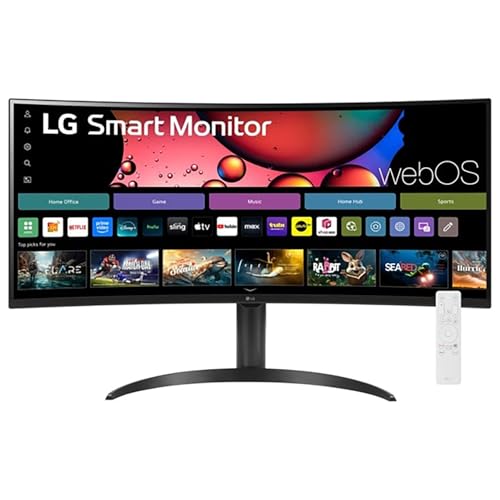 | Smart Streaming Hub | Screen Size: 34 inches | Resolution: QHD (3440 x 1440) | Aspect Ratio: 21:9 | VIEW LATEST PRICE | Read Our Analysis |
| LG 34-inch Smart Curved Monitor (34SR63QA-W) |  | Best for Home Office | Screen Size: 34 inches | Resolution: QHD (3440 x 1440) | Aspect Ratio: 21:9 | VIEW LATEST PRICE | Read Our Analysis |
| LG 45-Inch Ultragear Curved Gaming Monitor |  | Top Gaming Monitor | Screen Size: 44.5 inches | Resolution: WQHD (3440 x 1440) | Aspect Ratio: 21:9 | VIEW LATEST PRICE | Read Our Analysis |
| LG 34-inch UltraWide Curved Computer Monitor |  | Ergonomic Design Champion | Screen Size: 34 inches | Resolution: WQHD (3440 x 1440) | Aspect Ratio: 21:9 | VIEW LATEST PRICE | Read Our Analysis |
| LG 34WQ650-W 34 Inch UltraWide Full HD Monitor | Budget-Friendly UltraWide | Screen Size: 34 inches | Resolution: Full HD (2560 x 1080) | Aspect Ratio: 21:9 | VIEW LATEST PRICE | Read Our Analysis | |
| LG 34GX90SA-W 34-inch Ultragear Curved Gaming Monitor |  | Enhanced Gaming Features | Screen Size: 34 inches | Resolution: WQHD (3440 x 1440) | Aspect Ratio: 21:9 | VIEW LATEST PRICE | Read Our Analysis |
| LG 34 Inch UltraWide IPS WFHD Computer Monitor | 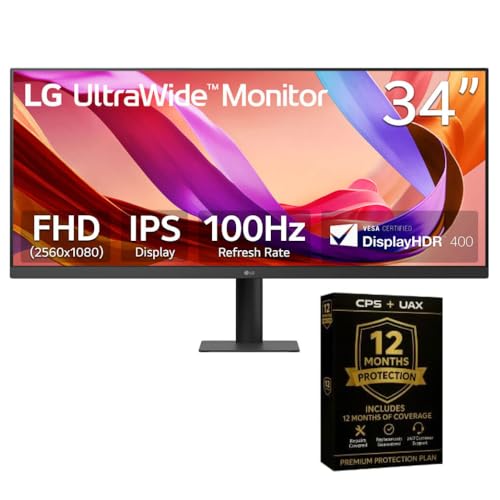 | Best for Creative Work | Screen Size: 34 inches | Resolution: WFHD (2560 x 1080) | Aspect Ratio: 21:9 | VIEW LATEST PRICE | Read Our Analysis |
More Details on Our Top Picks
LG 39-inch Ultragear Curved Gaming Monitor (WQHD)
The LG 39-inch Ultragear Curved Gaming Monitor (WQHD) serves as an ideal choice for gamers and content creators who demand high performance, as it features a WQHD resolution of 3440 x 1440, providing greater detail and sharpness than standard Full HD displays. This monitor supports a refresh rate of up to 240Hz and boasts an impressive response time of 0.03ms (GtG), which guarantees fluid motion and reduced blur during fast-paced gaming. With its 800R curvature, the device offers immersive viewing experiences, complemented by a peak brightness of 1300 nits and a rich color coverage of 98.5% of DCI-P3.
- Screen Size:39 inches
- Resolution:WQHD (3440 x 1440)
- Aspect Ratio:21:9
- HDR Support:DisplayHDR True Black 400
- Adaptive Sync:FreeSync Premium, G-SYNC
- Connectivity Options:USB Type-C, HDMI
- Additional Feature:Peak brightness: 1300 nits
- Additional Feature:0.03ms response time
- Additional Feature:Built-in webOS streaming
LG Ultragear 45-Inch Curved Gaming Monitor
For gamers seeking an expansive visual experience, the LG 45GR65DC-B Ultragear Curved Gaming Monitor stands out with its impressive 45-inch display, featuring a resolution of QHD 2560×1440 and a maximum resolution of 5120×1440. With a 32:9 aspect ratio, this monitor enhances immersion while providing a refresh rate of 200Hz and a response time of just 1ms (GtG), ensuring fluid gameplay. Additionally, it supports AMD FreeSync Premium Pro technology, which reduces screen tearing for a seamless experience. Connectivity options include two HDMI 2.1 ports, one DisplayPort, and three USB ports, accommodating diverse gaming setups effectively and efficiently.
- Screen Size:45 inches
- Resolution:QHD (2560 x 1440, Max: 5120 x 1440)
- Aspect Ratio:32:9
- HDR Support:VESA DisplayHDR 600
- Adaptive Sync:FreeSync Premium Pro
- Connectivity Options:2 x HDMI 2.1, DisplayPort, USB
- Additional Feature:Curved, virtually borderless design
- Additional Feature:RGB hexagon backlighting
- Additional Feature:Height, tilt, swivel adjustments
LG 34WR55QC-B 34″ Curved UltraWide Monitor
Engineered for professionals and gamers alike, the LG 34WR55QC-B 34″ Curved UltraWide Monitor boasts a WQHD resolution of 3440 x 1440 pixels, providing an expansive viewing area with a 21:9 aspect ratio that enhances multitasking capabilities. With a refresh rate of 100Hz and a contrast ratio of 3000:1, this monitor delivers vibrant visuals and smooth motion, benefiting both high-intensity gaming and professional design work. Supporting HDR 10 and 99% sRGB color coverage, it accurately reproduces colors. Connectivity is streamlined with one USB Type-C port, alongside HDMI options, while its adjustable stand guarantees comfort during extended use. Optional warranty details are available.
- Screen Size:34 inches
- Resolution:WQHD (3440 x 1440)
- Aspect Ratio:21:9
- HDR Support:HDR 10
- Adaptive Sync:FreeSync
- Connectivity Options:USB Type-C, HDMI
- Additional Feature:sRGB 99% color coverage
- Additional Feature:Tilt and height adjustable
- Additional Feature:Included HDMI & USB cables
LG 34″ Curved UltraWide Smart Monitor with HDR10
Offering an expansive 34-inch display with a QHD resolution of 3440 x 1440, the LG 34″ Curved UltraWide Smart Monitor with HDR10 specifically caters to professionals and multimedia enthusiasts seeking enhanced productivity and immersive visuals. The 21:9 aspect ratio and 1800R curvature facilitate an engaging viewing experience, while the 99% sRGB color accuracy, combined with HDR10 support, guarantees vibrant and precise colors. With LG’s webOS built-in, you can seamlessly access popular streaming services like Netflix and Disney+. Additionally, multiple connectivity options, including two HDMI and three USB ports, provide versatility for various devices without the need for a PC.
- Screen Size:34 inches
- Resolution:QHD (3440 x 1440)
- Aspect Ratio:21:9
- HDR Support:HDR10
- Adaptive Sync:Not specified
- Connectivity Options:2 x HDMI, 3 USB
- Additional Feature:Magic Remote with voice
- Additional Feature:Apple AirPlay 2 compatible
- Additional Feature:Flat stand for aesthetics
LG 34-inch Smart Curved Monitor (34SR63QA-W)
The LG 34-inch Smart Curved Monitor (34SR63QA-W) stands out as an ideal choice for professionals and enthusiasts who demand expansive visual real estate and robust multitasking capabilities. Featuring a QHD UltraWide resolution of 3440×1440 pixels and a 21:9 aspect ratio, this monitor enhances productivity through its 1800R curve and matte surface, providing reduced glare and an immersive viewing experience. With integrated webOS for effortless streaming across platforms such as Netflix and HBO Max, along with versatile connectivity options including USB Type-C and HDMI ports, you can maximize functionality while maintaining exceptional visual quality, supported by HDR10 and a 99% sRGB color gamut.
- Screen Size:34 inches
- Resolution:QHD (3440 x 1440)
- Aspect Ratio:21:9
- HDR Support:HDR10
- Adaptive Sync:Not specified
- Connectivity Options:USB Type-C, 2 HDMI, 2 USB
- Additional Feature:Built-in speakers included
- Additional Feature:Wireless keyboard/mouse control
- Additional Feature:1800R curved design
LG 45-Inch Ultragear Curved Gaming Monitor
For serious gamers seeking an immersive experience, the LG 45-Inch Ultragear Curved Gaming Monitor stands out due to its impressive specifications, including a WQHD resolution of 3440 x 1440 and a high refresh rate of 240Hz, which work in tandem to deliver fluid visuals during fast-paced gameplay. The 800R curved OLED display not only enhances your peripheral vision but also offers an exceptional contrast ratio of 1.5M:1 and maximum brightness up to 1300 nits. With FreeSync Premium Pro and G-SYNC compatibility, screen tearing is minimized, allowing smoother gameplay across various platforms, including next-gen consoles and high-performance gaming PCs.
- Screen Size:44.5 inches
- Resolution:WQHD (3440 x 1440)
- Aspect Ratio:21:9
- HDR Support:DisplayHDR True Black 400
- Adaptive Sync:FreeSync Premium Pro, G-SYNC
- Connectivity Options:HDMI, DisplayPort, USB Type-C
- Additional Feature:OLED display technology
- Additional Feature:800R curve for immersion
- Additional Feature:Advanced gaming features
LG 34-inch UltraWide Curved Computer Monitor
Engineered for professionals and gamers seeking an expansive view, the LG 34-inch UltraWide Curved Computer Monitor (model 34WR55QK-B) features a 21:9 aspect ratio and a WQHD resolution of 3440 x 1440, delivering remarkable clarity and detail. With a refresh rate of 100Hz and a 5ms response time, this monitor supports HDR10, ensuring vibrant and dynamic imagery. Its Picture-by-Picture functionality allows simultaneous display of multiple input sources, while OnScreen Control customizes your workspace efficiently. Additionally, the height and tilt-adjustable stand coupled with a three-sided virtually borderless design enhances your ergonomic experience and focus, assisting in multitasking seamlessly across various projects.
- Screen Size:34 inches
- Resolution:WQHD (3440 x 1440)
- Aspect Ratio:21:9
- HDR Support:HDR10
- Adaptive Sync:Not specified
- Connectivity Options:USB Type-C, HDMI, USB
- Additional Feature:Picture-by-Picture capability
- Additional Feature:OnScreen Control customization
- Additional Feature:Limited response time: 5ms
LG 34WQ650-W 34 Inch UltraWide Full HD Monitor
Designed for professionals and gamers alike, the LG 34WQ650-W 34 Inch UltraWide Full HD Monitor offers an expansive 21:9 aspect ratio, enhancing productivity and immersive experiences. With a Full HD resolution of 2560 x 1080 pixels and an IPS display, this monitor supports both 8-bit and 10-bit color depths, ensuring vibrant visuals across its 99% sRGB color gamut. Additionally, VESA DisplayHDR 400 and AMD FreeSync technologies provide smoother motion and detail. Connectivity options include USB Type-C and a USB 3.0 port. Weighing 17.4 pounds and measuring 10.2 x 32.1 x 22.4 inches, it’s wall mount compatible.
- Screen Size:34 inches
- Resolution:Full HD (2560 x 1080)
- Aspect Ratio:21:9
- HDR Support:VESA DisplayHDR 400
- Adaptive Sync:FreeSync
- Connectivity Options:USB Type-C, USB
- Additional Feature:VESA DisplayHDR 400 support
- Additional Feature:Built-in speakers included
- Additional Feature:Wall mount compatible
LG 34GX90SA-W 34-inch Ultragear Curved Gaming Monitor
The LG 34GX90SA-W 34-inch Ultragear Curved Gaming Monitor stands out as an ideal choice for serious gamers seeking an immersive experience, thanks to its 800R curved design that greatly enhances visual engagement. With a WQHD resolution of 3440 x 1440, this monitor delivers exceptional detail, while peak brightness levels reaching up to 1300 nits guarantee vivid colors and deep blacks through advanced OLED technology. Its 240Hz refresh rate and 0.03ms response time provide ultra-fast gameplay, reducing motion blur. Additionally, compatibility with AMD FreeSync Premium and NVIDIA G-SYNC mitigates tearing, ensuring smoother visuals for an enhanced gaming experience.
- Screen Size:34 inches
- Resolution:WQHD (3440 x 1440)
- Aspect Ratio:21:9
- HDR Support:DisplayHDR True Black 400
- Adaptive Sync:FreeSync Premium, G-SYNC
- Connectivity Options:HDMI, DisplayPort, USB Type-C
- Additional Feature:FPS Counter / Crosshair features
- Additional Feature:OLED Care maintenance tools
- Additional Feature:Virtually borderless design
LG 34 Inch UltraWide IPS WFHD Computer Monitor
For those seeking an expansive workspace for multitasking, gaming, or creative endeavors, the LG 34 Inch UltraWide IPS WFHD Computer Monitor stands out with its impressive 34-inch WFHD (2560×1080) IPS panel, which offers a 21:9 aspect ratio that enhances productivity across various applications. With a smooth 100Hz refresh rate, it guarantees fluid visuals, effectively minimizing motion blur during fast-paced action scenes. The display supports 16.7 million colors at 400 nits brightness, providing vibrant and lifelike performance. Additionally, its 5ms response time notably reduces input lag, making it ideal for gaming, while thorough connectivity via HDMI 1.4 and DisplayPort expands compatibility.
- Screen Size:34 inches
- Resolution:WFHD (2560 x 1080)
- Aspect Ratio:21:9
- HDR Support:Not specified
- Adaptive Sync:Not specified
- Connectivity Options:HDMI, DisplayPort
- Additional Feature:178° wide viewing angles
- Additional Feature:5ms fast response time
- Additional Feature:Ergonomic compact design
Factors to Consider When Choosing an Lg Ultrawide Monitor
When you’re choosing an LG Ultrawide monitor, several important factors come into play, such as screen size, where options typically range from 29 inches to 49 inches, and resolution, often available in Full HD to 5K variations. Additionally, you’ll want to take into account the refresh rate, which affects motion clarity, as well as connectivity options like HDMI and DisplayPort for versatile setups. Finally, understanding the types of curvature, which can enhance immersive viewing experiences, is essential in making an informed decision.
Screen Size Selection
How can the screen size of an LG ultrawide monitor impact your computing experience? Screen sizes typically range from 34 to 45 inches, greatly enhancing your productivity and immersion. For instance, monitors around 39 to 45 inches enable effective multitasking, allowing you to arrange multiple applications side by side, which reduces reliance on dual monitors. The common aspect ratios of 21:9 or 32:9 with larger screens expand your field of view, essential for tasks like gaming and video editing. In contrast, a 34-inch ultrawide can meet space constraints while still providing ample workspace. Additionally, consider the viewing distance; larger screens may necessitate a further seating position to maintain visual comfort and immersion without causing strain on your eyes.
Resolution Preferences
Selecting the appropriate resolution for your LG ultrawide monitor is vital, as it greatly impacts visual clarity and overall user experience. Higher resolutions, such as WQHD (3440 x 1440), substantially enhance image sharpness compared to Full HD (2560 x 1080), providing more defined text and graphics. Increased pixel density at these resolutions offers improved detail, which is particularly beneficial for multitasking or professional tasks like design and video editing. Additionally, ultrawide monitors with aspect ratios of 21:9 or 32:9 facilitate the use of multiple applications side by side, further boosting productivity. For larger screens, selecting a higher resolution is essential to maintain clarity and prevent pixelation, ensuring a superior viewing experience that meets your specific needs.
Refresh Rate Importance
In addition to resolution, refresh rate greatly influences the overall performance of LG ultrawide monitors, particularly for users engaged in fast-paced activities such as gaming or multimedia consumption. The refresh rate, measured in Hertz (Hz), determines how often the display updates the image per second; a standard rate of 60Hz suffices for general use, while avid gamers benefit from 144Hz or higher for improved responsiveness. A 240Hz refresh rate considerably minimizes motion blur, facilitating quicker real-time visuals, which is crucial in competitive scenarios. Higher refresh rates correlate with lower input lag, enhancing your experience by ensuring rapid user action translation onto the screen. Additionally, adaptive sync technologies like AMD FreeSync or NVIDIA G-SYNC further optimize performance by reducing screen tearing and stuttering.
Connectivity Options Available
When considering an LG ultrawide monitor, the range of connectivity options available can greatly impact your user experience, particularly in how seamlessly you can connect various devices. Focus on models featuring at least two HDMI ports and one DisplayPort, as this configuration facilitates compatibility with multiple devices, enabling effortless toggling between inputs during use. Additionally, a USB Type-C connection is advantageous, offering rapid data transfer and power delivery, which minimizes cable clutter. Some monitors also provide extra USB ports, facilitating easy access to peripherals, including keyboards, mice, and external storage. Moreover, integrated wireless options, like AirPlay or Bluetooth support, can enhance usability, permitting direct streaming capabilities and device control without requiring physical connections, thereby improving overall convenience.
Curvature Types Explained
Curvature types in LG ultrawide monitors greatly affect your viewing experience, influencing immersion and usability across diverse applications. Typically measured in R values, a lower number indicates a more pronounced curve; for instance, an 800R curve enhances immersion by wrapping the display around your field of vision. Conversely, an 1800R curvature strikes a balance between immersion and traditional flat-screen usability, making it suitable for both gaming and productivity. In addition, curved monitors help reduce distortion, creating consistent viewing angles across the screen, which is advantageous for multitasking with multiple windows. Moreover, the curvature minimizes glare and reflections, resulting in a clearer visual experience during extended use, particularly when paired with the 21:9 or 32:9 aspect ratios that complement panoramic viewing.
Color Accuracy Standards
Color accuracy standards represent a crucial aspect of evaluating LG ultrawide monitors, as they directly influence your experience in various tasks, from graphic design to general media consumption. Monitors measured against sRGB, Adobe RGB, and DCI-P3 standards offer varying color fidelity; generally, a 99% sRGB coverage is excellent for everyday computing, ensuring true-to-life color representation. If you’re involved in content creation, consider monitors supporting wider gamuts like DCI-P3, which facilitate richer color reproduction important for professional-quality work. Additionally, HDR support greatly enhances color accuracy by delivering brighter highlights and deeper blacks, improving image quality for compatible content. Regular use of calibration tools helps maintain consistency and accuracy in color representation over time, ensuring peak performance from your chosen monitor.
Smart Features Integration
LG Ultrawide monitors bring together impressive color accuracy standards and advanced smart features, catering to diverse usage scenarios whether for productivity or entertainment. Many models utilize built-in webOS, granting direct access to prominent streaming services such as Netflix, Prime Video, and Disney+, optimizing viewing convenience without requiring external devices. Additionally, features like Apple AirPlay 2 and HomeKit compatibility enable seamless mirroring and content casting from compatible devices. Certain models support cloud PC services, including Microsoft 365 and Google applications, facilitating work-related tasks directly from the monitor, eliminating the need for a PC connection. Moreover, advanced remote control options, including voice command capabilities, streamline user interaction, while access to over 300 free channels enhances overall entertainment versatility.
Frequently Asked Questions
What Is the Ideal Resolution for Ultrawide Monitors?
The ideal resolution for ultrawide monitors generally ranges between 2560×1080 and 3440×1440 pixels, depending on the intended use and size. Higher resolutions, like 3840×1600, provide increased detail and clarity, making them suitable for professionals requiring precision. While gaming may benefit from a 144Hz refresh rate at 3440×1440, everyday tasks might perform well with 2560×1080, ensuring a balance between performance and visual fidelity in various applications.
Are Ultrawide Monitors Suitable for Console Gaming?
Ultrawide monitors can be suitable for console gaming, provided they support the console’s native resolution and refresh rate; most consoles output at 16:9 aspect ratios, which means compatibility issues may arise. For ideal performance, select an ultrawide monitor with a minimum resolution of 2560×1080. Additionally, check for features like low input latency and adaptive sync technology, as these can enhance your gaming experience and minimize screen tearing, particularly in fast-paced titles.
How Do Ultrawide Monitors Impact Multitasking Efficiency?
Ultrawide monitors considerably enhance multitasking efficiency due to their increased screen real estate, allowing you to display multiple applications side by side without overlapping. This results in improved workflow, particularly with resolutions such as 3440×1440 pixels or 2560×1080 pixels, which maintain clarity across different tasks. Furthermore, the 21:9 aspect ratio facilitates immersive experiences in productivity settings, enabling simultaneous document editing, research, and communication with minimal window management.
What Are the Benefits of a Curved Ultrawide Monitor?
Curved ultrawide monitors provide several benefits, offering enhanced immersion due to their radius, which conforms to the viewer’s natural field of vision. This design minimizes distortion, ensuring consistent color accuracy across the screen, especially in tasks requiring precise detail. Additionally, the increased screen real estate allows simultaneous multitasking without compromising clarity; for instance, productive workflows can display spreadsheets alongside design software, which greatly enhances your efficiency in professional settings while enriching your viewing experience.
Can I Mount an LG Ultrawide Monitor on a Wall?
Yes, you can mount an LG ultrawide monitor on a wall, as most models feature VESA-compatible mounting options, typically ranging from 75mm x 75mm to 100mm x 100mm. Make sure you use a wall mount that supports the monitor’s weight, which generally varies between 10 to 30 kilograms, depending on the model. Additionally, confirm the mount’s design accommodates the monitor’s width, which often exceeds 35 inches for ultrawide displays, guaranteeing secure installation and ideal positioning.