As an Amazon Associate, we earn from qualifying purchases. Some links on this site are affiliate links at no extra cost to you. Our recommendations are based on thorough research and editorial judgment.
10 Best KVM Switches for Dual Monitor Setups You’ll Love

If you’re seeking the best KVM switches for dual monitor setups, consider options like the AV Access 8K KVM Switch, which supports resolutions up to 8K at 60Hz, or the UGREEN HDMI KVM Switch, offering 4K at 60Hz. These switches enable smooth control of two computers with dual monitors while addressing USB connectivity needs with at least three USB 3.0 ports. Selecting a model with rapid switching capabilities enhances productivity greatly; further details will provide additional insights.
Key Takeaways
- Look for KVM switches that support DisplayPort or HDMI connections to enable dual monitor functionality with high resolutions like 4K or 8K.
- Prioritize switches with multiple USB ports, preferably USB 3.0, for fast peripheral sharing among connected computers.
- Consider KVM switches with various switching mechanisms, such as hotkeys or remote controls, for efficient device control and workspace organization.
- Ensure the switch has plug-and-play functionality for easy installation without extensive setup requirements.
- Check for compatibility with different operating systems and backward compatibility for usability with lower resolutions.
| Displayport KVM Switch for 2 Computers and Monitors | 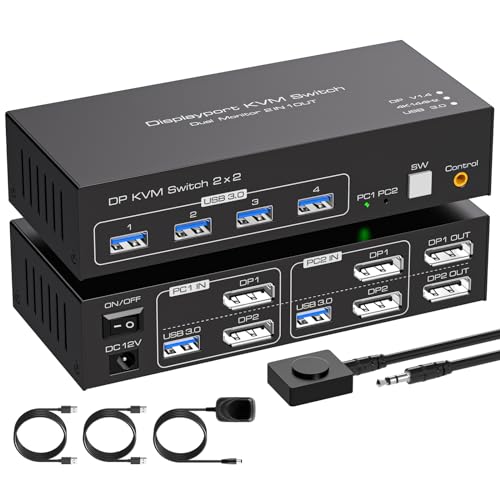 | Best Performance | Maximum Resolution: 4K@144Hz | USB Ports: 4 USB 3.0 ports | Switching Methods: Panel button and external controller | VIEW LATEST PRICE | Read Our Analysis |
| AV Access 8K KVM Switch for Dual Monitors | 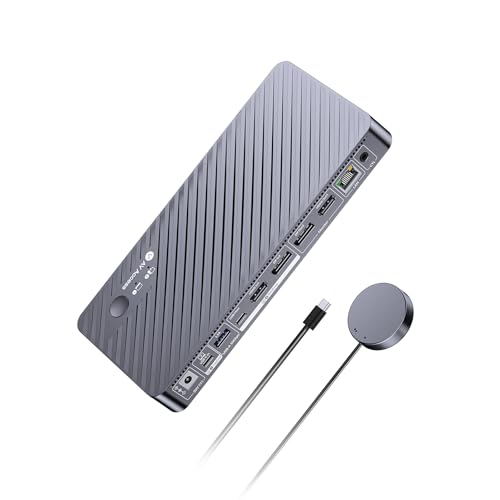 | Ultra HD Excellence | Maximum Resolution: Dual 8K@60Hz | USB Ports: 11 ports (3 USB 3.2, 2 USB 3.0) | Switching Methods: Button and wired remote | VIEW LATEST PRICE | Read Our Analysis |
| DisplayPort KVM Switch for 2 Monitors and 2 Computers | 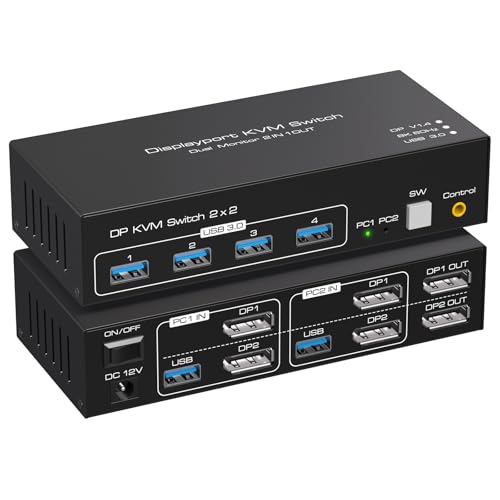 | High-Resolution Powerhouse | Maximum Resolution: 8K@60Hz and 4K@120Hz | USB Ports: 4 USB 3.0 ports | Switching Methods: Panel button and wired remote | VIEW LATEST PRICE | Read Our Analysis |
| 8K KVM Switch for Dual Monitors and Computers |  | Exceptional Video Quality | Maximum Resolution: 8K@60Hz and 4K@120Hz | USB Ports: 3 USB 3.0 ports | Switching Methods: Push button | VIEW LATEST PRICE | Read Our Analysis |
| Unitek HDMI KVM Switch for Dual Monitors and Computers | 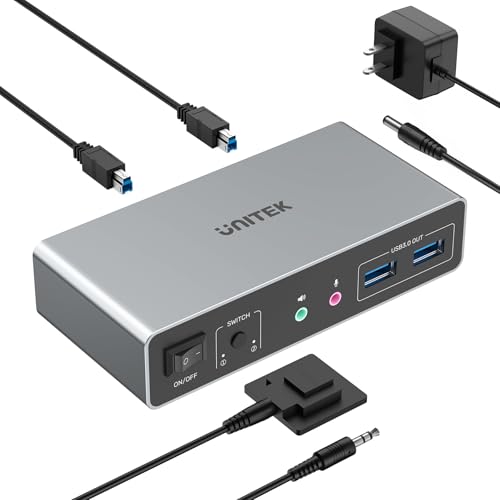 | Best Budget Option | Maximum Resolution: 4K@60Hz | USB Ports: 4 USB 3.0 ports | Switching Methods: Button and wired remote | VIEW LATEST PRICE | Read Our Analysis |
| HDMI KVM Switch for 2 Monitors and 2 Computers | 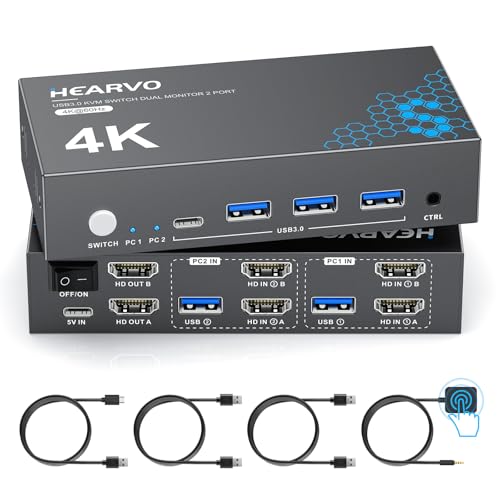 | User-Friendly Design | Maximum Resolution: 4K@60Hz | USB Ports: 3 USB 3.0 ports | Switching Methods: Button and wired remote | VIEW LATEST PRICE | Read Our Analysis |
| Dual Monitor HDMI KVM Switch for 2 Computers | 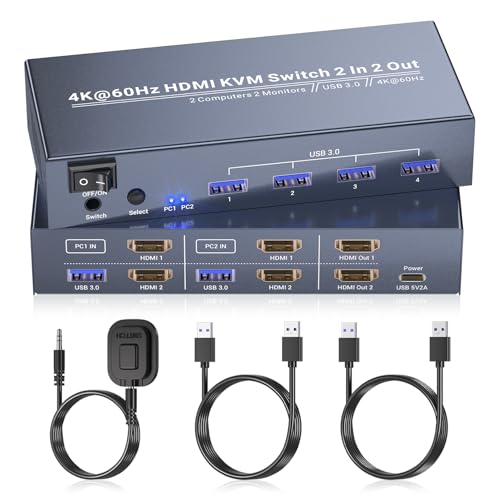 | Compact Convenience | Maximum Resolution: 4K@60Hz | USB Ports: 4 USB 3.0 ports | Switching Methods: Front panel button and external controller | VIEW LATEST PRICE | Read Our Analysis |
| AV Access KVM Switch Dock for Dual Monitors | 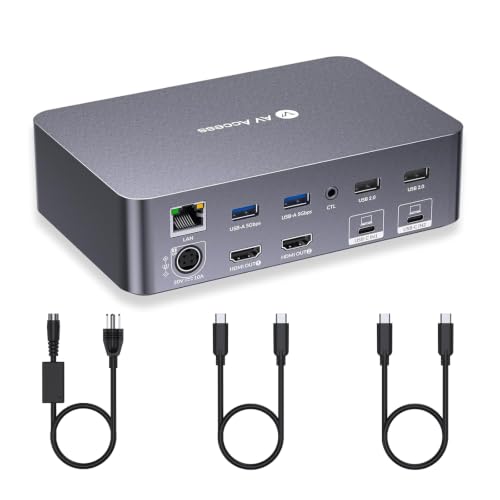 | Maximum Connectivity | Maximum Resolution: 4K@60Hz | USB Ports: 8 total ports (2 USB 3.0) | Switching Methods: Front switch button and remote (optional) | VIEW LATEST PRICE | Read Our Analysis |
| UGREEN 8K HDMI KVM Switch for Dual Monitors | 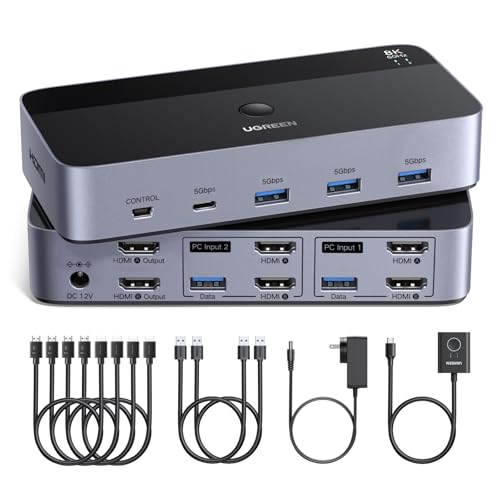 | Ultimate Resolution Support | Maximum Resolution: 8K@60Hz | USB Ports: 4 USB 3.0 ports | Switching Methods: Button and desktop controller | VIEW LATEST PRICE | Read Our Analysis |
| Dual Monitors HDMI KVM Switch for 2 Computers | 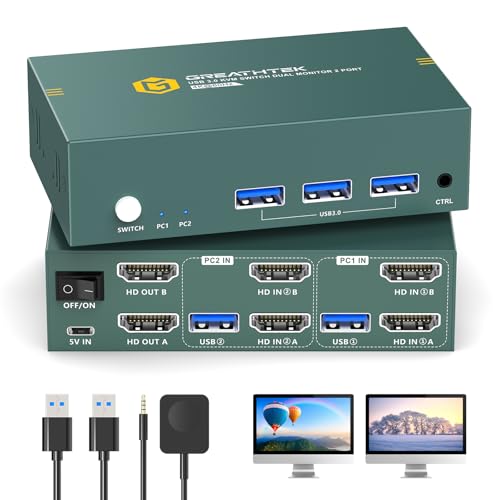 | Reliable Multi-Tasking | Maximum Resolution: 4K@60Hz | USB Ports: 3 USB 3.0 ports | Switching Methods: Button and remote control | VIEW LATEST PRICE | Read Our Analysis |
More Details on Our Top Picks
Displayport KVM Switch for 2 Computers and Monitors
The DisplayPort KVM Switch is particularly advantageous for users who require seamless management of multiple computers while utilizing dual monitors, as it enables the control of two computers simultaneously and supports both extended and copy display modes, necessitating two DisplayPort connections per computer. With a resolution capability of up to 3840×2160 at 144Hz, this KVM switch handles video bandwidth up to 48Gbps, making it efficient for high-performance tasks. Additionally, data transfer rates reach 5Gbps, markedly surpassing USB 2.0 speeds. The switch includes options for switching via a panel button or an external wire controller, fostering an organized workspace.
- Maximum Resolution:4K@144Hz
- USB Ports:4 USB 3.0 ports
- Switching Methods:Panel button and external controller
- Plug-and-Play:Yes
- Compatibility:Windows, Linux, Mac
- Power Supply:12V adapter
- Additional Feature:Dual monitors support
- Additional Feature:144Hz refresh rate
- Additional Feature:External wire controller
AV Access 8K KVM Switch for Dual Monitors
For professionals who require seamless multitasking across multiple systems, the AV Access 8K KVM Switch for Dual Monitors stands out due to its ability to connect two computers—such as a laptop and a desktop—to two separate monitors. This device supports ultra-resolution displays, allowing for dual 8K at 60Hz or dual 4K at 60Hz configurations, ensuring smooth visuals for various applications. Connectivity options include an extensive range of ports like HDMI, DisplayPort, and USB, facilitating versatile use. Additionally, the switch maintains constant internet connectivity through Gigabit Ethernet, enhancing productivity without interruptions during device switching. Included accessories simplify setup and operation.
- Maximum Resolution:Dual 8K@60Hz
- USB Ports:11 ports (3 USB 3.2, 2 USB 3.0)
- Switching Methods:Button and wired remote
- Plug-and-Play:Yes
- Compatibility:Windows, Mac, Linux
- Power Supply:20V adapter
- Additional Feature:100W USB-C charging
- Additional Feature:Fast switching capability
- Additional Feature:11 diverse ports
DisplayPort KVM Switch for 2 Monitors and 2 Computers
Ideal for users managing multiple high-resolution displays, a DisplayPort KVM Switch designed for 2 monitors and 2 computers allows seamless control over two separate systems via a single keyboard and mouse. This switch supports Ultra HD resolutions of up to 8K at 60Hz and 4K at 120Hz, ensuring superior image quality. The inclusion of four USB 3.0 ports facilitates the connection of various devices, achieving data transfer speeds of up to 5Gbps. With simple button switching and a user-friendly LED indicator, you can easily alternate between computers, while maintaining compatibility with devices featuring dual DisplayPort interfaces for enhanced flexibility.
- Maximum Resolution:8K@60Hz and 4K@120Hz
- USB Ports:4 USB 3.0 ports
- Switching Methods:Panel button and wired remote
- Plug-and-Play:Yes
- Compatibility:PC, Mac, consoles
- Power Supply:12V adapter
- Additional Feature:Ultra HD 8K support
- Additional Feature:Aluminum construction
- Additional Feature:Panel button indicator
8K KVM Switch for Dual Monitors and Computers
Offering 8K resolution at 60Hz and support for dual monitors, the KVM switch is particularly suited for professionals who require high-definition visual fidelity across multiple computing environments. This device supports DisplayPort and offers USB 3.0 connectivity, allowing seamless integration with various devices, including PCs, laptops, and gaming consoles. Capable of processing up to 8K@60Hz and 4K@120Hz outputs, it maintains remarkable image quality without signal degradation; backward compatibility guarantees functionality with lower resolutions. The compact design features plug-and-play installation, automatic device detection, and three USB ports for peripheral sharing, enhancing workflow efficiency in diverse operating systems.
- Maximum Resolution:8K@60Hz and 4K@120Hz
- USB Ports:3 USB 3.0 ports
- Switching Methods:Push button
- Plug-and-Play:Yes
- Compatibility:Windows, Mac, Linux
- Power Supply:5V DC
- Additional Feature:Adaptive EDID functionality
- Additional Feature:IP24 protection rating
- Additional Feature:Plug-and-play operation
Unitek HDMI KVM Switch for Dual Monitors and Computers
The Unitek HDMI KVM Switch stands out as an ideal choice for users who require seamless operation between dual monitors and multiple computers, particularly in environments involving high-resolution tasks. Supporting connections for two computers to dual HDMI monitors and three USB 3.0 devices, it offers compatibility with various devices including PCs and PS4, while accommodating multiple operating systems such as Windows and macOS. With resolutions up to 4K@60Hz and USB 3.0 transfer speeds reaching 5Gbps, this switch enhances multimedia performance; additionally, it features straightforward switching methods—both button-press and remote control—for optimized workspace management, ensuring ease and efficiency.
- Maximum Resolution:4K@60Hz
- USB Ports:4 USB 3.0 ports
- Switching Methods:Button and wired remote
- Plug-and-Play:Yes
- Compatibility:Windows, Mac, Linux
- Power Supply:5V 2A adapter
- Additional Feature:Mic and headset port
- Additional Feature:HDMI 2.0 compatibility
- Additional Feature:Remote control flexibility
HDMI KVM Switch for 2 Monitors and 2 Computers
For users seeking a reliable solution to manage dual monitor setups across two computers, the HDMI KVM Switch model S7232H2 excels due to its ability to support 4K@60Hz resolution while offering seamless connectivity through two HDMI ports. This KVM switch enables the sharing of a single keyboard and mouse between computers, supporting a variety of operating systems—including Windows, Linux, and Mac—while featuring three USB 3.0 ports for peripheral connectivity. With automatic device recognition, plug and play installation, and no need for additional power or drivers, it provides efficient operation alongside compliance with HDCP 2.2 for secure playback of content.
- Maximum Resolution:4K@60Hz
- USB Ports:3 USB 3.0 ports
- Switching Methods:Button and wired remote
- Plug-and-Play:Yes
- Compatibility:Windows, Mac, Linux, PS4
- Power Supply:5V DC
- Additional Feature:HDCP 2.2 compliant
- Additional Feature:Operational temperature rating
- Additional Feature:Compact aluminum design
Dual Monitor HDMI KVM Switch for 2 Computers
Ideal for professionals who require simultaneous access to multiple systems, a Dual Monitor HDMI KVM Switch facilitates the seamless operation of two computers by supporting a stunning 4K resolution at 60Hz, which enhances clarity and fluidity in various applications, including high-definition gaming and video editing. With four USB 3.0 Type-A ports, it enables efficient sharing of peripherals like printers and external hard drives, ensuring swift data transfer. Particularly, the switch incorporates intuitive control methods, featuring a front-panel button and an external controller for easy switching, while maintaining universal compatibility across operating systems such as Windows, macOS, and Linux for versatility.
- Maximum Resolution:4K@60Hz
- USB Ports:4 USB 3.0 ports
- Switching Methods:Front panel button and external controller
- Plug-and-Play:Yes
- Compatibility:Windows, Mac, Linux
- Power Supply:5V, 2A
- Additional Feature:Intuitive control methods
- Additional Feature:USB peripheral sharing
- Additional Feature:Space-saving design
AV Access KVM Switch Dock for Dual Monitors
Designed to connect two laptops and two monitors seamlessly, the AV Access KVM Switch Dock is particularly advantageous for professionals engaged in multitasking across different devices, especially in home office and gaming environments. It supports resolutions up to 4K at 60Hz via dual HDMI outputs and accommodates ultrawide monitors with a maximum resolution of 3840×1080. Equipped with a 12-in-1 docking station, it offers extensive connectivity options, including multiple USB ports and Ethernet access. The device features rapid 2-3 second switching, powered by EDID emulation, and charges both laptops simultaneously with 60W each, optimizing productivity during intensive tasks.
- Maximum Resolution:4K@60Hz
- USB Ports:8 total ports (2 USB 3.0)
- Switching Methods:Front switch button and remote (optional)
- Plug-and-Play:Yes
- Compatibility:Windows, Mac
- Power Supply:20V adapter
- Additional Feature:Fast switching functions
- Additional Feature:EDID emulation features
- Additional Feature:Charges two laptops
UGREEN 8K HDMI KVM Switch for Dual Monitors
The UGREEN 8K HDMI KVM Switch is a significant advancement for users requiring effective control of dual monitors across multiple computers, providing seamless management without the clutter of multiple keyboards and mice. It supports ultra HD resolution of up to 8K at 60Hz while remaining backward compatible with various lower resolutions, including 4K at multiple refresh rates. With four USB 3.0 ports facilitating connections to peripherals, this device supports data transfer speeds reaching 5Gbps. The KVM offers button switching and desktop controller options for user-friendly operation, allowing the selection between mirror and extend modes for versatile display configurations across compatible systems.
- Maximum Resolution:8K@60Hz
- USB Ports:4 USB 3.0 ports
- Switching Methods:Button and desktop controller
- Plug-and-Play:Yes
- Compatibility:Windows, Mac, Linux
- Power Supply:12V adapter
- Additional Feature:Backward compatible resolutions
- Additional Feature:Robust power supply needed
- Additional Feature:HDMI cable limitations
Dual Monitors HDMI KVM Switch for 2 Computers
For professionals and gamers who require efficient multitasking capabilities, the Dual Monitors HDMI KVM Switch for 2 Computers effectively enables control of two separate computers with just one keyboard and mouse, offering simultaneous use of dual monitors. Supporting 4K UHD resolution at 3840×2160@60Hz, it complies with HDMI 2.0 and HDCP 2.2, ensuring enhanced visual performance with 18Gbps bandwidth for flicker-free images. Additionally, its three USB 3.0 ports provide data transfer speeds of up to 5Gbps, allowing seamless peripheral sharing. Moreover, integrated EDID emulation maintains display layouts while enabling both extended and duplicate modes for customized user experiences.
- Maximum Resolution:4K@60Hz
- USB Ports:3 USB 3.0 ports
- Switching Methods:Button and remote control
- Plug-and-Play:Yes
- Compatibility:Windows, Mac, Linux
- Power Supply:5V adapter
- Additional Feature:EDID emulation technology
- Additional Feature:Heat sink design
- Additional Feature:Independent power input
Factors to Consider When Choosing Kvm Switch Dual Monitor
When selecting a KVM switch for a dual monitor setup, you’ll need to contemplate several key factors that can impact your experience. Resolution support is vital, as you’ll want a switch that handles the display quality your monitors require, while USB port availability and device compatibility guarantee seamless connection with multiple systems. Additionally, evaluating the available switching mechanism options and the ease of installation will help streamline your overall setup process.
Resolution Support Considerations
Selecting a KVM switch for a dual monitor setup requires careful consideration of resolution support, especially since high-resolution displays can greatly enhance your visual experience. It’s vital to choose a switch that accommodates resolutions like 4K at 60Hz or 8K at 60Hz, ensuring sharp visuals without compromising detail. In addition, backward compatibility with lower resolutions provides flexibility for various devices, preventing loss in performance quality. Pay attention to bandwidth capabilities, as higher rates (e.g., 18Gbps to 48Gbps) can optimize video quality, suitable for demanding applications. Moreover, confirm that the switch maintains performance consistency without signal degradation at high resolutions, which is significant for efficient multitasking, and assess resolution limits based on monitor count and connection types, such as HDMI or DisplayPort.
USB Port Availability
Resolution support is only part of the equation; USB port availability greatly impacts the functionality of a KVM switch for dual monitor setups. When selecting, make certain it has at least three USB ports, supporting essential peripherals like a keyboard, mouse, and external drives. Prioritize USB 3.0 ports, which provide data transfer speeds of up to 5Gbps, markedly enhancing file transfer efficiency compared to USB 2.0. Examine the types, including USB-A and USB-C, as this affects compatibility with various devices. Additionally, check if the KVM can share USB ports seamlessly between connected computers, which streamlines usage of shared devices. Certain switches also feature automatic detection of connected USB devices, simplifying the switching process while improving overall functionality.
Compatibility With Devices
Compatibility with devices is an essential factor in ensuring ideal functionality when choosing a KVM switch for dual monitor setups. Confirm that the switch supports your devices’ video outputs, such as HDMI or DisplayPort, to achieve maximum performance. Additionally, verify that it handles the necessary resolutions and refresh rates; be aware that some models support only specific resolutions, which may cause display issues. You should assess compatibility with various operating systems, including Windows, macOS, and Linux, ensuring versatility. USB compatibility is also critical for seamless peripheral connectivity, so make sure the ports support appropriate data transfer speeds. Finally, consider the number of ports available, as limited outputs can hinder your ability to connect multiple devices effectively.
Switching Mechanism Options
When considering KVM switches for dual monitor setups, understanding the various switching mechanisms available is essential for optimizing your user experience. These switches typically provide multiple options, such as panel buttons, wired remote controllers, and desktop controllers, each supporting different operational preferences. For enhanced speed, many models include a hotkey feature, allowing quick keyboard shortcuts to toggle between connected devices. Additionally, a wired remote can facilitate switching from a distance, which is particularly beneficial in setups where the KVM is out of reach. LED indicators further enhance usability by offering visual cues regarding the current active computer, thereby minimizing confusion. The selected mechanism may also influence workspace organization, as panel buttons can reduce desktop clutter.
Installation Process Ease
Ease of installation is a critical factor to take into account when selecting a KVM switch for dual monitor setups, especially given that many user experiences hinge on how quickly and effectively the device can be operational. Most KVM switches support plug-and-play functionality, which eliminates the need for additional software or drivers, thereby enhancing user convenience. Installation usually involves connecting a power adapter and plugging USB and display cables from each computer, thereby streamlining the setup process. Many KVM switches also include detailed user manuals that provide step-by-step instructions for effective installation. Additionally, understanding specific connectivity requirements, such as the number of USB ports and types of video outputs, will guarantee a smoother and more efficient installation experience.
Video Quality Specifications
Selecting a KVM switch for dual monitor setups requires careful consideration of several video quality specifications, as they directly impact the visual experience and overall performance. It’s vital to look for switches supporting high resolutions, ideally up to 8K at 60Hz or at least 4K at 60Hz, thereby guaranteeing sharp imagery for detailed tasks. Additionally, video bandwidth should meet a minimum of 18Gbps for effective 4K support, preventing signal degradation during use. Compatibility with display modes, like extended mode for multitasking or mirror mode for cloning, is important for varied applications. Moreover, backward compatibility with older HDMI or DisplayPort versions ensures functionality, while adequate cooling features are needed to prevent overheating, which can affect stable video output.
Additional Features Offered
Considering the variety of additional features available on dual monitor KVM switches, it is essential to evaluate functionalities that enhance usability and performance efficiency. Many models offer multiple switching mechanisms, including panel buttons and wired remote controls, which facilitate seamless changes while maintaining a clutter-free workspace. Additionally, several KVM switches provide multiple USB 3.0 ports, achieving data transfer speeds of up to 5Gbps, enabling efficient peripheral sharing. Furthermore, certain switches support various display modes such as extended and mirrored outputs, optimizing multi-tasking environments. Enhanced video performance is guaranteed in models capable of handling up to 4K at 60Hz or even 8K at 60Hz, while advanced features like EDID emulation maintain custom settings during switching, ultimately improving workflow efficiency.
Power Requirements Assessment
When evaluating power requirements for a dual monitor KVM switch, it’s imperative to understand the voltage and current ratings specified for each model, which typically range from 5V to 20V; ensuring compatibility with your power sources and devices is essential. Additionally, check if the KVM switch necessitates an external power adapter and consider its power output capacity, as this may affect performance, particularly when connecting high-powered peripherals. The total number of devices being powered through the KVM switch must also be evaluated, as sharing power could lead to inadequate supply for high-demand equipment. Finally, prioritize switches featuring built-in power management that stabilizes voltage or dissipates heat, ensuring reliable operation during extended usage without performance degradation.
Frequently Asked Questions
Are KVM Switches Compatible With All Types of Monitors?
KVM switches aren’t universally compatible with all monitor types; factors such as connection type, resolution, and refresh rate determine compatibility. For example, a switch designed for HDMI connections may not support older VGA monitors, and specifying the maximum resolution, like 4K at 60Hz, is essential for peak performance. Always verify the specifications of both the KVM switch and your monitors to guarantee seamless functionality, thereby preventing potential issues in your dual-monitor setup.
Can I Use a KVM Switch for More Than Two Computers?
Yes, you can use a KVM switch for more than two computers. Multi-port KVM switches support numerous connections, often ranging from four to sixteen computers simultaneously. These devices allow efficient control of multiple systems through a single keyboard, video display, and mouse setup. However, be sure to verify compatibility with your specific monitors and computer outputs, as different KVM switches cater to varying resolution standards, supported interfaces, and maximum bandwidth capacities.
Do KVM Switches Require Additional Software to Operate?
KVM switches don’t typically require additional software to function, operating directly with the connected devices through hardware protocols. However, certain advanced models may leverage firmware updates to enhance compatibility and performance, necessitating user interaction with software tools occasionally. Most users find that standard plug-and-play functionality suffices for basic setups, effectively allowing seamless switching among multiple computers without engaging in complex software installations or configurations. Therefore, hardware integration predominates in standard KVM applications.
How Do I Troubleshoot Common KVM Switch Issues?
To troubleshoot common KVM switch issues, start by checking all cable connections, ensuring they’re secure and properly seated. If the switches don’t respond, power cycle the devices by unplugging and re-plugging them. Next, verify compatibility with your operating systems, as some KVMs may require specific drivers. Additionally, test individual peripherals to isolate faults. If problems persist, consult the user manual for firmware updates or perform a factory reset, which often resolves persistent errors.
What Is the Maximum Resolution Supported by KVM Switches?
KVM switches support various resolutions, generally ranging from 1920×1080 at 60Hz to 3840×2160 at 60Hz, depending on the model and its compatibility with display technology. For instance, certain high-end KVM switches can handle 4K UHD resolutions seamlessly, whereas entry-level devices may only support 1080p. When assessing options, it’s crucial to take into account specifications such as HDMI or DisplayPort support, as these factors greatly influence maximum resolution capabilities and overall performance.