As an Amazon Associate, we earn from qualifying purchases. Some links on this site are affiliate links at no extra cost to you. Our recommendations are based on thorough research and editorial judgment.


Why 24-inch 1080p Monitors Refuse to Die in the Tactical Shooter Community

I’ve observed that 24-inch 1080p monitors persist in tactical shooter communities due to physics-based advantages: reduced eye movement distance of approximately 40% compared to 27-inch displays, superior pixel density at 92 pixels per inch versus 82, and established esports standardization creating competitive parity. Professional players prioritize 240Hz refresh rates over 4K resolution, as smoother motion directly enhances aim accuracy. Larger screens demand higher GPU performance while sacrificing responsiveness, making smaller formats strategically superior despite newer technology availability. Understanding these performance trade-offs reveals why equipment standardization remains operationally advantageous.
Key Takeaways
- Reduced eye movement on smaller screens enables faster enemy spotting and quicker target acquisition in competitive tactical shooters.
- Higher pixel density at 1080p on 24-inch displays provides superior image clarity for spotting distant enemies effectively.
- Esports tournaments standardize 24-inch 1080p monitors, establishing industry precedent and ensuring fair competitive equipment across professional matches.
- Professional gamers prioritize 240Hz refresh rates over larger screens, valuing responsiveness and smooth motion for accurate aiming.
- Financial investment in larger monitors fails to justify performance gains, making 24-inch displays the cost-effective competitive choice.
How 24-Inch Screens Give You a Reaction Time Edge
How 24-Inch Screens Give You a Reaction Time Edge
Ever notice how pro players seem to spot enemies before you even know where to look? A lot of that comes down to their monitor choice. When you’re grinding Valorant or Counter-Strike, a 24-inch display actually puts you at an advantage because your eyes don’t have to travel as far to scan the whole screen. That shorter distance means faster target acquisition—which translates to quicker shots and better positioning.
Here’s the thing about eye movement in competitive play: your peripheral vision picks up movement better when everything’s closer together. On a 24-inch screen, you’re not whipping your head side to side as much. You can catch that enemy peeking from the corner without losing focus on the center of the map. So, why does this matter? Because in tactical shooters, those milliseconds add up.
The technical side backs this up too. You’re looking at:
- High refresh rates (240Hz, 360Hz, or even 500Hz if your PC can handle it) that show you movement smoother
- 1ms response times so your shots register instantly
- 1080p pixel density that’s sharp enough to spot distant enemies
Frankly, the combination works. That sharper image at a closer viewing distance means you’ll catch details—like an opponent’s head peeking over cover—way faster than on a 27-inch or 32-inch monitor.
Truth is, screen size isn’t everything. But if you’re serious about competitive play, a 24-inch at 1080p sits in the sweet spot between clarity and speed. Ready to see what your reaction time can actually do?
Recommended Products

🖥️ Processor: Inter Core i5-8th Gen CPUs featured quad-core architecture for efficiency with Turbo Boost technology for dynamic clock speed increases can handle multitasking reasonably well. They can handle gaming along with other background tasks like web browsing, streaming, and chatting without major performance drops.

🖥️ Processor: Inter Core i5-8th Gen CPUs featured quad-core architecture for efficiency with Turbo Boost technology for dynamic clock speed increases can handle multitasking reasonably well. They can handle gaming along with other background tasks like web browsing, streaming, and chatting without major performance drops.
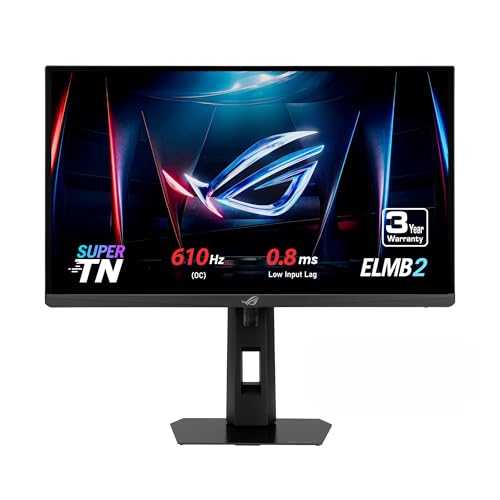
24.1-inch FHD (1920 x 1080) Super TN panel with 610Hz (OC) refresh rate, designed specifically for professional esports gamers
Why 1080p Looks Sharper on Smaller Monitors

Why 1080p Looks Sharper on Smaller Monitors
Stuck squinting at your monitor during competitive matches? You’re probably not seeing the enemy as clearly as you could be.
The secret isn’t about cramming more pixels into your screen—it’s about how tightly packed those pixels are. Pixel density is what actually makes things look sharp. A 24-inch monitor running 1920×1080 packs about 92 pixels per inch, while a 27-inch with the same resolution spreads those same pixels out to just 82 per inch. That 10-pixel difference might sound tiny, but it’s noticeable when you’re trying to spot an opponent three rooms away.
What does this actually mean for you? Crisper text in your HUD. Sharper UI elements. Enemy outlines that pop. And frankly, that matters in competitive shooters where spotting someone first wins the round.
Here’s the trick: You don’t need to buy a 4K monitor to get better image quality. The smaller screen naturally gives you better pixel density without forcing your GPU to work twice as hard. Your graphics card stays happy, your frame rates stay smooth, and your visuals get sharper.
So, why do so many competitive players stick with 24-inch 1080p setups? Because it’s the sweet spot. You get improved clarity for target acquisition, better situational awareness, and you’re not burning through extra processing power just to see a little clearer.
The takeaway is straightforward: if you’re struggling to identify distant enemies or read your HUD info during intense matches, screen size matters just as much as resolution does. Consider dropping down to a 24-inch 1080p—you might be surprised at the difference.
How Esports Pros Standardized on 24-Inch 1080p

How Esports Pros Standardized on 24-Inch 1080p
Want to know why basically every pro gamer you see streaming is staring at the same size monitor? There’s actually a solid reason behind it, and it’s not just hype.
Professional esports players across games like Call of Duty, Counter-Strike, and Overwatch have all landed on 24-inch 1080p monitors. Tournaments standardized this setup, and it stuck around because it genuinely works better for competitive play.
So, why does this matter? When you’re playing tactical shooters at the highest level, milliseconds count. A smaller screen means your eyes don’t have to travel as far to scan the action. That translates to faster target acquisition and quicker reflexes when it counts most. You’re not fighting your equipment—you’re using it to your advantage.
Here’s the trick: 1080p resolution on a 24-inch panel actually looks sharper than you’d think. The pixels are packed tighter together, so enemies appear clearer without the blur you’d get on a larger monitor running the same resolution. At the same time, your GPU doesn’t have to work as hard to push those pixels, which means you’re hitting 240Hz and beyond consistently. For reaction-based gameplay, that frame rate stability is non-negotiable.
Tournament organizers reinforced this standard by requiring matching equipment at competitions. That might sound limiting, but honestly, it leveled the playing field. Everyone had the exact same setup, so victory came down to skill, not who had access to better gear.
Manufacturers caught on and started pumping out 24-inch 1080p monitors in bulk. That competitive standardization became the industry norm, and it’s stayed that way for years.
Thinking about upgrading your setup? This spec isn’t a trend—it’s been proven under pressure. Are you ready to see why pros swear by it?
Recommended Products

Sleek, spirited design - You will appreciate the Acer G245H for its elegance, impressive visual display and good value.

BEST MOTION SCREENCE IN THE SECTOR - Compared to other types of panels, a Fast TN panel with DyAc technology ensures clearer and sharper images.

Why 240Hz Matters More Than 4K Resolution

Want to know why pro gamers are obsessed with 240Hz while most people are chasing 4K? There’s actually a good reason, and it comes down to how your brain processes what’s happening on screen.
Competitive shooters need speed over prettiness. When you’re in a firefight, you don’t care if the grass looks photorealistic—you care about seeing your opponent move smoothly so you can react faster. A 240Hz monitor at 1080p gives you that buttery-smooth motion, while a 4K display forces your GPU to work so hard that it can’t maintain consistent frame rates. That inconsistency? It kills your aim.
Here’s the thing that most casual players don’t realize: refresh rate is about responsiveness. When you flick your mouse to track a target, a 240Hz monitor shows you that movement almost instantly. Your brain gets feedback 4 milliseconds quicker than on a 60Hz screen. Over hundreds of shots in a match, those milliseconds add up. 4K can’t compete with that, no matter how crisp the image is.
Try this comparison yourself. Play a round of your favorite shooter on a 240Hz monitor, then switch to a 4K setup. You’ll feel the difference immediately—not because 4K looks worse (it does look sharper), but because your inputs feel sluggish. That lag is real, and it directly impacts your ability to land shots.
The reason professional players standardized on 240Hz is simple: it works. Consistent frame rates let you focus on strategy instead of fighting your hardware. Your GPU isn’t maxed out, so every frame arrives on time, every single time.
Recommended Products

26.5-inch 4K (3840 x 2160) QD-OLED gaming monitor with 240Hz refresh rate and 0.03ms response time
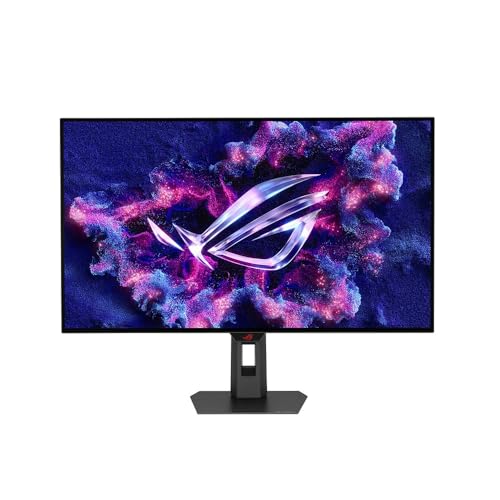
32-inch 4K (3840 x 2160) TrueBlack Glossy WOLED gaming monitor with versatile dual mode (4K@240Hz, FHD@480Hz)
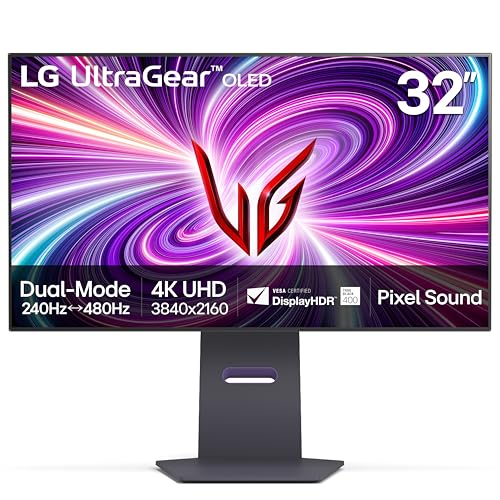
4K/UHD UltraGear OLED @ 240Hz - 4K UHD at up to 240Hz on an OLED display is the best of all gaming worlds - smooth, ultra-fast OLED gaming with immersive, breathtaking visuals.
The Real Cost of Going Bigger: What You Actually Sacrifice

When you jump from a 24-inch 1080p monitor to something bigger like 27 inches, you’re actually giving up some real advantages. Your GPU has to work way harder, the picture gets grainier, and your eyes have to move more to track targets. That’s a lot to sacrifice for extra screen space.
Let’s break down what actually happens when you go bigger.
The GPU Problem
Your graphics card needs to push way more frames to keep the game feeling responsive. A 27-inch display demands significantly higher frame rates than a 24-inch just to feel the same. Want to hold that 240Hz performance you’re used to? You’ll be looking at a much more expensive graphics card. Honestly, the performance hit catches most people off guard.
Picture Quality Takes a Hit
Here’s the thing about 1080p on a larger screen—it doesn’t scale well. A 27-inch 1080p panel looks noticeably grainier than the same resolution on a 24-inch. Your eyes are closer to the same amount of pixels spread across more space, so everything looks pixelated. The reduced pixel density kills the sharpness you might be counting on in competitive play.
Your Reaction Time Suffers
So, why does eye movement matter in a shooter? Because it slows you down. A bigger screen forces your gaze to travel farther to track opponents across the display. That extra distance adds up when you’re trying to snap to targets quickly. In competitive games where milliseconds count, this isn’t insignificant.
The real cost isn’t just about money—it’s about performance. You’re trading the responsiveness that makes you competitive for visual real estate that actually works against you in most tactical shooters. Before you make the jump, ask yourself: Do you actually need a bigger screen, or do you need a better one?
Recommended Products

The G-Series 24" LCD is designed for High-Definition with a stunning 1920 x 1080 resolution

PROVIDE THE BEST MOTION CLARITY IN THE INDUSTRY — Compared to any other panel types, a Fast TN panel with DyAc technology provide clearer and sharper images.

27" Large Immersive Monitor: The 27" portable monitor brings a desktop-class, panoramic view to any location. It provides approximately 40% more screen area than a standard 24" model, transforming temporary setups in hotels, co-working spaces, or home offices into a deeply immersive and productive visual workstation
Frequently Asked Questions
Can Console Players Benefit From 240hz+ Monitors on PS5 and Xbox Series X?
I’d say you’ll see modest gaming advantages with 240Hz+ monitors on PS5 and Xbox Series X, though console performance caps around 120fps. You’ll notice smoother aiming and reduced motion blur, but you won’t fully maximize those high refresh rates like PC gamers do.
What Specific Monitor Models Offer the Best Value for Budget-Conscious Competitive Gamers?
I’d recommend the AOC C27G2Z and Acer XB253Q—they’re my top budget monitor recommendations because they deliver value centric features like 240Hz refresh rates and responsive gameplay without breaking the bank for competitive play.
How Does NVIDIA ULMB 2 Technology Improve Enemy Spotting in Dark Map Areas?
I’ll explain how NVIDIA ULMB 2 gives you a competitive edge: it reduces motion blur during fast camera movements, so you’ll spot enemies in dark areas faster. That sharper enemy detection means you’re reacting quicker than opponents.
Will Upgrading From 144HZ to 240HZ Noticeably Improve My Competitive Ranking and Performance?
Haven’t you noticed how milliseconds separate winners from losers? Upgrading to 240Hz won’t automatically boost your ranking, but it’ll sharpen your competitive edge by reducing response time, giving your reflexes that essential advantage in clutch moments.
Are TN Panels Still Superior to IPS Panels for Tactical Shooter Visibility and Response Time?
Yes, I’d say TN panels still deliver tactical advantages for competitive play. They offer faster response times and better motion clarity than IPS panels. However, modern IPS technology has narrowed the gap considerably, so your personal preference matters most.