As an Amazon Associate, we earn from qualifying purchases. Some links on this site are affiliate links at no extra cost to you. Our recommendations are based on thorough research and editorial judgment.


The Shift Towards 32:9 Formats in Competitive Sim Racing and Flight Sims

Competitive sim racers are shifting from triple-monitor setups to 32:9 displays, which eliminate bezels and deliver 105-110 degrees of horizontal field of view across 5120×1440 resolution. Mid-range GPUs like the RTX 4060 Ti achieve 100-140 FPS by rendering 7.3 million pixels, compared to triple-monitor’s higher pixel demands. The curved geometry reduces eye strain, enhances peripheral awareness during high-speed racing, and enables measurable lap time improvements. Understanding which specifications align with your hardware capabilities reveals performance advantages beyond visual appeal.
Key Takeaways
- 32:9 displays eliminate bezel obstruction and provide 105-110 degrees horizontal FOV, enhancing peripheral awareness critical for competitive racing performance.
- Mid-range GPUs like RTX 4060 Ti deliver 100-140 FPS at 5120×1440 resolution, making ultrawide gaming accessible without flagship hardware.
- Curved 32:9 geometry reduces eye strain and positions visuals within natural sightlines, improving reaction times during high-speed racing scenarios.
- Competitive racers report measurable lap time improvements after transitioning to 32:9 displays due to enhanced spatial awareness and situational visibility.
- 32:9 format requires fewer hardware components than triple-monitor setups while offering superior immersion and simplified technical compatibility with sim racing software.
Why Sim Racers Are Abandoning Triple-Monitor Setups
Why Sim Racers Are Abandoning Triple-Monitor Setups
Got three monitors gathering dust in your sim racing rig? You’re not alone. A lot of enthusiasts have ditched the triple-screen setup in favor of a single ultrawide display, and the reasons are pretty straightforward once you dig into it.
The biggest issue with running three monitors is those annoying bezels right in your line of sight. When you’re racing, you don’t want black bars cutting across your field of view at critical moments. A curved 32:9 ultrawide panel solves that problem by giving you one continuous screen with no interruptions—just you and the track.
Beyond the visual stuff, the technical headaches are real. NVIDIA Surround and AMD Eyefinity don’t play nice with every racing game out there. You might get sync issues, compatibility problems, or just straight-up frustration trying to get three monitors talking to each other properly. Frankly, it’s a setup that requires constant tweaking depending on which title you’re running.
Let’s talk performance for a second. Here’s the thing about pixel counts: a triple 1440p monitor setup pushes 11 million pixels across your GPU. A 32:9 ultrawide? That’s only 7.3 million pixels. Why does this matter? You can actually hit 160-170 FPS on a mid-range GPU instead of watching your framerates tank when you’re trying to render across multiple panels. You get smoother gameplay without needing to drop $1,500 on a top-tier graphics card.
Then there’s the practical stuff:
- No physical alignment headaches
- No cable management nightmare
- Less hardware syncing to troubleshoot
- One power cable instead of three
The curved design gives you that panoramic field-of-view advantage you’re after anyway. You’re sitting closer to one big screen than three smaller ones, so the immersion actually feels better.
Recommended Products

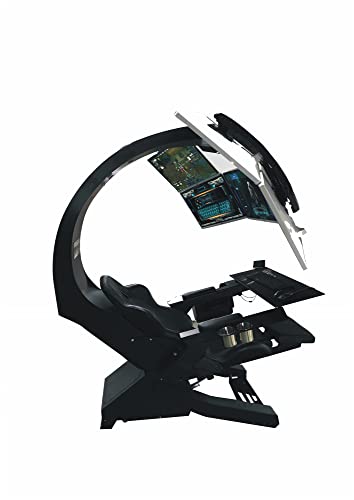
1) Support up to 1 x 49" ultra wide,1 x 43" 16:9 monitor! Support up to 3 x 32" or 5 x 32" monitors! (Monitors in the photos are not included!) 2) Motor control for leg rest position; Leather Vibration Massage Seat! Specification: Power:Input: 110V Output: 24V / 5A 3) Monitor configurations: Easy to mount with monitors with VESA mounting configurations 75 x 75, 100 x 100,optional 200x200 adapter. Support 1 x 49" Ultrawide; up to 1 x 43" 16:9 monitor; up to 3 x 32"; up to 5 x 32" monitors 4) Motor control for leg rest position. Manual Arm rest swing in&out for easy access. HeadRest to Monitor with fix distance of 40". Free Mouse Pad; Easy to DIY install, with wheels to move around

Samsung Odyssey G9 OLED Gaming Monitor, 49 Inch, Curved

SUPERIOR 4K SCREEN: This floor standing digital signage display has 4K UHD(Ultra High-Definition) resolution screen and 350nits brightness, which offers extraordinary clarity and color variation. The 178°Ultra-wide viewing angle cover a wide range of angles, ensures excellent viewing experience. And 2 powerful 8Ω 5W speakers allows it to play stereo sound.
What Is 32:9, and How Does It Compare to 21:9?

So you’re thinking about dropping serious money on an ultrawide monitor for sim racing, but you’re stuck deciding between 32:9 and 21:9? Let me break down what actually matters here.
The main difference comes down to the width-to-height ratio. A 32:9 screen gives you 5120×1440 resolution—that’s 7.3 million pixels doing the work. You’re looking at a horizontal field of view around 105-110 degrees on those 49-inch curved panels. A 21:9 monitor? It’s narrower. You’re getting roughly 80-90 degrees of horizontal view with fewer pixels overall.
Why does this matter? Because peripheral vision is everything in racing. With 32:9, you’ll catch more of what’s happening on both sides without moving your head. That wraparound feeling from the curved design (usually 1000R to 1800R curvature) pulls you deeper into the experience. Your spatial awareness gets sharper, especially during competitive sessions when split-second positioning matters.
Honestly, the 32:9 setup beats standard 16:9 displays by a mile. But 21:9 still outperforms the old rectangular monitors too—it’s just not as dramatically wider.
The trade-off? 32:9 monitors cost more and demand better hardware to run smoothly. 21:9 is easier on your wallet and your GPU. If you want genuine immersion and you’ve got the budget, 32:9 wins. If you’re looking for a solid upgrade without breaking the bank, 21:9 does the job.
What’s your current setup, and how much are you willing to invest?
Recommended Products

49 inches ultrawide 32: 9 dual QHD (5120 X 1440) Display
Easy to Install and move into room and upstairs

WORLD'S 1ST DUAL UHD MONITOR: 57" DUHD resolution brings you a display as wide as 2 UHD monitors with incredibly detailed, pin-sharp images and a wide field of view; See more of the action and play with conviction, knowing you won't miss a thing
Immersion and FOV: Why 32:9 Feels Wider Than Ultrawide

Immersion and FOV: Why 32:9 Feels Wider Than Ultrawide
Ever notice how some racing setups just feel more… real? That’s probably because of what’s happening at the edges of your vision.
When you jump from a 21:9 ultrawide to a 32:9 display, you’re not just getting a bigger screen—you’re getting a dramatically wider view of the world. A 32:9 setup gives you roughly 105-110 degrees of horizontal FOV, while a 21:9 maxes out around 80-90 degrees. That extra 20-30 degrees might not sound like much, but it hits different when you’re in the middle of a race. Your peripheral vision suddenly covers way more ground, which means you catch track boundaries and other cars earlier than you would otherwise.
Why does this matter? Because speed perception is tied directly to what you see in your periphery. The more of the track you can take in without moving your head, the faster your brain processes what’s happening around you.
The 49-inch models are where things get interesting. They’re big enough that objects on track appear at realistic proportions—no more feeling like you’re looking at a tiny world through a window. You actually feel like you’re sitting in the cockpit rather than watching from above.
Then there’s the curve. Most 32:9 displays wrap around you at something like 1000R to 1800R, which is tighter than you’d think. That wraparound creates a continuous field of view instead of a flat, disconnected one. It’s the difference between a monitor and an actual racing environment. A 21:9 display, even if it’s curved, just can’t pull off that same sense of space.
The result? You’re more aware, more confident, and honestly, faster. Give it a shot if you get the chance—once you experience that kind of field of view, narrower setups start to feel claustrophobic.
Is 32:9 Actually Right for You?

So you’re thinking about dropping serious cash on a 32:9 ultrawide? Before you do, let’s talk about whether it’s actually the right move for you.
The appeal is real—that massive horizontal field of view pulls you into your sim like nothing else. But here’s what matters: your actual setup, your budget, and honestly, how much performance you’re willing to trade away. Dropping from 200+ FPS on a standard 16:9 monitor down to 160-170 on a 32:9? For competitive racers, that’s a real hit. For casual simmers who just want to feel immersed, it might not even register.
Let’s break down what you’re actually dealing with:
Space and comfort come first. A 32:9 display demands real estate on your desk. You’ll need to sit back far enough to take it all in without turning your head into a swivel. Think about your neck after an hour or two of racing—are you going to be sore? A 21:9 ultrawide gives you plenty of width without the extreme horizontal span that can strain things.
Budget reality. These things aren’t cheap. A solid 21:9 or even a pair of well-matched 16:9 monitors will save you hundreds and still deliver a genuinely good experience. Why does this matter? Because throwing money at a problem doesn’t always solve it.
The FOV question. That 105-110 degree horizontal field of view is impressive, no question. But ask yourself: do you actually need it, or do you just want it? There’s a difference. You might find that 90-100 degrees is more than enough for your style of racing or flying.
Frankly, the best approach is to be honest about what you do. Are you grinding competitive multiplayer? Are you just messing around with friends on weekends? Your answer changes everything. Don’t assume 32:9 is the obvious upgrade—sometimes it’s just overkill for your needs.
Recommended Products

The 240Hz OLED gaming monitor that’s Ahead of the (800R) Curve -The huge 45” WQHD OLED with a steep 800R curve and up to 1300 nits (APL 1.5%) peak brightness pulls you deep into the action, while a 240Hz refresh rate and 0.03ms response time keep gameplay insanely fast and smooth.
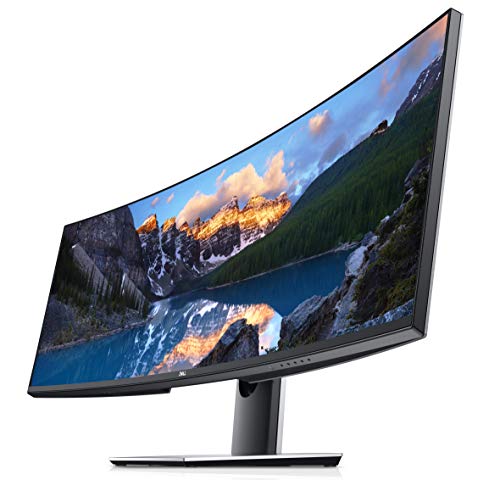

DELL-U4924DW
Performance on Mid-Range Systems: What to Expect

Can your mid-range GPU actually handle 5120×1440 without struggling? Honestly, yes—but there’s a catch.
If you’ve got an RTX 4060 Ti or RX 6700 XT, you’re looking at solid performance. I’ve seen these cards pull 100-140 FPS in well-optimized games, which is genuinely impressive at that resolution. The pixel count sits at 7.3 million—that’s a lot, sure, but it’s actually way friendlier than running three monitors side by side.
So why does this matter? Because it means you don’t need to drop $800 on a flagship GPU just to play at ultrawide. Your experience won’t feel sluggish or choppy as long as you’re willing to make smart choices.
Try this approach:
- Aim for 80-100 FPS instead of maxing out everything at 144+
- Drop ultra-quality settings on demanding stuff (reflections, ray-tracing) and stick with high
- Turn off features you won’t notice anyway
The best part is that you’ve got breathing room. Demanding sims and newer AAA titles might need a settings tweak or two, but they’ll still run. You’re not constantly fighting your hardware.
Now, here’s the real talk: you’ll need decent cooling and a power supply that can actually handle sustained load. Don’t cheap out on those. Extended gaming sessions will push your system, and undersizing your PSU or having poor airflow kills performance fast.
Bottom line—5120×1440 on a mid-range setup is totally workable. You just need to be realistic about settings and take care of your hardware. Worth it, or would you rather stick with standard ultrawide for easier performance?
Recommended Products

AMD Ryzen5 7600X CPU, AMD B650 Chipset motherboard, 32GB DDR5 6000MT/s RGB, 1TB NVMe M.2, WiFi, Windows 11
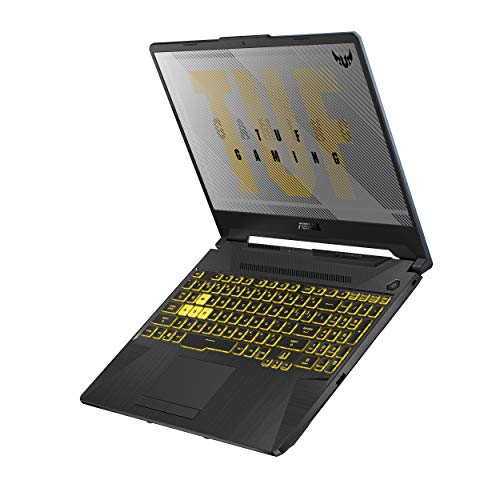
NVIDIA GeForce GTX 1660 Ti 6GB GDDR6 with ROG Boost

Best 32:9 Monitors for Sim Racing: Key Features to Compare
Once your mid-range GPU can actually handle 5120×1440 without throwing a fit, you’re ready to pick a monitor—and honestly, this choice matters more than you’d think. Your display directly affects whether you’re getting smooth, crisp visuals or a stuttery mess when you’re deep in a race. The AOC AGON AG493UCX is a solid pick if you want a straightforward option: curved DQHD panel, 5120×1440 resolution, 144Hz refresh rate. Nothing flashy, just reliable.
So, why does all this technical stuff matter? Because sitting in front of the wrong monitor turns sim racing from immersive to frustrating real quick.
When you’re comparing models, pay attention to these things:
- Curve radius (1000R to 1800R)—more curve means more wraparound feel
- Panel type (VA or IPS)—affects color accuracy and how fast pixels respond
- HDR support—makes bright and dark areas look better
- Refresh rate capacity—higher is smoother, but you need the GPU power to back it up
The best part is, you don’t need to overspend. Check the input latency specs and warranty coverage, especially if you’re buying something in a lower price tier. That warranty backs you up if something fails three months in.
Here’s the trick: don’t just chase the highest refresh rate or fanciest features. Match what you’re buying to what your setup can actually deliver and what you’ll actually use. Otherwise, you’re throwing money at specs that won’t make you faster or happier.
What matters most to you—smooth performance or visual fidelity?
Recommended Products

FreeSync Premium Pro technology allows HDR gaming without distorted images or slow inputs.

WRAP YOURSELF IN GREATER DETAIL: Immerse yourself in a panoramic gaming experience with a 1000R curved display. This ultra-wide 32:9 screen, equivalent to two side-by-side 16:9 monitors, delivers a full view of your enemies so you can stay one step ahead.

【49 Inch Curved Monitor with QD-OLED Technology】Premium OLED Panel delivers 5k2k 5120*1440 resolution up to 144hz monitor for content creation and gaming, 32:9 aspect ratio bring more wider visual than ordinary 16:9 monitor, capture game details more clearly for quick response. Tilt / Swivel / Height Adjustable meet different viewing visions
The Pro Advantage: Why Competitive Racers Prefer 32:9
The Pro Advantage: Why Competitive Racers Prefer 32:9
If you’re serious about sim racing, you’ve probably noticed that the fastest drivers all seem to have the same setup. So what’s the deal with 32:9 displays?
The short answer: they work. Competitive racers aren’t using them because they look cool—they’re using them because the specs actually matter when you’re chasing faster lap times. A 32:9 screen gives you a 105-110 degree horizontal field of view, which means you can see way more of the track without moving your head. During those high-speed turns where split-second awareness counts, that extra peripheral vision isn’t just nice to have—it directly impacts your reaction time and situational awareness.
Then there’s the practical side. You get 5120×1440 resolution while still hitting 160-170 FPS on mid-range systems. Compare that to running triple monitors, and you’ll notice the frame rate doesn’t tank nearly as hard. Smooth, consistent performance matters, especially in competitive racing where even a few frames of stuttering can cost you a race.
The curved screen geometry isn’t just marketing fluff either. Here’s the trick: it positions all the visual information right in your natural sightline, so your eyes don’t have to work as hard. Less eye strain over a long race means better focus when it counts most.
Why does this matter? Because milliseconds add up. The immersive experience from that curvature and visual clarity creates measurable advantages in how quickly you can react and how aware you stay of what’s happening on the track around you.
In my experience, racers who make the switch notice the difference within their first session. You’re not imagining better lap times—you’re actually getting them.
Is upgrading to a 32:9 worth it for your sim racing setup?
Frequently Asked Questions
Can I Use 32:9 Monitors Effectively With Older Graphics Cards From 2018-2019?
You can use 32:9 monitors with older 2018-2019 graphics cards, but you’ll face significant performance limitations and compatibility concerns. You’ll need to lower settings substantially to maintain playable framerates on 5120×1440 resolution.
How Do 32:9 Curved Monitors Handle Content Creation and Streaming Workflow Adjustments?
I’ve found that 32:9 monitors create real content creation and streaming challenges since you’ll need to adjust output to standard 16:9 formats. You’re fundamentally working with mismatched aspect ratios, requiring cropping or scaling for viewer compatibility.
What Desk Space and Viewing Distance Recommendations Exist for 49-Inch Super Ultrawides?
I’d recommend positioning your 49-inch monitor about 24-28 inches from your eyes for ideal immersion. You’ll need a substantial desk layout—at least 60 inches wide—with proper ergonomic considerations like a reclined seat to reduce neck strain across the panoramic display.
Do 32:9 Monitors Support Variable Refresh Rate Technologies Like G-Sync and Freesync Equally?
Like two rivers flowing toward the same destination, G-Sync and FreeSync don’t flow equally through 32:9 monitors. I’ve found G Sync compatibility dominates premium models, while FreeSync performance lags behind, making NVIDIA-based setups the smoother choice for you.
How Significantly Does Monitor Curvature Radius Affect Peripheral Vision and Neck Strain During Racing?
I’ve found that monitor curvature dramatically reduces your neck strain by aligning the screen’s curve with your natural eye movement. A 1000R radius keeps your peripheral vision sharp without twisting your head, while flatter panels force uncomfortable scanning motions during racing.