As an Amazon Associate, we earn from qualifying purchases. Some links on this site are affiliate links at no extra cost to you. Our recommendations are based on thorough research and editorial judgment.


Console vs. PC Monitors: How Current-Gen Consoles Changed Display Requirements

Current-gen consoles have fundamentally shifted monitor requirements by standardizing 1440p native rendering with AI upscaling technologies, eliminating the necessity for expensive 4K displays. You’ll find that HDR performance, brightness levels exceeding 600 nits, and 120Hz refresh rates now matter more than raw resolution alone. A 1440p IPS monitor with strong color accuracy provides comparable visual quality to costlier 4K alternatives, making console gaming more accessible without sacrificing picture quality. Understanding these specification priorities will reveal which monitors truly optimize your console experience.
Key Takeaways
- Current-gen consoles render at 1440p-1800p with AI upscaling, eliminating the need for expensive 4K monitors that PC gamers require.
- Console monitors prioritize 1440p resolution and 120Hz refresh rate over excessive specs, as games cap at 60 FPS maximum.
- HDR performance matters more than raw specifications; monitors need 600+ nits brightness and 10-bit color depth for console gaming.
- Console gamers can save money with budget 1440p IPS monitors ($119+), while PC gamers demand higher refresh rates and resolutions.
- Monitor selection for consoles emphasizes hardware compatibility and HDR quality over cutting-edge specs, making them fundamentally different from PC requirements.
How Current-Gen Consoles Changed Monitor Requirements
How Current-Gen Consoles Changed Monitor Requirements
So you’re shopping for a monitor and someone tells you that your PS5 or Xbox Series X “needs” a 4K display. But then you hear about games running at 1440p natively. What’s actually going on here?
The truth is, current consoles have flipped the script on what you should be looking for in a monitor. These machines can push 4K visuals, but they don’t always render everything at that resolution. Some games stick with native 1440p instead, which honestly catches a lot of people off guard. The catch? Upscaling technology like PSSR and FSR 3.x can make lower-resolution games look almost as sharp as true 4K. So before you spend big money on a fancy 4K monitor, you need to understand what your console actually outputs.
Here’s where refresh rate gets tricky. Most console games target 30 to 60 FPS, with a handful pushing toward 120Hz. You might see 144Hz or 240Hz monitors advertised everywhere, but frankly, your console won’t take advantage of them. That doesn’t mean a high-refresh monitor is useless—it just means you’re buying extra performance you won’t tap into with console gaming.
Here’s the trick: focus on what the console can actually deliver.
A solid 4K display with at least 60Hz support handles 95% of what you’ll play. Throw in variable refresh rate support (if your budget allows), and you’re golden. The best part is that you don’t need to break the bank chasing specs your console can’t hit.
What matters most to your gaming experience—native resolution, smooth frame rates, or a responsive display? Knowing your priority helps you pick a monitor that’s actually right for you.
Console Monitor Specs Explained: Resolution, Refresh Rate, and HDR

So you just grabbed a PS5 Pro or Xbox Series X, but you’re staring at your old monitor wondering if it’s actually good enough. Truth is, three things matter most when picking a monitor for console gaming, and they’re way simpler than manufacturers make them sound.
Resolution: What You’re Actually Seeing
Your console outputs at 1440p or 4K, right? But here’s the thing—and this trips people up—that doesn’t mean your monitor needs to handle those exact numbers natively. Consoles use upscaling tech like PSSR or FSR 3.x to bump up lower resolution images to look sharper. So even if your console renders at 1080p internally, it’ll stretch that to 4K on your screen. The takeaway? Look for a monitor that supports at least 4K if you want the best picture, but don’t stress if your console’s native rendering sits lower.
Refresh Rate: The Part Everyone Gets Wrong
This is where I see folks waste money. Your PS5 Pro or Xbox Series X tops out at 120Hz, period. Yet people buy 144Hz or 240Hz monitors thinking they’ll notice a difference. They won’t. You’re paying extra for specs your console can’t even use. A 120Hz monitor does the job fine and costs less. Save your cash.
HDR Brightness and Color—Don’t Cheap Out Here
Budget monitors skimp on brightness and color accuracy, and that’s where HDR falls apart. A cheap display might technically support HDR, but without enough brightness and proper color range, you’re getting a washed-out version of what HDR’s supposed to deliver. Why does this matter? Because HDR is where modern games look noticeably better—richer blacks, brighter highlights, smoother color transitions. Spending a bit more on a monitor with solid HDR credentials makes a real difference.
Putting It Together
The best monitor for your console checks three boxes: it supports 4K resolution, handles 120Hz refresh rate, and has strong HDR performance with decent brightness. You don’t need 240Hz or bleeding-edge specs. You just need a display that matches what your console can actually do. Does your current monitor check these boxes, or is an upgrade worth it to you?
Recommended Products

Quantum Matrix w/ Mini LEDs: The mini LEDs all work to make your picture more intense | Neo Quantum HDR+: Take in a realistic picture with 4K color and contrast. Appreciate rich, accurate shades and tones in each scene

BRIGHTNESS BOOSTER MAX: The LG OLED evo shines even brighter than before. Brightness Booster Max technology magnifies each individual pixel for luminous quality that shines with every detail.

NQ4 AI Gen3 Processor: Powered by 128 neural networks to deliver AI-enhanced picture and optimized sound, resulting in an exceptional 4K experience for streaming, gaming, live sports and more | Glare Free: Watch everything you love without distracting reflections so you can get lost in your content —even with sun streaming through your windows or that one lamp you keep on while watching the latest thriller
Why 1440p at 120Hz Is the Sweet Spot for Consoles

You’ve probably stared at monitor specs and felt completely lost. What resolution do you actually need? How high should that refresh rate go? Truth is, 1440p at 120Hz is where you want to land with your console setup.
Here’s why: 1440p gives you that crisp, clear picture without forcing you to drop serious cash on a 4K monitor you don’t really need. Games look sharp, and you’re not dealing with as many ugly upscaling artifacts from lower native renders. Your console can actually push decent performance on AAA titles at this resolution without breaking a sweat.
Now, about that 120Hz part—most console games still top out at 60 FPS. So yeah, you’re leaving some of that refresh rate sitting unused. But that’s honestly fine.
Think about it this way: You’re avoiding two traps. You’re not overpaying for a fancy 4K display, and you’re not settling for a cheap 1080p screen that’ll feel outdated. 1440p at 120Hz sits right in the middle, matching what your console hardware can actually do with what display tech realistically offers.
The best part is the practical balance. You get sharp visuals, your console runs smoothly, and your wallet stays reasonably happy. That’s the real-world sweet spot.
Recommended Products
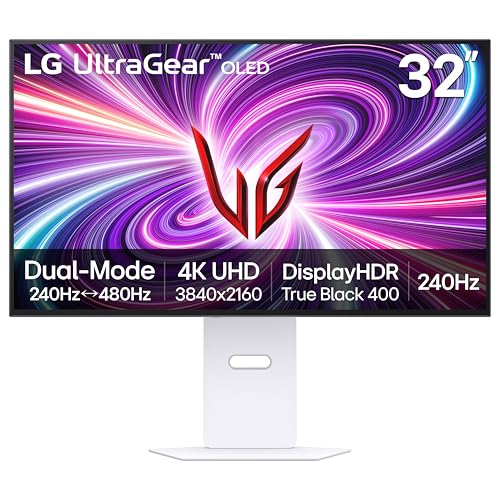
4K/UHD UltraGear OLED @ 240Hz - 4K UHD at up to 240Hz on an OLED display is the best of all gaming worlds - smooth, ultra-fast OLED gaming with immersive, breathtaking visuals.

26.5-inch QHD (2560 x 1440) OLED gaming monitor with 240 Hz refresh rate for immersive gaming

34” UWQHD (3440x1440) 1800R curved IPS panel with an overclocked refresh rate up to 120Hz embraces ROG standards and design
How AI Upscaling Changed Monitor Requirements

You’re shopping for a new monitor for your console, and suddenly everyone’s talking about AI upscaling like it’s some magic trick. Here’s what’s actually happening: your PS5 or Xbox Series X is using smart software to stretch lower-resolution images into crisp, high-quality pictures. But here’s the catch—your monitor has to be good enough to show what the console is actually doing.
So, why does this matter? Because AI upscaling like PSSR and FSR 3.x aren’t just software tricks anymore. They’re demanding tools that need hardware to back them up. Your old monitor might not cut it.
What you actually need to look for:
- Brightness: Aim for at least 1000 nits peak brightness. This isn’t overkill—it’s what makes upscaled games actually look sharp and vibrant.
- Contrast ratio: Higher contrast means blacks stay black and whites stay bright, which makes AI-upscaled details pop.
- Color accuracy: Your monitor should support 10-bit color depth so it can display the full range of colors the console’s trying to show you.
- Refresh rate support: Variable refresh rates (like HDMI 2.1) help eliminate stuttering when you’re playing with upscaled frame rates.
Honestly, the monitor you buy now directly affects how good your upscaled games look. A cheap display will make even excellent upscaling look soft and washed out. Spend a little extra on panel quality, and you’ll actually see the difference when you’re playing.
The bottom line? AI upscaling only works as well as your display lets it. Before you pull the trigger on a new monitor, make sure it’s built to handle what modern consoles are throwing at it.
HDR for Console Gaming: What Your Monitor Needs

HDR capability represents the next layer of console display optimization beyond upscaling, and your monitor’s HDR performance directly determines whether your PS5 Pro or Xbox Series X can deliver the expanded brightness, contrast, and color range these systems are designed to output.
Budget monitors typically lack sufficient brightness levels, producing inadequate HDR performance when connected to consoles that default to HDR output. So, why does this matter? Because you’re essentially leaving performance on the table. You’ve invested in current-gen hardware, but a cheap monitor will bottleneck what those consoles can actually show you.
Proper HDR calibration requires monitors exceeding 400 nits peak brightness, alongside contrast ratios of 1000:1 or higher. These specs enable accurate color accuracy across expanded color spaces. Think of it like this: more nits mean brighter highlights, higher contrast ratios mean deeper blacks, and together they create a visual experience that budget displays just can’t match.
Frankly, console manufacturers intentionally design games utilizing HDR capabilities. That’s not an afterthought—it’s the standard now. Selecting monitors with verified HDR specifications becomes essential rather than optional for contemporary console gaming. If you’re serious about what your PS5 Pro or Xbox Series X can do, your monitor choice matters just as much as the console itself.
Recommended Products

34" UltraWide QHD (3440 x 1440) Widescreen Agile-Splendor IPS NVIDIA G-SYNC Compatible Display | 1900R Curved Display with 21:9 Aspect Ratio

27” 4K UHD (3840 x 2160) 144Hz HDR gaming monitor with integrated aura Sync and ambient light sensor embraces ROG standards and design

37” 4K Gaming—Speed Meets Clarity - UltraGear's 37-inch 4K UHD curved gaming monitor delivers stunning native resolution with incredible clarity. With UHD at 165Hz and 1ms games will display fluid detail and lightning-fast speed.
What PS5 Pro Actually Renders in 4K
The PS5 Pro doesn’t actually render true 4K the way you’d think. Sony’s marketing makes it sound like every game hits that native 4K resolution, but that’s not what’s really happening under the hood. Instead, the console uses a mix of lower resolutions and upscaling tech (called PSSR) to fake the 4K look. You’re getting something close to 4K on your screen, but it’s not the real deal.
So here’s what’s actually going on: most big-name games render at 1440p or 1800p natively, then get upscaled to 4K. Honestly, this approach makes sense because it keeps your frame rate smooth and prevents the stuttering you’d get if the console tried to push full native 4K. The upscaling tech does a decent job of maintaining image quality without tanking performance.
Why does this matter? Because it changes your monitor or TV buying decision completely.
If you’re shopping for a display, you don’t need to drop cash on a true 4K monitor or TV to see what the PS5 Pro can really do. A 1440p screen will work just fine—you’ll get comparable visual quality without breaking the bank on premium hardware. The upscaled output looks nearly identical to native 4K on most displays anyway.
Truth is, understanding this technical reality saves you money and helps you make a smarter purchase. You’re not missing out by skipping the pricey 4K display. What matters more is finding a monitor or TV with good color accuracy and response time that fits your budget.
Console Monitors vs. Gaming Monitors: Which Should You Buy?
Console Monitors vs. Gaming Monitors: Which Should You Buy?
So you’re standing in the electronics aisle (or scrolling online) trying to figure out what monitor actually makes sense for your setup. The price tags look wildly different, the spec sheets are confusing, and you’re wondering if you’re about to waste money on something you don’t need. Here’s what you actually need to know.
Console gaming doesn’t demand much. A 1440p monitor with basic IPS technology runs you around $119 and handles everything your PS5 or Xbox Series X can throw at it. These displays do the job fine because consoles max out at 60 FPS anyway—you’re not missing anything.
Gaming monitors are built for a different animal entirely. They come packed with 144Hz refresh rates and fancier display tech designed to squeeze every bit of performance out of your PC. The problem? Your console can’t use any of that. Most consoles top out at 120Hz, so paying extra for a 240Hz monitor is basically throwing money away if that’s your only device.
Here’s the trick: match your monitor to your hardware, not the other way around.
For console players: You want solid resolution and accurate colors without breaking the bank. A straightforward 1440p IPS panel checks all your boxes. You’ll get crisp visuals and smooth gameplay without overpaying for features you’ll never use.
For PC gamers: Higher refresh rates actually matter to you. A 144Hz or 165Hz monitor makes a real difference in fast-paced games. Your graphics card can push those frame rates, so you’ll actually benefit from them.
So, why does this matter? Because buying the wrong monitor means either wasting money on unused features or settling for a sluggish experience. Truth is, the best choice depends entirely on what you’re plugging in—not what sounds impressive on a spec sheet.
What system are you gaming on right now?
Recommended Products

31.5" SS IPS 3840 x 2160 4K Display Gaming Monitor.Brightness 350 cd/m2 (TYP).Contrast Ratio : 1000:1, Voltage : AC 100V~240V /50~60Hz.

Level Up the Game: 27 Inch QHD 1440P IPS 144 Hz gaming computer monitor features Freesync Premium and color optimizer settings.

27” OLED Brilliance with up to 480Hz of Game-Changing Speed - Experience ultra-smooth, tear-free gameplay with up to 480Hz refresh rate and 0.03ms response time on a bright 27” QHD OLED display. React instantly, spot every detail, and outpace your opponents in every frame with unbeatable speed and clarity.
What Does $119 Get You for Console Gaming?
So you’re looking to spend $119 on a monitor for your console? You’re actually in a pretty sweet spot—that’s enough to grab something solid without breaking the bank.
For that price, you can snag a 1440p IPS monitor that’ll actually do your console justice. It’s got the resolution and color accuracy your system needs to look its best. You won’t get the fancy stuff like variable refresh rate or high-end HDR at this price point, but honestly? Your current-generation console can’t even take full advantage of those features anyway. Manufacturers know this, so they’ve smartly put their money into the panel itself rather than bells and whistles you won’t use.
The brightness tops out around 250 nits, which is plenty for normal gaming setups. That’s bright enough whether you’re gaming in a dim room or during the day—no complaints there. And here’s the thing: the 1440p native resolution matches what your console actually outputs. You won’t deal with those annoying blurry upscaling problems you get with cheaper 1080p monitors.
Why does the panel type matter so much? If you’re playing on your couch with friends or family scattered around the room, everyone needs to see colors that look right no matter where they’re sitting. That’s where IPS technology comes in. It keeps colors consistent across basically any angle, so whether you’re directly in front of the screen or off to the side, everything looks accurate.
Frankly, this is where your money goes furthest for console gaming. You’re getting the essentials—good resolution, accurate colors, solid brightness—without paying for gaming features your system doesn’t need. That’s the real win here.
Recommended Products

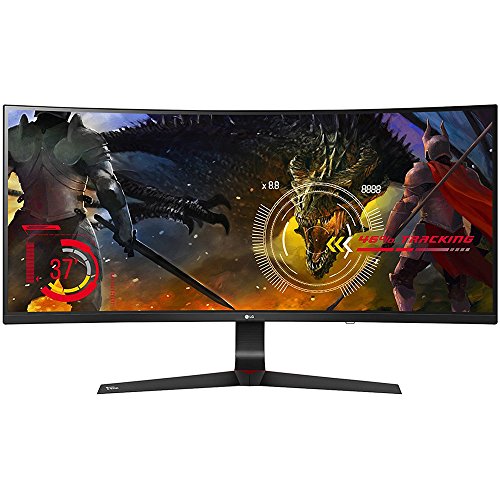
34" UltraWide QHD (3440 x 1440) Widescreen IPS Gaming Zero-Frame Monitor with 1900R Curved Display and 21:9 Aspect Ratio | 2 Speakers, 7 Watts Per Speaker

49" LG MONITOR
Future-Proofing Your Monitor: When to Upgrade
So you’re thinking about upgrading your monitor, but you’re not sure if it’s actually necessary right now. That makes sense—monitors aren’t cheap, and it feels wasteful to replace something that still works. The good news is that console gaming has stabilized, which means your current display might have more life in it than you think.
Here’s what’s actually happening with gaming right now. The PS5 Pro and Xbox Series X are targeting 1440p at 120Hz, but they’re using AI upscaling tech like PSSR and FSR 3.x to get there. That’s different from a few years ago when we were all chasing raw specs. So why does this matter? Because your monitor doesn’t need to be cutting-edge to handle what these consoles throw at it.
What specs actually matter for the next five to seven years:
Your display needs three things to stay relevant. First, it should support 1440p resolution—that’s where console games are heading. Second, grab one with solid HDR support (minimum 600 nits peak brightness, honestly). Third, make sure it hits 120Hz refresh rates. If your current monitor checks all three boxes, you’re probably fine for several more years.
The upscaling trend is worth paying attention to. When games use AI to boost visuals, your monitor’s brightness and color accuracy become more important than before. A dimmer screen might not show off all the detail that the upscaling is creating.
Truth is, a decent 1440p IPS panel with HDR really does last you years if you take care of it. You’re not looking at constant upgrades just to keep up. Before you spend money, ask yourself: does your current monitor hit that 1440p-120Hz-HDR combo? If it does, hold off. If it doesn’t, now’s the time to make the switch.
Frequently Asked Questions
Can I Use a 240HZ Monitor With My PS5 Pro Without Wasting Money on Refresh Rates?
Frankly, friend, you’ll find your 240Hz monitor won’t work wonders with PS5 Pro—consoles cap at 120Hz maximum. While 240Hz benefits PC gaming brilliantly, console compatibility limits yours to underutilized refresh rates, making that purchase potentially wasteful for your setup.
Does Console Upscaling Quality Match Pc’s DLSS 5 Frame Generation Technology?
No, I’d say console upscaling doesn’t match DLSS 5’s capabilities. While consoles use PSSR or FSR 3.x, they lack the AI frame generation that makes DLSS comparison so impressive on PC. You’re getting solid upscaling, but not the same advanced tech.
Why Do Budget HDR Monitors Perform Poorly Compared to High-End Displays With Consoles?
Budget HDR monitors lack the brightness and color accuracy that consoles’ default HDR demands—think trying to view a sunset through tinted glass. You’re getting the HDR signal, but you’re not seeing what developers intended because those displays can’t reproduce the full color range consoles output.
Will My Current HDMI Cable Support 1440P at 120HZ on Next-Gen Consoles?
I’d recommend checking your HDMI cable’s specifications first. Most standard HDMI 2.0 cables won’t reliably support 1440p at 120Hz on next-gen consoles. You’ll likely need HDMI 2.1 for full cable compatibility with those performance targets.
How Much Brightness Do I Need for Optimal AI Upscaling on Console Monitors?
I’d tell you that brightness levels around 400-600 nits represent your ideal settings for AI upscaling on consoles—think of it as the sweet spot where your display’s luminance transforms pixelated renders into crisp, vibrant images you’ll genuinely enjoy.