As an Amazon Associate, we earn from qualifying purchases. Some links on this site are affiliate links at no extra cost to you. Our recommendations are based on thorough research and editorial judgment.


The Psychology of Input Lag: Milliseconds and Competitive Gaming Performance

Input lag—the delay between your command and onscreen response—fundamentally shapes competitive outcomes across gaming genres, with even 8-millisecond differences disrupting aim precision, combo execution, and tactical response times. Total system latency exceeding 20 milliseconds compromises muscle memory consistency and interrupts the flow state necessary for peak performance, as your brain shifts focus from gameplay to compensating for unpredictable delays. Professional setups minimize lag through hardware prioritization: mice under 8ms latency, 1ms monitor response times, and 144Hz+ refresh rates. Understanding these technical thresholds reveals why performance dips often stem from environmental factors rather than skill deterioration, offering specific optimization pathways worth exploring further.
Key Takeaways
- Input lag delays onscreen response by milliseconds, significantly impacting competitive gaming performance even at 8-16ms differences.
- Total system latency exceeding 20ms disrupts muscle memory, precision aiming, and command execution across all gaming genres.
- Input lag interrupts flow state by shifting cognitive focus from gameplay to problem-solving, causing mental fatigue during competition.
- Professional setups require sub-8ms mouse latency, 1ms monitor response times, and 144Hz+ refresh rates to minimize delays.
- Perceived skill loss from lag stems from environmental factors rather than ability loss; hardware improvements restore confidence and performance.
What Input Lag Really Means for Competitive Players
Ever notice how you click your mouse and nothing happens for what feels like forever? That split second of delay between your input and what happens on screen—that’s input lag, and it’s way more important than most gamers realize.
Input lag is basically the time it takes for your command to travel from your controller through your system and show up on your monitor. We’re talking milliseconds here, but in competitive gaming, milliseconds are everything. Your mouse might add under 8ms of delay, your monitor could be adding another 1ms or less, and if you’re playing online, network latency could pile on another 50ms or more. Add that all up, and you’re looking at a real problem.
So, why does this matter? Because professional players know the difference between 8ms and 16ms of lag. In first-person shooters, that tiny gap changes who lands the shot first and who doesn’t. You might think you’re just not good enough, when really your setup is working against you.
The impact shows up in three main ways:
- Precision shooting becomes harder—your crosshair won’t feel responsive
- Tracking accuracy suffers—following moving targets feels clunky
- Command execution lags—what you want to do and what actually happens don’t sync up
Frankly, if you’re serious about competitive play, you need your total system latency under 20ms. Anything higher and you’re fighting your own equipment instead of your opponent.
The best part is you’ve got actual control here. You can swap your mouse for a low-latency option, upgrade to a fast monitor, and improve your internet connection. These aren’t magic fixes, but they’re real improvements that actually matter.
What setup changes have you been putting off that might give you that edge?
Why Do Milliseconds Determine Match Outcomes?

Why Do Milliseconds Determine Match Outcomes?
Ever wonder why some gamers seem to react faster than you, even when you’re both staring at the same screen? The answer comes down to milliseconds—and it’s more important than you might think.
Reaction time in competitive gaming happens at speeds most people can’t even perceive. The difference between 8ms and 16ms of latency might sound tiny, but in a first-person shooter, that’s the gap between landing your shot and getting eliminated. You’re literally racing against physics.
Here’s what actually matters:
- Input lag under 8ms keeps your mouse responsive
- Monitor response time of 1ms or less reduces blur and ghosting
- Total system latency below 20ms is where pros operate
So, why does this matter so much? In fighting games, a missed frame in a combo chain costs you the round. In real-time strategy, that extra delay means your click registers a half-second late—long enough for your opponent to react first. At the competitive level, these aren’t small inconveniences; they’re the difference between winning and losing.
The 50ms threshold is basically the ceiling. Go beyond that and you’re fighting your own hardware instead of your opponent.
Professional players obsess over every source of lag because they know that precision isn’t just about skill anymore—it’s about having the tools that don’t work against you. Your reflexes can only carry you so far when your setup is holding you back.
The bottom line? If you’re serious about competitive play, don’t ignore your latency. It’s not just a number on a spec sheet—it’s the difference between victory and defeat. What’s your current setup running at, and is it costing you matches?
Recommended Products

LG OLED EVO: The LG OLED evo is powered by the a9 AI Processor Gen6—made exclusively for LG OLED—for beautiful picture and performance. The Brightness Booster improves brightness so you get luminous picture and high contrast, even in well-lit rooms.* AI-assisted deep learning analyzes what you're watching to choose the best picture and sound setting for your content..Operating humidity : Less than 80 %

INTELLIGENT TV PROCESSING– The 4K HDR Processor X1 delivers a picture that is smooth and clear, full of rich colors and detailed contrast..Image Aspect ratio:16:9.Frequency : 60 hertz.Hardware interface: HDMI

Mini-LED Pro With Up to 3000 Local Dimming Zones And Up to 3000 nits Peak Brightness: See the realism of every shadow cast by the players and the ball. When your TV is backlit by thousands of tiny LEDs, your viewing experience gets even more precise. Think of the LEDs like thousands of pinpoints of light illuminating your screen. And Full Array Local Dimming creates deeper shadows and brighter highlights, while virtually eliminating halos.
How Lag Disrupts Muscle Memory and Reaction Time

How Lag Disrupts Muscle Memory and Reaction Time
Ever notice how your aim feels off when you’re playing online? That’s not just in your head—lag is actually messing with the muscle memory you’ve built up through hours of practice.
Your brain relies on split-second timing to pull off automatic responses. When you jump from 8ms to 16ms of input lag, your reaction time takes a real hit. The feedback you’re seeing on screen doesn’t match what your body expects, and that throws off the neural patterns you’ve trained so hard to develop. You end up second-guessing moves that should happen without thinking.
Think about it: experienced gamers can react 30ms faster than average players in basic tasks. That’s a massive edge. But when lag spikes, it wipes out that advantage pretty quickly. Your brain can’t predict what’ll happen next because the timing’s all wrong.
What does this actually look like when you’re playing?
- Missed clicks at critical moments
- Commands that feel delayed or sluggish
- Shots that should land but don’t
- Precision just isn’t there
The real problem is that your muscle memory needs consistency to stay sharp. When lag keeps changing, you can’t build reliable automatic patterns. Your body wants to know what to expect, and unpredictable delays force you back into thinking consciously about everything.
Honestly, if you want to keep your edge in competitive play, aim for latency under 20ms. That’s the sweet spot where your nervous system can stay stable and your automatic responses stay sharp. Anything higher than that, and you’re fighting an uphill battle against your own training.
What’s your typical ping like when you’re playing? Even small improvements might feel like a world of difference.
How Lag Breaks Your Mental Flow

Ever notice how a laggy controller or slow internet connection makes you feel like you’re fighting the game instead of playing it? That’s not just frustration—it’s actually breaking something real in your brain.
Flow state is that sweet spot where you’re completely focused, you forget about yourself, and you perform at your best. It needs one thing to work: your system has to respond to what you’re doing without delay. Input lag kills that. When there’s a gap between what you intend to do and what actually happens, your brain can’t build reliable predictions about timing. You end up fighting the system instead of trusting it.
What happens next is pretty rough. Your automatic movements—the stuff you’ve trained your hands and reflexes to do—start to fall apart because the feedback isn’t matching your expectations. Your brain shifts into problem-solving mode, burning mental energy trying to compensate for the delay rather than focusing on actually getting better. So why does this matter? Because you’re using brainpower on lag, not on performance.
The real damage is in the inconsistency. Unpredictable delays create cognitive overload. Your concentration fragments. That seamless connection between your mind and body—the whole foundation of peak performance—gets disrupted.
Try this: if you’re serious about maintaining flow, minimal lag isn’t optional. Research backs this up. Consistent timing and quick feedback let your brain develop reliable muscle memory and keep the neurological conditions you need for sustained flow intact.
You don’t need perfect conditions, but you do need predictable ones. That’s what lets your brain relax and perform at its highest level.
Professional Standards: The Hardware Thresholds That Matter Most

Professional Standards: The Hardware Thresholds That Matter Most
You’ve probably noticed pros streaming their gameplay look impossibly fast. But here’s what’s actually happening: they’re not superhuman—they’re just using gear that gives them every millisecond advantage possible.
The gap between a casual setup and a pro rig really comes down to numbers. Professional players target mouse latency under 8 milliseconds, monitors with 1 millisecond response times or faster, and total system latency staying under 20 milliseconds. For online play, network latency needs to sit under 50 milliseconds to keep inputs registering cleanly and consistently.
So, why does this matter so much? In competitive games, single-digit millisecond improvements actually translate into real wins. That’s the difference between landing a headshot first or getting caught off guard. It sounds dramatic, but when you’re in a fast-paced match where decisions happen in fractions of a second, this stuff counts.
Here’s what most people get wrong: they think buying expensive gear will make them pro-level players. That’s not it. The hardware just removes the delay between what your brain wants to do and what happens on screen. Your skill still matters most—but at least your equipment won’t slow you down.
Think of it this way. If you’re serious about competitive play, these thresholds aren’t just nice-to-haves—they’re the baseline. Your mouse, monitor, and internet connection all need to work together to keep you sharp during intense moments.
The best part is you don’t need to spend thousands. You just need to know what to look for and be willing to invest in the right pieces. What’s your current setup missing?
Recommended Products
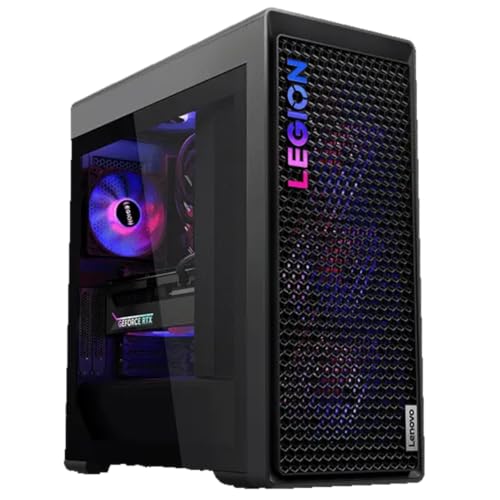
Processor - Intel Core Ultra 9 285K Processor (E-cores up to 4.60 GHz P-cores up to 5.50 GHz)

[Ray Tracing Redefined] – Experience cinematic realism with full ray tracing and breakthrough neural rendering technologies. From stunning light reflections to intricate shadows, your in-game world looks better than ever.

Do it All, and Do it Faster: As modern CPUs feature more and more cores, the unprecedented speed of DDR5 ensures your high-end CPU gets data quickly, enabling faster processing, rendering, and buffering than ever before.
Input Lag’s Impact on FPS, Fighting, and RTS
Ever wonder why pros complain about lag even when their internet looks fine? Truth is, input lag hits different depending on what game you’re playing, and understanding that difference can actually save you from frustration and bad hardware purchases.
Let’s start with shooters. You’re lining up a headshot in an FPS, and the difference between 8ms and 16ms of lag might sound tiny—but it’s not. That extra delay throws off your aim in ways you’ll feel immediately. Your brain expects the crosshair to follow your mouse movement instantly, and when it doesn’t, you miss shots you should’ve landed. Hit ratios drop, target acquisition gets slower, and suddenly you’re at a disadvantage against someone with better hardware. It compounds fast in competitive matches.
Fighting games are their own beast entirely. Combos require split-second timing, and when lag messes with your inputs, muscle memory becomes useless. You hit the button at the right moment, but the game registers it late, so your combo drops. It’s incredibly frustrating because you’re doing everything right—the game just isn’t keeping up with you.
RTS games punish lag differently. When you’re managing multiple units at once, every click matters. A delayed command registration means missed orders and slower task completion during those intense moments when you’re juggling ten things at once. Your mechanics suffer because you’re not just fighting your opponent—you’re fighting the delay.
So here’s the thing: different genres have different breaking points. Try this: aim for total system latency under 20ms if you’re playing competitively. That’s the sweet spot where most pros operate, whether they’re in FPS, fighting, or RTS competitions. Your hardware needs to match the demands of your game, or you’ll always feel like something’s off.
What’s your biggest pet peeve with lag in your main game?
Recommended Products

POWERFUL GAMING: AMD Ryzen AI Max+ 395 processor delivers exceptional performance for handheld gaming with advanced AI capabilities and responsive gameplay
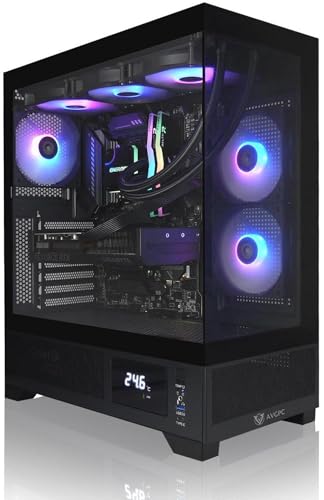
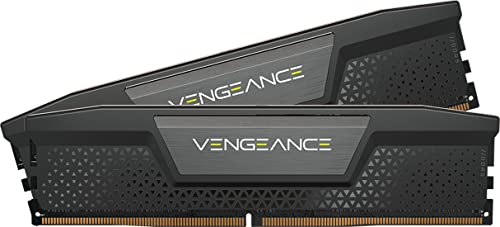
Do it All, and Do it Faster: As modern CPUs feature more and more cores, the unprecedented speed of DDR5 ensures your high-end CPU gets data quickly, enabling faster processing, rendering, and buffering than ever before.
Reaction Time vs. Input Lag: How Pros Compete
Reaction Time vs. Input Lag: How Pros Compete
Ever wonder why that pro player seems to react faster than you, even when you’re both using the same game? The answer isn’t just about how quick their brain works—it’s also about the equipment sitting between their hands and the screen.
Reaction time and input lag are two totally different things, and pros understand the difference. Your reaction time is purely neurological—how fast your brain processes what it sees and tells your fingers to move. Input lag is the mechanical delay between when you move your mouse or press a button and when the game actually registers it. They work together, but separately.
In choice-based tasks, experienced competitive gamers typically react about 30-40ms faster than casual players. That’s a real advantage. But here’s the thing: if your system latency tops 20ms total, that speed advantage basically disappears.
So, why does this matter? Because you could have elite-level reflexes and still get outplayed by lag.
Pros don’t just train harder—they obsess over their setup:
- Mouse latency under 8ms
- Monitor response times at 1ms or less
- Network latency under 50ms during online play
When these numbers align, their superior reaction speed actually translates into wins. Without them? Even the fastest reflexes feel sluggish and unreliable.
Honestly, I’ve seen plenty of skilled players blame themselves for mistakes that were really just their equipment holding them back. The frustrating part is that higher latency values negate your physiological advantages *regardless* of how much you train or how talented you are.
You can’t train away lag. But you can choose better gear and a more stable connection. The competitive edge comes from maximizing both your neurology and your equipment.
What’s your current setup looking like—do you know your monitor’s response time and network latency?
Recommended Products
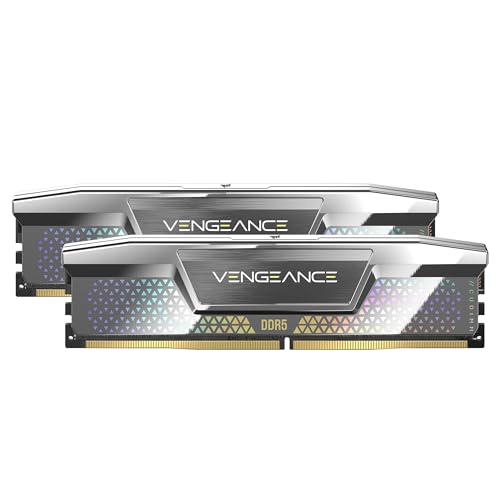
Do it All, and Do it Faster: As modern CPUs feature more and more cores, the unprecedented speed of DDR5 ensures your high-end CPU gets data quickly, enabling faster processing, rendering, and buffering than ever before

【High-Performance Gaming Power】Powered by AMD Ryzen 7 Processor with 16 Threads and boost speeds up to 5.1GHz, combined with GeForce RTX 3050 graphics to deliver smooth gameplay, fast rendering, and responsive multitasking performance for modern AAA titles and esports gaming.

Powerful 14th Gen Intel Core i7 Processor for Ultimate Gaming & Multitasking - Experience blistering speed with the ASUS TUF Gaming F16 laptop, featuring an Intel Core i7-14650HX processor (up to 5.2GHz Turbo Boost). With 16 cores and 24 threads, this gaming laptop handles intense gaming sessions, streaming, and multitasking with ease.
Do Neural Networks Actually Help Pros?
Do Neural Networks Actually Help Pros?
So you’re grinding in competitive games and wondering if some fancy AI tech can fix your lag problem. Good question. Equipment matters—that’s proven—but here’s what’s really interesting: can neural networks actually predict lag and make up for it?
The short answer? They can help, but only so much.
Research shows that neural networks trained right can compensate for lag up to about 120 milliseconds. That’s enough to noticeably improve your hit rates in competitive matches. The tech uses predictive algorithms to guess where your opponent will be, even when your connection is dragging. Sounds solid.
But there’s a wall you’ll hit. Beyond 180 milliseconds, these networks basically stop working. Push them harder and you get nothing—no improvement, just wasted processing power. Why does this matter? Because at some point, prediction breaks down. The future becomes too unpredictable to guess accurately.
Here’s the practical takeaway:
ANNs work best when you’re dealing with moderate latency—the kind of lag that’s annoying but not devastating. If you’re stuck with a spotty internet connection or playing from far away from servers, this tech can soften the blow. But it’s not a miracle fix.
Honestly, the best move is still the obvious one: lower your actual latency if you can. Better internet, closer servers, better hardware—these beat any algorithm every time. Neural networks are useful when you don’t have options, but they’re not a replacement for the real thing.
The bottom line: if you’re a competitive player dealing with unavoidable network delays, neural compensation is worth exploring. Just don’t expect it to turn you into a pro if your connection’s fundamentally broken. What’s your current lag looking like?
Why Does Lag Feel Like a Skill Loss?
Why Does Lag Feel Like a Skill Loss?
You’ve probably experienced this: you’re playing competitively, suddenly everything feels sluggish, and your performance tanks. But here’s the weird part—you haven’t actually forgotten how to play. Your hands still know what to do. So why does lag feel like you’ve lost all your skills?
The answer comes down to muscle memory. Your body’s built reflexes are trained to respond at a specific speed. When latency throws off that timing, everything feels broken. You try to execute the same move you’ve practiced a thousand times, and it doesn’t land. Your brain registers failure, even though the failure isn’t really yours.
Think about it this way: if I handed you a tennis racket with a 200-millisecond delay between when you swing and when the racket actually moves, you’d probably miss a lot of balls. That doesn’t mean you forgot tennis. It means the tool changed.
Frankly, the mental side matters just as much as the mechanical side. Once you *know* there’s lag, you start second-guessing yourself. Instead of playing on instinct, you overthink. You anticipate the delay and try to compensate, which throws off your timing even more. Confidence takes a hit, and that’s when performance really drops.
Here’s the trick: understanding that lag and skill loss are two different things. Your actual abilities? They’re still there. What changed was the environment, not you.
Your Low-Lag Competitive Setup
If you’re getting destroyed in competitive matches despite practicing constantly, lag might be the real culprit—not your aim or game sense. The thing is, even a 50ms delay between your input and what happens on screen throws off your timing in ways that feel like you’re playing worse than you actually are.
So here’s where most people get it wrong: they think better hardware magically makes them better players. It doesn’t. What it does is remove the excuse. When your setup matches competitive standards, your performance becomes about skill, not about fighting your equipment.
Start with your monitor. You need something with a 1ms response time and at least 144Hz refresh rate—ideally 240Hz if your graphics card can handle it. Why does this matter? Your eyes see smoother motion, and your brain reacts faster to what’s happening on screen. This alone makes a noticeable difference within the first week.
Your mouse and keyboard matter too. A decent gaming mouse should have under 8ms latency and feel responsive in your hand. Don’t overthink it—just make sure it doesn’t feel sluggish or mushy when you’re making quick movements.
Here’s the trick: your hardware is only half the battle. Background apps, Discord overlays, and Windows updates running in the background eat up your system resources and add invisible lag. Disable what you don’t need. Turn off Xbox Game Bar if you’re not using it. Close Chrome tabs you’re not looking at.
Check your network setup next. Ethernet beats Wi-Fi every time for competitive play. If you’re wireless, you’re adding 10-30ms of inconsistent latency right there—that’s huge.
The best part is you can actually measure this. Download a latency testing tool and run it. You want to hit below 20ms total system latency. That’s the benchmark competitive players aim for.
Honestly, once you dial this in, you’ll notice frame timing feels crisp and your reactions feel sharper. You’ll stop blaming your setup and start focusing on what actually matters—improving your gameplay.
Recommended Products
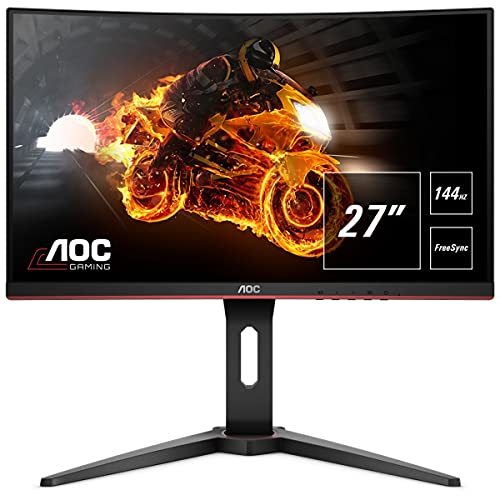
27" AOC immersive gaming monitor with 1920 x 1080 Full HD resolution

SELF-LIT PIXELS: LG's signature OLED technology creates an incredible watching experience and stellar picture quality illuminated with over 8 million self-lit pixels. Take in rich and accurate colors from the brightest to darkest parts of the scene thanks to 100% Color Volume and with 100% Color Fidelity.

4K UltraHD Resolution - Experience incredible detail with 4X the resolution of 1080p Full HDTVs.
Frequently Asked Questions
Can Younger Players Naturally Overcome Input Lag Better Than Older Competitors?
I’d say younger players do have a natural advantage—research shows age predicts better reaction time with a -.33 correlation. Their youth adaptability helps them compensate for input lag more effectively than older competitors, though skill training can narrow this gap considerably.
How Does Attention Span Influence Competitive Performance More Than Raw Intelligence?
I’d wager my telegraph machine that you’ve noticed attention dynamics matter more than raw intelligence in competitive gaming. Research shows attention predicts CSGO performance (-.30), while intelligence shows null effects. Your cognitive resilience—not IQ—sustains focus through input lag’s psychological strain.
What Psychological Recovery Strategies Help Players Regain Confidence After Lag-Induced Losses?
I’ve found that after lag-induced losses, you’ll recover confidence fastest through positive self-talk techniques that reframe the experience and visualization exercises where you mentally rehearse flawless plays, rebuilding your belief in your actual skill rather than external factors.
Why Do Some Players Adapt to 50MS Network Latency Without Performance Drops?
You’ve probably noticed pros hitting 40ms faster reaction times—that’s your answer. I’ll tell you: some players adapt to 50ms latency because they’ve developed cognitive flexibility and adaptive strategies that let their brains compensate for network delays naturally.
Can Consistent High-Lag Practice Actually Impair Muscle Memory Development Permanently?
I’d say consistent high-lag practice won’t cause permanent impairment if you later switch to lower latency. Your muscle memory adapts—you’ll recalibrate once lag conditions change. However, prolonged lag adaptation might delay developing ideal timing patterns.