As an Amazon Associate, we earn from qualifying purchases. Some links on this site are affiliate links at no extra cost to you. Our recommendations are based on thorough research and editorial judgment.


The Curve Radius Debate: 1000R vs. 1800R for Daily Non-Gaming Productivity

For daily productivity, 1000R delivers aggressive curvature that maintains consistent screen distance from your eyes, potentially reducing fatigue during extended work sessions, while 1800R offers gentler curves requiring less desk depth and providing flexible workspace layouts. Both maintain equal viewing distances; however, 1000R benefits users managing multiple windows simultaneously, whereas 1800R suits general office tasks. Your choice depends on work type, desk space—1000R demands 4-6 additional inches—and sitting distance. Understanding specific workflow implications reveals which radius optimizes your productivity.
Key Takeaways
- 1000R curves reduce eye strain during extended work by maintaining consistent screen distance, while 1800R offers gentler, more relaxed viewing for general tasks.
- 1000R benefits users managing multiple windows or visual work; 1800R suits general office tasks like email and document creation better.
- 1000R requires 4-6 additional inches of desk depth; verify available space before purchasing to maintain optimal 20-26 inch viewing distance.
- 1000R may feel cramped with peripheral distortion; 1800R provides flexible workspace layout for users frequently switching between applications.
- Choose based on workflow: frequent app-switchers prefer 1000R’s focused experience, while document editors typically find 1800R’s relaxed approach more comfortable.
What 1000R and 1800R Mean for Your Work
What 1000R and 1800R Mean for Your Work
So you’re shopping for a curved monitor and you keep seeing these R numbers thrown around. What do they actually mean, and does it really matter for what you do every day?
Here’s the basic idea: the R value tells you how tight the curve is. A 1000R curves more aggressively—like wrapping your screen around your face a bit. An 1800R curves more gently, almost like a subtle hug. The lower the number, the tighter the bend.
Why the Curve Matters
Think about how your eyes work. When you’re staring at a flat screen, different parts of the display sit at different distances from your face. Your eyes have to work harder to refocus as you move your gaze around. A 1000R fixes this problem by keeping every point on the screen roughly the same distance from your eyes. It sounds technical, but what it means is less eye strain during those long work sessions.
The 1800R takes a different approach. It’s not trying to hug your face—it’s just curving enough to look sleek and reduce some of the weird distortion you get at the edges. Honestly, if you’re doing spreadsheets or browsing the web, you won’t feel a massive difference.
Which One Should You Pick?
Here’s where your actual work comes in. If you’re juggling multiple windows, switching between apps constantly, or doing detailed visual work (design, video editing, coding), that 1000R’s aggressive curve really does help. Your eyes move around less, and everything stays in sharp focus.
But let’s be real: most office jobs don’t need that level of precision. If you’re answering emails, working in Word, or attending video calls, an 1800R will do just fine. You get the curved monitor aesthetic without the premium price tag.
Try this: think about how often you’re glancing around your screen. Lots of movement? Go 1000R. Mostly looking at the center? 1800R works.
The best part is that both curves feel more comfortable than a flat screen. Your choice just depends on whether you want maximum eye comfort or reasonable comfort with a gentler approach. Which type of work takes up most of your day?
Recommended Products

WORLD'S 1ST DUAL UHD MONITOR: 57" DUHD resolution brings you a display as wide as 2 UHD monitors with incredibly detailed, pin-sharp images and a wide field of view; See more of the action and play with conviction, knowing you won't miss a thing

The World’s Largest 5K2K Gaming Monitor - A massive 52” 5K2K curved, ultra-wide display for gaming surrounds you with cinematic scale and UHD detail. A fast 240Hz refresh rate keeps motion fluid, letting vast worlds unfold with clarity and impact.

NEON-LIT DETAILS: Dive deep into astonishing details with DUHD (7680x2160) resolution powered by 2304-zone Mini LED local dimming. Experience the shadows and highlights like never before, immersing you into the sprawling cities and dark alleys of the cyber-future.
1000R: Aggressive Curvature and How It Changes Your Workflow

1000R: Aggressive Curvature and How It Changes Your Workflow
Ever notice how your eyes get tired when you’re constantly refocusing across a flat monitor? A 1000R curve pulls the screen closer to your face in a way that actually matters for your daily work.
The difference between a 1000R and something gentler like an 1800R isn’t just about aesthetics. With a 1000R, every spot on your screen sits roughly the same distance from your eyes. This means you’re not constantly adjusting your focus as you scan left to right—your eyes can stay in one “zone.” If you’re juggling multiple windows or spending hours on spreadsheets and design work, that reduction in eye strain is real.
Here’s the practical side: the tighter curve forces you to sit closer to the display. That concentrates your view more intensely on what you’re actually doing, which can feel either focused or cramped depending on your setup. So, why does this matter? Because your workflow either flows or it doesn’t, and monitor geometry plays a bigger role than most people think.
The catch comes at the edges. Peripheral areas can look warped, especially if you’re running applications in the corners of your screen. Try this: arrange your main work windows toward the center and push secondary tools (chat, notifications, reference docs) inward rather than spreading everything across the full display. It takes a few adjustments, but once you get it right, you’ll notice less head movement and fewer missed details.
Frankly, a 1000R isn’t for everyone—it demands intentional window placement and closer viewing distances. If you’re someone who bounces between applications constantly or prefers a spread-out desktop, the aggressive curve might feel restrictive rather than helpful.
The real question is whether your work style benefits from intense focus or whether you need flexibility across the entire screen width. If you’re in the first camp, the 1000R’s curvature genuinely improves efficiency. If you’re in the second, a gentler curve might serve you better.
Recommended Products

Next-Gen QD-OLED Panel – With stunning image quality and fast response time

WORLD'S 1ST DUAL UHD MONITOR: 57" DUHD resolution brings you a display as wide as 2 UHD monitors with incredibly detailed, pin-sharp images and a wide field of view; See more of the action and play with conviction, knowing you won't miss a thing
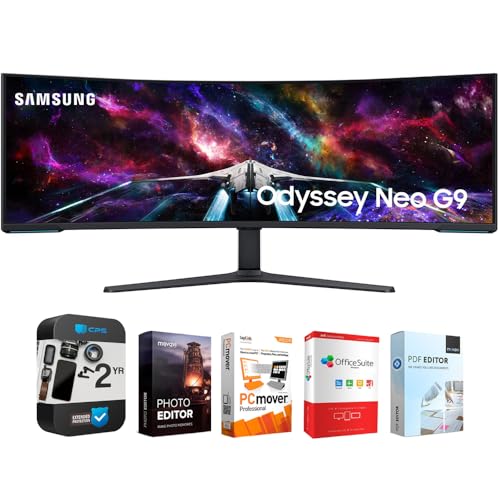
WORLD'S 1ST DUAL UHD MONITOR: 57" DUHD resolution brings you a display as wide as 2 UHD monitors with incredibly detailed, pin-sharp images and a wide field of view; See more of the action and play with conviction, knowing you won't miss a thing
1800R: The Gentler Curve and Its Productivity Trade-Offs

1800R: The Gentler Curve and Its Productivity Trade-Offs
So you’re torn between a curved monitor that’s super aggressive and one that plays it safer? The 1800R sits right in the middle—and that’s both its strength and its weakness.
Here’s what you’re really getting: a curve that’s noticeable enough to help with edge distortion, but mild enough that you don’t have to completely rearrange your desk setup. Your eyes won’t have to work as hard at the screen’s edges compared to something like the 1000R, which demands you sit at a very specific distance and angle.
But there’s a catch. Because the curve is gentler, your eyes have to adjust more when you’re looking at different parts of the screen. Frankly, this matters most if you’re someone who spends hours bouncing between spreadsheets, Slack, and email. You might notice your eyes getting tired faster than they would on a flatter screen.
The real advantage? The 1800R actually looks like a normal monitor. It blends into your workspace without screaming “gaming setup” or “I’m different.” If you share your desk space with others or care about how your office looks, this curve won’t make you feel like you’re sitting in front of something unusual. It also works better when multiple people need to see your screen from different angles.
Try this: if you work alone and rarely move your head, go for something more aggressive. But if you’re in a shared space, move around a lot, or just want something that feels familiar, the 1800R’s compromise makes sense.
What matters most to you—maximum focus or flexibility?
Recommended Products

【Lastest 49 Inch OLED Curved Ultrawide Monitor】Premium OLED Panel delivers 5120*1440 resolution up to 240hz monitor for content creation and gaming, 32:9 aspect ratio bring more wider visual than ordinary 16:9 monitor, capture game details more clearly for quick response. Tilt / Swivel / Height Adjustable meet different viewing visions

49-Inch Class (48. 8-Inch viewable) Super wide 32: 9 LED monitor with dual QHD (5120x1440) resolution

HANDPICKED BY AMAZON: They did the research so you don’t have to.
Eye Strain Reduction: Does 1000R Beat 1800R?

Stuck staring at your monitor and wondering if your eyes are paying the price? You’re not alone. A lot of people assume that curvier screens automatically mean less eye strain, but the truth is more complicated than that.
Research from places like Seoul National University Hospital and Harvard Medical School shows that keeping your eyes at equal distances from the screen does reduce fatigue. That part’s solid. But here’s where it gets murky: nobody’s actually done a proper head-to-head test between 1000R and 1800R curves.
What the 1000R actually does
The tighter curve of a 1000R monitor pulls the screen closer to you in a more uniform way. Every pixel sits at roughly the same distance from your eyes. In theory, this should feel more comfortable during long work sessions. But theory and real life don’t always match up.
The 1800R question
A gentler 1800R curve still gives you some of those benefits—just not as aggressively. So which one actually wins for eye comfort? Frankly, the manufacturers haven’t published the kind of detailed comparison that would give you a straight answer. You’ll find plenty of general research showing that curved monitors help, but specific data on these two radii? That’s missing.
What you actually need to know
Don’t let the lack of a definitive study paralyze you. You can test both if you’re serious about it—visit a store, sit at the monitors for 20 minutes, and see which one feels easier on your eyes. Pay attention to how your focus feels and whether you’re squinting.
The bigger picture: distance, lighting, and how often you take breaks probably matter just as much as the curve itself. So what’s your current setup like, and what’s bugging your eyes the most?
Recommended Products

Immersive 49-Inch Curved Display: The Redragon 49-inch ultrawide curved gaming monitor (5120x1440 resolution) with a 1000R curved VA panel delivers a truly immersive experience. Whether you’re gaming intensely or enjoying your favorite movies, this monitor offers realistic visuals and comfortable viewing.

MASSIVE 49” SUPER ULTRAWIDE CANVAS - Get dual QHD (5120×1440) resolution in one seamless 1000R curve for complete immersion and unmatched workspace efficiency.
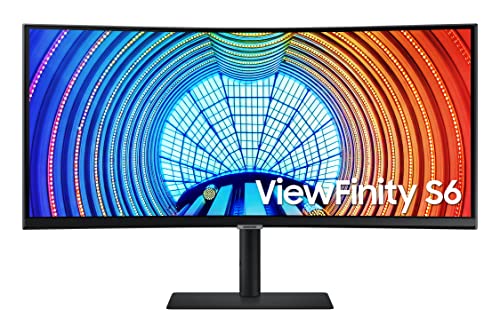
FEEL FULLY IMMERSED: Immerse yourself in gaming, movies or design projects while surrounding yourself with the 34 inch ultrawide curved display featuring a 21:9 aspect ratio; Ultra WQHD allows you to experience truly seamless multitasking on just one screen.Viewing Angle:178.0 degrees.Response time:5.0 milliseconds
Can You Actually Multitask Better on Curved Screens?

Tired of squinting at tiny windows or constantly shuffling between tabs? That’s where curved screens actually start making sense for real work.
When you’re bouncing between spreadsheets, design files, and chat windows all day, eye comfort takes a back seat to practicality. What matters is *seeing everything at once*. A curved display gives you that panoramic stretch—think of it like upgrading from a regular window to a bay window. You get way more horizontal real estate without having to resize, minimize, or constantly flip between applications.
Here’s the trick: that curve actually works with your eyes, not against them. Your vision naturally pulls toward the center of the screen while your peripheral vision still catches what’s happening on the edges. No more playing visual ping-pong between monitors or losing track of what’s on-screen.
So, why does this matter? Because task-switching kills productivity. Every time you minimize a window or click to another app, your brain has to refocus. A curved ultrawide—we’re talking 24 to 49 inches—cuts down on that friction. You can keep your spreadsheet visible on the left, a document in the middle, and design tools on the right. All in view. All at the same time.
Frankly, the biggest win is ditching the multi-monitor setup entirely. One curved display means fewer cables, fewer connection headaches, and less mental overhead trying to manage multiple screens. Your desk stays cleaner, your setup is simpler, and your workflow doesn’t get tangled up in logistics.
Does Your Desk Have Room for an Aggressive Curve?
Does Your Desk Have Room for an Aggressive Curve?
So you’re thinking about grabbing a curved monitor, but you’re not sure if your desk can actually handle it. That’s smart—it’s one of those things people skip over and then regret.
Here’s what you need to know: a 1000R curve is seriously aggressive. It’ll eat up 4-6 extra inches of depth compared to a flat monitor, which might sound small until you’re actually trying to fit it on your desk. You’ll need to measure twice before you commit, because if you don’t have that space, you’re either going to block part of your workspace or throw off your whole setup.
On the flip side, the 1800R curve is gentler. It still gives you that curved-screen feel without demanding as much real estate. If you’re working with a tight desk—like a smaller bedroom setup or a shared workspace—this one’s usually the better move.
Why does desk space matter so much, anyway? Because poor positioning creates real problems. Your eyes should sit about 20-26 inches from the screen no matter which curve you pick. Add keyboard space, mouse room, and maybe some monitors or speakers, and suddenly that extra 4-6 inches makes a huge difference.
Try this: grab a measuring tape and check your desk depth from the edge where your monitor sits back to the wall or your chair. Then think about everything else that needs to live on your desk. Monitor arm or stand? Check that too.
Honestly, most people underestimate how much space they need. Don’t be that person. Measure your setup, figure out what curve actually fits your life, and *then* make the call.
Recommended Products
【P2.5 Flexible LED Screen】Equipped with a flexible LED screen with P2.5 pixel pitch, it has good high-definition display effect, with vivid, delicate and full-color images. It can adapt to various brand promotions, event promotions and dynamic content display, attract the attention of passers-by and enhance the overall texture of the venue.
Experience four times more detail than Full HD with 3840x2160 Ultra HD 4K resolution.

34" LCD panel LED backlight (34400 x 1440 UWQHD).Specific uses for product - Gaming
Which Radius Fits Your Productivity Needs?
So you’ve confirmed your desk can actually fit a curved monitor. Now comes the tougher choice: which curve radius actually works for *you*? The difference between 1000R and 1800R isn’t just a number—it changes how your eyes work and how tired you get by day’s end.
The 1000R gives you that aggressive curve. Screen points sit closer to your face, which means your eyes don’t have to refocus as much when you’re jumping between windows. If you’re someone who lives in spreadsheets and bounces between five apps at once, this tighter radius pulls everything into your natural viewing sweet spot. The flip side? Some people find it too intense, like the screen’s hugging your face a bit too much.
The 1800R takes the opposite approach. It’s gentler, more relaxed. Your peripheral vision gets better use without that wrapped-around-the-head feeling. This one works better if you’re doing mostly document work or switching between two or three windows without getting crazy about it.
Why does this matter? Frankly, picking the wrong radius can actually make your work *harder*, not easier. You’ll fight against it instead of with it.
Think about what you actually do most of the time. Are you managing multiple spreadsheets and apps constantly? Go for the 1000R. Mostly editing documents with occasional multitasking? The 1800R probably fits better. The distance you sit from your monitor matters too—closer viewing distances sometimes work better with tighter curves.
Honestly, the best radius is the one that matches how you work, not what some review site says is “best.” What does your typical workday actually look like?
Frequently Asked Questions
How Do 1000R and 1800R Curved Monitors Compare in Price, and Is the Investment Justified?
I’d say 1000R monitors typically cost more than 1800R models, but here’s the thing: if you’re working over four hours daily, the investment’s justified. You’ll experience reduced eye strain and better productivity that’ll pay dividends long-term.
Will Switching From a Flat Monitor to Curved Affect My Existing Monitor Stand Compatibility?
You’ll likely need new curved monitor mounts since most flat stands won’t grip curved backsides securely. Picture your monitor sliding or tilting awkwardly—that’s why I’d recommend investing in compatible VESA-standard stands designed specifically for curved monitors.
Do Curved Monitors at 1000R or 1800R Reduce Glare Better Than Flat Displays?
I’d say curved monitors don’t inherently reduce glare better than flat displays. However, I’ve found they improve visual comfort by minimizing eye strain through equidistant focusing. You’ll still need proper lighting to manage glare reduction effectively on either type.
How Portable Are 1000R Versus 1800R Monitors for Frequent Relocation or Travel?
“You can’t have your cake and eat it too”—honestly, neither 1000R nor 1800R curved monitors offer great portable design for travel. Their larger footprints and travel weight make frequent relocation impractical compared to flat alternatives.
Are There Noticeable Differences in Edge Distortion Between 1000R and 1800R Radius Curves?
I’ve found the 1000R curve delivers noticeably sharper edge clarity and superior visual comfort since it keeps screen points more equidistant from your eyes. The 1800R’s gentler curve creates slightly more edge distortion, though you’ll likely find both perfectly acceptable for daily productivity work.