As an Amazon Associate, we earn from qualifying purchases. Some links on this site are affiliate links at no extra cost to you. Our recommendations are based on thorough research and editorial judgment.


Local Dimming Zones: How Many Do You Actually Need for True HDR Quality?

For genuine HDR quality, you’ll need approximately 5,000 local dimming zones, which substantially reduces blooming while delivering superior contrast and brightness control. Full-array backlighting with 1,152 zones outperforms edge-lit setups with higher counts due to superior light distribution. Beyond 20,000 zones, improvements become imperceptible, making higher investments economically inefficient. Your screen size determines proportional zone requirements for even illumination. Understanding these specifications and technology arrangements reveals which configurations deliver authentic HDR performance within realistic budgets.
Key Takeaways
- Around 5,000 zones delivers substantial HDR improvements and effectively mitigates blooming for most viewing scenarios.
- Performance plateaus around 20,000 zones; exceeding this count yields negligible perceptual benefits and wastes money.
- Full-array backlighting with fewer zones outperforms edge-lit systems with more zones due to superior light control.
- TVs with 384 zones show noticeable blooming; 1,152 zones significantly improve quality; 10,000 zones approach OLED-like performance.
- Screen size affects zone requirements; larger TVs need proportionally more zones for even light distribution and optimal brightness.
What Local Dimming Zones Do for HDR
What Local Dimming Zones Do for HDR
Ever notice how some TVs show a bright object on a dark background and it looks like there’s a weird glow around it? That’s called blooming, and it’s the enemy of good HDR picture quality. Local dimming zones are basically the fix for that problem.
Here’s how it works: your TV’s backlight is split into separate clusters of LEDs that can be controlled independently. While one zone cranks up brightness to hit around 1,000 nits for those bright highlights, another zone is dialing down to create really deep blacks. This independent control means you get genuine contrast instead of that washed-out look.
The more zones you’ve got, the better the control. Full-array backlighting (where zones spread across the entire screen) gives you way more precision than edge-lit setups, where the LEDs are basically just around the edges. Think of it like this: more zones = more pixels getting the right brightness at the right time.
Why does this matter for HDR? Because HDR content is designed to show you a billion different colors and a massive brightness range—way more than standard TV. Without local dimming zones working properly, you’re leaving a ton of that visual potential on the table. The zones let those bright highlights pop while keeping the dark areas actually dark, not murky.
Honestly, if you’re spending money on an HDR-capable TV, you want to make sure it’s got a solid local dimming setup. It’s the difference between watching HDR content and really experiencing it.
Zone Count: What Really Matters for Picture Quality

Ever wonder why some TVs look amazing in a dark room while others just wash out the blacks? It comes down to something called local dimming zones—basically sections of your TV’s backlight that can brighten or darken independently. The more zones you have, the better your TV can handle bright and dark areas without messing things up.
So, why does this matter? Because it directly affects what you actually see on screen. A TV with only 384 zones will show you blooming—that halo effect where bright objects bleed into dark areas around them. It’s annoying, and once you notice it, you can’t unsee it.
Jump up to 1,152 zones and you’re looking at a noticeable improvement. The blooming gets way less obvious, and your HDR content starts to look sharper. Dark scenes don’t get crushed into mud, and bright highlights don’t wash everything out around them.
Now, here’s where it gets interesting: 10,000 zones gets you pretty darn close to OLED picture quality. At that level, most people can’t spot the difference in real-world viewing. Honestly, for most of us watching TV from our couch, this is the sweet spot.
What about going higher? You *can* get TVs with 20,000 or even 40,000 zones, but the improvement becomes almost invisible. It’s like comparing two things that already look great—you’re splitting hairs at that point.
Mini-LED TVs with a few thousand zones are where you’ll find the real value. They give you that precise brightness control across complicated scenes without the drawbacks of older LCD technology. You get crisp blacks, bright highlights, and everything in between actually looks like it should.
Truth is, understanding zone count helps you stop paying for features you won’t notice. Shoot for at least 1,000+ zones if you care about picture quality, but don’t stress about hitting some magic number beyond that—you’re already good.
When More Zones Stop Helping

Honestly, if you’re shopping for a TV right now, you’ve probably seen the zone count thrown around like it’s the only number that matters. But here’s what I’ve learned: more zones don’t always mean a better picture.
The performance gains from local dimming basically plateau around 20,000 zones. Once you hit that number, throwing in more zones—like doubling it to 40,000—doesn’t really move the needle. You’ll get maybe tiny improvements in very specific situations, but most people won’t notice them during normal watching.
So why does this matter? Because it affects what you should actually spend your money on. The visual gap between a 20,000-zone display and a 40,000-zone one is basically invisible for most viewers in real-world conditions. The difference is so small that you’d have to be sitting there specifically looking for it.
What you *will* notice at the 20,000-zone sweet spot:
- Blooming and halo effects are pretty much gone
- Brightness inconsistencies aren’t distracting anymore
- Contrast stays sharp and detail remains crisp across HDR content
Paying extra for anything beyond 20,000 zones? That’s throwing money at something that won’t actually improve your viewing experience. The technology gets you to near-OLED quality at this level—which is honestly where you want to be.
The real question is: are you paying for features you’ll actually use, or are you just chasing bigger numbers on a spec sheet?
Does More Zone Count Always Mean Better Picture Quality?

Does More Zone Count Always Mean Better Picture Quality?
You’ve probably heard manufacturers throw around crazy zone numbers—40,000 zones, 20,000 zones—like it’s the golden ticket to picture perfection. Here’s the reality: it’s not that simple.
The truth is, more zones don’t always equal better picture quality. There’s a sweet spot, and after you hit it, throwing more zones at the problem gives you almost nothing back. Think of it like seasoning food—a little salt makes it better, but at some point, adding more salt just ruins the dish.
Around 20,000 zones is where you start seeing what I’d call “diminishing returns.” Go up to 40,000? You’re probably not going to notice much difference. Your eyes won’t catch the improvement because the actual brightness control across your screen is already doing its job well enough.
So what actually matters then? Honestly, it comes down to three things working together:
- How the zones are arranged (full-array vs. edge-lit)
- What backlight technology you’re using
- How HDR is implemented on the TV
Here’s the trick: a full-array system with a few thousand zones will blow away an edge-lit TV with way more zones. Why? Because the architecture—where those zones sit and how they work—matters way more than just counting them up. A smart design beats raw numbers every time.
The bottom line? Don’t get caught up chasing the biggest zone count. Instead, focus on whether the TV actually reduces blooming (that halo effect around bright objects) and delivers consistent brightness across the screen. That’s what you’ll actually see and enjoy.
Recommended Products

OUTDOOR TV DESIGNED FOR PATIOS & COVERED SPACES: This outdoor TV is built for outside use on patios, decks, and covered porches. Unlike indoor TVs, this outdoor television is weather-resistant and outdoor-rated, perfect as a patio TV.
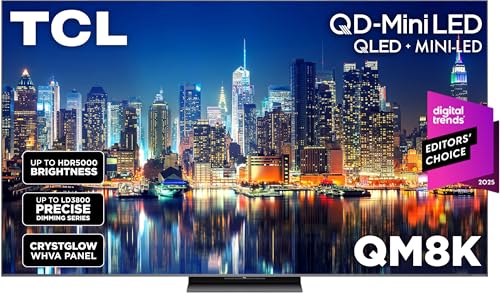
QD-MINI LED: This premium level Mini LED TV, now with the New TCL Halo Control System, ensures a stunning viewing experience.

This bundle contains Amazon Ember 75" QLED Series and Fire TV Soundbar Plus.
Full-Array vs. Edge-Lit: How Zone Placement Works

Full-Array vs. Edge-Lit: How Zone Placement Works
Ever notice how some TVs look amazing in the store but underwhelming at home? A big part of that comes down to something most people never think about—where the actual dimming zones sit behind your screen. It’s not just about how many zones you have; it’s where they’re positioned that really matters.
Full-Array: The Better Approach (Usually)
Full-array setups spread LEDs across the entire back panel in a grid pattern. This means you get more even lighting control from corner to corner. The brightness doesn’t shift weirdly when you’re watching a dark scene with bright spots. In my experience, this is where you’ll notice the cleanest blacks and the best HDR performance, especially on larger screens.
Edge-Lit: The Trade-Off
Edge-lit TVs put all the LEDs around the perimeter. Honestly, it’s cheaper to manufacture and the TV stays thinner, but here’s the catch—you’ll see bright bands creeping in from the edges during certain scenes. Fewer zones means less precise dimming control overall. So, why does this matter? Because that blooming effect (where brightness bleeds into dark areas) becomes way more noticeable.
Direct-Lit: Skip This One
Direct-lit systems don’t dim zones at all—the backlight just stays on constantly. Truth is, you won’t get true blacks with this setup, and your HDR content suffers because of it.
What Should You Actually Choose?
If you can swing full-array, do it. Better picture quality across the board, less blooming, fewer halos around bright objects on dark backgrounds. Edge-lit works fine for smaller sets or if budget’s tight, just know what you’re trading away.
What matters most to you in your viewing space—picture perfection, or keeping costs down?
The “Good Enough” Zone Count for Realistic Budgets
The “Good Enough” Zone Count for Realistic Budgets
So here’s what actually matters: you don’t need to max out your budget chasing the highest zone count. Most of us are working with real money constraints, and honestly, that’s fine. The sweet spot? Around 5,000 zones. That’s where you start seeing a real difference in how your TV handles bright and dark scenes—you’ll notice distinct brightness steps and way less blooming compared to those cheap entry-level sets with just 100 zones.
Want solid HDR without dropping serious cash? Look at mid-range Mini-LED TVs that hit the 2,000 to 5,000 zone range. You’re getting meaningful improvements in contrast and deeper blacks without paying premium prices. I’ve found that this tier delivers exactly what most people actually notice when they’re watching movies or gaming.
Now, why does going higher than 20,000 zones matter less? Frankly, it doesn’t—at least not for how you’ll actually watch TV. Once you hit that upper benchmark, adding more zones gives you barely any perceptual improvement during typical viewing. You’re paying more for something your eyes can’t really detect.
The takeaway: aim for that middle ground between 2,000 and 5,000 zones. That’s where you get the best bang for your buck—real HDR performance without the premium sticker shock. Does stretching your budget for more zones appeal to you, or does hitting that “good enough” sweet spot sound more realistic?
Zone Count Specs: What to Look for When Buying
Browsing TV specs and spotting “zone count” everywhere? You’re not alone—and honestly, it’s confusing as hell because manufacturers throw around different terms and numbers that don’t always line up.
Here’s what actually matters: pay attention to whether you’re looking at full-array or edge-lit zones. That difference changes everything about how well the TV controls light and dark spots on your screen. Frankly, it’s the foundation of understanding whether those zone numbers are even worth your money.
So, why does the actual number matter? If you’re shopping on a budget, aim for at least 5,000 zones—that’s the sweet spot where you’ll see a real difference compared to cheaper models. The jump from a 100-zone budget TV to a 5,000-zone mid-range model? Night and day. But if you want to splurge, 20,000 zones hit that perfect balance between cost and performance for most people.
The breakdown looks like this:
- Entry-level TVs (100–576 zones): You’ll definitely notice blooming—those halos of light around bright objects on dark backgrounds
- Mid-range picks (1,000–5,000 zones): Much tighter control, way fewer distracting artifacts
- Premium Mini-LED models (10,000–20,000 zones): Nearly as good as OLED, honestly
One thing people miss: your screen size matters a ton. A 55-inch TV doesn’t need the same zone count as a 75-inch to look equally sharp and bright. Bigger screens need more zones to spread that control evenly. It’s basic math, but manufacturers rarely spell it out.
What size TV are you thinking about, and where will it sit in your room?
Recommended Products

Mini-LED Pro With Up to 3000 Local Dimming Zones And Up to 3000 nits Peak Brightness: See the realism of every shadow cast by the players and the ball. When your TV is backlit by thousands of tiny LEDs, your viewing experience gets even more precise. Think of the LEDs like thousands of pinpoints of light illuminating your screen. And Full Array Local Dimming creates deeper shadows and brighter highlights, while virtually eliminating halos.

SQD-Mini LED: As the ultimate Mini LED TV, it integrates the expansive TCL Deep Color System with the breakthrough TCL Halo Control System to ensure the most brilliant, pure, and immersive viewing experience possible.

INTELLIGENT TV PROCESSING – The Cognitive Processor XR understands how humans see to deliver intense contrast with deep blacks, high peak brightness, and natural colors.
Frequently Asked Questions
Can Local Dimming Zones Improve Picture Quality on Non-Hdr Content and Standard Broadcasts?
I’d say local dimming does offer some picture enhancement for non-HDR content, though it’s less dramatic. You’ll notice improved contrast and deeper blacks, but standard broadcasts won’t fully leverage this technology’s content versatility since they lack HDR’s expanded brightness range.
How Do Mini-Led TVS With Thousands of Zones Compare in Price to OLED Alternatives?
I’ll tell you that mini-LED TVs with thousands of zones typically cost considerably less than OLED alternatives. You’re looking at saving hundreds to thousands of dollars with mini-LED pricing while still achieving near-OLED picture quality through advanced local dimming technology.
What Causes Blooming and Halo Effects, and How Exactly Do Zones Prevent Them?
When you’ve got fewer zones, I’ll tell you that blooming causes bright halos around objects because large LED clusters can’t dim independently. More zones let me control small screen sections separately, preventing those unwanted halo effects you’ll notice.
Are Local Dimming Zones Beneficial for Gaming, Sports, or Fast-Action Content Specifically?
Yes, I’d say local dimming zones considerably boost your gaming performance and fast action clarity. They prevent blooming around bright explosions or flashes, keeping dark areas sharp during intense scenes. You’ll notice crisper details and deeper blacks without that distracting halo effect.
Which Brands Currently Offer the Highest Zone Counts in Affordable Mid-Range TV Models?
I’d say Hisense and TCL are lighting the way in affordable mid-range models. Their zone comparisons show Hisense U8K and TCL QM8 leading brand rankings with thousands of zones, delivering near-premium contrast without breaking your budget.