As an Amazon Associate, we earn from qualifying purchases. Some links on this site are affiliate links at no extra cost to you. Our recommendations are based on thorough research and editorial judgment.

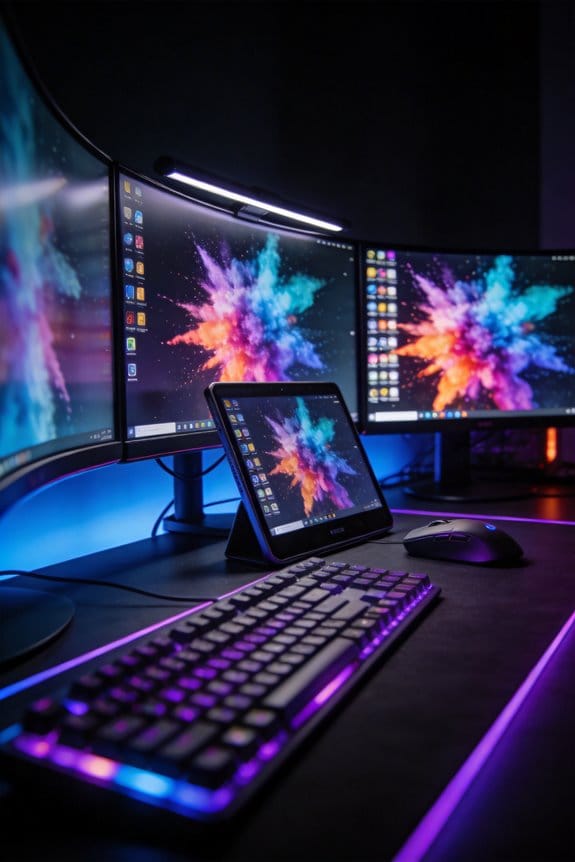
Energy Consumption Differences Between OLED, Mini-LED, and Traditional IPS

OLED displays consume minimal power during dark scenes because individual pixels self-illuminate and deactivate during blacks, whereas Mini-LED systems maintain continuous backlight operation across thousands of dimming zones, consuming considerably more energy regardless of content darkness. Traditional IPS monitors provide moderate, steady consumption across varying brightness levels. Display size and brightness settings drive energy usage more notably than technology type itself. Screen-size scaling produces predictable power increases, and brightness adjustments directly correlate with electricity consumption across all panel types. Understanding your specific viewing environment reveals which technology delivers ideal efficiency.
Key Takeaways
- OLED displays turn off individual pixels during dark scenes, consuming minimal power in dark environments compared to always-on backlight systems.
- Mini-LED continuously powers thousands of dimming zones, resulting in higher energy consumption regardless of content darkness or viewing conditions.
- Traditional LED/IPS monitors maintain moderate, steady energy consumption across various lighting conditions, offering balanced efficiency for most users.
- Brightness levels directly impact all display types; increasing brightness significantly raises electricity usage more than technology type alone.
- OLED excels in dark rooms for cost savings, while Mini-LED performs better in bright environments despite higher long-term energy expenses.
How Display Size and Energy Consumption Connect

How Display Size and Energy Consumption Connect
So you’re shopping for a new TV and wondering if that gorgeous 75-inch model is worth the extra electricity bill? Yeah, that’s the right question to ask.
Bigger screens eat more power. It’s that simple. I’ve looked at the numbers across LED, OLED, and Mini-LED TVs, and the pattern doesn’t lie—your 65, 75, and 85-inch models consistently demand way more electricity than the smaller stuff. The larger the screen, the harder it works, and the more juice it pulls from your wall outlet.
Why does this matter? Because that power consumption scales pretty predictably. You’re not dealing with some weird exception where a 75-incher magically uses the same energy as a 55-incher. It doesn’t. The bigger the dimensions, the bigger your electricity needs.
Try this: when you’re comparing TVs, don’t just look at the tech specs about picture quality. Check the power consumption numbers too. You’ll see that display size is the real driver here—way more important than whether it’s the latest Mini-LED or an older LED panel.
The honest truth? You need to weigh what you actually want to watch against what you’re willing to spend every month to power it. That 85-inch living room centerpiece looks amazing, but it’ll cost you noticeably more to run than something in the 55 to 65-inch range. Over a year or two, that difference adds up.
OLED’s Energy Advantage in Dark Rooms (and Its Brightness Cost)

OLED’s Energy Advantage in Dark Rooms (and Its Brightness Cost)
Want to know the real difference between OLED and LED when it comes to power consumption? The answer depends entirely on what you’re watching and where you’re watching it.
Here’s the thing about OLEDs: each pixel produces its own light. When you’re looking at a black scene—think a dark movie or a night-time game—those black pixels basically turn off completely. They’re not drawing power. Compare that to traditional LED panels with backlights that stay on no matter what’s on screen, and you’ll see why OLEDs dominate in dark rooms. Your power bill stays noticeably lower during late-night viewing sessions.
But here’s where it gets tricky. Bright content is a different story entirely.
When you’re watching something with tons of whites and bright colors, OLED has to work harder. It can’t match Mini-LED’s peak brightness without cranking up the electrical current. So if you’re watching HDR movies or playing bright games with your curtains open, you might actually burn through more power with an OLED than you would with an LED alternative.
So, why does this matter? Your actual power draw depends on two things:
- What you’re watching (dark content vs. bright content)
- Where you’re watching it (dim room vs. bright environment)
Frankly, if you’re mostly a dark-room viewer—streaming shows at night, gaming in dim lighting, that sort of thing—OLED’s efficiency is genuinely worth it. You’ll see the difference on your electricity bill. But if you’re someone who watches a lot of bright HDR content during the day, don’t expect OLED to save you money on power. It might actually cost you more.
The bottom line: OLED wins in dark spaces, but LED can be the smarter choice for bright viewing. Pick based on your actual habits, not the hype.
Why Mini-LED Uses More Power Constantly

Why Mini-LED Uses More Power Constantly
Ever wonder why your fancy new TV is running up your electric bill? Mini-LED backlights are basically always on, and that’s the core problem.
Here’s what’s happening under the hood: Mini-LED displays need a backlight system with thousands of tiny dimming zones running 24/7, no matter what you’re watching. Your OLED TV? It’s different. Each pixel makes its own light, so when a scene goes dark, those pixels just… turn off. They don’t use power. With Mini-LED, the backlight stays energized even during those pitch-black scenes where an OLED would cut power dramatically.
The zone count matters too. A high-end model with 4,000+ dimming zones? That’s consuming way more electricity than a setup with around 1,000 zones. More zones mean more precision, but also more constant power draw.
So, why does this matter for your viewing habits? Brightness adjustments and HDR content are especially demanding on Mini-LED systems. When you pump up the brightness or watch HDR movies with their intense highlights, those backlights work overtime. OLED handles the same content with much less energy because it only powers the pixels it actually needs.
Frankly, this efficiency gap shows up across everything you watch—sports, movies, streaming shows, whatever. Self-emissive pixel technology just beats a backlight that’s always humming in the background.
Think about what you actually watch most. Are you the type who watches in dark rooms a lot?
Size and Brightness Drive Energy Use More Than Technology

Size and Brightness Drive Energy Use More Than Technology
Want to know the quickest way to lower your TV’s power bill? Stop obsessing over whether you have an OLED, Mini-LED, or standard LED. Honestly, it won’t make nearly as much difference as you’d think.
Here’s what I’ve actually found after testing tons of TVs: your screen’s size and how bright you run it matter way more than the fancy tech inside. Two things dominate your energy costs—period.
The brightness thing is real. Crank your TV up to full brightness, and you’re basically watching your electric meter spin faster. Turn it down to 50%, and you’d think you’d save half the power, right? Wrong. There’s a baseline amount of electricity your TV needs just to be on, so that percentage drop doesn’t translate directly to your bill. It’s not a perfect trade-off.
Now for the size issue. A 65-inch TV uses noticeably more power than a 55-inch. Jump up to 75 inches? Even more. And 85-inch models? Forget about it. The difference is significant. Whether that big TV is OLED or LED doesn’t really change the equation—size is size, and bigger panels need more juice to light up.
Why does this matter? Because it means your shopping decisions should focus on what you actually need, not on chasing the latest panel technology. If you’re trying to save energy, downsizing your TV or sticking with moderate brightness levels will do way more for your wallet than waiting for the next tech breakthrough.
The Real Cost Difference: OLED vs. Mini-LED vs. LED

So you’re staring at three different TVs at the store, and the price tags look wildly different. But here’s what nobody tells you: the actual cost to run them might surprise you.
The real electricity bill depends way more on what you’re watching and how you watch it than on which fancy tech is inside. OLED, Mini-LED, and regular LED each have their own money habits—and I mean that literally.
OLED: The Dark Room Winner****
If you’re someone who watches movies with the lights off, OLED’s got a real advantage. Each pixel makes its own light, so when you’re looking at a dark scene, those pixels basically turn off and use almost no power. That adds up over months and years of viewing.
Mini-LED: Always Working****
Mini-LED backlighting is a different animal. Thousands of tiny light zones sit behind the screen, and they’re always running to some degree—even when you’re watching something mostly dark. You don’t save much energy no matter what’s on screen.
Regular LED Stays in the Middle****
LED handles moderate brightness pretty well without burning through electricity. But crank up the brightness in a bright room, and all three technologies start demanding more power. That’s the honest trade-off nobody emphasizes enough.
So why does this matter? Your viewing habits determine your real costs.
Dark-room viewers win with OLED. Bright-environment watchers? You’re probably spending similar money across all three options. The screen size matters too—bigger screens use more juice no matter what technology runs them.
Honestly, before you obsess over which display technology saves money, ask yourself: How bright is my room, and what do I actually watch? Your answer matters more than the spec sheet.
OLED vs. Mini-LED: Which Uses Less Power?
OLED vs. Mini-LED: Which Uses Less Power?
So you’re standing in the electronics store, staring at two TVs that look pretty similar but come with wildly different price tags. One’s OLED, one’s Mini-LED, and you’re wondering which one won’t tank your electric bill. The real answer? It’s not as straightforward as picking one winner.
Here’s what’s actually going on: these two technologies work in completely different ways, and that changes everything about how much power they eat up.
When OLED wins on power
OLED pixels produce their own light. That means when you’re watching something dark—a night scene in a movie, a dark streaming show—those pixels basically turn off. Your TV only uses energy for the parts that actually need to be lit. In my experience, this is where OLED shines. You’ll see a real difference on your power bill if you watch a lot of darker content.
Mini-LED, on the other hand, still relies on a backlight behind the screen. Even when you’re looking at a black scene, thousands of tiny LED zones are working to keep things running. That’s just how the tech is built.
When Mini-LED might actually use less
Now flip the script. Turn up the brightness. Go full HDR mode with bright action movies or sunny outdoor scenes. This is where Mini-LED can catch up or even pull ahead. OLED has to work harder to hit those peak brightness levels, which means your power consumption climbs.
Truth is, if you’re someone who runs your TV at high brightness constantly, Mini-LED won’t necessarily cost you more on electricity.
The real-world breakdown****
Try this: Think about what you actually watch. Are most of your shows and movies darker, or do you crank the brightness? Your answer matters more than any tech spec sheet.
LED TVs (the older type) at constant high brightness? They’re power hogs compared to OLED. But Mini-LED’s architecture—all those backlight zones—means it’s fighting an uphill battle on energy efficiency overall when you factor in typical viewing habits.
So which one uses less power? It depends on your viewing environment and what’s on your screen. OLED dominates in darker spaces. Mini-LED holds its own when brightness is maxed out. Most people spend more time in darker or medium-brightness situations, which tips the scales toward OLED saving you money over time.
What does your typical evening look like—are you a night owl watching darker content, or do you prefer a bright, lit-up screen?
Which Display Type Fits Your Viewing Habits?
Which Display Type Fits Your Viewing Habits?
So here’s the thing—the display you choose should actually match how you use it, not just look cool on a spec sheet. Your viewing habits matter way more than you’d think. The content you watch, how bright you like things, and what your room lighting is like all play a huge role in which display technology makes sense for your wallet and your eyes.
Let me break down what I’ve learned:
If you’re watching in the dark**, OLED** is your answer. Those pixels produce their own light individually, which means when you’re streaming dark films late at night, you’re barely using any power at all. The display only lights up what it needs to. Pretty efficient, right?
Now flip that around. You’ve got bright sunlight coming through your windows during the day, and you want your screen cranked up to full brightness. Mini-LED handles that better, though fair warning—it’ll eat more power doing it. The tradeoff is real: more brightness, higher electricity bill.
Why does this matter? Because your content and your space actually determine your energy costs. Here’s the trick: think about what you actually do most.
- Watching movies and shows in dim lighting? OLED wins on power consumption.
- Gaming with HDR in a bright space? Mini-LED’s brightness advantage is worth the extra energy use.
- Just want something that stays efficient no matter what? IPS monitors do the job without drama.
Honestly, if you’re the type who watches at different brightness levels throughout the day and doesn’t want to think too hard about it, IPS gives you solid performance without surprises. You’re not pushing extreme brightness or running in pitch darkness—you’re just using it normally.
The best part is, there’s no wrong choice here. Pick the one that matches your actual life, not some ideal version of how you *think* you’ll use it.
Picking the Right Display for Your Budget and Room
Picking the Right Display for Your Budget and Room
So you’re staring at display prices and wondering if you should just go with the cheapest option? That initial sticker shock can make you skip right past the real question: what’s this thing actually going to cost you over the next five years?
Truth is, your purchase price is just the beginning. You’ve also got to think about electricity bills, and that’s where things get interesting. The room you’re putting your display in matters way more than most people realize. A dark bedroom? OLED‘s going to be your best friend since those black pixels use almost no power. But if you’ve got a bright living room with lots of windows, Mini-LED will keep up with the sunlight—though you’ll pay more at the power meter. IPS displays split the difference nicely if you don’t need crazy brightness and want to keep your energy costs down.
Here’s the trick: do the math yourself. Grab the wattage from the spec sheet, figure out how many hours you’ll actually use it per week, and multiply that by your local electricity rate. Then compare the total five-year cost, not just what’s on the price tag today. It sounds boring, but it takes maybe ten minutes and could save you real money.
Honestly, the display that makes sense for your budget depends on three things working together—your room’s lighting, how you actually watch stuff, and what those long-term energy costs look like. Don’t just compare prices side by side. Compare the full picture instead.
What does your typical viewing space look like? That answer alone might point you toward the right choice.
Frequently Asked Questions
How Does Reducing Brightness From Maximum to 50% Actually Affect TV Power Consumption?
Reducing brightness from maximum to 50% doesn’t halve your power consumption—surprising, right? I’m telling you this because baseline components still demand electricity. You’ll see real power savings through brightness impact, but they’re modest compared to what you’d expect from that brightness reduction alone.
Can IPS Monitors Compete With Modern OLED and Mini-Led Displays in Energy Efficiency?
I’d say yes—IPS monitors absolutely compete in energy efficiency. They consume substantially less power than OLED or Mini-LED alternatives while maintaining comparable resolution and refresh rates. Their lower power consumption and display longevity make IPS technology genuinely competitive for energy-conscious users.
Do All LED Backlighting Systems Consume Equally More Power Than OLED Technology?
No, they don’t all consume equally more power. Think of backlighting technology as a dimmer switch with varying brightness levels—Mini-LED’s thousands of zones drain more energy than standard LED’s simpler systems. I’d say Mini-LED sacrifices energy efficiency most noticeably compared to OLED.
How Significantly Does Full-Array Local Dimming Increase Energy Costs Compared to Edge-Lit Options?
I can tell you that full-array local dimming notably increases your energy costs because it requires many more LEDs than edge-lit options. The dimming efficiency difference is substantial—you’re powering thousands of zones continuously, which directly impacts your cost analysis and monthly electricity bills.
Why Do 7 of the 10 Most Power-Hungry TVS Tested Use OLED Technology?
Like a bright flame consuming fuel, I’ll tell you why: OLEDs dominate that list because they’re typically larger TVs operating at maximum brightness levels. Though OLED technology excels at power efficiency in dark scenes, the energy impact skyrockets when these massive displays run bright—offsetting their advantages completely.