As an Amazon Associate, we earn from qualifying purchases. Some links on this site are affiliate links at no extra cost to you. Our recommendations are based on thorough research and editorial judgment.

10 Best Curved Gaming Monitors That Enhance Your Gaming Experience

If you’re seeking top-performing curved gaming monitors, consider options like the Sceptre 30-inch with a 200Hz refresh rate, the Acer Nitro 34″ QHD with 120Hz, and the Alienware AW3423DWF featuring a 165Hz refresh rate and QD-OLED technology for superior color accuracy. Additionally, the Samsung Odyssey G9 offers a dual QHD resolution at 240Hz, while the LG Ultragear 32″ boasts HDR10 support. These monitors enhance immersion and visual performance for ideal gaming experiences. Further details can guide your selection.
Key Takeaways
- Choose monitors with high refresh rates, like the SANSUI 32 Inch Curved (240Hz) and Samsung Odyssey G9 (240Hz), for fluid motion in games.
- Look for monitors with immersive curvature, such as the 1000R of the Acer Nitro and Alienware AW3423DWF, to enhance peripheral vision.
- Opt for displays with high resolution, like the Samsung Odyssey G9’s 5120 x 1440, for detailed graphics and expansive viewing areas.
- Ensure better color accuracy and visual quality with technologies like QD-OLED in the Alienware monitor and 99% sRGB in the LG Ultragear.
- Consider ergonomics; monitors like the Sceptre 30-inch and Samsung Odyssey G9 incorporate features to reduce eye strain during long gaming sessions.
| Sceptre 30-inch Curved Gaming Monitor (C305B-200UN) | 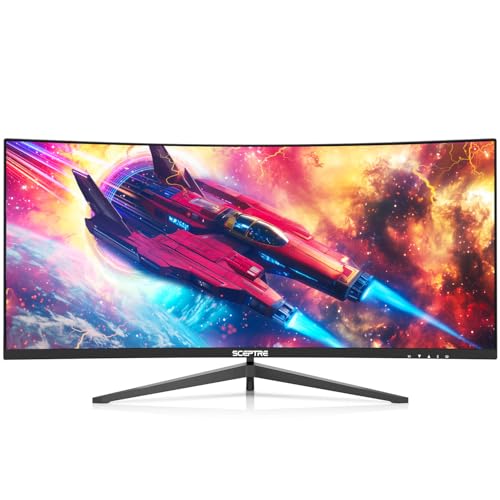 | Best Ultra-Wide Experience | Screen Size: 30 inches | Resolution: 2560 x 1080 | Refresh Rate: 200+ Hz | VIEW LATEST PRICE | Read Our Analysis |
| Sceptre 24-inch Curved Gaming Monitor (C248W-1920RN) | 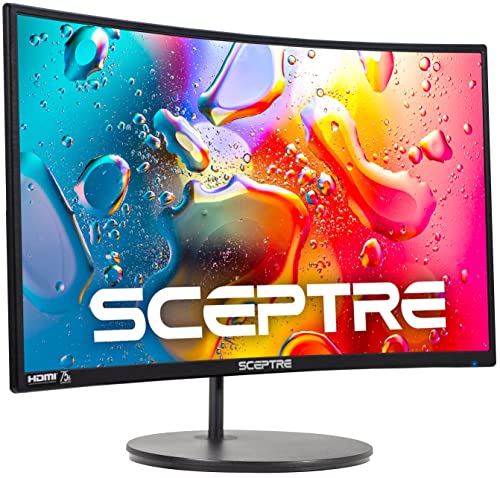 | Affordable Curved Gaming | Screen Size: 24 inches | Resolution: 1920 x 1080 | Refresh Rate: 75 Hz | VIEW LATEST PRICE | Read Our Analysis |
| Acer Nitro 34″ Curved QHD Gaming Monitor (EDA343CUR) |  | Best for Immersion | Screen Size: 34 inches | Resolution: 3440 x 1440 | Refresh Rate: 120 Hz | VIEW LATEST PRICE | Read Our Analysis |
| SANSUI 32 Inch Curved Gaming Monitor 1080P | 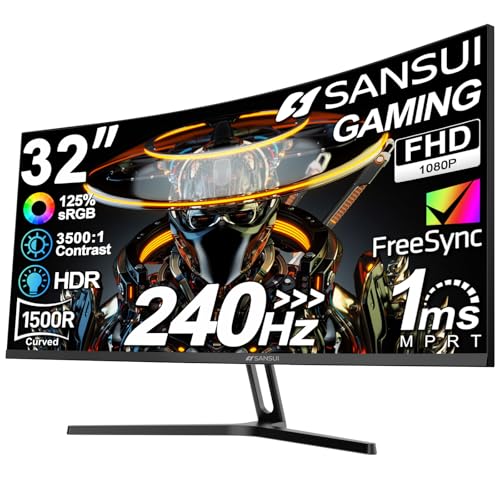 | Highest Refresh Rate | Screen Size: 32 inches | Resolution: 1920 x 1080 | Refresh Rate: 240 Hz | VIEW LATEST PRICE | Read Our Analysis |
| Alienware AW3423DWF 34-inch Curved QD-OLED Gaming Monitor |  | Best OLED Performance | Screen Size: 34 inches | Resolution: 3440 x 1440 | Refresh Rate: 165 Hz (DisplayPort) | VIEW LATEST PRICE | Read Our Analysis |
| Samsung 49″ Odyssey Curved Gaming Monitor | 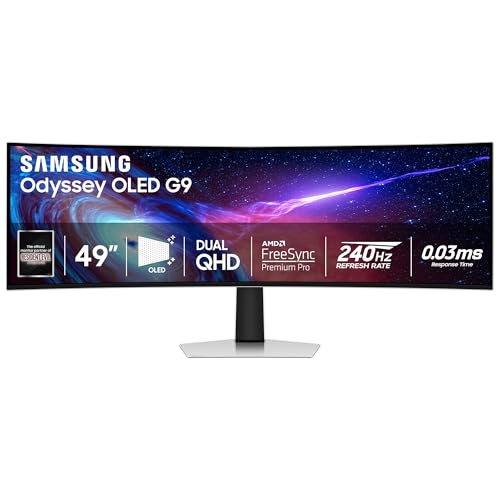 | Ultimate Dual Display | Screen Size: 49 inches | Resolution: 5120 x 1440 | Refresh Rate: 240 Hz | VIEW LATEST PRICE | Read Our Analysis |
| SANSUI 27 Inch Curved 240Hz Gaming Monitor | 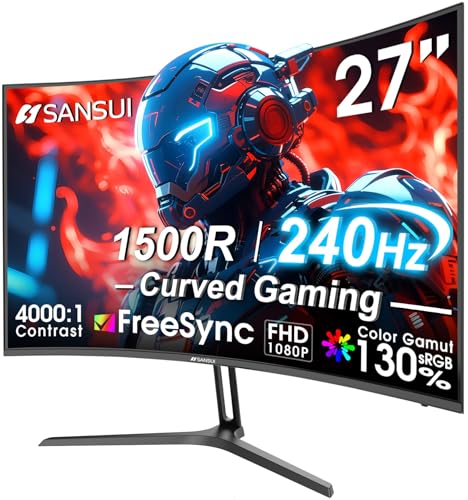 | Best Compact Option | Screen Size: 27 inches | Resolution: 1920 x 1080 | Refresh Rate: 240 Hz | VIEW LATEST PRICE | Read Our Analysis |
| LG Ultragear 32″ Curved Gaming Monitor (QHD) | 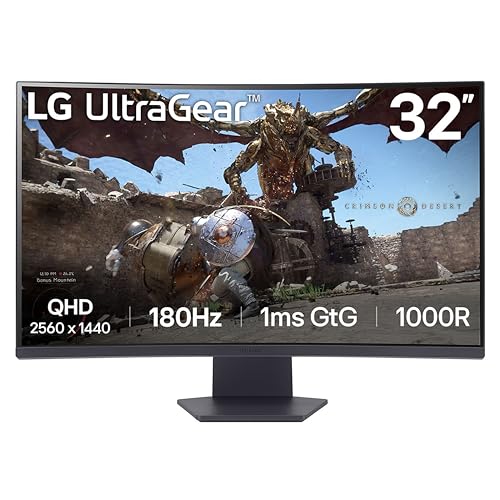 | Enhanced Gaming Features | Screen Size: 32 inches | Resolution: 2560 x 1440 | Refresh Rate: 180 Hz | VIEW LATEST PRICE | Read Our Analysis |
| Samsung Odyssey G9 49″ Curved Gaming Monitor |  | Best for Multi-Tasking | Screen Size: 49 inches | Resolution: 5120 x 1440 | Refresh Rate: 240 Hz | VIEW LATEST PRICE | Read Our Analysis |
| Sceptre 34-Inch Curved Ultrawide WQHD Monitor |  | Best Ultrawide Value | Screen Size: 34 inches | Resolution: 3440 x 1440 | Refresh Rate: Up to 165/180 Hz | VIEW LATEST PRICE | Read Our Analysis |
More Details on Our Top Picks
Sceptre 30-inch Curved Gaming Monitor (C305B-200UN)
The Sceptre 30-inch Curved Gaming Monitor (C305B-200UN) is an ideal choice for avid gamers who prioritize high refresh rates and expansive screen real estate, as evidenced by its impressive 200+Hz refresh rate when connected via DisplayPort, which markedly enhances fluidity and responsiveness during fast-paced gaming scenarios. This monitor features a 2560 x 1080 Full HD resolution and a 21:9 aspect ratio, providing a broad field of view along with a 170° viewing angle that accommodates various seating arrangements. Enhanced ergonomics are achieved through its Blue Light Shift technology, which mitigates eye strain during extended gaming sessions, ensuring prolonged comfort and performance.
- Screen Size:30 inches
- Resolution:2560 x 1080
- Refresh Rate:200+ Hz
- Curvature:Curved
- AMD FreeSync:Yes
- Connectivity Ports:DisplayPort, HDMI
- Additional Feature:Custom FPS/RTS settings
- Additional Feature:Built-in speakers
- Additional Feature:Picture-by-Picture functionality
Sceptre 24-inch Curved Gaming Monitor (C248W-1920RN)
Designed for gamers seeking an immersive experience, the Sceptre 24-inch Curved Gaming Monitor (C248W-1920RN) boasts a 1800R curved display, which enhances peripheral vision, allowing for a more engaging gameplay session. With a Full HD resolution of 1920 x 1080 pixels and a 75Hz refresh rate, this monitor delivers crisp visuals and fluid motion, making it suitable for various gaming genres. Featuring multiple connectivity options, including two HDMI ports and VGA, it’s fully compatible with Windows 10. Additionally, its 3000:1 contrast ratio and matte screen surface reduce glare, contributing to prolonged viewing comfort during extended gaming sessions.
- Screen Size:24 inches
- Resolution:1920 x 1080
- Refresh Rate:75 Hz
- Curvature:1800R
- AMD FreeSync:Not listed
- Connectivity Ports:HDMI (x2), VGA
- Additional Feature:Contrast ratio 3000:1
- Additional Feature:Lightweight at 7 pounds
- Additional Feature:Slender metal design
Acer Nitro 34″ Curved QHD Gaming Monitor (EDA343CUR)
For gamers seeking an immersive visual experience, the Acer Nitro 34″ Curved QHD Gaming Monitor (EDA343CUR) stands out due to its 1000R curvature, which aligns with the natural shape of the human eye, allowing for enhanced peripheral vision and reduced eye strain during extended play sessions. Featuring a QHD resolution of 3440 x 1440, the monitor boasts a contrast ratio of 100,000,000:1 and 99% sRGB color saturation, ensuring vibrant imagery. With a refresh rate of up to 120Hz and 1ms VRB response time, you’ll experience ultra-smooth visuals devoid of ghosting and screen tearing, thanks to AMD FreeSync Premium technology.
- Screen Size:34 inches
- Resolution:3440 x 1440
- Refresh Rate:120 Hz
- Curvature:1000R
- AMD FreeSync:Yes
- Connectivity Ports:2 x DisplayPort, 2 x HDMI
- Additional Feature:Zero-frame design
- Additional Feature:1ms VRB response time
- Additional Feature:Tilt adjustment range
SANSUI 32 Inch Curved Gaming Monitor 1080P
Offering an immersive gaming experience, the SANSUI 32 Inch Curved 240Hz Gaming Monitor is particularly suitable for gamers seeking high-performance specifications and expansive visuals. With a resolution of 1920 x 1080 pixels, this monitor features a 1500R curvature that enhances depth perception while gaming. It boasts a 240Hz refresh rate and an impressive 1ms MPRT response time, ensuring smooth gameplay without motion blur. Additionally, its 125% sRGB color gamut provides vibrant visuals, complemented by a 3500:1 contrast ratio. Connectivity options include HDMI and DP 1.4, both supporting up to 240Hz, catering to various gaming setups and preferences.
- Screen Size:32 inches
- Resolution:1920 x 1080
- Refresh Rate:240 Hz
- Curvature:1500R
- AMD FreeSync:Yes
- Connectivity Ports:HDMI, DP 1.4
- Additional Feature:240Hz ultra-refresh rate
- Additional Feature:125% sRGB color gamut
- Additional Feature:Shadow booster feature
Alienware AW3423DWF 34-inch Curved QD-OLED Gaming Monitor
The Alienware AW3423DWF 34-inch Curved QD-OLED Gaming Monitor stands out as an exceptional choice for gamers and content creators who demand high fidelity and immersive experiences, thanks to its advanced Quantum Dot Display Technology that delivers superior color accuracy with a color gamut of 99.3% DCI-P3, ensuring vibrant imagery during gameplay and professional tasks alike. With a WQHD resolution of 3440 x 1440, a refresh rate of 165Hz via DisplayPort, and true blacks due to its peak luminance of VESA DisplayHDR True Black 400, this monitor guarantees ultra-low latency gameplay, while its customizable RGB lighting enhances aesthetic appeal in any setup.
- Screen Size:34 inches
- Resolution:3440 x 1440
- Refresh Rate:165 Hz (DisplayPort)
- Curvature:1800R
- AMD FreeSync:Yes
- Connectivity Ports:HDMI, DisplayPort
- Additional Feature:QD-OLED display technology
- Additional Feature:Customizable RGB lighting
- Additional Feature:3-year premium warranty
Samsung 49″ Odyssey Curved Gaming Monitor
Designed for avid gamers seeking an immersive experience, the Samsung 49″ Odyssey G93SC Series Curved Gaming Monitor features a massive 49-inch screen with a 5120×1440 resolution, enabling a dual QHD experience with an aspect ratio of 32:9, which remarkably enhances field of view. This monitor utilizes QD-OLED technology for exceptional color accuracy and contrast, while its 1800R curvature enhances depth perception. With a refresh rate of 240Hz and a response time of 0.03ms (GTG), it guarantees smooth gameplay. Additionally, support for G-Sync and FreeSync Premium Pro enhances performance, mitigating screen tearing and providing a more fluid gaming experience.
- Screen Size:49 inches
- Resolution:5120 x 1440
- Refresh Rate:240 Hz
- Curvature:1800R
- AMD FreeSync:Yes
- Connectivity Ports:HDMI 2.1, DisplayPort
- Additional Feature:1800R curvature
- Additional Feature:Auto Source Switch Plus
- Additional Feature:Built-in speakers
SANSUI 27 Inch Curved 240Hz Gaming Monitor
With a 240Hz refresh rate and a 1500R curvature, the SANSUI 27 Inch Curved Gaming Monitor is particularly well-suited for competitive gamers seeking to enhance their visual experience and responsiveness. This monitor features a Full HD 1080P resolution and a 16:9 aspect ratio, providing clarity alongside an impressive 4000:1 contrast ratio and 300 nits brightness. Incorporating FreeSync technology and a 1ms MPRT response time, it minimizes tearing and blurring in fast-paced games. Additionally, its connectivity options include HDMI and DP1.4 ports, complemented by a VESA-compatible design, allowing for flexible mounting solutions adapted to diverse gaming setups.
- Screen Size:27 inches
- Resolution:1920 x 1080
- Refresh Rate:240 Hz
- Curvature:1500R
- AMD FreeSync:Yes
- Connectivity Ports:HDMI, DP 1.4
- Additional Feature:4000:1 contrast ratio
- Additional Feature:Crosshair feature
- Additional Feature:Lifetime technical support
LG Ultragear 32″ Curved Gaming Monitor (QHD)
Gaming enthusiasts seeking an immersive experience may find the LG Ultragear 32″ Curved Gaming Monitor (QHD) particularly advantageous due to its 1000R curvature, which aligns closely with the natural field of view, promoting greater engagement during gameplay. This 32-inch monitor features a QHD resolution of 2560×1440, offering a 16:9 aspect ratio that supports various gaming genres. Additionally, with a refresh rate of 180Hz and a response time of 1ms GtG, it minimizes input lag considerably. Its HDR10 support and 99% sRGB color gamut guarantee vibrant visuals, while AMD FreeSync technology provides a fluid, tear-free experience, optimizing performance across intense gaming sessions.
- Screen Size:32 inches
- Resolution:2560 x 1440
- Refresh Rate:180 Hz
- Curvature:1000R
- AMD FreeSync:Yes
- Connectivity Ports:2 x HDMI, DisplayPort
- Additional Feature:Black Stabilizer technology
- Additional Feature:Dynamic Action Sync
- Additional Feature:Enhanced Gaming GUI modes
Samsung Odyssey G9 49″ Curved Gaming Monitor
For those who seek an expansive visual experience, the Samsung Odyssey G9 49″ Curved Gaming Monitor offers an impressive 49-inch screen size combined with a 1000R curvature that enhances peripheral vision, making it ideal for immersive gameplay. With a dual QHD resolution of 5120×1440 and a peak brightness of 1000 nits, this monitor delivers exceptional color depth through VESA DisplayHDR 1000. The 240Hz refresh rate coupled with a 1ms response time minimizes motion blur, while AMD FreeSync Premium Pro guarantees a tear-free gaming experience. Additionally, its ergonomic adjustable stand enhances comfort during extended use, accommodating various setups effectively.
- Screen Size:49 inches
- Resolution:5120 x 1440
- Refresh Rate:240 Hz
- Curvature:1000R
- AMD FreeSync:Yes
- Connectivity Ports:HDMI, DisplayPort
- Additional Feature:CoreSync ambient technology
- Additional Feature:HDR VESA DisplayHDR 1000
- Additional Feature:Picture-in-Picture feature
Sceptre 34-Inch Curved Ultrawide WQHD Monitor
The Sceptre 34-Inch Curved Ultrawide WQHD Monitor is an excellent choice for users seeking an expansive visual experience, particularly appealing to gamers and professionals who prioritize high refresh rates and immersive displays. Featuring a 3440 x 1440 resolution and a 21:9 aspect ratio, it utilizes a 1500R curvature for enhanced depth perception. The monitor supports a refresh rate up to 165Hz, boasting a rapid 1ms MPRT response time, which helps minimize motion blur during fast-paced gaming. Additionally, the 99% sRGB color gamut guarantees vivid color representation, while connectivity options include 2 HDMI and 2 DisplayPort inputs for versatility.
- Screen Size:34 inches
- Resolution:3440 x 1440
- Refresh Rate:Up to 165/180 Hz
- Curvature:1500R
- AMD FreeSync:Yes
- Connectivity Ports:2 x HDMI, 2 x DisplayPort
- Additional Feature:Luminous LED back cover
- Additional Feature:1ms MPRT response time
- Additional Feature:30-day full refund policy
Factors to Consider When Choosing Curved Monitor Gaming
When choosing a curved gaming monitor, it’s essential to take into account several factors, including screen size, which affects your field of view and immersion. Additionally, the resolution and display quality directly impact your visual experience, while the refresh rate importance influences the smoothness of gameplay. Finally, connectivity options and design ergonomics contribute to user comfort and compatibility with your existing setup.
Screen Size Selection
Selecting the appropriate screen size for a curved gaming monitor involves several critical factors that directly influence your gaming experience. To achieve ideal immersion, consider monitors that are 32 inches or larger, as they enhance depth perception considerably. Curved monitors are available in sizes ranging from 24 inches to 49 inches; larger displays provide a panoramic view, enriching gameplay. Furthermore, the aspect ratio heavily impacts your selection; ultrawide monitors (21:9) grant an extensive field of view compared to standard (16:9) options. Additionally, larger screens can minimize head movement, consequently reducing fatigue during lengthy sessions. Finally, evaluate your available room space since larger monitors necessitate more desk area and suitable viewing distances for achieving superior visual performance.
Resolution and Display Quality
Resolution and display quality play a pivotal role in enhancing your overall gaming experience on a curved monitor, where visual fidelity and clarity can greatly impact gameplay. Common resolutions, such as FHD (1920×1080) and QHD (2560×1440), offer different levels of detail, with WQHD (3440×1440) providing sharper images due to its higher pixel density, ideal for competitive gaming. Additionally, contrast ratios considerably affect the differentiation between light and dark scenes; therefore, a higher ratio yields deeper blacks and vibrant colors. A broader color gamut, exemplified by 99% sRGB or DCI-P3, guarantees more realistic color reproduction, while display technologies like HDR (High Dynamic Range) enhance brightness and contrast, consequently elevating overall picture quality during diverse gaming scenarios.
Refresh Rate Importance
A vital aspect of gaming performance, the refresh rate, measured in Hertz (Hz), directly influences how smoothly images appear on a curved monitor. Standard refresh rates in gaming monitors vary from 60Hz to over 240Hz, with higher rates particularly advantageous for dynamic genres such as first-person shooters and racing games. A refresh rate of 144Hz is widely recognized as ideal for competitive play, greatly reducing motion blur and enhancing visual clarity during swift movements. Monitors exceeding 200Hz can also minimize latency, providing a more fluid experience essential for situations requiring immediate reactions. Additionally, technologies like AMD FreeSync or NVIDIA G-Sync, when combined with high refresh rate monitors, synchronize frame rates to refresh rates, further alleviating screen tearing and stuttering.
Connectivity Options Available
When choosing a curved gaming monitor, understanding the available connectivity options can greatly influence your overall gaming experience. Most curved monitors offer HDMI and DisplayPort connections, allowing flexible compatibility with gaming consoles and PCs. Certain models support HDMI 2.1, which enables higher bandwidth for resolutions up to 4K and refresh rates exceeding 60Hz, thereby enhancing visual clarity and performance. DisplayPort connections are prevalent, often including G-Sync and FreeSync support to facilitate smooth, tear-free gameplay. Additionally, multiple HDMI ports are beneficial for connecting several devices simultaneously, providing convenience for users adapting between gaming platforms. Some monitors incorporate USB hubs, allowing for easy access to various peripherals and enhancing overall functionality during gaming sessions.
Design and Ergonomics
Considering design and ergonomics is essential when selecting a curved gaming monitor, as these features directly impact comfort and immersion during prolonged use. Curvature radii, such as 1000R or 1800R, align closely with the natural curvature of the human eye, minimizing eye strain and enhancing the viewing experience. Ergonomic designs, including height adjustability, tilt, and swivel capabilities, facilitate ideal positioning, reducing neck and back discomfort during extended gaming sessions. Additionally, slim, borderless aesthetics improve multi-monitor setups, creating a seamless visual flow. VESA mount compatibility allows secure placement according to personal preferences, further enhancing ergonomics. Finally, durable materials, like metal finishes and matte screens, contribute to reflective minimization, fostering a visually engaging environment conducive to extended gaming periods.
Frequently Asked Questions
What Is the Ideal Curvature Radius for Gaming Monitors?
The ideal curvature radius for gaming monitors typically ranges from 1800R to 4000R, which corresponds to the curvature’s effect on immersion and field of view. A 1800R curvature offers a more pronounced wrap-around effect, enhancing peripheral vision in fast-paced games, while a 3000R to 4000R curvature provides a more subtle effect, advantageous for productivity and general usage. Ultimately, your choice should align with your specific gaming preferences and screen size.
How Does Screen Curvature Affect Viewing Angle and Comfort?
Screen curvature substantially enhances your viewing angle and comfort, as it aligns with your eye movement, reducing distortion. Curved monitors, typically ranging from 1800R to 3000R curvature radius, provide an immersive experience by pulling your peripheral vision, creating a sense of depth and engagement. Consequently, you’ll experience less eye strain during extended sessions, since these displays reduce the need for excessive head movement, facilitating a more natural and ergonomically sound viewing posture.
Are Curved Monitors Better for Competitive Gaming Than Flat Ones?
Curved monitors can provide an advantage in competitive gaming due to their immersive field of view and reduced peripheral distortion. The curvature typically enhances depth perception, allowing you to perceive in-game movement more effectively. Furthermore, models with high refresh rates, such as 144Hz or 240Hz, combined with low response times, often under 5 milliseconds, further improve gaming performance. However, the choice ultimately depends on personal preferences and specific gaming requirements.
Can Curved Monitors Reduce Eye Strain During Long Gaming Sessions?
Curved monitors can indeed reduce eye strain during long gaming sessions. Studies indicate that approximately 20% of users experience less discomfort with these displays, given their design mimics the natural curvature of your eyes. This feature promotes improved depth perception and a more immersive field of view, resulting in a more comfortable viewing experience. Moreover, reduced distortion can lead to fewer squints or eye fatigue, making prolonged exposure to visual stimuli more tolerable.
What Mounting Options Are Available for Curved Gaming Monitors?
You’ll find several mounting options for curved gaming monitors, including VESA wall mounts, adjustable monitor arms, and dedicated stands. VESA mounts, which typically come in 75x75mm or 100x100mm patterns, provide versatility for wall installation, while monitor arms allow for greater height and angle adjustments, enhancing ergonomics. Stands, often included with the monitor, support basic adjustment features like tilt and height, yet may lack flexibility compared to more advanced mounting solutions.