As an Amazon Associate, we earn from qualifying purchases. Some links on this site are affiliate links at no extra cost to you. Our recommendations are based on thorough research and editorial judgment.

10 Best Dell UltraSharp Monitors That Elevate Your Viewing Experience

The ten best Dell UltraSharp monitors include the U3225QE, featuring a 31.5-inch 4K display with advanced contrast, and the U4320Q, a 43-inch monitor with versatile connectivity options. The curved U4924DW offers a 49-inch immersive experience with a 5120 x 1440 resolution. The U2724D boasts a QHD resolution with a 120Hz refresh rate for smooth visuals, while the U2424HE delivers Full HD clarity. Each model prioritizes color accuracy and ergonomic design, ensuring effective performance in various tasks, providing a thorough overview of options available.
Key Takeaways
- Dell UltraSharp monitors offer outstanding color accuracy, with models like U2725QE providing 99% DCI-P3 coverage and a Delta E of less than 1.5.
- The U4924DW features a 49-inch curved display with split-screen capabilities, maximizing productivity for multitasking professionals.
- With advanced features like 120Hz refresh rates, the U3225QE and U2724D deliver smoother visuals for gaming and dynamic content.
- Ergonomic designs in monitors like the U2724D and U4924DW provide customizable adjustments for enhanced user comfort during extended use.
- Versatile connectivity options, including USB-C and KVM functionality in the U4320Q and U4924DW, streamline setups and enhance workflow efficiency.
| Dell UltraSharp U3225QE 31.5″ 4K HDR Monitor | 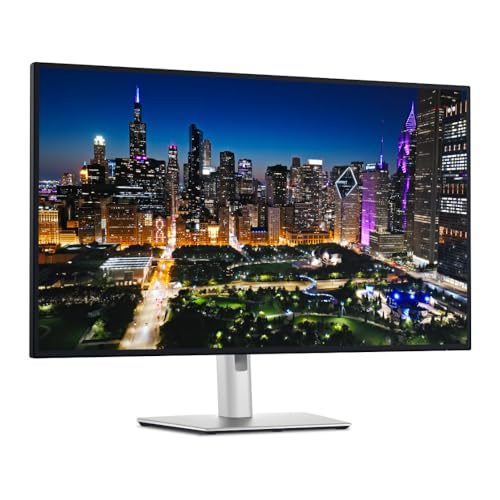 | Best Visual Performance | Screen Size: 31.5 inches | Resolution: 4K UHD (3840 x 2160) | Aspect Ratio: 16:9 | VIEW LATEST PRICE | Read Our Analysis |
| Dell U4320Q 43 Inch 4K UltraSharp Monitor |  | Larger Screen Experience | Screen Size: 42.5 inches | Resolution: 4K UHD (3840 x 2160) | Aspect Ratio: 16:9 | VIEW LATEST PRICE | Read Our Analysis |
| Dell UltraSharp U4924DW 49″ Curved Screen Monitor | 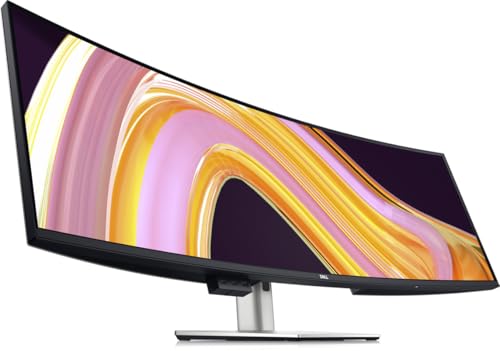 | Ultimate Multi-tasker | Screen Size: 49 inches | Resolution: Dual QHD (5120 x 1440) | Aspect Ratio: 32:9 | VIEW LATEST PRICE | Read Our Analysis |
| Dell UltraSharp 27 Monitor (U2724D) | 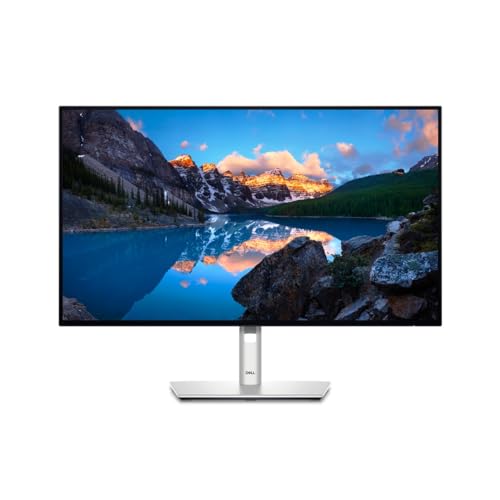 | Compact Powerhouse | Screen Size: 27 inches | Resolution: QHD (2560 x 1440) | Aspect Ratio: 16:9 | VIEW LATEST PRICE | Read Our Analysis |
| Dell UltraSharp U2424HE 24-Inch Full HD Monitor | 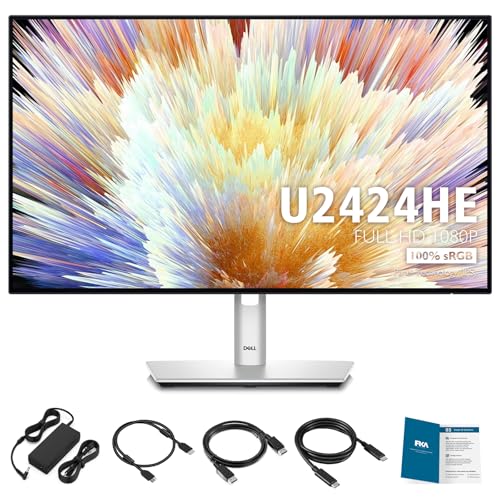 | Ideal for Home Office | Screen Size: 24 inches | Resolution: Full HD (1920 x 1080) | Aspect Ratio: 16:9 | VIEW LATEST PRICE | Read Our Analysis |
| Dell UltraSharp 24 Monitor – U2424H FHD 1080p |  | Reliable Entry-Level | Screen Size: 24 inches | Resolution: Full HD (1920 x 1080) | Aspect Ratio: 16:9 | VIEW LATEST PRICE | Read Our Analysis |
| Dell UltraSharp U2421E 23.8″ LCD Monitor – 24″ Class |  | Excellent Color Accuracy | Screen Size: 23.8 inches | Resolution: WUXGA (1920 x 1200) | Aspect Ratio: 16:10 | VIEW LATEST PRICE | Read Our Analysis |
| Dell UltraSharp 24″ Hub Monitor – (U2424HE) | 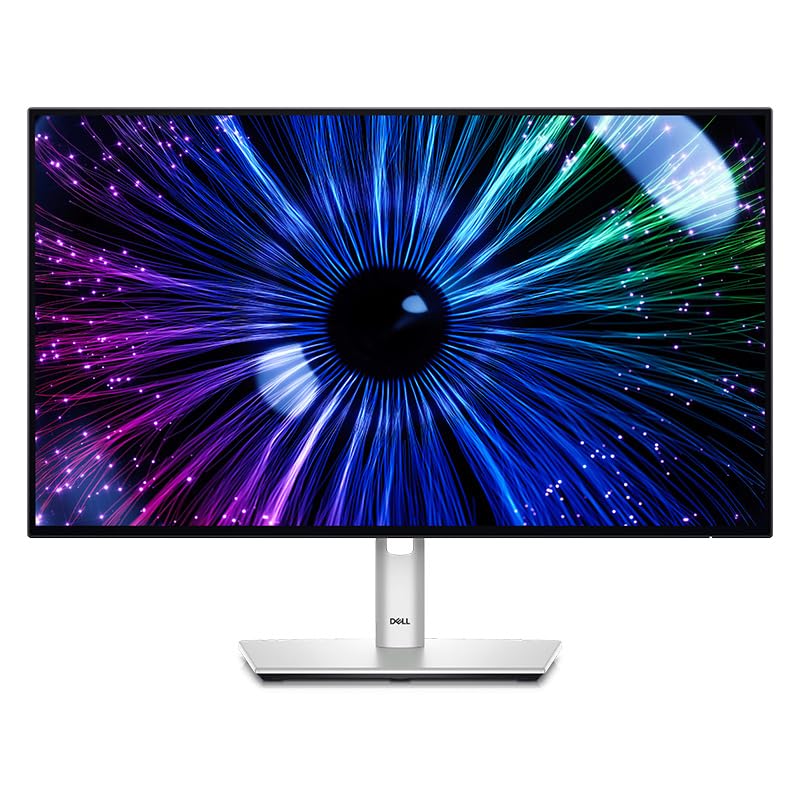 | Convenient Hub Functionality | Screen Size: 23.8 inches | Resolution: Full HD (1920 x 1080) | Aspect Ratio: 16:9 | VIEW LATEST PRICE | Read Our Analysis |
| Dell UltraSharp U2725QE 27″ 4K UHS IPS Black Monitor |  | Enhanced Eye Comfort | Screen Size: 27 inches | Resolution: 4K UHD (3840 x 2160) | Aspect Ratio: 16:9 | VIEW LATEST PRICE | Read Our Analysis |
| Dell UltraSharp 43 4K USB-C Hub Monitor – U4323QE |  | Seamless Multi-PC Setup | Screen Size: 42.5 inches | Resolution: 4K UHD (3840 x 2160) | Aspect Ratio: 16:9 | VIEW LATEST PRICE | Read Our Analysis |
More Details on Our Top Picks
Dell UltraSharp U3225QE 31.5″ 4K HDR Monitor
The Dell UltraSharp U3225QE 31.5″ 4K HDR Monitor is ideally suited for professionals who require exceptional visual fidelity and color accuracy in their work environment. With a 4K UHD resolution of 3840 x 2160 and an aspect ratio of 16:9, the monitor delivers immersive visuals, encompassing vibrant colors and stunning detail, thereby enhancing productivity levels. The advanced IPS Black panel boasts a 3000:1 contrast ratio and a brightness of 600 candela, allowing for improved clarity. In addition, the monitor’s 120Hz refresh rate guarantees smoother visuals, while integrated connectivity options like Thunderbolt and seven USB ports streamline your workflow effectively.
- Screen Size:31.5 inches
- Resolution:4K UHD (3840 x 2160)
- Aspect Ratio:16:9
- Refresh Rate:120Hz
- Eye Comfort Technology:ComfortView Plus
- Connectivity Options:Multiple USB ports, Thunderbolt
- Additional Feature:Integrated Thunderbolt hub
- Additional Feature:Low reflectance panel
- Additional Feature:3000:1 contrast ratio
Dell U4320Q 43 Inch 4K UltraSharp Monitor
With a sizable 43 inches of screen real estate and a resolution of 3840 x 2160 pixels, the Dell U4320Q 4K UltraSharp Monitor stands out as an ideal choice for professionals who require extensive visual clarity and workspace efficiency. This IPS panel, with a 16:9 aspect ratio, features a glossy screen surface that enhances color vibrancy. Connectivity is versatile, offering HDMI, DisplayPort, and USB-C ports, along with one USB port for additional devices. Weighing 38.8 pounds and measuring 9.8 x 30.08 x 29.1 inches, this monitor balances substantial size with functional design, making it suitable for diverse working environments.
- Screen Size:42.5 inches
- Resolution:4K UHD (3840 x 2160)
- Aspect Ratio:16:9
- Refresh Rate:Not specified
- Eye Comfort Technology:Not specified
- Connectivity Options:HDMI, DisplayPort, USB-C
- Additional Feature:Glossy screen surface
- Additional Feature:Multiple included cables
- Additional Feature:240 Volts voltage rating
Dell UltraSharp U4924DW 49″ Curved Screen Monitor
Engineered for professionals seeking expansive screen real estate, the Dell UltraSharp U4924DW 49″ Curved Screen Monitor presents an impressive resolution of 5120 x 1440, effectively offering dual Quad HD (DQHD) clarity across its 32:9 aspect ratio. With IPS Black panel technology, it guarantees deeper blacks and a high contrast ratio of 2000:1, while boasting 100% sRGB and 98% DCI-P3 color coverage. Its connectivity solutions, including USB Type-C and RJ45, support streamlined multitasking with capabilities such as split-display and Auto KVM. Weighing 60.2 pounds, this monitor’s ergonomic design allows for customizable adjustments, enhancing user comfort during extensive productivity sessions.
- Screen Size:49 inches
- Resolution:Dual QHD (5120 x 1440)
- Aspect Ratio:32:9
- Refresh Rate:5ms (Fast)
- Eye Comfort Technology:ComfortView Plus
- Connectivity Options:USB Type-C, DisplayPort, HDMI, RJ45
- Additional Feature:Curved display design
- Additional Feature:Dual Quad HD resolution
- Additional Feature:Auto KVM functionality
Dell UltraSharp 27 Monitor (U2724D)
Designed for professionals requiring high visual fidelity and precise color rendering, the Dell UltraSharp 27 Monitor (U2724D) stands out with its QHD Wide 1440p resolution that measures 2560 x 1440 pixels, delivering sharp images suitable for tasks like graphic design and data analysis. Its 27-inch display with a 16:9 aspect ratio features a matte surface, boasting a brightness of 350 nits. The refresh rate of 120Hz minimizes flicker, and the InfinityEdge screen provides a virtually borderless viewing experience. Ergonomic adjustments, including tilt, swivel, pivot, and height adjustments, enhance user comfort while enabling customized workspace configurations.
- Screen Size:27 inches
- Resolution:QHD (2560 x 1440)
- Aspect Ratio:16:9
- Refresh Rate:120Hz
- Eye Comfort Technology:ComfortView Plus
- Connectivity Options:Thunderbolt 4, Multiple USB ports
- Additional Feature:InfinityEdge screen
- Additional Feature:Dynamic ICC profile management
- Additional Feature:Comprehensive ergonomic adjustments
Dell UltraSharp U2424HE 24-Inch Full HD Monitor
The Dell UltraSharp U2424HE 24-Inch Full HD Monitor stands out as an excellent choice for professionals requiring precise color accuracy and high refresh rates in their daily workflows. Featuring a Full HD resolution of 1920 x 1080 pixels, the monitor delivers an impressive refresh rate of 120 Hz, which enhances motion clarity during fast-paced activities. With a color coverage of 100% sRGB and BT.709, it reproduces 1.07 billion colors, maintaining a Delta E of less than 2 for accurate color calibration. The built-in Ambient Light Sensor adapts brightness, while multiple connectivity options, including USB Type-C, guarantee versatility for various setups.
- Screen Size:24 inches
- Resolution:Full HD (1920 x 1080)
- Aspect Ratio:16:9
- Refresh Rate:120Hz
- Eye Comfort Technology:Blue Light Reduction
- Connectivity Options:DisplayPort, HDMI, USB Type-C, USB-A
- Additional Feature:Blue light emission reduction
- Additional Feature:100% BT.709 color support
- Additional Feature:Power delivery via USB-C
Dell UltraSharp 24 Monitor – U2424H FHD 1080p
In the domain of professional-grade displays, the Dell UltraSharp 24 Monitor – U2424H emerges as an ideal choice for graphic designers and content creators seeking reliable performance and vivid detail. With a resolution of 1920 x 1080 pixels and a 16:9 aspect ratio, this monitor delivers sharp images that are essential for precise design work. Its 250 nits brightness and glossy screen surface enhance color vibrancy, while an 8 ms response time, or 5 ms in fast mode, guarantees smooth shifts during video playback. Weighing 11.84 pounds, its dimensions of 1.93 x 19.55 x 21.21 inches make it a versatile fit for various setups.
- Screen Size:24 inches
- Resolution:Full HD (1920 x 1080)
- Aspect Ratio:16:9
- Refresh Rate:120Hz
- Eye Comfort Technology:ComfortView
- Connectivity Options:DisplayPort, HDMI, USB Type-C
- Additional Feature:8 ms response time
- Additional Feature:Glossy screen surface
- Additional Feature:230 Volts voltage rating
Dell UltraSharp U2421E 23.8″ LCD Monitor – 24″ Class
With a screen size of 23.8 inches, the Dell UltraSharp U2421E LCD Monitor stands out as an ideal choice for professionals seeking enhanced productivity and visual accuracy. Featuring a WUXGA resolution of 1920 x 1200, this monitor supports a 16:10 aspect ratio, providing 11% more screen real estate than typical 16:9 displays. The IPS technology guarantees consistent colors across wide viewing angles, with 99% sRGB coverage and a Delta-E of less than 2 for precise color fidelity. Additionally, it includes front-facing USB-C and SuperSpeed USB ports, enhancing connectivity options, while ComfortView Plus reduces blue light emissions for improved eye comfort.
- Screen Size:23.8 inches
- Resolution:WUXGA (1920 x 1200)
- Aspect Ratio:16:10
- Refresh Rate:Not specified
- Eye Comfort Technology:ComfortView Plus
- Connectivity Options:RJ45, USB-C
- Additional Feature:16:10 aspect ratio
- Additional Feature:Built-in low blue light
- Additional Feature:Enhanced screen real estate
Dell UltraSharp 24″ Hub Monitor – (U2424HE)
For professionals and creatives seeking a reliable display solution, the Dell UltraSharp 24″ Hub Monitor (U2424HE) presents a compelling option, showcasing a Full HD resolution of 1920×1080 paired with a vibrant IPS display type. This monitor features a refresh rate of 60Hz and a contrast ratio of 1000:1, ensuring you experience enhanced clarity and vibrant colors in your work. With its support for 100% sRGB and 85% DCI-P3 color gamuts, you can expect lifelike precision in visual presentations. Additionally, robust connectivity options, including USB-C and HDMI ports, facilitate seamless control of multiple devices through KVM switch functionality.
- Screen Size:23.8 inches
- Resolution:Full HD (1920 x 1080)
- Aspect Ratio:16:9
- Refresh Rate:60Hz
- Eye Comfort Technology:ComfortView Plus
- Connectivity Options:USB-C, HDMI, DisplayPort
- Additional Feature:KVM switch functionality
- Additional Feature:Ergonomic design features
- Additional Feature:Enhanced color precision
Dell UltraSharp U2725QE 27″ 4K UHS IPS Black Monitor
The Dell UltraSharp U2725QE 27″ 4K UHS IPS Black Monitor serves as an ideal choice for professional creators and graphic designers who require exceptional color accuracy and deeper visual contrasts. Featuring a 27-inch 4K Ultra HD resolution with a 3000:1 contrast ratio, this monitor delivers 47% deeper blacks compared to traditional IPS panels. It offers 99% DCI-P3 color coverage with a Delta E of less than 1.5, ensuring precise color reproduction. With a 120Hz refresh rate, it provides smoother visuals. Additionally, eye comfort is enhanced by TÜV certification and ComfortView Plus, which reduces blue light emissions and optimizes brightness.
- Screen Size:27 inches
- Resolution:4K UHD (3840 x 2160)
- Aspect Ratio:16:9
- Refresh Rate:120Hz
- Eye Comfort Technology:ComfortView Plus
- Connectivity Options:Thunderbolt 4, Multiple USB ports
- Additional Feature:3000:1 contrast ratio
- Additional Feature:Enhanced black levels
- Additional Feature:8 USB ports total
Dell UltraSharp 43 4K USB-C Hub Monitor – U4323QE
Designed for professionals and creatives who require expansive screen real estate and high-resolution clarity, the Dell UltraSharp 43 4K USB-C Hub Monitor – U4323QE features a 42.5-inch display that delivers crisp 4K UHD resolution at 3840 x 2160 pixels. This monitor adheres to a 16:9 aspect ratio and produces a brightness of 350 nits, ensuring clear visuals in various lighting conditions. Importantly, it supports multi-PC connectivity, enabling users to control up to four PCs with one keyboard and mouse through the KVM and Auto KVM functionalities. Additionally, the Internal Multi-Stream Transport (iMST) facilitates four unique FHD partitions.
- Screen Size:42.5 inches
- Resolution:4K UHD (3840 x 2160)
- Aspect Ratio:16:9
- Refresh Rate:Not specified
- Eye Comfort Technology:ComfortView Plus
- Connectivity Options:USB-C, HDMI, DisplayPort
- Additional Feature:Multi-PC connectivity support
- Additional Feature:Four unique FHD partitions
- Additional Feature:Environmental design focus
Factors to Consider When Choosing a Dell Ultrasharp Monitor
When choosing a Dell UltraSharp monitor, you’ll want to take into account several factors, including screen size options that fit your workspace and resolution, which directly affects image clarity and detail. Additionally, color accuracy requirements can influence your work, especially if you’re in graphic design or photography, while refresh rate importance is essential for smooth visuals in fast-paced content. Finally, evaluate the monitor’s connectivity features to guarantee compatibility with your devices and workflows.
Screen Size Options
Choosing the right screen size for your Dell UltraSharp monitor involves evaluating your workspace, usage preferences, and specific task requirements, as these monitors range from 24 inches to 49 inches, each designed to serve distinct functional needs. For small spaces, the 24-inch monitors deliver high resolution and color accuracy, suitable for graphic design or content creation tasks. Meanwhile, the 27-inch and 31.5-inch models strike a balance between ample screen real estate and pixel density, ideal for multitasking. For users demanding extensive visual space, the 43-inch and 49-inch variants enhance productivity through split-screen functionality, effectively managing multiple applications at once. Additionally, models over 32 inches offer immersive experiences, essential for creative professionals focused on detail and clarity in their work.
Resolution Matters
Screen resolution plays a pivotal role in your overall experience with a Dell UltraSharp monitor, influencing not only image clarity and detail but also how effectively you can multitask. Higher resolution monitors, such as 4K (3840 x 2160), provide considerably more pixels than standard Full HD (1920 x 1080), resulting in sharper images and enhanced visual detail. Resolutions like QHD (2560 x 1440) strike a balance, offering greater detail without the increased graphical demands of 4K. This capability of higher resolutions positively impacts productivity, as they allow for more screen real estate, thereby enabling simultaneous display of multiple applications or documents. As a result, your choice of resolution is critical, especially in professional environments requiring precise visual fidelity and comfort during extensive use.
Color Accuracy Requirements
Precision in color representation is essential for users engaged in tasks that require high fidelity, such as photo and video editing. For peak performance, consider monitors with 99% DCI-P3 color coverage, which guarantees a wider color gamut, allowing for more vibrant and true-to-life colors. When selecting a monitor, look for a Delta E value of less than 2, indicating excellent color accuracy, as this means the displayed colors closely match the original content. Advanced IPS technology enhances color fidelity and viewing angles, assuring consistency across various perspectives. Additionally, features like built-in color calibration and ICC profile management are invaluable, helping users maintain color accuracy over time by adapting to changing lighting conditions and personal preferences.
Refresh Rate Importance
A monitor’s refresh rate, typically measured in hertz (Hz), plays an essential role in determining how smoothly motion is rendered on the display; for instance, a refresh rate of 120Hz markedly improves the user experience during fast-paced activities, such as gaming and video editing, compared to the conventional standard of 60Hz. Higher refresh rates reduce flicker and motion blur, contributing positively to the clarity and sharpness of moving images, thereby enhancing overall responsiveness during prolonged use. When you select a monitor, considering its refresh rate in relation to your specific usage needs—whether for gaming, video playback, or professional visual tasks—can considerably impact both productivity and enjoyment, as well as minimize eye strain during extended viewing sessions.
Connectivity Features
When selecting a Dell UltraSharp monitor, it is crucial to examine the connectivity features, as they greatly influence how well the monitor integrates with your existing setup. Most models come equipped with multiple USB ports, including USB-A and USB-C, allowing connection for various peripherals. The incorporation of USB-C connectivity facilitates data transfer, video input, and charging, enabling up to 90W of power delivery for laptops and mobile devices. Many Dell UltraSharp monitors also support KVM functionality, allowing seamless control over multiple computers through a single monitor. Typical support for DisplayPort and HDMI guarantees high-resolution output and compatibility with diverse devices, while Internal Multi-Stream Transport (iMST) capabilities enhance productivity by enabling efficient organization of multiple screen partitions.
Ergonomic Design Considerations
Evaluating the connectivity features of Dell UltraSharp monitors establishes a foundational understanding, but ergonomic design considerations further influence user experience and productivity. Features such as adjustable height, tilt, swivel, and pivot allow you to customize your viewing angle, promoting comfort and better posture. TÜV certification guarantees many models minimize eye strain during extended use, while built-in ambient light sensors adjust brightness and color temperature based on your environment, enhancing visual comfort and reducing glare. Advanced ComfortView Plus technology effectively minimizes blue light emissions, supporting eye health during long work sessions. This thorough ergonomic design facilitates neck and back support, ultimately contributing to a more comfortable experience, particularly during prolonged usage periods, making it essential in your selection process.
Frequently Asked Questions
What Warranty Options Are Available for Dell Ultrasharp Monitors?
Dell UltraSharp monitors typically come with a three-year limited warranty, which covers defects in materials and workmanship under normal use. Depending on the model, you’ll also find options for extended warranties that may include accidental damage coverage. Additionally, some models offer a premium panel exchange service, allowing you to replace screens with certain pixel defects within the warranty period. Make sure to review specific warranty terms associated with each monitor model for accurate details.
Can I Mount Dell Ultrasharp Monitors on VESA Mounts?
Yes, you can mount Dell UltraSharp monitors on VESA mounts. Most models support standard VESA mounting patterns, typically 100mm x 100mm or 75mm x 75mm, allowing for versatile installation options. To guarantee compatibility, verify the specific model’s documentation for its VESA rating, as mounting brackets and configurations may differ among series. Utilizing a VESA mount enhances ergonomic setup and desk organization, facilitating ideal viewing angles and reducing neck strain during prolonged use.
What Color Calibration Options Do Dell Ultrasharp Monitors Provide?
Dell UltraSharp monitors offer extensive color calibration options, including factory calibration with a Delta E of less than 2, which guarantees high color accuracy. Users can access color profiles such as sRGB and Adobe RGB, enabling precise adjustments for various applications. Additionally, advanced features like 14-bit lookup tables allow for over 4 trillion colors, enhancing the display’s dynamic range. These options facilitate professional-grade color editing, assuring consistency across diverse visual tasks.
Are Dell Ultrasharp Monitors Suitable for Gaming?
Dell UltraSharp monitors can be suitable for gaming, particularly models with high refresh rates and low response times. For instance, the UltraSharp UP2720Q features a 60Hz refresh rate, while the U2720Q offers a 4ms response time, enhancing fluidity in fast-paced scenes. However, for competitive gaming, you might require higher specifications; many UltraSharp models excel in color accuracy and display quality, which can improve the overall gaming experience, despite limitations in refresh rates.
How Energy-Efficient Are Dell Ultrasharp Monitors?
Dell UltraSharp monitors typically demonstrate high energy efficiency, with many models adhering to Energy Star standards. For instance, certain models utilize LED backlighting, which considerably reduces power consumption, averaging around 30 to 50 watts during standard operation. Additionally, many display features, such as automatic brightness adjustments and power-saving modes, contribute to an overall reduction in electricity usage, making them a sustainable choice for extended use in both professional and casual settings.